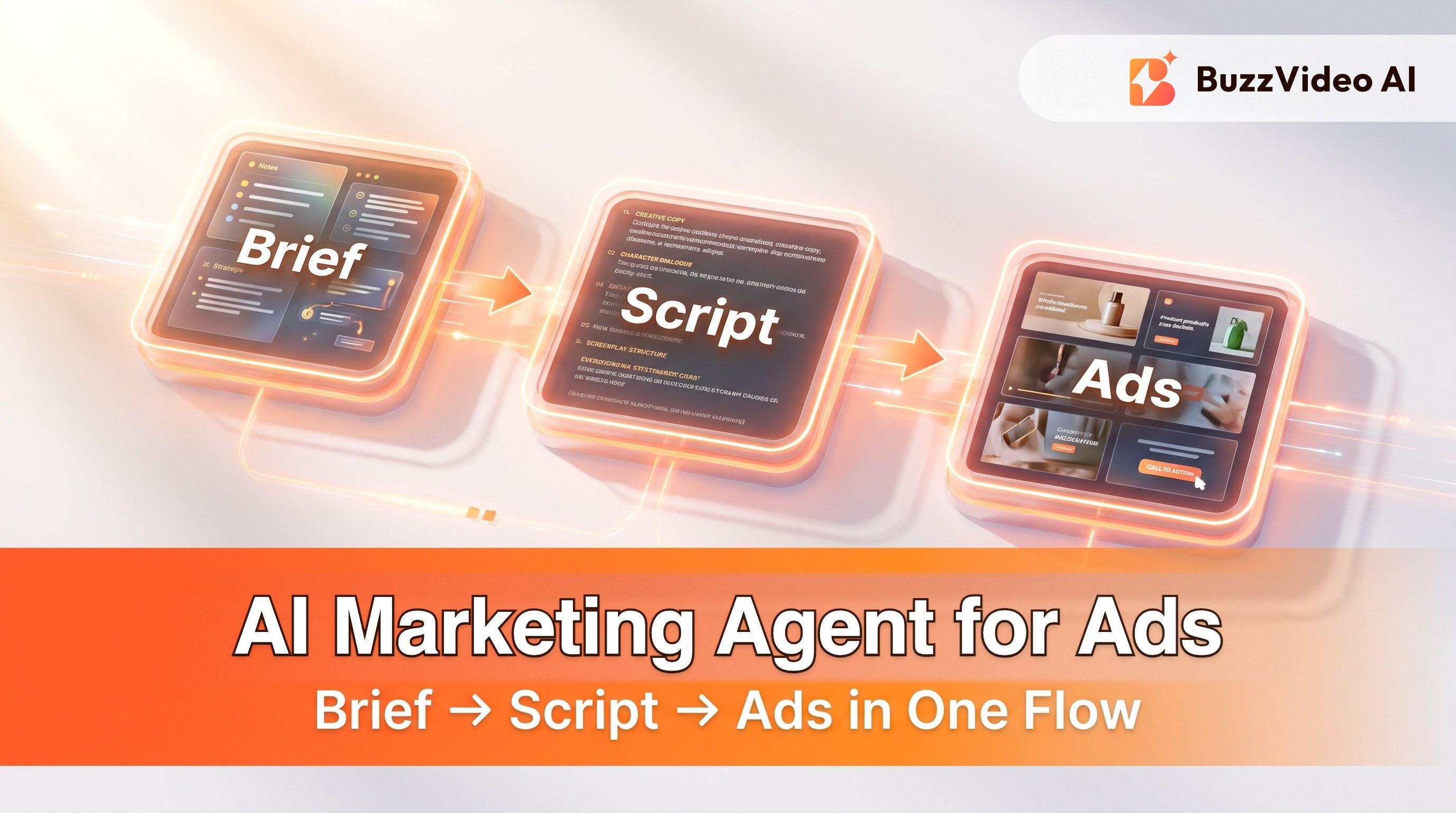
AI Marketing Agent for Ads: Brief → Script → Video in One Workflow
How BuzzVideo's AI marketing agent turns a brief or product link into scripts, images, and video ads—what it makes, a 15-minute first campaign, and plan limits.
Marketing Agent is BuzzVideo AI's AI marketing agent: it turns a campaign idea, product URL, or uploaded reference into briefs, scripts, and creatives—images and video—inside one chat-style workspace.
You describe the job in plain language (and can @ reference uploads). The agent helps with strategy, copy, and generation so you don’t have to learn every model setting on day one. When you need motion, it uses a video model such as Seedance 2.5, Kling, or Veo—picked for you by default, or chosen by you.
How is an AI marketing agent different from a prompt box?
| Approach | What you get | Gap for marketers |
|---|---|---|
| Blank model prompt | Pixels / a clip | No brief, weak claims control, hard to batch variants |
| Generic chatbot | Copy ideas | No product-aware generation loop or credit-backed render |
| Marketing Agent | Brief → script → shots → ads | Still needs human QA on claims and packaging |
Marketers don’t only need “cool AI video.” They need a job done: hooks for TikTok, a product demo for PDP, a UGC read for Meta, and enough endings to A/B test before learning ends. Marketing Agent is built around those jobs.
Try it: describe your campaign in one sentence and get scripts plus first creatives. Try Marketing Agent →
What can BuzzVideo's Marketing Agent create?
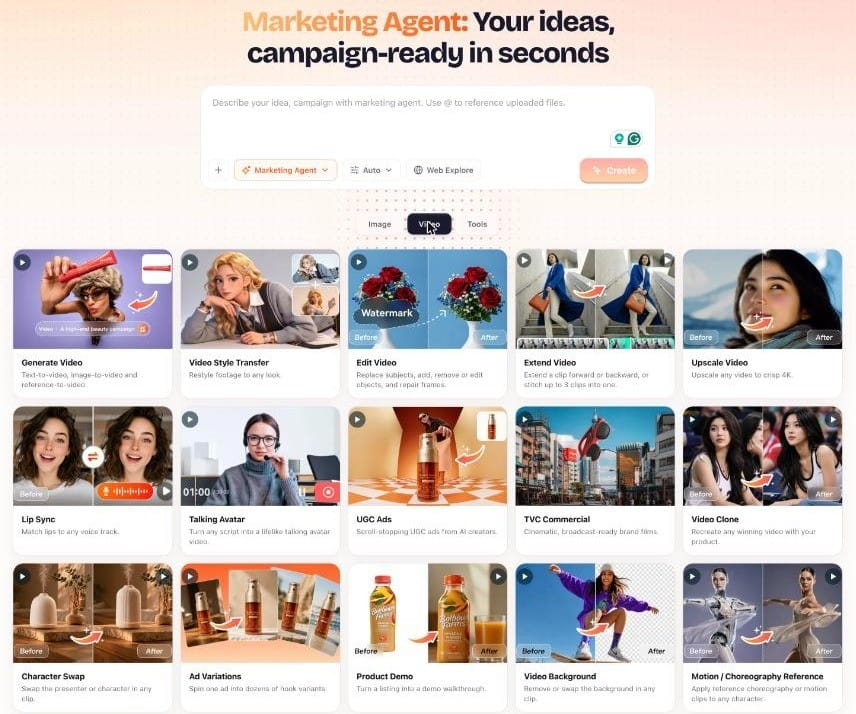
Marketing Agent groups its tools into three tabs—Image, Video, and Tools:
| Tab | Tools | Best for |
|---|---|---|
| Image | Generate Image, Image Style Transfer, Upscale Image, Remove/Change Background, Relight, Object Removal, Virtual Try-On, Product Photography, AI Model, Batch Edit, Social Carousel, Thumbnail, Inpaint, Image Character Swap, Image Face Swap | Product photos, listing images, carousels, and thumbnails |
| Video | Generate Video, Video Style Transfer, Edit Video, Extend Video, Upscale Video, Lip Sync, Talking Avatar, UGC Ads, TVC Commercial, Video Clone, Character Swap, Ad Variations, Product Demo, Video Background, Motion/Choreography Reference, Video Batch Variations | UGC ads, presenter videos, product demos, and hook tests |
| Tools | URL to Video, Storyboard to Video, Ad Copy, Product Descriptions, Campaign Brief, Captions & Hashtags, Content Calendar, Copy A/B Test | Turning a product page or brief into a full campaign |
Which campaign templates can you start from?
Marketing Agent includes ready-to-remix campaign patterns:
- This Gadget Saved Me
- Secret Hack Reveal
- Couple Sharing At Home
- Direct-to-Camera
- Camera POV
- Before and After
- Unboxing / Unboxing ASMR / Unboxing Virtual Try-On
- Giant Product (scroll-stopping scale)
Use these as starting briefs, then rewrite hooks for your real offer and compliance rules.
How do you run your first campaign with Marketing Agent?
- Open Marketing Agent at app.buzzvideo.ai.
- Describe audience + offer in one paragraph (who, problem, proof, CTA).
- Paste a product URL or @ attach a hero product image (and label crop if packaging must stay exact).
- Ask for three hooks + a 15-second UGC structure (hook → show → proof → CTA).
- Approve or edit the script—delete claims you can’t run.
- Generate with a volume-friendly video model first; re-render winners on Seedance 2.0 / 2.5 if you’re on Pro or Ultra.
- Run Ad Variations / batch endings for testing.
- Export 9:16 watermark-free on a paid plan and upload to your ad account.
What does a good brief to Marketing Agent look like?
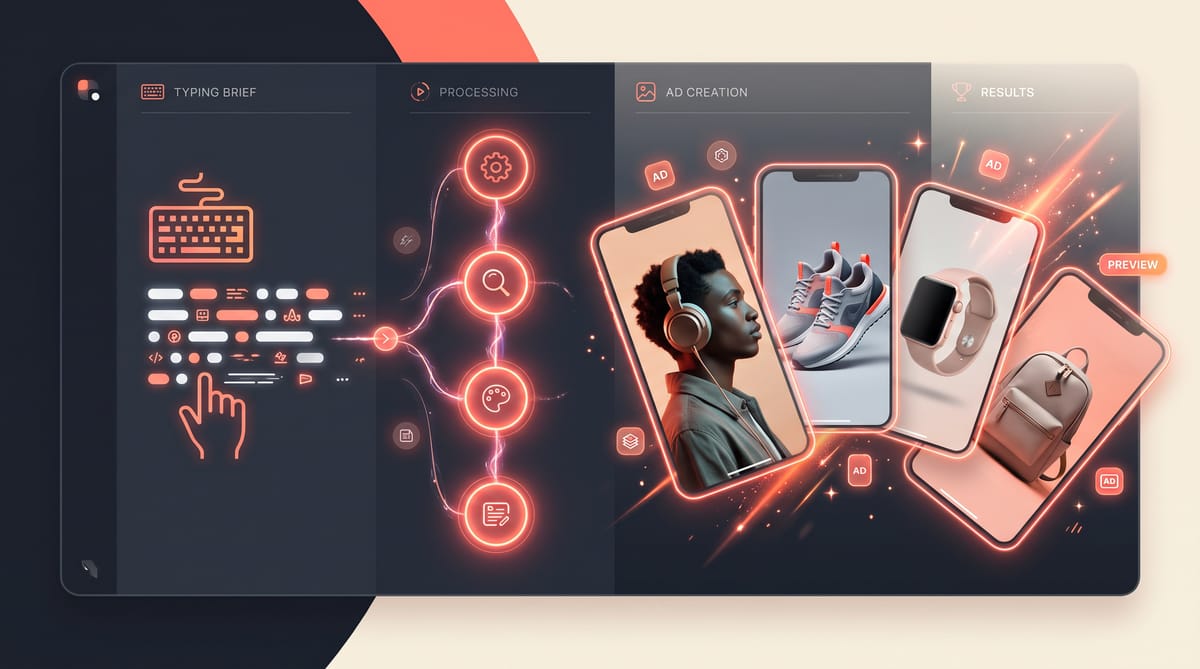
“Product: Kairo MagDock, a 3-in-1 charger for phone, watch and earbuds (page: [URL]). Audience: commuters and frequent travelers, 25–40. Problem: three cables on the nightstand. Proof we can use: charges all three at once, folds flat, weighs 210 g. Offer: free shipping. Do not claim faster charging or battery health. Make three 12-second 9:16 TikTok ads: problem/solution, feature demo, travel.”
- It names the audience and the problem, so hooks start from the viewer, not the product.
- It lists usable proof—facts the page actually supports.
- It says what not to claim, which saves you deleting invented benefits later.
- It asks for a format, length, and number of angles, so you get comparable drafts.
Which Marketing Agent tool should you use for each job?
| Job | Tool | Tab |
|---|---|---|
| Turn a product page into ads | URL to Video | Tools |
| Keep a product identical across shots | Storyboard to Video | Tools |
| Creator-style product recommendation | UGC Ads | Video |
| Presenter reading a script | Talking Avatar (+ Lip Sync) | Video |
| Show how the product works | Product Demo | Video |
| Test many hooks or endings | Ad Variations / Video Batch Variations | Video |
| Clean studio shots for listings | Product Photography, Relight, Remove/Change Background | Image |
| Posts for organic social | Social Carousel, Captions & Hashtags, Content Calendar | Image / Tools |
Tip: attach a clear packshot every time a product appears. Across our demo ads, the shots that kept the label right were always the ones with a clean product reference attached.
When should you switch to Canvas?
Stay in Agent when you need speed from idea to first cut. Switch to Canvas / manual model picks when you need:
- Packaging QA with multiple reference frames
- Multi-model router tests (cheap drafts vs cinematic heroes)
- Storyboard grids for multi-shot continuity
- Brand-kit moodboards and chained workflows
Canvas gives you one board for moodboards and chained workflows—storyboard frames through to finished product video.
What does Marketing Agent cost?
Marketing Agent is included on every plan, including Free. Video generation starts on Starter, and Seedance 2.0 / 2.5 need Pro or Ultra. Credits vary by model and length—see BuzzVideo pricing explained for plans and cost-per-ad math.
How do you turn one brief into a week of content?
The same brief can feed more than video ads. A practical order inside Marketing Agent:
- Campaign Brief — lock audience, problem, proof, offer, and claims you can't make.
- Ad Copy and Copy A/B Test — three headline and primary-text options per angle.
- URL to Video or UGC Ads — two or three video angles from the same brief.
- Ad Variations — new hooks and endings on the angle that looks strongest.
- Social Carousel and Product Photography — static posts from the same product photos.
- Captions & Hashtags and Content Calendar — schedule the organic posts around the paid test.
Because every step starts from the same brief, claims and tone stay consistent across ads and posts—the part that usually breaks when different people write each piece.
What mistakes do people make with AI marketing agents?
- A one-line brief. "Make an ad for my serum" gets a generic ad. Give audience, problem, proof, and what not to claim.
- Accepting the first script. Read it aloud; delete anything you wouldn't say on camera or can't prove.
- No product reference. Without a clean packshot, the model invents your label.
- Rendering heroes first. Explore on cheaper models, then re-render the winner on a premium one.
- Skipping review. The agent drafts; a person still approves claims, packaging, and the AI label before launch.
Ready to brief and generate ads with Marketing Agent? Open Marketing Agent and start from a URL or product photo.
FAQs
Is Marketing Agent free?
Yes—Marketing Agent is included on every plan, including Free (500 one-time credits for images). Video ads start on Starter.
Does Marketing Agent replace a media buyer?
No. It compresses creative production and first-draft strategy. Media buying, bidding, and audience strategy still need a human (or a separate stack).
How is this different from ChatGPT alone?
ChatGPT can draft copy. With BuzzVideo MCP, ChatGPT/Claude can also call BuzzVideo generation. In-app Marketing Agent adds product-aware tools (URL to Video, Storyboard, UGC, Ad Variations) in one BuzzVideo workspace.
Can Marketing Agent use Seedance?
Yes—when your plan includes the Seedance tier you select. Seedance is the render model; Marketing Agent is the workflow. Starter includes Fast/Mini variants; Seedance 2.0 / 2.5 need Pro or Ultra.
Where do I find Marketing Agent?
Open it at buzzvideo.ai/super-agent, or from the home screen at app.buzzvideo.ai.
What is an AI marketing agent?
An AI marketing agent is software that takes a marketing goal—a campaign idea, a product page, or a brief—and handles several steps for you: research, strategy, copy, and creative generation. BuzzVideo's Marketing Agent focuses on ad creative: it writes the brief and scripts, then generates images and videos you can test.
Can Marketing Agent write ad copy and captions too?
Yes. The Tools tab includes Ad Copy, Copy A/B Test, Product Descriptions, Campaign Brief, Captions & Hashtags, and Content Calendar alongside the video and image tools.
Can I use my own product photos?
Yes. Upload them and @ reference them in your request. A clean, straight-on packshot is the single best way to keep your real label in every generated shot.
Last verified: October 30, 2026, against our live pricing and product pages.
Next reads: Product URL to video ads · BuzzVideo MCP for ChatGPT & Claude · Marketing Agent

About the author
Monica
Product Manager
As a Product Manager at BuzzVideo AI, I work with marketers and growth teams on AI ad workflows—from brief to shippable creatives. I write about practical product workflows, model choices, and how teams turn product pages into ads that feel native on Meta and TikTok.