What Is BuzzVideo AI? The AI Ad Generator for Marketers (2026)
What BuzzVideo AI is, who it's for, what you can make, how credits work, and a 10-minute first workflow from product link to finished video ad.
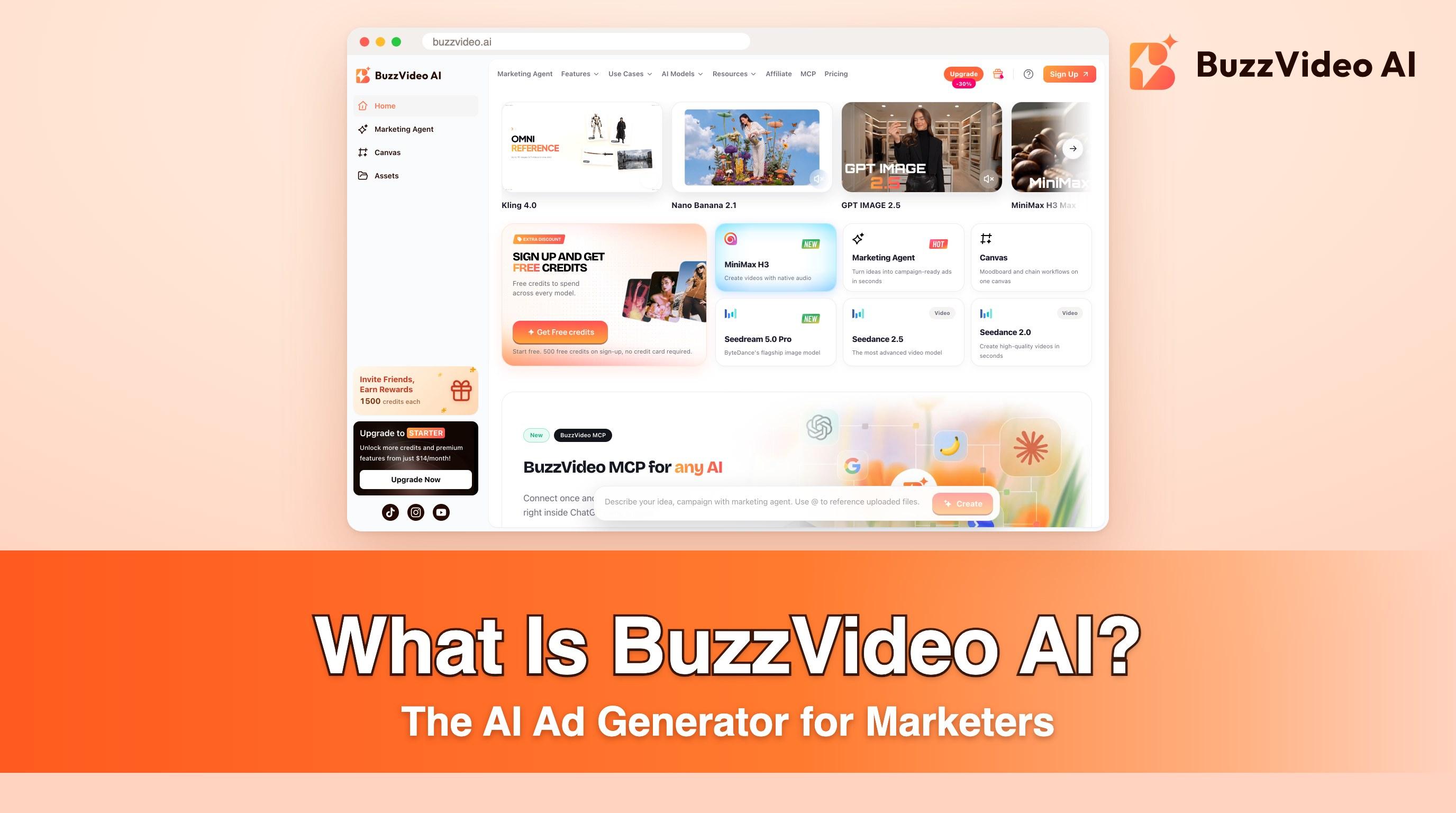
BuzzVideo AI is an all-in-one AI creative studio for marketers. You describe a campaign, paste a product link or upload a product photo, and get scripts, images, and finished video ads in one workspace—without a timeline editor or a production crew.
BuzzVideo AI is not a single model. Seedance, ByteDance's video model family, runs on BuzzVideo alongside Kling, Veo, Nano Banana, GPT Image, and other generators—plus marketing workflows like URL to Video, Storyboard to Video, Talking Avatar, and MCP inside ChatGPT and Claude.
Is BuzzVideo AI the same as Seedance?
| BuzzVideo AI | Seedance | |
|---|---|---|
| What it is | Ad-creation platform (workflow + credits + multiple models) | AI video model family (ByteDance) |
| What you do | Brief → script → storyboard → generate → variations | Generate clips from prompts, images, and references |
| Where you use it | buzzvideo.ai / app.buzzvideo.ai | Available on BuzzVideo (and elsewhere) |
| Who it’s for | Marketers, ecommerce sellers, agencies, creators shipping ads | Anyone who needs cinematic AI video clips |
Try it: paste a product link and get your first ad scripts in minutes. Start free with Marketing Agent →
Who is BuzzVideo AI for?
- Creators and ecommerce sellers who have a product page but no studio, editor, or three-week production cycle.
- Brand and performance marketers who need many hooks and formats for TikTok, Reels, Shorts, and paid social.
- Agencies and teams that want multi-model testing in one workspace (Enterprise adds seats, API, SLA).
If your job is “ship more ad creatives this week,” BuzzVideo is aimed at you. If your job is “render one art-house short,” a single-model research tool may be enough—and that’s fine.
What can you make with BuzzVideo AI?
BuzzVideo groups work around marketing jobs, not only a blank prompt box:
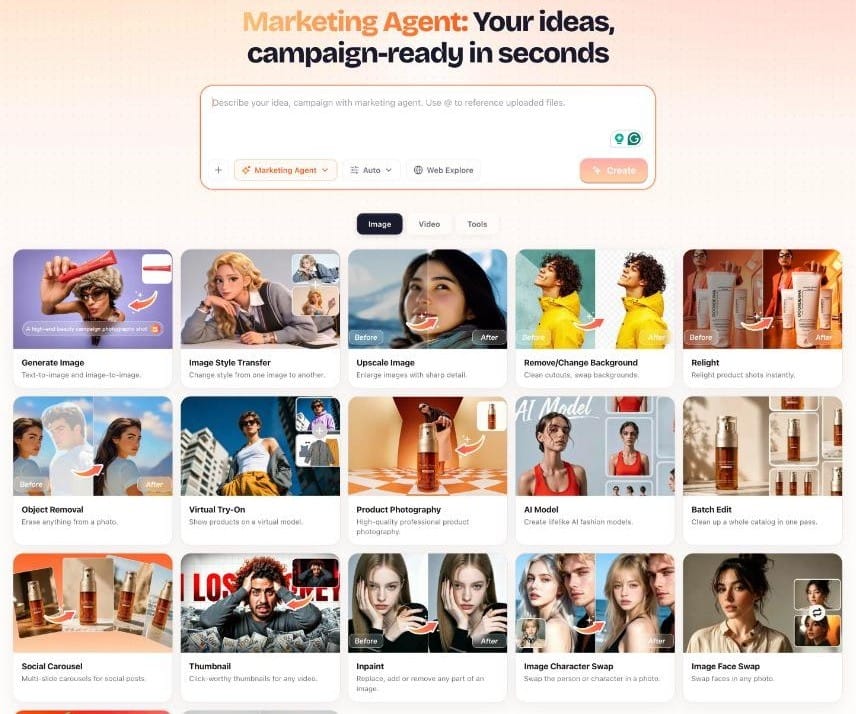
- Product video ads from a photo or product page
- UGC-style ads and creator-led reads
- Talking avatar presenter videos from a script
- Storyboard → continuous video for multi-shot consistency
- Ad variations / batch variations for hook and ending tests
- Product photography, carousels, listing image sets, and other static creatives
- Campaign briefs, product descriptions, captions & hashtags via Marketing Agent
Named workflows in Marketing Agent include URL to Video, Storyboard to Video, Talking Avatar, UGC Ads, Product Demo, and TVC Commercial.
How does BuzzVideo AI work?
1. Marketing Agent
Marketing Agent is the guided path from idea to campaign assets. You describe the campaign (and can @ reference uploads). It helps with strategy, copy, and creative generation in one flow—so first-time users don’t need to learn every model setting on day one.
2. Multi-model generation
Instead of locking you to one lab’s model, BuzzVideo routes work across leading image and video models (including ByteDance Seedance and Seedream, Kling, Google Veo and Nano Banana, OpenAI GPT Image, MiniMax, and others listed on our pricing page). You pick a model per generation, or use defaults suited to the job.
That matters for ads: a UGC hook, a glossy product hero, and a cheap volume test often want different models—not one compromise.
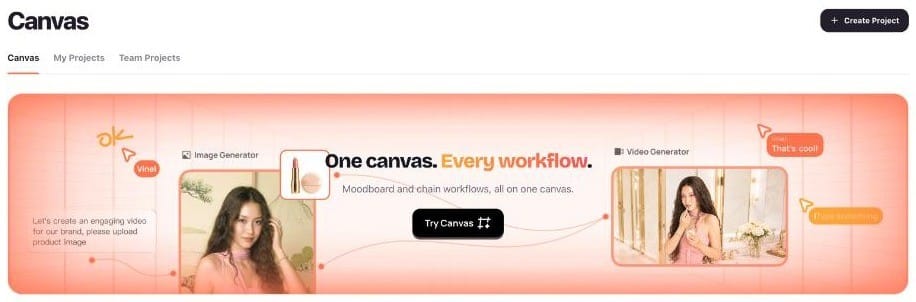
3. Canvas and chained workflows
Canvas gives you one board for moodboards and chained workflows—storyboard frames through to a finished product video—so teams keep references and shots together.
4. BuzzVideo MCP (ChatGPT & Claude)
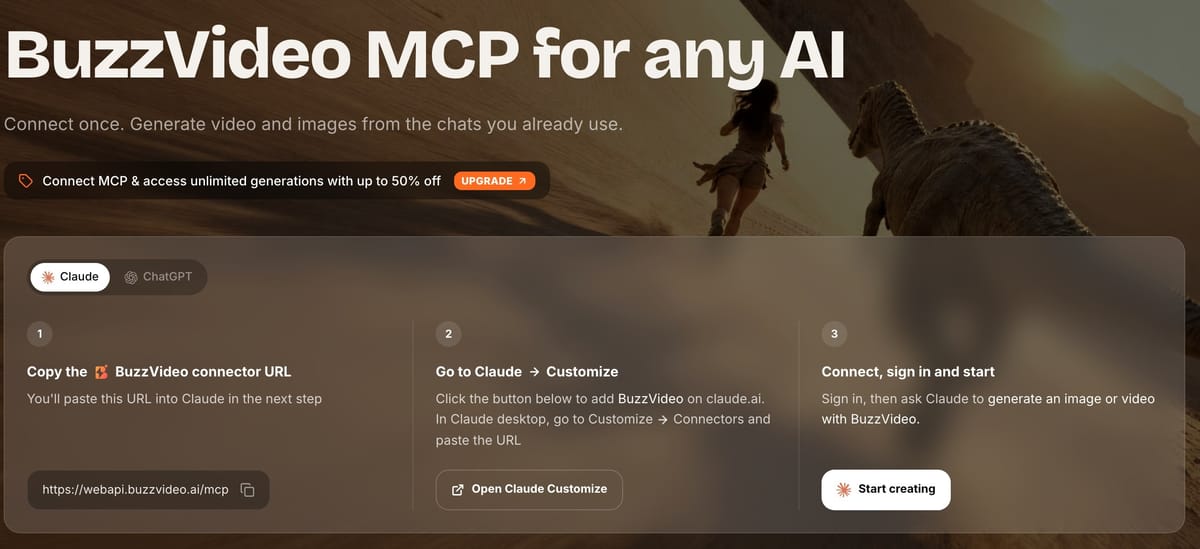
BuzzVideo MCP connects your BuzzVideo account to ChatGPT and Claude. You paste the connector URL https://webapi.buzzvideo.ai/mcp, sign in, and generate images, video, and audio from the chats you already use. MCP is available on every plan; what you can generate still follows your plan (Free: supported images; video and watermark-free downloads on paid plans).
5. Credits, plans, and commercial use
Generations spend credits; different models and lengths cost different amounts. Current plans (monthly price on yearly billing):
| Plan | Approx. monthly price (annual) | Credits | Video |
|---|---|---|---|
| Free | $0 | 500 one-time | No |
| Starter | $14/mo | 1,900/mo | Yes (not Seedance 2.0 / 2.5 full) |
| Pro | $35/mo | 4,900/mo | Yes, including Seedance 2.0 / 2.5 |
| Ultra | $63/mo | 8,900/mo | Yes + higher parallel / volume |
See our pricing page for live numbers and current bonus-credit offers, or read BuzzVideo pricing explained for cost-per-ad math.
Commercial use is included on paid plans for ads, social, product pages, and client work. Your prompts, uploads, and outputs stay private to your account, and we don't use them to train models.
Which BuzzVideo plan should you start on?
| If you want to… | Start on | Why |
|---|---|---|
| Try Marketing Agent, images, and MCP | Free | 500 one-time credits; no video |
| Make your first video ads on a budget | Starter ($14/mo billed yearly) | 1,900 credits a month; Kling, Seedance 2.0 Fast/Mini, and other video models |
| Ship ads every week with Seedance 2.0 / 2.5 hero cuts | Pro ($35/mo billed yearly) | 4,900 credits a month and every premium model |
| Run high volume or many parallel jobs | Ultra ($63/mo billed yearly) | 8,900 credits a month and 12 parallel generations |
| Add seats, API access, or an SLA | Enterprise | Talk to sales |
Rule of thumb from the demo ads on this blog: a finished Seedance 2.5 ad cost us 450–650 credits, so Pro's 4,900 monthly credits cover roughly eight to ten hero ads—more if you draft hooks on cheaper models first.
How is BuzzVideo different from other AI video tools?
| Approach | Typical single-model tool | BuzzVideo AI |
|---|---|---|
| Starting point | Prompt box | Brief / URL / storyboard / agent |
| Models | One lab | Multiple labs in one credit system |
| Output goal | Cool demo clip | Campaign-ready ad assets + variations |
| Chat integration | Rare | MCP in ChatGPT & Claude |
| Consistency tools | Prompt luck | Storyboard, references, avatar reuse |
How do you make your first ad with BuzzVideo?
- Create an account at app.buzzvideo.ai.
- Open Marketing Agent and paste your product URL or upload a hero product image.
- Ask for a 15-second TikTok UGC ad with three hook options.
- Generate a first cut on a volume-friendly video model; regenerate the winner on Seedance 2.5 if you’re on Pro/Ultra.
- Export watermark-free (paid) and upload to your ad account or organic calendar.
What have we made with BuzzVideo for this blog?
Every demo video on our blog was generated on BuzzVideo with fictional products, and each post shows the credits it took, including rejected takes:
| Demo | Workflow | Model | Credits |
|---|---|---|---|
| Three ads from one product page (Kairo charger) | URL to Video | Seedance 2.5, three 12s clips | ~1,700 for all three |
| Four-shot storyboard ad (LUMEA serum) | Storyboard to Video | Seedance 2.5, 10s | 447 |
| Talking avatar ad (BRIVO protein bar) | Talking Avatar | Seedance 2.5, 6s + 9s | ~650 |
| "Looks AI" vs "feels native" UGC (LUMEA serum) | UGC Ads | Seedance 2.5, three 8s clips | 999 |
Three of the four needed at least one retake—a melting product, a mirrored label, a wrapper that resealed itself. That is normal, and it is why the human review step in every workflow on this blog is not optional.
What are BuzzVideo's limitations?
- Free plan does not include video generation—only limited image credits and agent/MCP image access.
- Seedance 2.0 and 2.5 require Pro or Ultra (Starter includes Fast/Mini variants for cheaper drafts).
- Team seats and API access are part of Enterprise; Starter, Pro, and Ultra are single-user plans.
- AI still needs human judgment: packaging accuracy, claims compliance, and brand voice are your responsibility.
BuzzVideo terms in plain English
- Credits — what every generation spends. The cost depends on the model, length, and resolution, and BuzzVideo shows it before you generate.
- Model — the AI engine that renders the image or video, such as Seedance, Kling, Veo, Nano Banana, or GPT Image. You can switch models per generation.
- Marketing Agent — the chat-style workspace that turns a brief, product link, or photo into scripts and creatives.
- Reference image — a photo you attach so the model copies your real product, label, or presenter instead of inventing one.
- Storyboard — a grid of planned shots (hook, demo, proof, CTA) that the video follows shot by shot.
- AI Avatar — a saved presenter you can reuse across ads so the same face appears all week.
- Canvas — a board for moodboards, references, and chained workflows.
- MCP — the connector that lets ChatGPT and Claude generate with your BuzzVideo account.
Ready to see BuzzVideo AI in action? Start free and turn a product page or brief into shippable ad creatives.
FAQs
What is BuzzVideo AI in one sentence?
BuzzVideo AI is an AI ad-creation platform that turns product links, photos, and briefs into scripts, images, and video ads using multiple models in one workspace.
Is BuzzVideo the same as Seedance?
No. Seedance is a ByteDance video model. BuzzVideo is the platform that hosts Seedance and other models plus marketing workflows.
Is there a free plan?
Yes—500 one-time credits to try Marketing Agent, image models, and MCP. Video generation starts on Starter.
Can I generate video from ChatGPT or Claude?
Yes, via BuzzVideo MCP, subject to your plan’s model and credit limits.
Who builds BuzzVideo?
BuzzVideo AI is built by PressLogic, a media and technology company.
Do I need to label BuzzVideo ads as AI-generated?
Often, yes. TikTok requires advertisers to turn on the AI-generated content disclaimer for ads that are fully AI-generated or significantly modified by AI (TikTok ad policy), and Meta adds an "AI info" label to ads made or significantly edited with generative AI (Meta). See how to make AI UGC ads that don't look fake for the details.
Last verified: October 30, 2026, against our live pricing and product pages.
Next reads: BuzzVideo vs Creatify vs Arcads vs HeyGen · BuzzVideo pricing & cost per ad · Pricing · How to use Seedance 2.0

About the author
Monica
Product Manager
As a Product Manager at BuzzVideo AI, I work with marketers and growth teams on AI ad workflows—from brief to shippable creatives. I write about practical product workflows, model choices, and how teams turn product pages into ads that feel native on Meta and TikTok.