How to Use BuzzVideo MCP in ChatGPT and Claude
Step-by-step guide to BuzzVideo MCP for ChatGPT and Claude—connector URL, plan limits, models, and prompts that work.
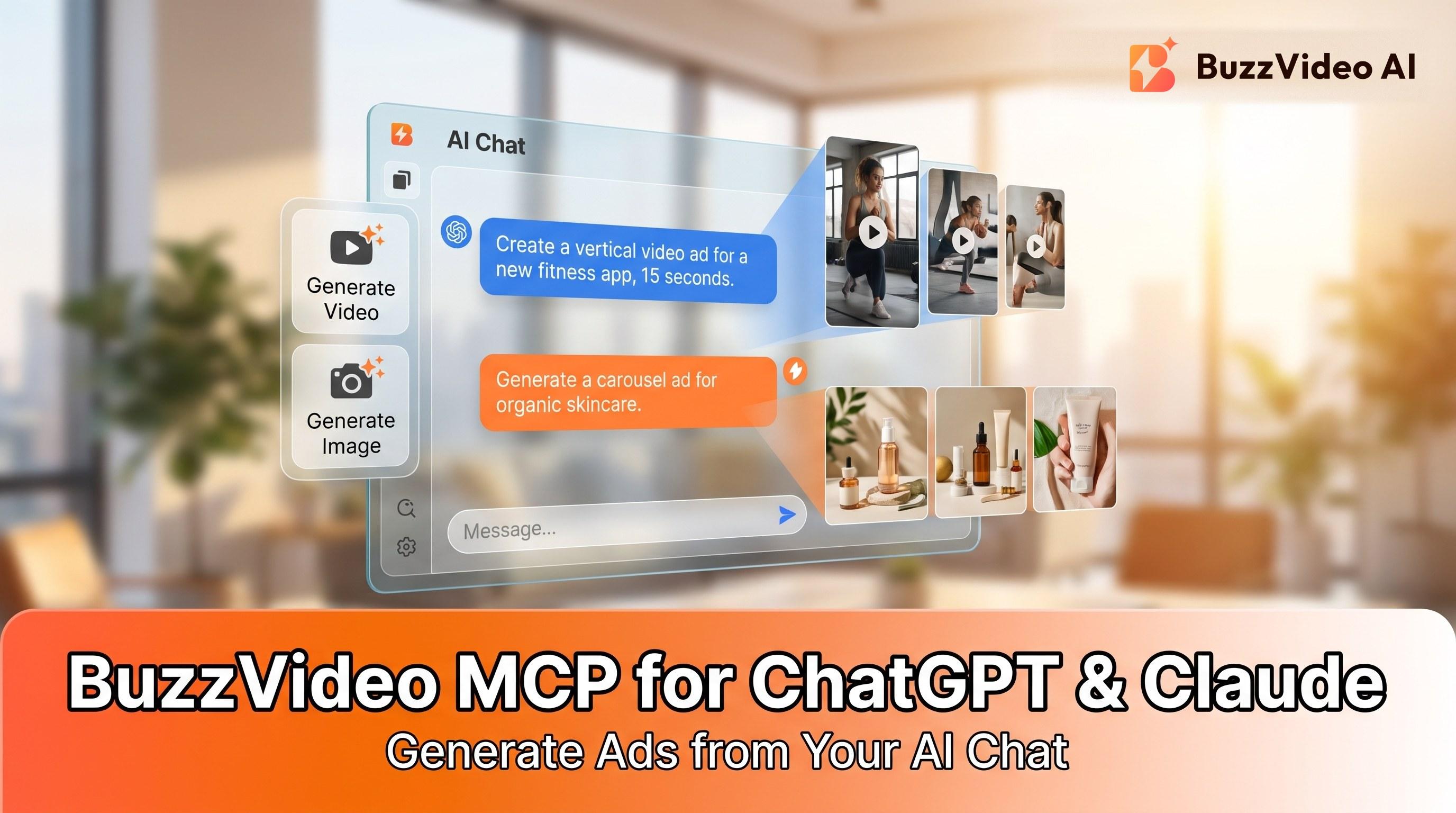
BuzzVideo MCP lets you connect your BuzzVideo AI account to ChatGPT and Claude so you can generate images, video, and audio from those chats using your BuzzVideo credits. MCP works on every plan; video and watermark-free downloads still require paid plans.
Through one connection you can call models such as Seedance, Kling, Nano Banana, and GPT Image, depending on your plan.
What is BuzzVideo MCP?
| BuzzVideo MCP | Seedance / other models | |
|---|---|---|
| What it is | Model Context Protocol connector into ChatGPT, Claude, and other MCP clients | Image/video/audio generators |
| What you do | Sign in once; ask the chat to create assets | Consume credits when a generation runs |
| Where | buzzvideo.ai/mcp | Model picker / agent defaults on BuzzVideo |
Connector URL: https://webapi.buzzvideo.ai/mcp
Paste that URL into Claude’s connectors (or point any MCP-compatible client at it). For ChatGPT, add the BuzzVideo plugin from the directory and sign in.
Set it up: connect once and generate from the chat you already use. Connect BuzzVideo to ChatGPT or Claude →
How do you connect BuzzVideo to Claude?
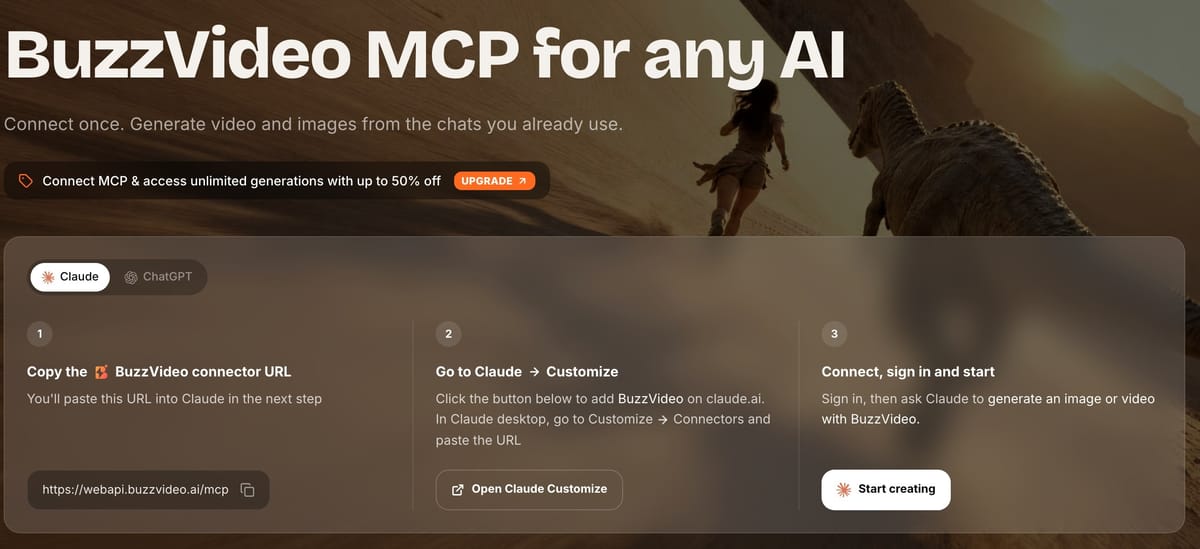
- Copy the BuzzVideo connector URL: https://webapi.buzzvideo.ai/mcp.
- On claude.ai, open Customize → Connectors (or use the add-connector flow linked from the MCP page). In Claude desktop, use Customize → Connectors and paste the URL.
- Connect and sign in to your BuzzVideo account (OAuth—don’t paste API secrets into the chat).
- Start prompting. Example:
“Generate a 10-second 9:16 product demo from this photo. Keep packaging accurate. Use a model my plan includes.”
Not sure what your plan includes? Ask Claude which BuzzVideo models it can use.
How do you connect BuzzVideo to ChatGPT?
- Open the ChatGPT Plugins / connectors directory and find BuzzVideo, or use the add button on buzzvideo.ai/mcp.
- Click Add and sign in to BuzzVideo.
- In a new chat, ask ChatGPT to generate with BuzzVideo, for example:
“Create three 6-second hook variants for this skincare bottle photo. Vertical 9:16. Then I’ll pick one to extend.”
Then check that the generations appear in your BuzzVideo account and credit history.
Which models can you use through MCP?
Based on our MCP FAQ and pricing page:
| Plan tier | Typical MCP access |
|---|---|
| Free | Supported image models + Seed Audio 1.0; no video; MCP still connects |
| Starter+ | Broader image lineup + video models per plan (watermark-free on paid) |
| Pro / Ultra | Full premium video including Seedance 2.0 and Seedance 2.5 |
Video models commonly listed for MCP: Seedance 2.5, Seedance 2.0, Seedance 2.0 Mini, Seedance 2.0 Fast, Kling 3.0, Gemini Omni Flash, MiniMax H3 / H3 Max (lineup expands over time).
Image models: GPT Image 2.5 Sunburst / Flare, GPT-image-2, Nano Banana Pro / 2 / 2 Lite / Nano Banana, Seedream 5.0 Pro / lite, and others on your plan.
Audio: Seed Audio 1.0.
You can ask in chat: “Which BuzzVideo models does my plan include?”
What prompts work best with BuzzVideo MCP?
Prompt patterns from our MCP page:
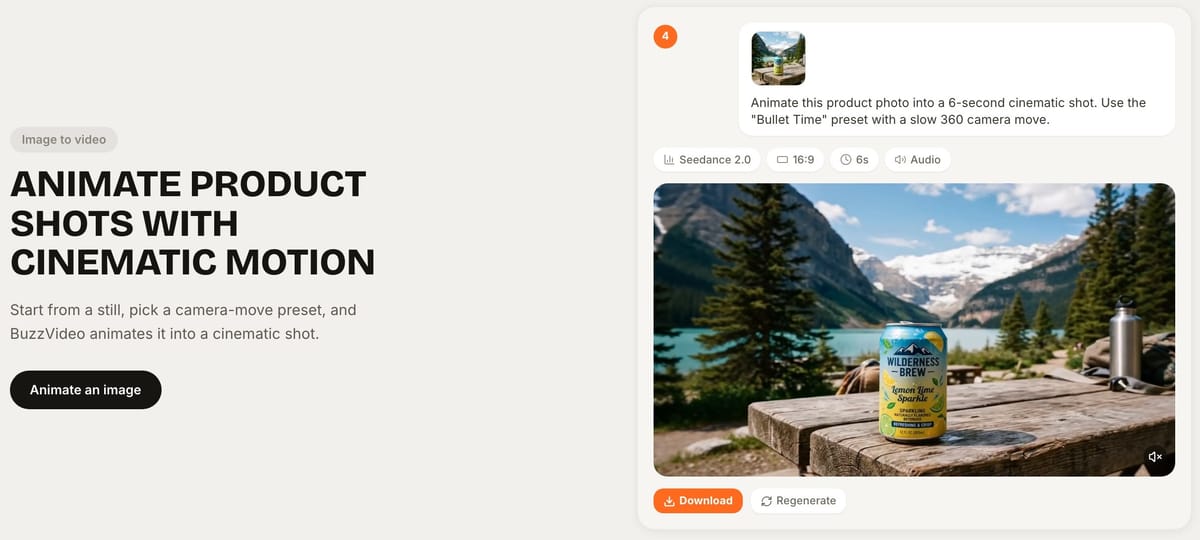
- Animate a still: “Animate this product photo into a 6-second cinematic shot. Use a slow 360 / bullet-time camera move.”
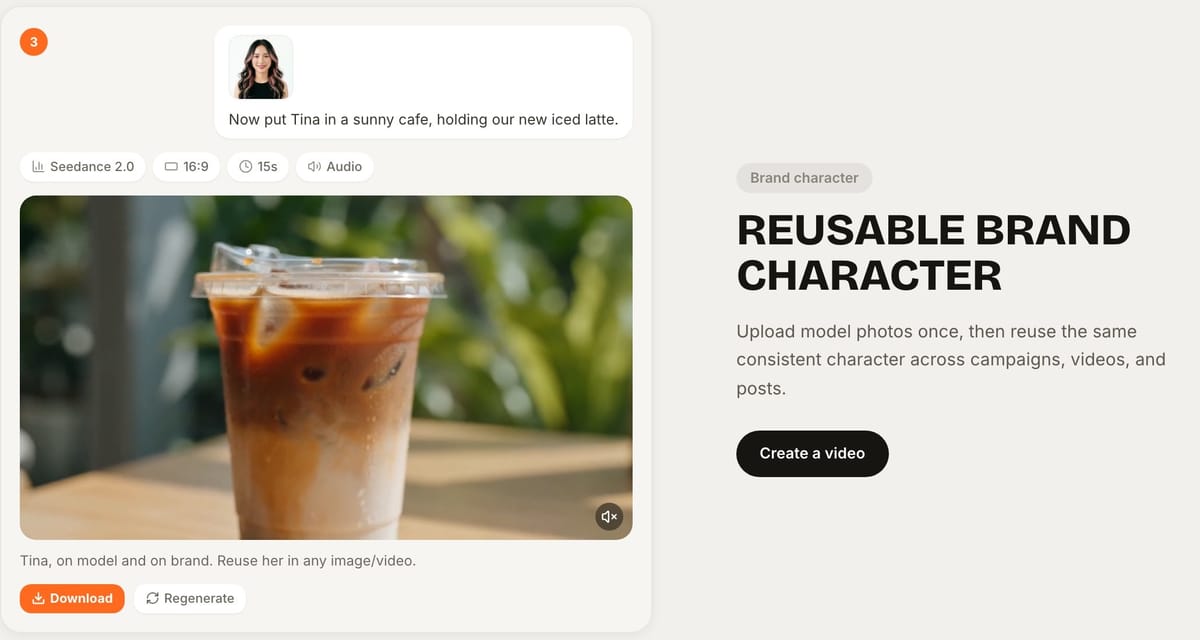
- Avatar continuity: “Now put Tina in a sunny cafe, holding our new iced latte.” (reuse a named avatar)
- Model + format: “Seedance 2.0, 16:9, 10s, with audio—hero product on white, then lifestyle cut.”
- Plan-safe: “Use the cheapest suitable video model on my plan for three drafts, then recommend an upgrade path for the winner.”
Tips:
- Attach or paste the product image when packaging must stay exact.
- State aspect ratio (9:16 for TikTok/Reels) and length up front.
- Don’t ask MCP to invent legal claims—paste your approved offer line.
Example: one ad from a single Claude chat
A typical session runs in four prompts:
- "Which BuzzVideo video models does my plan include, and what does a 10-second 9:16 clip cost on each?"
- "Write three 10-second hooks for this product [paste approved benefits]. No health or speed claims."
- "Generate hook 2 as a 10-second 9:16 video with [model], using this product photo as the reference. Tell me the credit cost first."
- "The label is blurry in the last shot. Regenerate only that shot, keep everything else the same."
Asking for the credit cost before each generation is the habit that keeps MCP spend predictable—the connector can quote it, and the same credits leave your BuzzVideo balance either way.
How are MCP generations billed?
Every MCP generation spends BuzzVideo credits on the signed-in account—the same pool as the web app. Different models and lengths cost different amounts (see the compare table on pricing). Bonus or promotional credits behave like purchased credits when the offer says so.
Is BuzzVideo MCP secure?
- Prefer the official sign-in / OAuth flow. Never paste passwords, API keys, or session cookies into the chat.
- Commercial use follows your BuzzVideo plan terms (paid plans include commercial use for ads and client work per our pricing FAQ).
- Your prompts, uploads, and outputs stay private to your account, and we don't use them to train models.
What if BuzzVideo MCP doesn't work?
| Problem | What to do |
|---|---|
| BuzzVideo tools don't show up in the chat | Check the connector is enabled for this chat; in Claude, open Customize → Connectors and reconnect |
| "Model not available" | Your plan doesn't include that model—ask which models your plan includes, or upgrade |
| Video requests fail on Free | Free has no video generation; video starts on Starter |
| Not enough credits | MCP uses the same balance as the web app—check it at app.buzzvideo.ai |
| Can't find a finished file | Generations are saved to your BuzzVideo account, so open the app to download them |
| Connector URL rejected | Copy it again from buzzvideo.ai/mcp; it should be exactly https://webapi.buzzvideo.ai/mcp |
Should you use MCP or Marketing Agent?
| Marketing Agent (app) | BuzzVideo MCP | |
|---|---|---|
| Best for | Full brief→URL→storyboard→variations in one product UI | Creating from chats you already live in |
| Tools | Named workflows (URL to Video, UGC, Talking Avatar, etc.) | Whatever the connector exposes to the host chat |
| Models | Same BuzzVideo credit system | Same BuzzVideo credit system |
Many teams draft strategy in ChatGPT/Claude via MCP, then finish packaging QA and storyboards in the BuzzVideo app.
What can you make with BuzzVideo MCP?
| Job | Example prompt | Plan |
|---|---|---|
| Product photos | "Put this bottle on a marble bathroom shelf, soft morning light, 1:1." | Free and up |
| Animate a still | "Animate this product photo into a 6-second slow orbit, 9:16." | Starter and up |
| Short video ad | "Generate a 10-second 9:16 ad from this brief and this packshot." | Starter and up; Seedance 2.0 / 2.5 on Pro and Ultra |
| Voiceover or sound | "Create a 15-second warm female voiceover for this script with Seed Audio." | Free and up |
| Same presenter again | "Now put Tina in a sunny cafe, holding our new iced latte." | Starter and up |
How do you keep MCP results on-brand?
- Start each chat with a short brand note: product name, colors, tone, and claims you never make. Paste the same note every time.
- Attach the real product photo whenever the product appears, and type the label text out exactly.
- Name the format up front: aspect ratio, length, and whether you want audio.
- Ask for one change at a time when you iterate, so you know which instruction fixed (or broke) the shot.
- Check results in the BuzzVideo app before you use them in an ad; that's also where you download the files.
Want MCP in ChatGPT or Claude connected to real ad generation? Start on BuzzVideo, then hook up the connector from your account.
FAQs
Does Free include MCP?
Yes. MCP works on every plan, including Free. Free still cannot generate video; image (and listed audio) limits apply.
Can other MCP clients work?
Yes—if they accept a connector URL. Point the client at https://webapi.buzzvideo.ai/mcp and sign in.
Is BuzzVideo MCP the same as Seedance?
No. MCP is how ChatGPT/Claude talk to BuzzVideo AI. Seedance is one video model you may call through that connection when your plan allows.
Do MCP downloads have watermarks?
Watermark-free downloads follow paid-plan rules—same as the web app. Free plan downloads are watermarked.
What if the connector URL changes?
Check buzzvideo.ai/mcp for the current connector URL.
Does BuzzVideo MCP work with Claude Desktop?
Yes. In Claude Desktop, go to Customize → Connectors, paste https://webapi.buzzvideo.ai/mcp, and sign in to your BuzzVideo account. The same steps work on claude.ai.
Can ChatGPT or Claude pick the model for me?
Yes. Ask for "the cheapest suitable video model on my plan" for drafts, or name a model such as Seedance 2.5 for the final version. You can also ask for the credit cost before anything is generated.
Where do I see what MCP generated and spent?
In your BuzzVideo account. MCP generations are saved there like any other, and their credits come out of the same balance and credit history.
Last verified: October 30, 2026, against our live pricing and product pages.
Next reads: AI Marketing Agent explained · MCP · Pricing

About the author
Monica
Product Manager
As a Product Manager at BuzzVideo AI, I work with marketers and growth teams on AI ad workflows—from brief to shippable creatives. I write about practical product workflows, model choices, and how teams turn product pages into ads that feel native on Meta and TikTok.