How to Make AI UGC Ads That Don’t Look Fake (2026)
Why AI UGC ads look fake and how to fix it: native hooks, locked product identity, creator-style scripts and direction, plus a pre-launch QA checklist.
AI UGC ads that “don’t look fake” share three traits: a native first two seconds, stable product and person identity across cuts, and delivery that sounds like a creator—not a corporate spokesperson reading a brochure.
On BuzzVideo AI you build that workflow with UGC Ads, Talking Avatar, Storyboard to Video, and Ad Variations, then pick the video model that fits each shot.
Why do AI UGC ads look fake?
Viewers rarely say “this is AI.” They bounce because the ad fails human pattern checks:
- Packaging lies — logo warps, label text melts, bottle proportions change mid-clip.
- Face/hand uncanny — fingers fuse, eye lines drift, lips don’t match speech.
- Studio lighting on a “bedroom” claim — beauty-commercial light kills UGC trust.
- Brochure voice — “revolutionary synergy” instead of “I stopped doing X.”
- No proof beat — claim → CTA with nothing in between.
Fix those five and most “AI UGC looks fake” complaints disappear—even before you chase photorealism leaderboards.
Try it: generate three hook-first UGC drafts from one product photo. Make my first AI UGC ad →
What is the best UGC ad format in 2026?
| Beat | Time | Job |
|---|---|---|
| Hook | 0–2s | Pattern interrupt (problem, visual, or hot take) |
| Show | 2–8s | Product in hand / in use |
| Proof | 8–14s | Specific result, texture, or review line |
| CTA | last 2–3s | One action |
Vertical 9:16, captions on, first frame readable with sound off.
How do you make AI UGC ads on BuzzVideo?
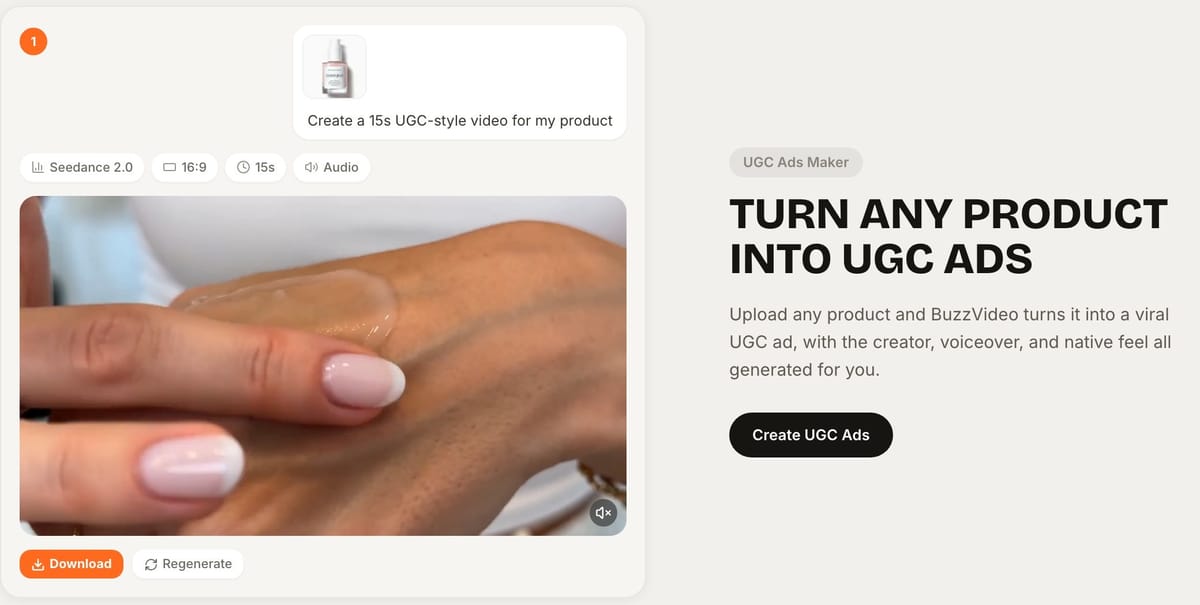
Step 1 — Write like a creator, not a brand deck
Bad: “Discover our clinically advanced formula engineered for modern lifestyles.” Better: “I was spending $40 on serums that turned brown in a week. Here’s what I switched to.”
Pull language from real reviews. Marketing Agent can draft angles; you delete anything you wouldn’t say on camera.
Step 2 — Lock identity before you chase style
- Upload a clear product pack shot (front + label).
- If using a recurring presenter, save an AI Avatar and reuse it (unlimited on paid plans; Free caps at 10).
- For multi-shot stories, build a storyboard so the same person/product persists.
Step 3 — Pick UGC Ads or Talking Avatar on purpose
| Tool | Use when |
|---|---|
| UGC Ads | Creator-style product recommendation, unboxing energy, casual room setting |
| Talking Avatar | Script-led presenter to camera; lip-sync matters |
| Product Demo | Hands + product mechanism > face time |
| Ad Variations | Same body, many hooks for testing |
Step 4 — Direct the model like a shoot, not a wish
Prompt ingredients that reduce fakeness:
- Camera: “smartphone front camera, slight handheld, medium close-up”
- Light: “natural window light, bedroom, no beauty dish”
- Performance: “conversational, not smiling at every word”
- Negatives: “no extra logos, no warped label, no extra fingers, no cinematic color grade”
When a shot keeps looking off, run the identical brief on two or three models (for example Seedance, Kling, and Veo) and keep the most natural take.
Step 5 — Draft cheap, finalize expensive
- Generate 3–5 hook variants on faster / lower-credit models.
- Pick the one with the strongest first two seconds.
- Re-render the winner on Seedance 2.5 (Pro/Ultra) when continuity and longer clips matter—it supports up to 30-second native video and up to 50 references (model page).
- Only then spend on batch endings / CTAs.
Step 6 — Human QA gate (non-negotiable)
Reject a clip if any of these fail:
- Label readable in at least one clear frame
- Hands look anatomical in product-in-hand shots
- Lip sync acceptable on talking lines
- No invented claims
- Hook works muted
Two rejected generations are cheaper than one live ad that burns trust.
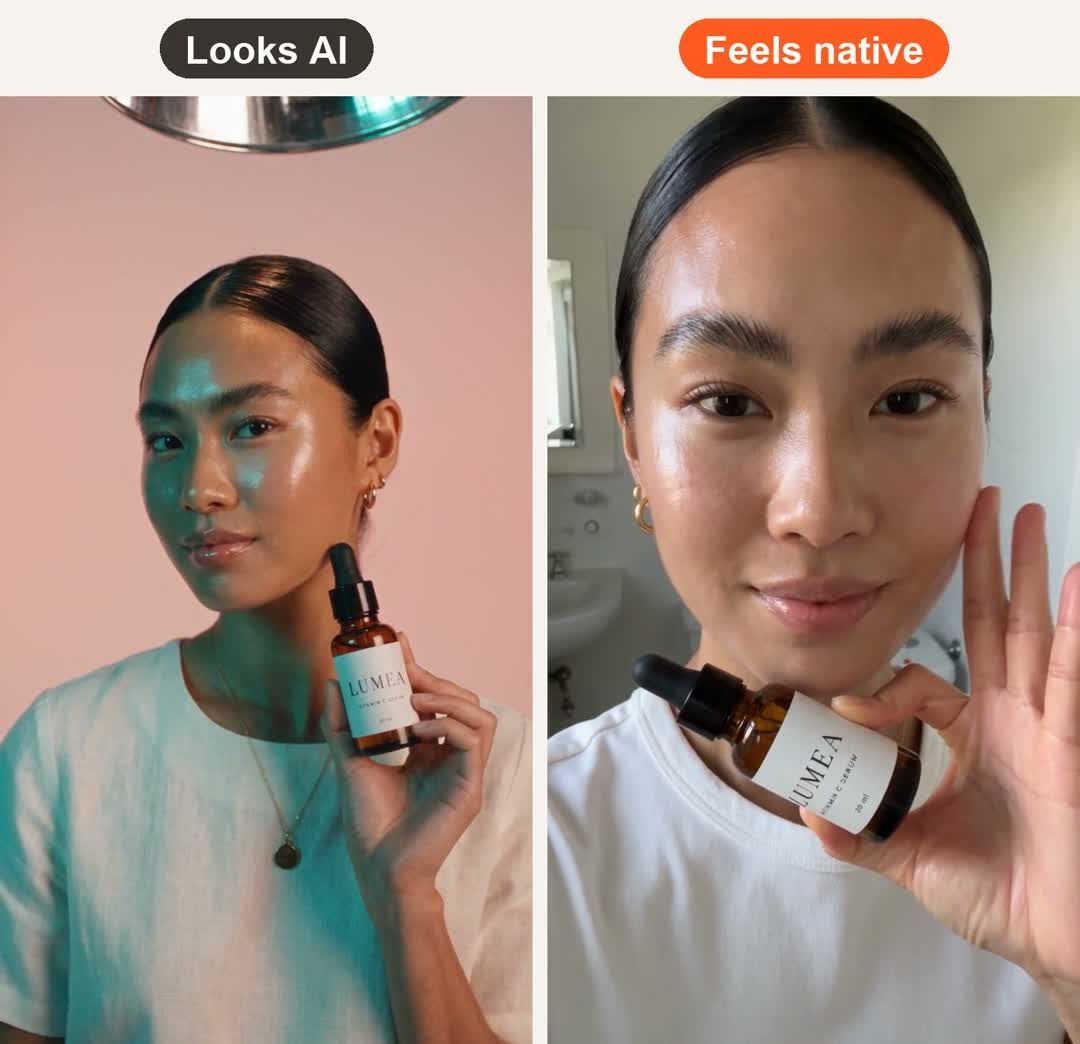
How we made the comparison at the top of this page
Both clips use the same AI avatar and the same packshot of LUMEA Vitamin C Serum, a fictional product from our demo store. Each is one 8-second Seedance 2.5 clip (720p, 333 credits). Only the direction changed:
- Looks AI: pink seamless backdrop, beauty dish in frame, glossy skin, posed product hold, teal-and-orange grade, stock ad music.
- Feels native: one continuous front-camera selfie in an ordinary bathroom, window light, visible skin texture, she shows the bottle and pats her cheek, room sound only.
Our first "native" take failed review: the model cut it into a multi-shot beauty commercial with wide, macro and close-up shots, a pained-looking close-up and a hand that did not match the face. Writing "one single continuous selfie shot" into the prompt fixed it on the second try. The retake had a new problem: because it imitates a front camera, the label came out mirrored. We flipped the clip horizontally in editing so LUMEA reads correctly—turn off front-camera mirroring before you post real UGC, too.
Total: three 8-second clips, one of them rejected, 999 credits—roughly $7 on Pro billed yearly.
Which UGC hooks work best?
- Mistake call-out: “Stop doing X with your Y.”
- Cost confession: “I wasted $__ before I tried this.”
- Visual first: Extreme close-up of the mechanism, then face.
- Skeptic open: “I didn’t believe another Z would work, but…”
- Hack reveal: “The packaging trick nobody shows in ads…”
Generate each as a separate variation—don’t cram five hooks into one 15-second franken-ad.
Copy-paste prompt for a native selfie UGC shot
This is the prompt structure that fixed our "Feels native" clip after the first take came back as a glossy multi-shot commercial:
“ONE single continuous [8]-second selfie-style shot, vertical 9:16, filmed on a phone front camera held at arm's length, slight natural handshake. [Presenter] in an ordinary [bathroom / bedroom / kitchen] with window daylight, no studio lights, visible skin texture. She holds [product] up to the camera so the label is readable, then [one simple action]. No cuts, no close-ups, no B-roll, no color grade, no music—room sound only.”
- "ONE single continuous shot… no cuts" stops the model from editing a commercial for you.
- One simple action (show the bottle, pat the cheek, take a sip) keeps hands and product believable.
- Check the label afterwards. A front-camera look can mirror text; flip the clip horizontally in editing if it does.
Example UGC scripts by category
| Category | Hook (0–2s) | Show + proof | CTA |
|---|---|---|---|
| Skincare | "My vitamin C used to turn orange in two weeks." | Shows the dark glass bottle and dropper texture; one line on how she stores it | "This is the one I reorder—link below." |
| Phone accessory | "Three chargers on my nightstand. Now it's one." | Phone, watch and earbuds docked in one take | "Grab it before your next trip." |
| Kitchen gadget | "Stop crying over onions." | Chops one onion in five seconds, shows the result | "Get yours—it's on sale this week." (only if true) |
Keep each script to one idea and about 30–40 spoken words for a 15-second ad. Anything longer forces fast, robotic delivery—the fastest way to look fake.
Do you need to label AI UGC ads on TikTok and Meta?
Yes, in most cases. TikTok allows AI-generated or significantly AI-modified content in ads only when it's labeled: turn on the AI-generated content disclaimer in Ads Manager, or the ad can be rejected or restricted (TikTok ad policy, ad disclaimers). TikTok also prohibits using a public figure's face or voice without permission.
Meta shows an "AI info" label under "About this ad" for ads made or significantly edited with generative AI, and says it detects some third-party AI tools through industry-standard signals. Photorealistic AI-generated people get a more visible label next to "Sponsored" (Meta).
- Lead with content, not logo sting.
- Avoid over-polished TVC grade if the account expects UGC.
- Refresh creatives often; AI makes refresh affordable—fatigue still exists.
Comparing AI UGC tools
If you're choosing between AI UGC tools, start from your real bottleneck—actor realism, packaging consistency, or generating from the chat you already use. We break it down in BuzzVideo vs Creatify vs Arcads vs HeyGen.
Ready to make AI UGC that still feels native? Try BuzzVideo and generate hook-first creatives for Meta and TikTok.
FAQs
Can AI UGC replace real creators entirely?
Sometimes for testing and mid-funnel volume. Many brands still mix AI variants with real UGC winners. Use AI to find angles; promote what converts.
Why do my AI UGC ads still look uncanny?
Usually packaging drift, beauty lighting, or brochure scripts—not “the wrong brand of model.” Fix references and direction first.
Does BuzzVideo include UGC-specific tools?
Yes—UGC Ads and Talking Avatar are listed among Marketing Agent creation tools, plus ad variation / batch tools for testing.
Is Seedance required for realistic UGC?
No. It’s often a strong option for consistency and longer clips on Pro/Ultra, but Kling and others may win a given brief—test side by side.
Can I start on the Free plan?
Yes—try Marketing Agent and image models with 500 free credits. Video UGC starts on Starter.
Are AI UGC ads allowed on TikTok?
Yes, as long as you label them with the AI-generated content disclaimer in TikTok Ads Manager and don't use a real public figure's likeness or voice without permission.
How much does an AI UGC ad cost to make?
On BuzzVideo Pro billed yearly, a 10-second Seedance 2.0 HD clip costs about 260 credits (roughly $1.90) and a 5-second Kling 3.0 draft about 63 credits (roughly $0.45). Budget two or three takes per usable ad. Full math: BuzzVideo pricing and cost per ad.
Last verified: October 30, 2026, against our live pricing and product pages.
Next reads: Talking avatar ads workflow · Best AI ad generators for TikTok (2026) · Canvas

About the author
Monica
Product Manager
As a Product Manager at BuzzVideo AI, I work with marketers and growth teams on AI ad workflows—from brief to shippable creatives. I write about practical product workflows, model choices, and how teams turn product pages into ads that feel native on Meta and TikTok.