Product Demo Videos from Photos: Ecommerce Workflow
Step-by-step ecommerce workflow to animate product photos into demo ads on BuzzVideo, with consistency tips and model guidance.
You can turn a single product photo into a demo video ad by generating motion around accurate packaging, then inserting use-shots and a CTA. On BuzzVideo AI, combine Product Demo / image-to-video tools with references and optional storyboard—then pick a video model that preserves the pack.
When should you start from photos instead of a URL?
| Starting asset | Best workflow | Why |
|---|---|---|
| Strong studio photos, weak PDP copy | Product Demo from photos | You already own truth in the pixels |
| Rich Amazon/Shopify URL | URL to Video | Pull title, bullets, extra images |
| Both | URL for brief + photos as hard references | Best of both |
Use photos-first when: marketplace listings block scrapes, packaging must match a specific SKU photo, or you’re animating catalog stills for A+ / PDP modules.
Try it: drop in a product photo and generate an orbit, a macro, and an in-use shot. Animate my product photos →
How should you prepare product photos?
Before you generate:
- Hero pack shot — straight-on, sharp label, even light.
- Label crop — tight crop of logo/text as a reference.
- In-hand or scale ref — so size doesn’t float.
- Texture / detail still — fabric, sheen, ingredients flat-lay.
- Clean background version — for orbit / turntable looks.
- Remove watermarks and competitor props from source images.
Garbage stills become expensive garbage motion.
Which shots should a product demo include?
| Shot | Purpose | Notes |
|---|---|---|
| Orbit / turntable | Hero attention | Slow; keep label readable |
| Texture macro | Quality cue | 1–2s |
| In-use | Benefit proof | Hands/avatar optional |
| Before/after | Outcome | Only if truthful |
| CTA end card | Next step | Static or light motion |
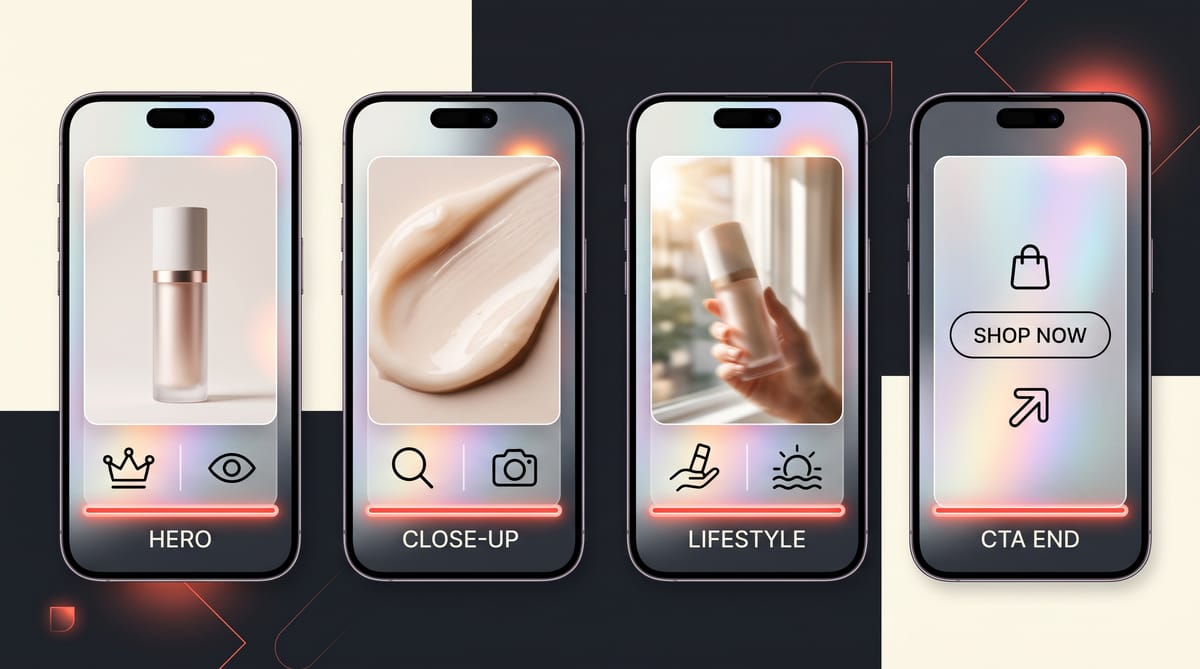
Aim 10–15s for ads; 6–8s loops for PDP embeds.
How do you turn product photos into a demo video?
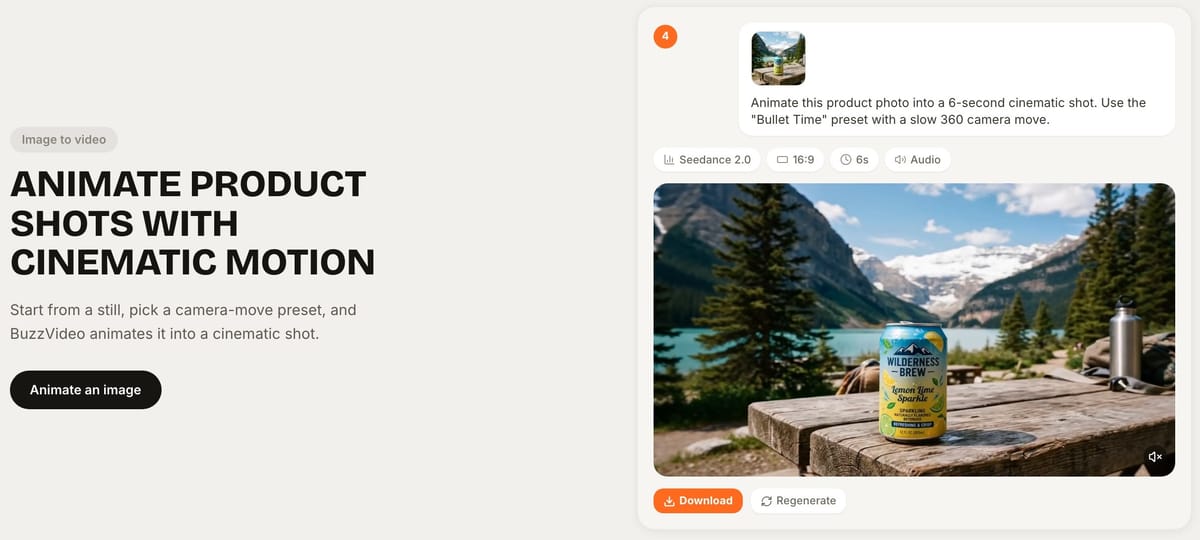
- Upload hero + label crop to app.buzzvideo.ai.
- Open Marketing Agent → Product Demo (or Generate Video with image references).
- Prompt with facts: color, material, logo placement—not “make it stunning” alone.
- Generate 2–3 motion styles (orbit, lifestyle insert, macro).
- If multi-shot continuity matters, promote frames into Storyboard to Video.
- Draft on a lower-credit model; re-run winners on Seedance 2.0 / 2.5 if on Pro/Ultra.
- Add captions/CTA; export crops for each channel.
- Optional: batch Ad Variations for alternate first frames.
Copy-paste prompts for each demo shot
- Orbit: "The exact product from the reference image on a [surface], slow 90-degree orbit, soft daylight, label readable at the start and end. 5 seconds, no text."
- Texture macro: "Extreme close-up of [texture: one golden drop / fabric weave / foam], slow push-in, shallow depth of field, product softly blurred behind. 3 seconds."
- In-use: "A hand [single action] with the product from the reference image, label facing the camera, five fingers, natural light, no other products in frame. 5 seconds."
- End card: "The product centered on [surface] against a plain [color] wall, slow push-in, empty space above for a headline. 3 seconds, no text."
Worked example: one packshot, one 10-second demo
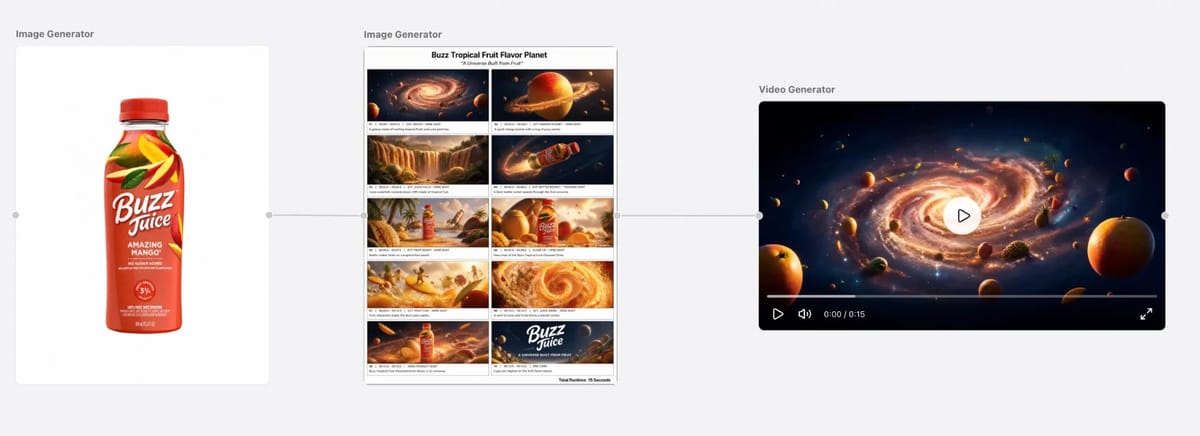
For our storyboard demo we started from a single product photo of a fictional vitamin C serum: a packshot (17 credits), a four-panel storyboard made from it (13 credits), and one 10-second Seedance 2.5 video using both as references (417 credits). The label held across all four cuts on the first try—447 credits in total, about $3.20 on Pro billed yearly. The photo did the hard work; the prompt only had to describe the shots.
On Canvas you can chain the same three steps on one board—product photo, storyboard, video—so every reference stays connected to the shot it feeds:
Which AI video model should you use for product demos?
Model guidance (see pricing and models for current options):
| Priority | Lean toward | Caveat |
|---|---|---|
| Volume drafts | Seedance 1.5 Pro, Kling 3.0, or Seedance 2.0 Fast/Mini on Starter+ | More QA rejects OK |
| Packaging fidelity | Premium cinematic tiers (e.g. Seedance 2.x on Pro/Ultra) + strong refs | Higher credits per 10s |
| Native audio + multi-shot | Models advertised for audio / multi-shot (see Seedance 2.0/2.5 cards) | Plan gates apply |
Credit costs: Seedance 2.5 ≈ 417 per 10s HD, Seedance 2.0 ≈ 260, Kling 3.0 ≈ 63 per 5s, Seedance 1.5 Pro ≈ 21 per 10s SD. Full math in cost per ad.
Which aspect ratio should you export?
| Placement | Ratio | Tip |
|---|---|---|
| TikTok / Reels / Shorts | 9:16 | Hook in first 1s; big captions |
| Meta feeds | 4:5 or 1:1 | Safe margins for UI chrome |
| Amazon A+ / PDP | 16:9 or 1:1 | Loop-friendly; less hard sell VO |
| Shopify PDP | 1:1 or 16:9 | Autoplay mute—text on screen |
Generate once at 9:16 for ads, then reframe heroes for PDP if needed—or regenerate with aspect stated in the prompt.
Why do product demo videos fail?
| Failure | Likely cause | Fix |
|---|---|---|
| Logo soup | Weak references | Re-attach label crop; shorten orbit |
| Floating product | No scale / shadow cue | Add in-hand or surface reflection still |
| Fake “ASMR” noise | Model audio mismatch | Mute and add real foley, or use Seed Audio carefully |
| Wrong SKU color | Prompt adjectives fought the photo | Describe only what’s in the image |
| CTA too early | Hook missing | Move offer to last 3s; open on problem/demo |
Agency tip: keep a SKU sheet (SKU, hero file name, forbidden claims, approved CTA). Paste the row into Marketing Agent every session so the model doesn’t invent holiday promos you don’t run.
Can the same photos power static ads too?
The same photo set can feed image tools on BuzzVideo (Product Photography, Relight, Background, Carousel, Batch Edit) before you animate. A practical sequence:
- Clean and relight stills.
- Build a 4-slide social carousel.
- Animate the best still into a 10s demo.
- Cut a silent 6s PDP loop from the same render.
That way one photography day (or one AI still pass) funds both static and video tests.
Product demo ideas by category
| Category | Hero shot | Proof shot | What to watch |
|---|---|---|---|
| Skincare | Bottle on a bathroom shelf | Texture: one drop, or a swipe on the back of a hand | Label spelling; no before/after you can't prove |
| Electronics | Device on a clean desk, slow orbit | The key function, such as charging three devices at once | Ports and buttons in the right places |
| Apparel | Flat-lay or on a model | Fabric stretch or texture macro | Logo placement and color matching the photo |
| Food & drink | Pack on a table, label forward | Pour, bite, or steam | Liquids and food can look waxy; keep shots short |
| Home | Item in a styled room | Before/after of a tidy shelf or lit room | Scale—add an in-hand or room reference |
Pick one hero and one proof shot per ad. A 10-second demo with two clear shots beats one with five rushed ones.
Have product photos ready? Open Canvas and build photo-to-video demos on a visual board.
FAQs
Can I do this on Free?
You can prep and edit product photos on Free; video demos start on Starter.
Photo-to-video vs URL-to-video?
Photos lock packaging; URLs lock copy/context. Serious catalogs use both.
Will AI invent fake ingredients on the label?
It might—QA every frame. Prefer real label crops as references; never run false claims.
How long should a product demo video be?
10–15 seconds for paid social ads, and 6–8 second loops for product pages and Amazon listings, where videos usually autoplay without sound.
Can I use photos taken on my phone?
Yes, if they're sharp, evenly lit, and show the label straight on. Clean them up first with Remove/Change Background or Relight in Marketing Agent if the background is busy.
Do I need a white background?
No, but one clean-background version helps for orbits and end cards. Keep your in-context photos too—they give the model a sense of real scale.
Last verified: October 30, 2026, against our live pricing and product pages.
Next reads: Product URL to video ads · Storyboard to video for consistent ads · Canvas · Cheapest AI video generators

About the author
Monica
Product Manager
As a Product Manager at BuzzVideo AI, I work with marketers and growth teams on AI ad workflows—from brief to shippable creatives. I write about practical product workflows, model choices, and how teams turn product pages into ads that feel native on Meta and TikTok.