Storyboard to Video: Multi-Shot Consistency for Product Ads
How to use BuzzVideo’s Storyboard to Video workflow for multi-shot product ads that keep packaging and characters consistent.
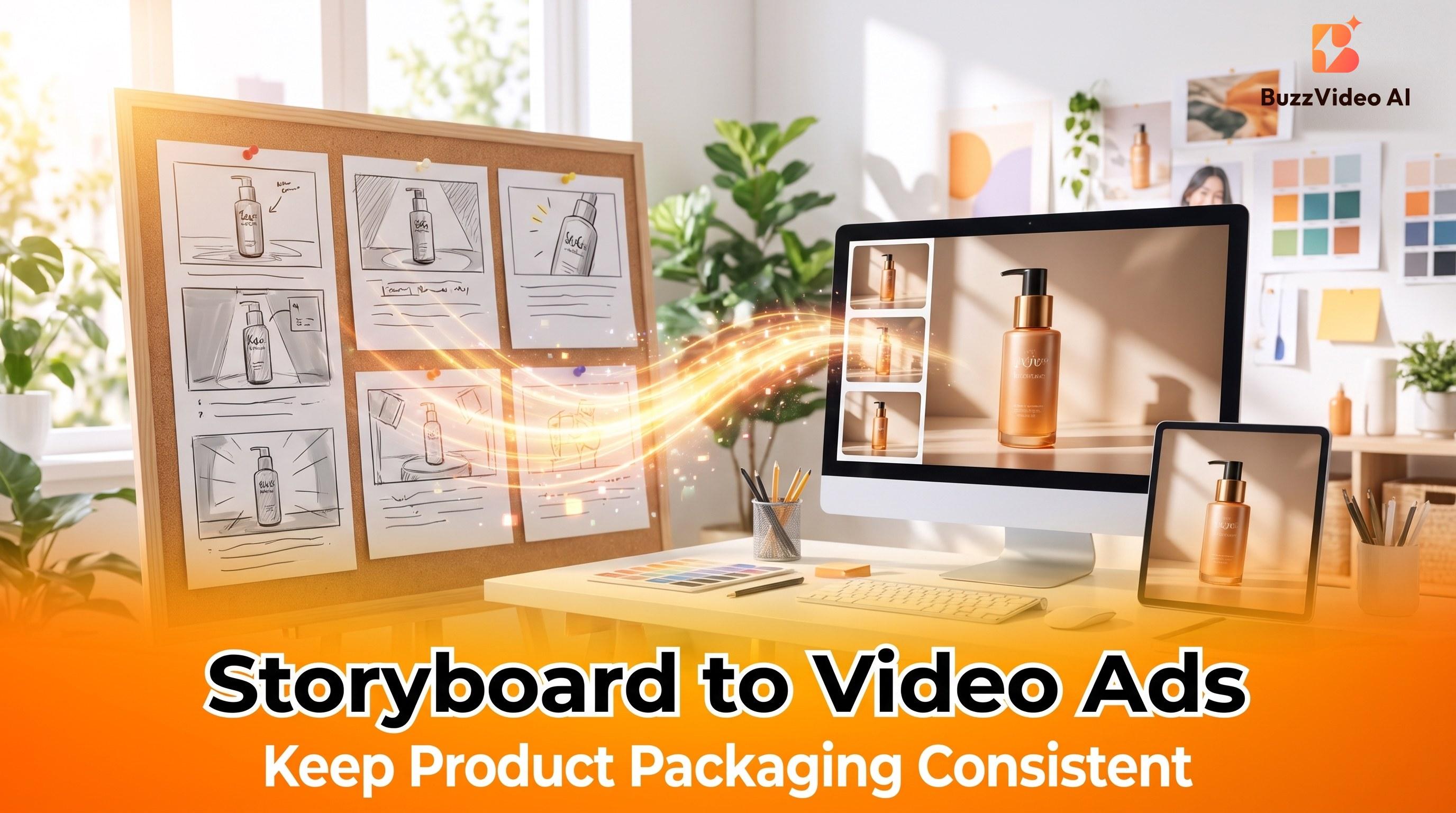
Storyboard-to-video means locking each shot as a frame (hook, demo, proof, CTA), then generating a continuous clip so product and character stay consistent. BuzzVideo AI supports Storyboard to Video as a core workflow; models like Seedance 2.5 help when long continuity and many references matter.
On BuzzVideo, you can turn any product into a storyboard, then generate continuous, consistent video at flexible lengths.
Why does product packaging change between AI shots?
| Failure mode | What viewers notice | Fix |
|---|---|---|
| Label drift | Logo morphs shot-to-shot | Locked references + storyboard frames |
| Character swap | “Different person” mid-ad | Same avatar / character refs across panels |
| Physics glitches | Hands through bottle | Shorter shots; regenerate bad panels only |
| Offer mush | Features change mid-VO | Script locked before render |
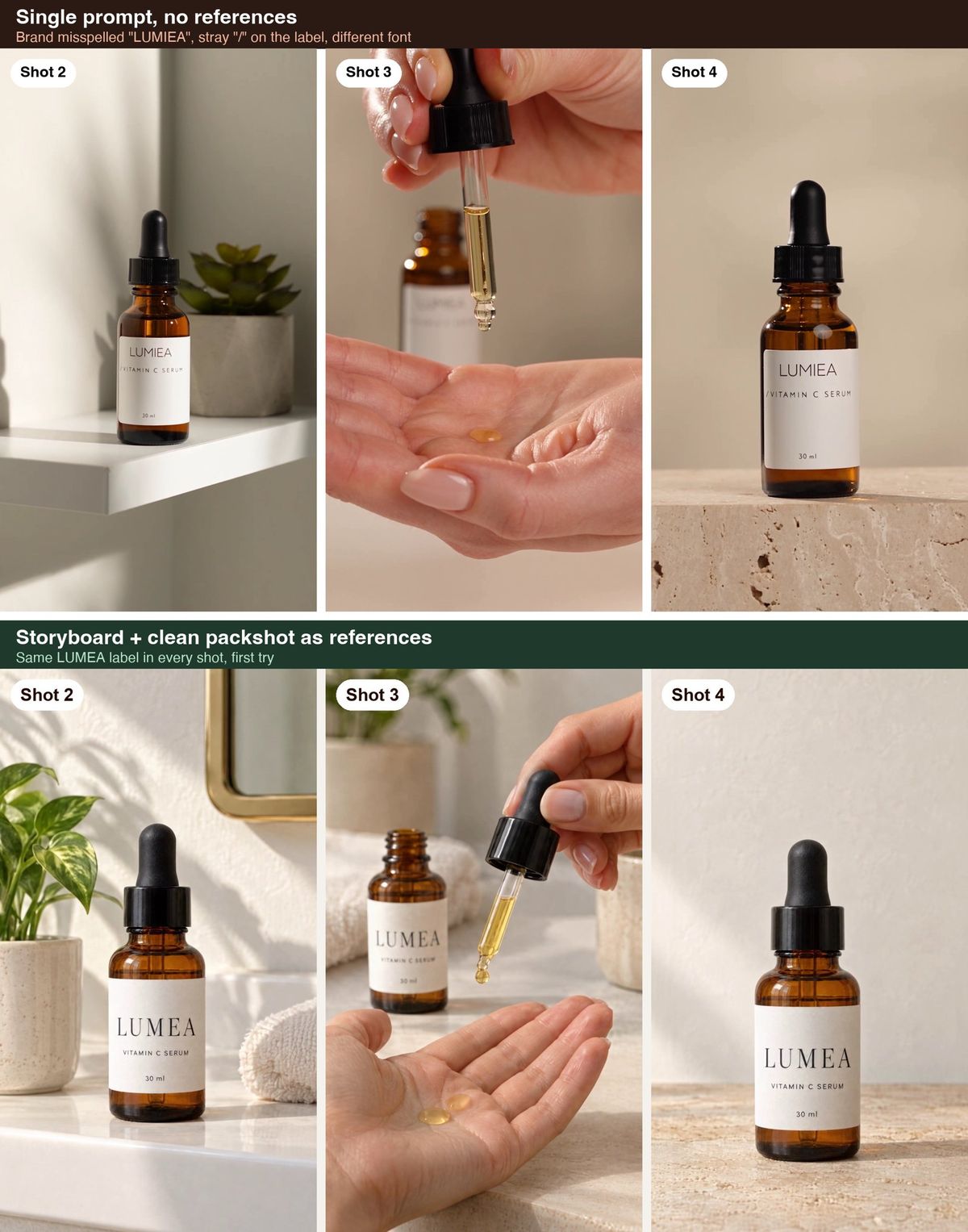
A single paragraph prompt optimizes for “pretty.” Ads need truthful continuity. We tested it: the same four-shot brief, with the label text typed out word for word but no reference images, came back with the brand misspelled as “LUMIEA,” a stray slash on the label, and a different font—consistent from shot to shot, but consistently wrong (Seedance 2.5, 10 seconds, 417 credits). Storyboards and references force you to decide the cut list and the product truth before burning hero-model credits.
Try it: lay out hook, demo, and CTA frames on a board before you render. Build a storyboard in Canvas →
What should a product ad storyboard include?
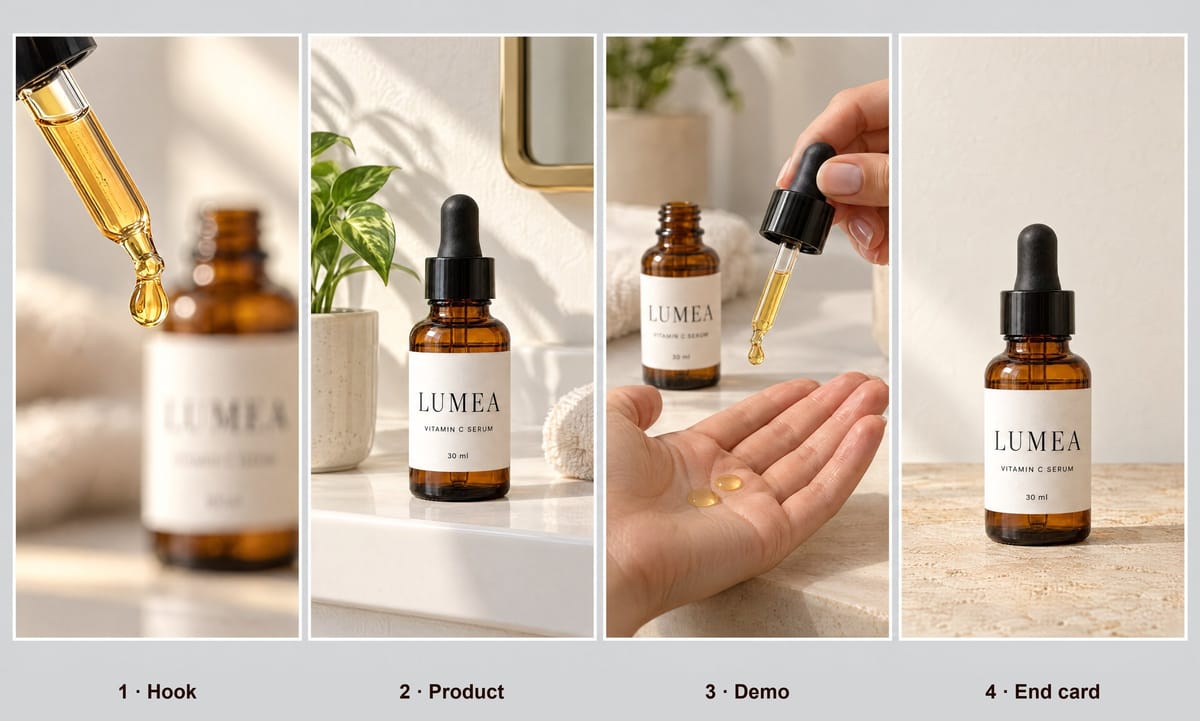
Use this default for 10–20s product ads:
| # | Panel | Visual | On-screen / VO |
|---|---|---|---|
| 1 | Hook | Pattern interrupt / problem | 0–2s cold open |
| 2 | Product intro | Clean hero or in-hand | Name + category |
| 3 | Demo | Use / texture / “how it works” | One proof point |
| 4 | Social proof | Reaction / before-after | Optional |
| 5 | Offer | Bundle / price cue | Only approved claims |
| 6 | CTA | End card / URL cue | Clear next step |
For TikTok tests, panels 1–3–6 are enough. Add 4–5 when trust is the bottleneck.
How do you turn a storyboard into a video on BuzzVideo?
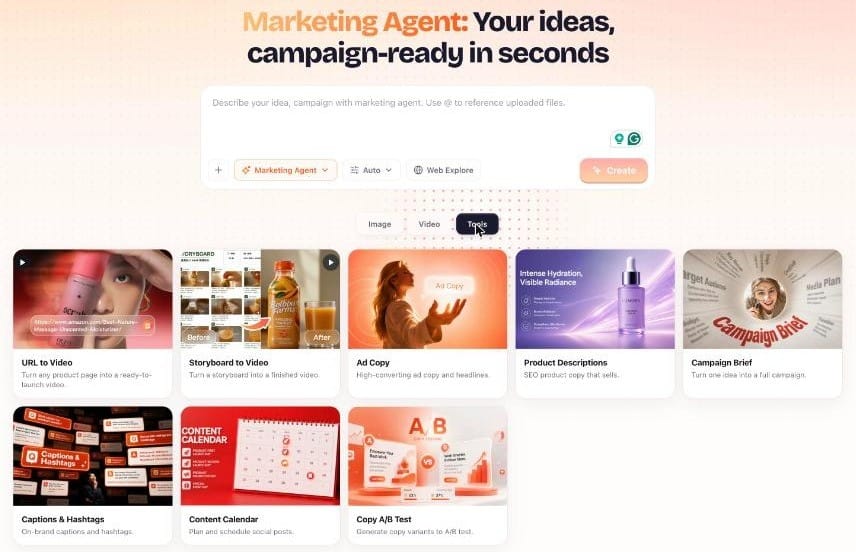
- Collect references: hero pack shot, label crop, in-hand photo, optional lifestyle still.
- Open Marketing Agent → Storyboard to Video (or Canvas storyboard flow).
- Build 4–6 frames with short shot descriptions—not novels.
- Attach the same product references to every panel that shows the pack.
- Generate a draft on a faster / lower-credit video model (or Seedance Fast/Mini when available on your plan).
- Fix only broken panels; don’t regenerate the whole board if one shot fails.
- Re-render the approved board on Seedance 2.0 / 2.5 (Pro/Ultra) when you need sharper motion and multi-shot consistency.
- Export 9:16; spin Ad Variations for alternate hooks on panel 1.
How we made the demo at the top of this page
We used a fictional product, a LUMEA vitamin C serum:
- One product packshot with GPT Image 2.5 Sunburst—17 credits.
- One four-panel storyboard sheet generated from that packshot—13 credits.
- One 10-second Seedance 2.5 video at 720p, with the packshot and the storyboard passed as references and one line of prompt per shot—417 credits.
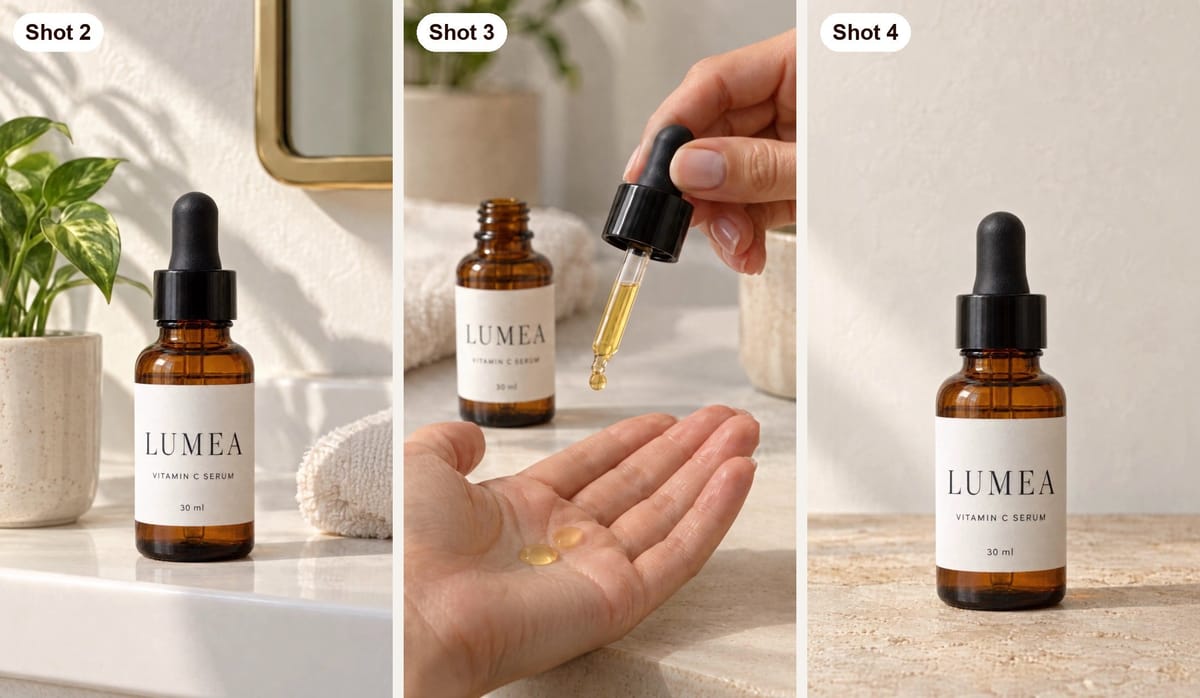
The label came out identical in every shot where it faces the camera, on the first try. Total: 447 credits—roughly $3.20 on Pro billed yearly.
Tip: put the whole storyboard in one image and pass it together with a clean packshot. The packshot locks the product; the storyboard locks the shot order and framing.
How many reference images do you need?
- Prefer real pack photos over AI-invented labels.
- Keep one “source of truth” hero image for the SKU.
- Reuse the same AI Avatar or character reference when a person appears in multiple panels.
- Next-gen Seedance tiers on BuzzVideo emphasize sharper motion and consistency for continuous video—use them for hero cuts, not every discarded draft (credit math).
Seedance 2.5 accepts up to 50 references and up to 30-second native video (model page); other models have lower caps.
Copy-paste storyboard-to-video prompt
This is the structure behind the demo at the top of this page. Pass two references: the clean packshot first, the storyboard sheet second.
“A [10]-second vertical 9:16 product ad, built shot by shot from the storyboard reference (the second reference image, frames left to right). The product in every shot is the exact [product] from the first reference image—same shape, same colors, same label text: [LABEL TEXT]. Copy the label exactly; do not invent words. Shot 1 (0–2.5 s): [hook]. Shot 2 (2.5–5 s): hard cut; [product intro]. Shot 3 (5–7.5 s): hard cut; [demo]. Shot 4 (7.5–10 s): hard cut; [end card], empty space above the product. No on-screen text, no captions, no watermark.”
Storyboard checklist before you render
- One line per shot, with a start and end time
- The label text typed out exactly, so the model has nothing to guess
- Label facing the camera in every shot where it should be read
- Hands limited to one simple action per shot
- Empty space left where your headline or CTA will go in editing
- No text requested from the model—add it afterwards
How long should a storyboard ad be?
| Goal | Length | Model mindset |
|---|---|---|
| Hook tests | 6–10s | Cheap/fast drafts |
| Standard paid social | 10–15s | Balanced |
| Mini-TVC / richer story | Longer continuous | Premium cinematic (e.g. Seedance 2.5 on Pro/Ultra) |
Seedance 2.5 costs about 417 credits per 10s HD and Seedance 2.0 about 260 (pricing); see cost per ad for the math.
How do you fix drift between shots?
- Tighten the frame prompt — fewer adjectives, more product facts (“matte black pump, white sans-serif logo”).
- Re-attach references to the drifting panel only.
- Shorten the shot — 2s clean beats 5s melting.
- Split the board — generate hook and demo as separate clips, then stitch with Extend Video or your editor if needed.
- Human QC — packaging accuracy is a brand responsibility, not an AI guarantee.
Which workflow should you use: storyboard, URL, or prompt?
| Workflow | Start from | Best when |
|---|---|---|
| URL to Video | PDP link | You need brief + assets fast |
| Storyboard to Video | Frame grid | Multi-shot continuity / packaging lock |
| Blank Generate Video | Prompt only | Mood tests, not SKU truth |
| Talking Avatar | Script | Spokesperson A-roll |
Serious brands often chain them: URL → draft brief → storyboard lock → premium model hero → Ad Variations on hook panel only.
Storyboard examples for three product types
| Panel | Skincare serum | Phone charger | Iced coffee |
|---|---|---|---|
| 1. Hook | One golden drop falls from the dropper | Three tangled cables on a nightstand | Ice drops into an empty glass |
| 2. Product | Bottle on a bathroom shelf, label facing camera | The charger alone, phone docked | Can on a cafe table, label facing camera |
| 3. Demo | Two drops into an open palm | Phone, watch, and earbuds docked one after another | Pour over ice, slow motion |
| 4. End card | Bottle on stone, space above for the headline | Charger on a clean desk, space above | Full glass beside the can, space above |
Three or four panels is the sweet spot for a 10-second ad—about 2.5 seconds each. More panels in the same length means shorter shots and more chances for the model to rush.
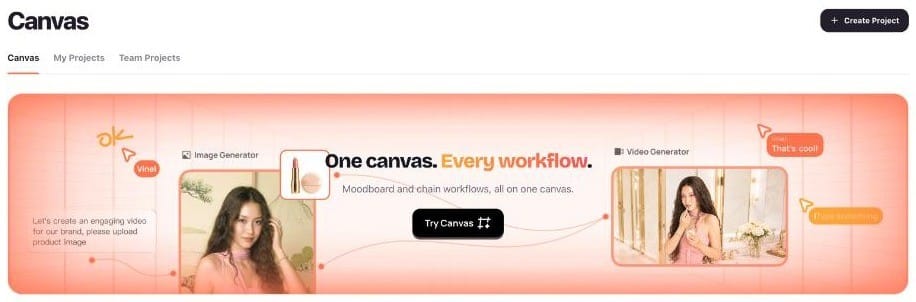
Prefer storyboard-first consistency? Open Canvas and lock frames before you generate the full video set.
FAQs
Is Storyboard to Video only for Seedance?
No. Storyboard to Video is a BuzzVideo workflow. You choose which video model renders, based on plan and quality needs.
When should I use URL to Video instead?
Use URL to Video to bootstrap brief + assets from a PDP. Move to Storyboard to Video when multi-shot continuity and packaging lock matter more than scrape speed.
Does Free include storyboard video?
You can plan storyboards with Marketing Agent on Free; generating the video starts on Starter.
How is this different from CapCut templates?
Templates rearrange stock. Storyboard-to-video generates product-specific motion from your references—still requiring QA.
How many reference images can Seedance 2.5 use?
Up to 50 multimodal references, including images, video clips, and audio, with up to 30 seconds of native video per generation (Seedance on BuzzVideo).
Can AI make the storyboard too?
Yes. Our demo storyboard was one four-panel image generated from a single packshot with GPT Image 2.5 Sunburst for 13 credits. Check the product in every panel before you use it as a reference.
Does typing the label text into the prompt keep it consistent?
Not on its own. In our test, a prompt with the exact label text but no reference images still misspelled the brand. Typed text plus a clean packshot is what held the label.
Last verified: October 30, 2026, against our live pricing and product pages.
Next reads: Product URL to video ads · Product demo videos from photos · Pricing · Seedance 2.5 vs Kling 3.0 and Veo 3.1

About the author
Monica
Product Manager
As a Product Manager at BuzzVideo AI, I work with marketers and growth teams on AI ad workflows—from brief to shippable creatives. I write about practical product workflows, model choices, and how teams turn product pages into ads that feel native on Meta and TikTok.