Kling 4.0 for Video Ads: What It Costs and How to Prompt It
Kling 4.0 makes 30-second AI video in one take. What it costs on BuzzVideo, how it compares to Seedance 2.5, and copy-paste ad prompts.
Kling 4.0 is Kuaishou's newest AI video model, launched globally in October 2026. It generates one continuous clip of 3 to 30 seconds with native stereo sound, which means a full 20–30 second UGC script or product demo can come out as a single take instead of stitched 5–10 second shots. For ads, it is a strong option when you need one consistent person, voice and scene across the whole spot.
Kling 4.0 is now live on BuzzVideo AI on Starter, Pro and Ultra. Below: what the model actually does, what each clip costs in BuzzVideo credits, when to pick it over Seedance 2.5 or Gemini Omni Flash, and copy-paste prompts for two common ad formats.
What is Kling 4.0?
Kling is Kuaishou's video model family. Version 4.0 followed a limited "Kling 4.0 Flash" preview on September 28, 2026, and reached a full global release in October (Wikipedia: Kling AI). The headline change is length: Kling 3.0 topped out at 15 seconds per generation; 4.0 doubles that to 30 seconds in one pass. The table separates what Kling announced from what you can use on BuzzVideo today.
| Feature | Kling 4.0 as announced | On BuzzVideo today |
|---|---|---|
| Clip length | 3–30 seconds per generation | 3–30 seconds, any whole second |
| Resolution | 720p, 1080p; 4K listed | 720p and 1080p |
| Aspect ratios | Auto, 16:9, 9:16, 1:1, 21:9 | Auto, 16:9, 9:16, 1:1, 21:9 |
| Sound | Native stereo audio, improved lip sync | Audio is always generated |
| References | Omni Reference: images, short videos, elements | Attach reference images to your prompt |
| Coming later | 10-bit HDR, video extension up to 2 minutes | Not available yet |
Announced specs: fal's Kling 4.0 explainer. BuzzVideo column: our generator settings today.
Try it: open BuzzVideo, pick Video and choose Kling 4.0 in the model menu. Try Kling 4.0 on BuzzVideo →
How much does Kling 4.0 cost on BuzzVideo?
Kling 4.0 is billed by length and resolution. These are the credit prices the BuzzVideo generator shows for one clip; the dollar column is a rough example using the Pro yearly plan ($420 a year for 4,900 credits a month, about $0.007 per credit).
| Clip | Credits | ≈ Cost on Pro yearly |
|---|---|---|
| 5 s · 720p | 142 | $1.00 |
| 10 s · 720p | 283 | $2.00 |
| 15 s · 720p | 424 | $3.00 |
| 10 s · 1080p | 423 | $3.00 |
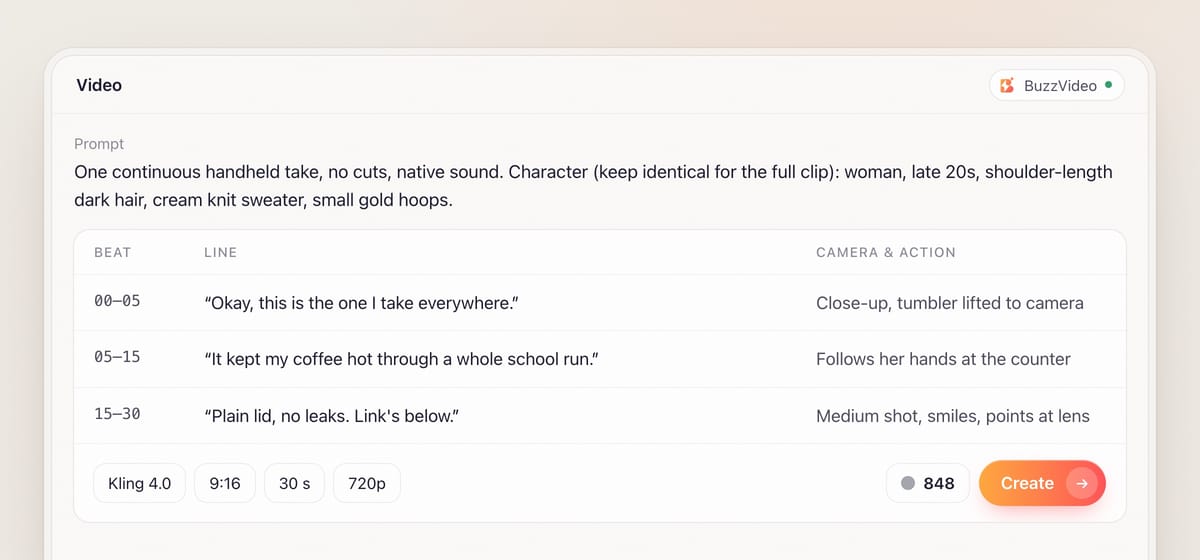
| 30 s · 720p | 848 | $6.05 |
| 30 s · 1080p | 1,269 | $9.05 |
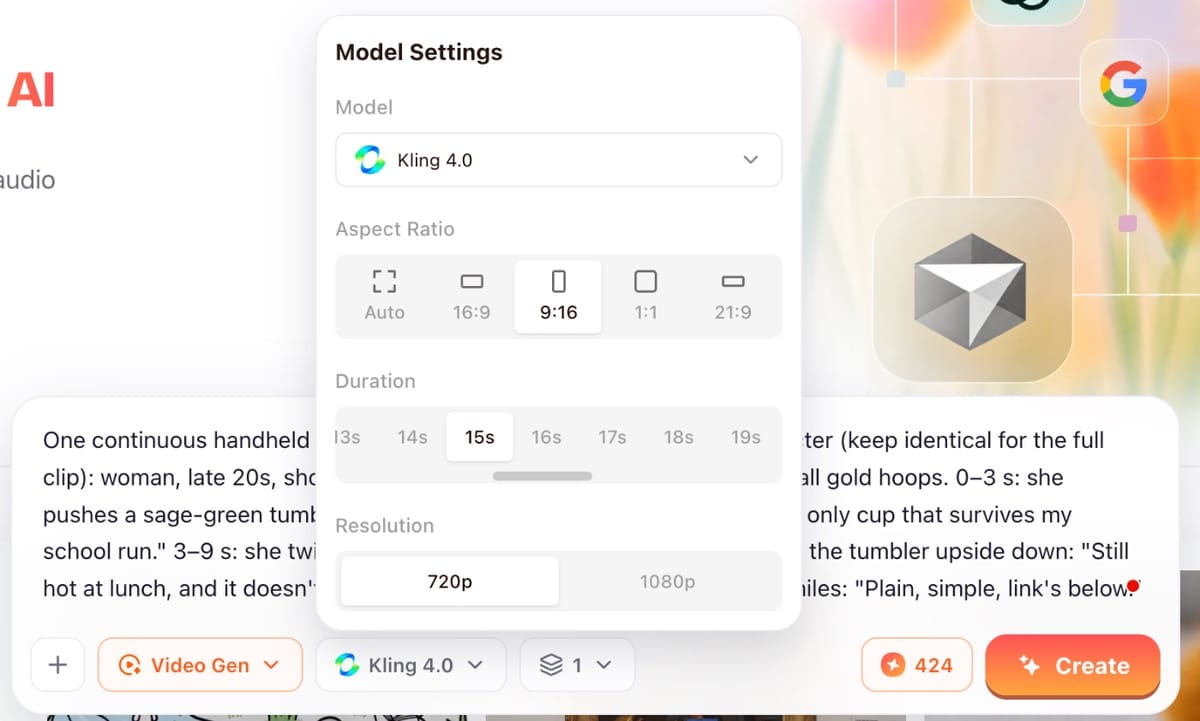
In practice: a Pro month (4,900 credits) covers about seventeen 10-second 720p clips or five full 30-second 720p takes. Kling 4.0 is on every paid plan, including Starter; it is not available on Free, where video generation is off. Full plan details are on the pricing page, and our pricing breakdown shows how to budget credits per finished ad.
Is Kling 4.0 good for video ads?
Yes, for a specific set of jobs. The 30-second single take is the reason to use it: a person who stays the same person, a voice that stays the same voice, and a scene that does not jump between cuts. Those are exactly the things that break when you stitch several short AI clips into one ad.
- Full UGC testimonials in one take. A 20–30 second talking-to-camera script, with the product in hand, without a face that drifts between clips.
- Walk-through product demos. Open the box, show the feature, show the result, in one continuous camera move.
- Story ads with a beat structure. Timecoded prompts (0–6 s, 6–12 s…) let you direct a mini narrative that still lands under 30 seconds.
- Native sound with the picture. Ambient sound, dialogue and lip movement come out together, so a rough cut is watchable straight away.
Where it is not the best pick:
- Cheap hook testing. If you need 20 different 3-second openings, a 30-second model is overkill. Shorter, cheaper models do that job (see the comparison below).
- Silent b-roll. Sound is always generated with Kling 4.0 on BuzzVideo. If you need silent footage, mute it in your editor.
- 4K masters. BuzzVideo offers 720p and 1080p for Kling 4.0 today; 4K is listed by Kling but not available yet.
- Long takes cost more to retry. If one second of a 30-second take goes wrong (a hand, a label), you regenerate the whole take. Lock the script before you go long.
Kling 4.0 vs Seedance 2.5 vs Gemini Omni Flash: which should you use for ads?
We build BuzzVideo and offer all three, so there is no reason to push one. Each wins a different job. Credits are from the pricing page and the generator; quality calls are general guidance, so test on your own product.
| Model | Typical clip · credits · plans | Best for |
|---|---|---|
| Kling 4.0 | 10 s 720p · 283 · Starter+ | One-take UGC and demos up to 30 s with sound |
| Seedance 2.5 | HD 10 s · 417 · Pro+ | Highest-fidelity hero shots, heavy reference use |
| Seedance 2.0 | HD 10 s · 260 · Pro+ | Stable characters and camera control in multi-shot ads |
| Seedance 2.0 Fast | SD 10 s · 98 · Starter+ | Volume drafts and hook variants |
| Gemini Omni Flash | HD 8 s · 146 · Starter+ | Quick short clips with native audio |
| Kling 3.0 | 5 s · 63 · Starter+ | Animating a product photo cheaply |
Starter+ means Starter, Pro and Ultra; Pro+ means Pro and Ultra.
A sensible split for a campaign: draft hooks with Seedance 2.0 Fast or Kling 3.0, then make the two or three winners as full Kling 4.0 takes, and use Seedance 2.5 when one hero shot has to look like real cinematography. For a deeper model-by-model look, see Seedance vs Kling and other alternatives.
How do you prompt Kling 4.0 for a 30-second ad?
Step 1 — Write the script first, then the prompt
Decide what the person says and does in each beat before you touch the model. A 30-second ad is about 70–80 spoken words. Read it out loud with a timer; if it runs long, cut it now, not after a 1,269-credit take.
Step 2 — Describe the character once, in detail
Put the person at the top of the prompt: age range, hair, clothing, one or two distinctive details, and the words "keep identical for the full clip". Kling 4.0 holds a character well across a long take, but only if it knows exactly who to hold.
Step 3 — Split the clip into timecoded beats
Write the action in blocks such as 0–5 s, 5–12 s, 12–22 s, 22–30 s. For each beat give camera, action, the exact line of dialogue in quotes, and the sound you expect. It is the easiest way to keep pacing under control.
Step 4 — Attach your product photo
Add a clean product image as a reference so the packaging, colour and shape match your real product. Then name the product in the prompt the same way every time.
Step 5 — Draft short, then go long
Run the opening beat as a 5-second 720p clip (142 credits) to check the face, voice and product. When it looks right, generate the full take. Upscale or switch to 1080p only for the version you will actually run.
Step 6 — Review before you spend media budget
Watch the take at full size: hands on the product, label text, lip sync on the brand name, and anything that would read as a claim. Fix the prompt and rerun rather than hoping viewers will not notice.
Copy-paste Kling 4.0 prompts for ads
Replace everything in [brackets]. Set the model to Kling 4.0, the aspect ratio to 9:16 and the duration to match the template.
“UGC testimonial · 9:16 · 25 s. One continuous handheld phone-style take, no cuts, natural daylight, native sound. Character (keep identical for the full clip): [a woman in her late 20s, shoulder-length dark hair, oversized cream sweater, small gold hoop earrings]. 0–4 s: close-up, she holds [product] up to the camera and says: "[Hook line, max 8 words]." 4–14 s: she uses the product at [a kitchen counter], camera follows her hands, she says: "[Problem and what changed, max 25 words]." 14–22 s: medium shot, she smiles and says: "[One specific benefit you can prove]." 22–25 s: she points the product at camera and says: "[Call to action]." Sound: room tone, soft product sounds, her voice clear. Keep the [product] label readable and unchanged.”
“Product demo · 9:16 · 15 s. One continuous slow camera move on a [light oak table], soft studio light, native sound. 0–4 s: [product box] sits closed; hands open it, gentle unboxing sounds. 4–10 s: hands lift out [product] and show [key feature] in close-up. 10–15 s: [product] in use showing [result], camera pushes in slowly and settles. No on-screen text. Keep the product's shape, colour and logo exactly as in the reference image.”
Keep prices, percentages and dates out of the generated picture and put them in as captions or text overlays when you edit. AI video models can misspell on-screen text, and you will want to change offer details without regenerating the footage.
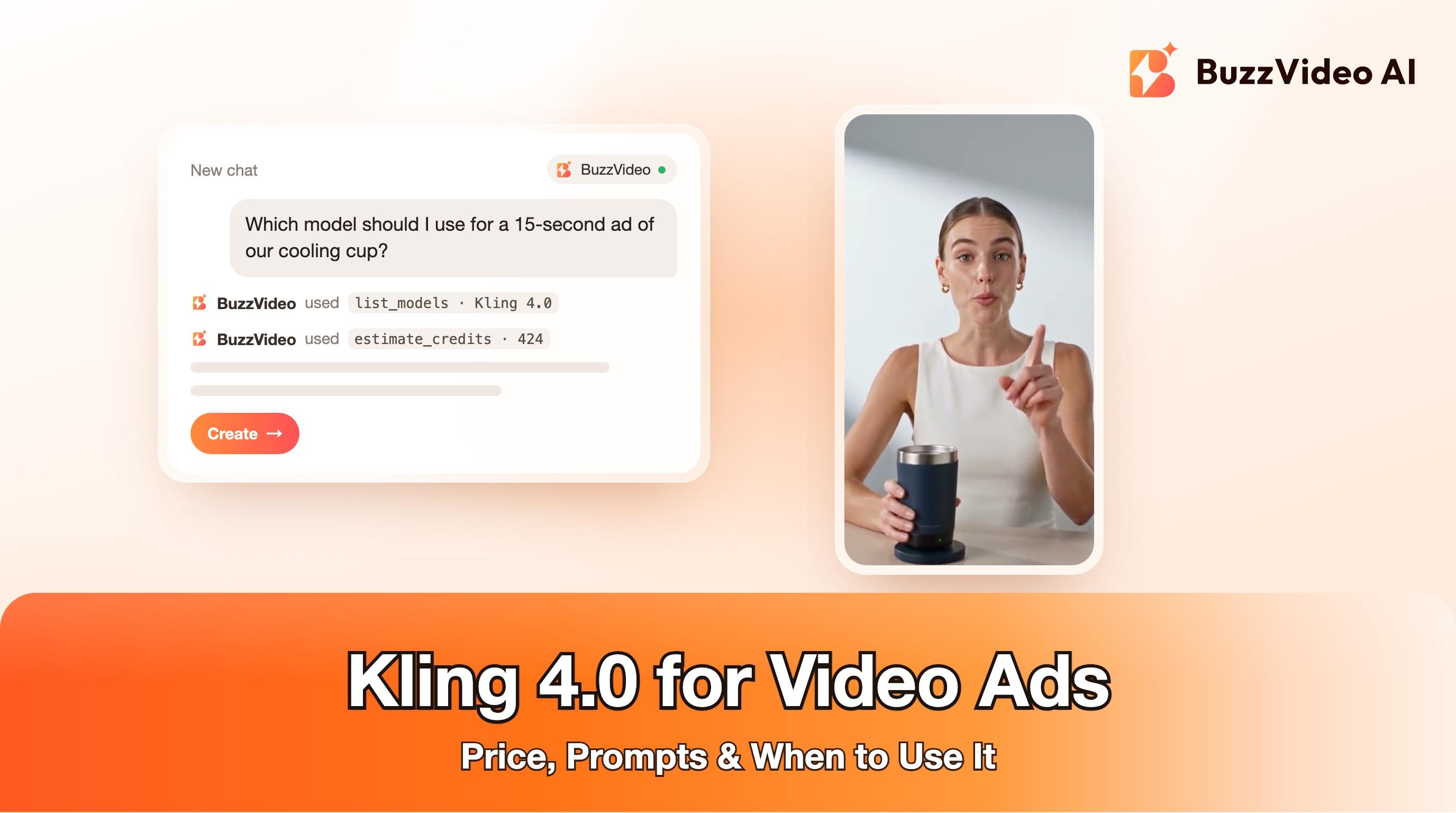
For comparison, here is a 15-second product explainer made with BuzzVideo for a fictional cooling cup. It is built the other way: several short shots cut together (the problem, product close-ups, then a presenter talking to camera) instead of one continuous take. Both structures work for ads; Kling 4.0 makes the single-take version practical, while multi-shot edits give you more control over pacing.
What usually goes wrong with Kling 4.0 ads, and how do you avoid it?
| Problem | Why it happens | Fix |
|---|---|---|
| Face or outfit drifts late in the take | Character described loosely or only once in passing | Full character block at the top plus "keep identical for the full clip" |
| Dialogue runs over the end | Script too long for the duration | 70–80 words for 30 s; time it out loud |
| Brand name mispronounced | Unusual spelling | Write it phonetically in the dialogue line |
| Label or packaging changes | No product reference | Attach a clean product photo and repeat the product name |
| Expensive retries | Testing ideas as full 30-second takes | Check the first beat as a 5 s draft first |
| Unwanted sound in b-roll | Kling 4.0 always generates audio | Mute or replace the track in your editor |
Do you need to label Kling 4.0 ads as AI-generated?
Yes, in most cases. TikTok allows completely AI-generated or significantly AI-edited content in ads only if you disclose it, either with TikTok's AIGC label or your own clear disclaimer, caption, watermark or sticker; undisclosed AI content can get the ad rejected or restricted (TikTok ads policy: misleading and false content). Meta shows an "AI info" label on ads created or significantly edited with its own generative AI tools, and adds the label in About this ad when it detects AI-generated content (Meta: generative AI transparency in ads). Never present an AI presenter as a real customer, and keep every claim one you can prove.
Kling 4.0 makes a 30-second single take practical. Draft cheaply, lock the script, then make your best ideas as full takes.
FAQs
When was Kling 4.0 released?
Kuaishou opened a limited Kling 4.0 Flash preview on September 28, 2026, and released the full Kling 4.0 globally in October 2026. It is live on BuzzVideo now.
How long can a Kling 4.0 video be?
Between 3 and 30 seconds per generation. On BuzzVideo you can pick any whole second in that range.
How much does Kling 4.0 cost per video?
On BuzzVideo a 10-second 720p clip is 283 credits and a 30-second 1080p clip is 1,269 credits. On the Pro yearly plan that is roughly $2 and $9.
Kling 4.0 vs Seedance 2.5: which is better for ads?
Kling 4.0 is the better value for long one-take UGC and demo clips, and it runs on Starter. Seedance 2.5 costs more and needs Pro or Ultra, but it is the pick for top-fidelity hero shots and heavy reference work.
Can I turn off sound in Kling 4.0?
Not on BuzzVideo; Kling 4.0 always generates an audio track. Mute or replace it when you edit if you need silent footage.
Is Kling 4.0 free?
Not on BuzzVideo. The Free plan has 500 one-time credits for images only; Kling 4.0 starts on the Starter plan.
Last verified: November 2, 2026, against our live pricing and product pages.
Next reads: Seedance vs Kling and other alternatives · How to make AI UGC ads that don't look fake · BuzzVideo pricing explained

About the author
Monica
Product Manager
As a Product Manager at BuzzVideo AI, I work with marketers and growth teams on AI ad workflows—from brief to shippable creatives. I write about practical product workflows, model choices, and how teams turn product pages into ads that feel native on Meta and TikTok.