MiniMax H3 (Hailuo 3.0) for Ads: Cost, Prompts and How It Compares (2026)
MiniMax H3 (Hailuo 3.0) for ads: credit costs on BuzzVideo, a real 12-second test, how it compares with Seedance 2.5 and Kling 4.0, and prompts.
MiniMax H3, also called Hailuo 3.0, is MiniMax's newest video model. It makes clips of up to 15 seconds with native stereo audio, so a person can speak with matching lip movement and the room sound in the same generation, and it accepts text, images, video and audio as references. For ads, its sweet spot is short talking and UGC-style clips; on BuzzVideo it is available from the Starter plan at 30 credits per second at 768P.
We added MiniMax H3 to BuzzVideo AI next to Seedance 2.5 and Kling 4.0. Below: what the model is, what each clip costs, a real 12-second test ad with notes on what held up, how it compares with the other two models, and copy-paste prompts.
What is MiniMax H3 (Hailuo 3.0)?
MiniMax released H3 on July 31, 2026. Its launch post describes one model that takes a shared context of text, images, video and audio, generates video with jointly modelled voice, sound effects and music, and supports native multi-shot output. MiniMax names advertising, branding and e-commerce among the target uses and highlights instruction following and text and brand rendering. It did not publish standard benchmark scores, so judge it on your own tests.
| MiniMax H3 on BuzzVideo | |
|---|---|
| Clip length | 5 to 15 seconds |
| Audio | Native, generated together with the video |
| Resolution options | 768P, 2K, 4K |
| Aspect ratios | 1:1, 3:4, 4:3, 9:16, 16:9, 21:9 |
| References | Up to 9 images, 3 videos and 3 audio files |
| Plans | Starter, Pro and Ultra (not Free) |
BuzzVideo also lists a second variant, MiniMax H3 Max, described in the model menu as "fast drafts with first- and last-frame control", with 480P, 768P and 1080P options. MiniMax's own post calls 2K the model's default resolution.
Try it: pick Video in BuzzVideo, open the model menu and choose MiniMax H3. Try MiniMax H3 on BuzzVideo →
How much does MiniMax H3 cost on BuzzVideo?
MiniMax H3 is billed per second, and the rate depends on resolution. These are the credit prices the BuzzVideo generator uses today. The dollar column is a rough guide based on the Pro plan billed yearly ($420 a year for 4,900 credits a month, about $0.007 per credit).
| Clip | 768P | 2K | 4K |
|---|---|---|---|
| 5 seconds | 150 credits (≈ $1.07) | 325 credits (≈ $2.32) | 400 credits (≈ $2.86) |
| 10 seconds | 300 credits (≈ $2.14) | 650 credits (≈ $4.64) | 800 credits (≈ $5.71) |
| 15 seconds | 450 credits (≈ $3.21) | 975 credits (≈ $6.96) | 1,200 credits (≈ $8.57) |
MiniMax H3 Max costs 20 credits per second at 480P, 32 at 768P and 64 at 1080P when you start from text or images; using a reference video raises the price. Full plan details are on the pricing page.
In practice, a Pro month covers about sixteen 10-second 768P clips, or seven 10-second 2K finals. The cheap path is the right one: test the hook at 768P and only pay for 2K when the clip will run on larger screens.
Is MiniMax H3 good for video ads?
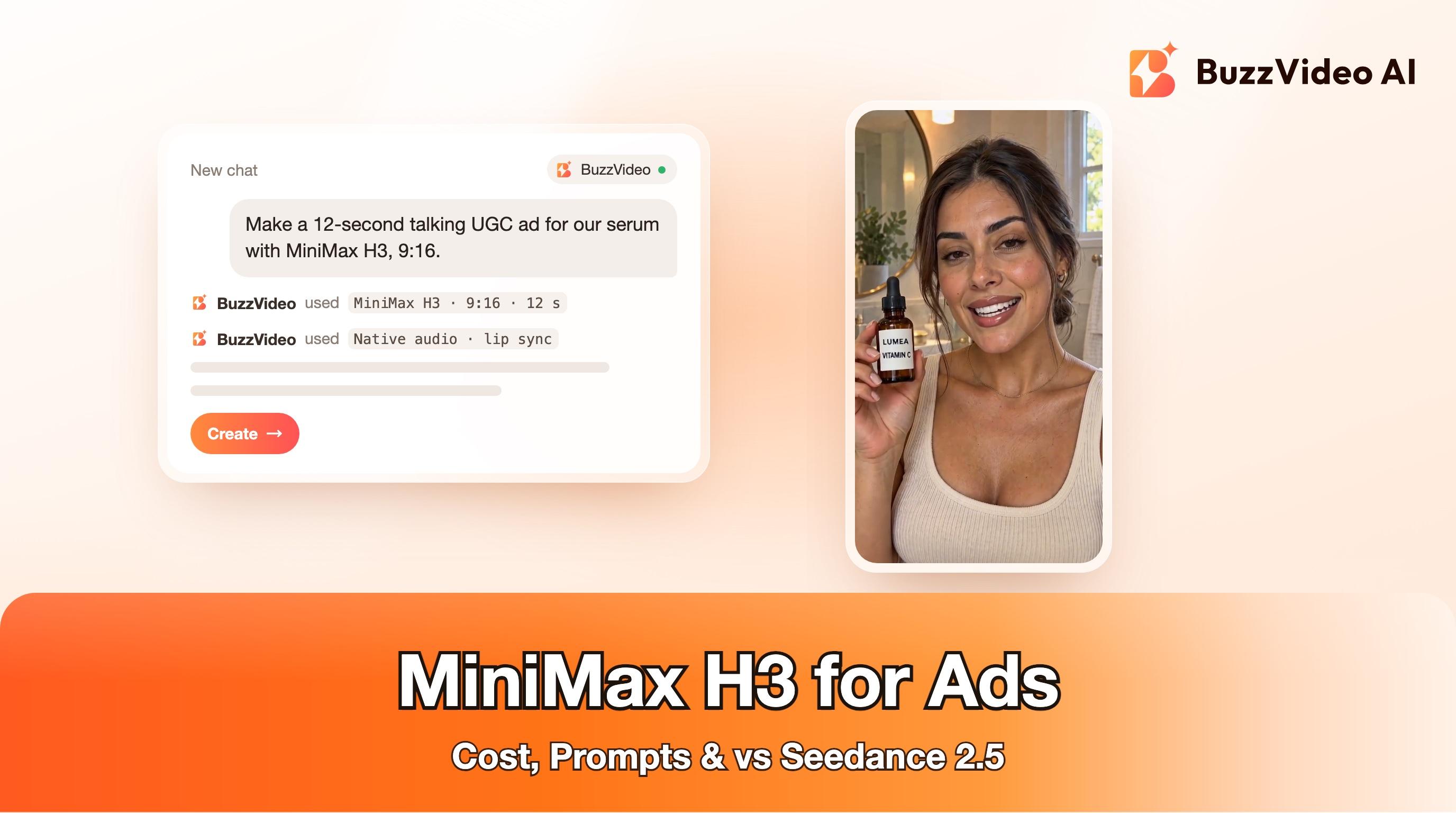
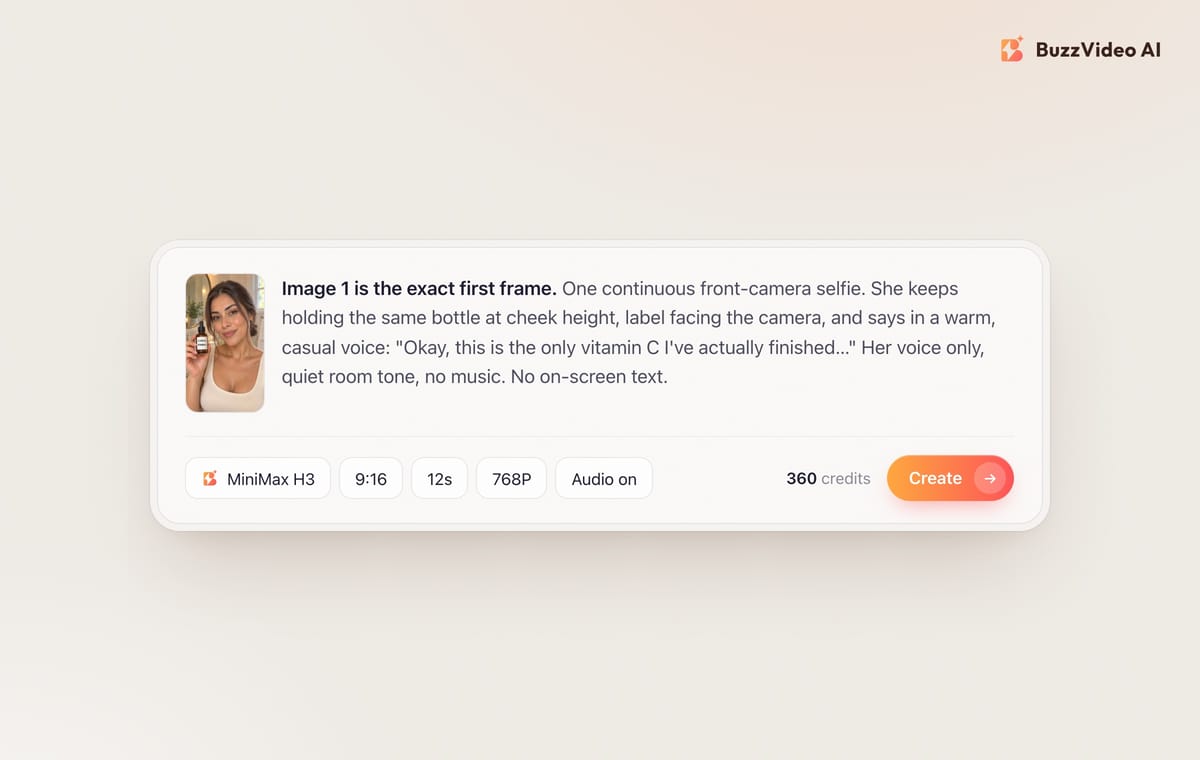
We tested it on the format that is everywhere in beauty right now. In the Meta Ad Library, many of the highest-reach lip-product video ads are a creator in extreme close-up, product held next to the face, talking straight to camera in one continuous take. We copied that structure for LUMEA, a fictional vitamin C serum: one first-frame image made with GPT Image 2.5 Sunburst, then one MiniMax H3 prompt with a 25-word spoken line. It took three takes to get a clean one; here is what we learned.
- The voice matched the script word for word. We ran the audio through speech-to-text and got the exact line back, with natural pauses where we asked for them.
- Lip sync and expressions looked natural at phone size: blinks, small head tilts and a smile on the last line.
- The product stayed put. The bottle stayed in the same hand at cheek height for all 12 seconds and the LUMEA wordmark stayed sharp.
- Small print did not survive. Our first two takes used a label with a thin "SERUM 15%" line under the brand name. In both, at 768P and again at 2K, that small line wobbled into misspelled letters in some frames, so we rejected them. Simplifying the label to two large lines ("LUMEA" and "VITAMIN C") fixed it in the third take, shown here.
Verdict: for a talking, single-take UGC-style ad, MiniMax H3 is a strong and affordable option. Write the exact words, lock the product to one hand, keep the visible label text large, and check the final frame by frame before you ship.
MiniMax H3 vs Seedance 2.5 vs Kling 4.0: which should you use for ads?
We build BuzzVideo and offer all three, so there is no reason to push one. Each fits a different job; quality notes are general guidance, so test on your own product.
| MiniMax H3 | Seedance 2.5 | Kling 4.0 | |
|---|---|---|---|
| Longest single clip | 15 s | 30 s | 30 s |
| Resolutions on BuzzVideo | 768P, 2K, 4K | 480p, 720p, 1080p | 720p, 1080p |
| Plans | Starter, Pro, Ultra | Pro, Ultra | Starter, Pro, Ultra |
| Typical 10 s clip | 300 credits (768P) | See the generator | 283 credits (720p) |
| Best for | Short talking and UGC clips, audio references | Longer multi-shot ads | Long continuous takes up to 30 s |
Pick MiniMax H3 when the ad is one person talking for under 15 seconds, or when you want to steer the sound with an audio reference. Pick Kling 4.0 for one continuous 20 to 30-second take (our Kling 4.0 guide has prompts). Pick Seedance 2.5 when you need a longer multi-shot story in one generation (Pro or Ultra); see Seedance compared.
How do you prompt MiniMax H3 for an ad?
Step 1: Make the first frame
Generate or upload one 9:16 image that already looks like the ad: the person, the product in one hand, the setting and the light. Attach your real product photo when you generate it so the label is right, and keep any text that faces the camera large. Everything that is correct in the first frame tends to stay correct.
Step 2: Write the exact words
Put the spoken line in quotation marks. Ten seconds holds about 20 to 25 relaxed spoken words. Read it aloud with a timer; if it runs long, cut words now rather than paying for a second take.
Step 3: Lock the product and the hands
Say which hand holds the product, that it stays there for the whole shot, and that the label faces the camera. For a selfie shot, say the phone is propped up, so the other hand is free or out of frame. Never ask one hand to hold a phone and do a two-handed action.
Step 4: Describe the sound
Name the voice (age, accent, mood), the room tone and whether there is music. "Her voice only, quiet room tone, no music" keeps the clip clean for adding your own track later.
Step 5: Test short at 768P, then render the full clip
Run 5 seconds at 768P first (150 credits) to check face, voice and product. When it works, render the full length: 768P is fine for a phone feed, and 2K is worth it for larger placements. Add captions, prices and offers in editing, never in the prompt.
Copy-paste MiniMax H3 prompts for ads
Attach your first-frame image and replace the bracketed parts.
“Talking UGC testimonial (9:16, 10–12 s): Use Image 1 as the exact first frame. One continuous front-camera selfie, phone propped, camera locked off. The [person] keeps holding the same [product] in the same hand at cheek height for the whole shot, label facing the camera; the other hand stays out of frame. She looks into the lens and says in a warm, casual [accent] voice with natural lip sync: "[20–25 words]". Natural blinking, real skin texture, soft window light. Audio: her voice only, quiet room tone, no music. No on-screen text, no captions, no second product, the product never changes shape or label.”
“Product close-up with sound design (9:16, 6–8 s): Use Image 1 as the first frame. Slow push-in on [product] on [surface]. A hand enters from the right, [one action: opens the cap / presses the pump once], then leaves frame. Crisp, realistic sound of [that action], soft ambient room tone, no music, no voice. Shallow depth of field, [lighting]. No text, no extra products, the label stays readable and unchanged.”
“Two-shot mini ad (9:16, 12–15 s): Shot 1 (0–6 s): Image 1 as the first frame, [person] says to camera: "[hook line]". Shot 2 (6–12 s): cut to a close-up of [product] in [setting] while her voice continues: "[benefit line]". Same person, same outfit and same product in both shots. Her voice only, light room tone. No on-screen text.”
“Voice from an audio reference: Use Audio 1 as the voice and delivery style for the speaker. Use Image 1 as the first frame. [Rest of the testimonial prompt]. Only use a voice you own or have permission to use.”
What goes wrong with MiniMax H3 ads, and how do you avoid it?
- Small print morphs. Thin text on a label can wobble into wrong letters, and in our test 2K did not fix it. Use a first frame where the visible label text is large, and step through the final frame by frame before you ship.
- The script runs over. Too many words for the duration gets rushed delivery or a cut-off line. Budget 2 to 2.5 words per second.
- Hands multiply or swap. Name one hand for the product and keep the other out of frame or explicitly idle.
- Unwanted music. If you plan to add your own track, say "no music" in the prompt.
- Generated text and prices. Do not ask the model for captions, prices or dates. Add them in editing, in empty space away from the face and the product.
Do you need to label MiniMax H3 ads as AI-generated?
Usually, yes, when a realistic AI person is speaking about a product. TikTok's ad policy asks advertisers to disclose AI-generated content (TikTok), and Meta shows AI information on ads that were created or significantly edited with AI (Meta). Our AI ad labeling guide walks through both.
Ready to test MiniMax H3 on your product?
Make one first frame with your real product, write a 20-word line, and run a 5-second 768P test. If the face, voice and label hold, render the full clip and add your captions in editing. You can also call MiniMax H3 from ChatGPT or Claude through BuzzVideo MCP.
FAQs
Is MiniMax H3 the same as Hailuo 3.0?
Yes. MiniMax H3 is the model behind Hailuo 3.0, released by MiniMax on July 31, 2026.
How much does MiniMax H3 cost on BuzzVideo?
It is billed per second: 30 credits at 768P, 65 at 2K and 80 at 4K. A 10-second 768P clip is 300 credits, about $2 on the Pro yearly plan.
Can I use MiniMax H3 on the Free plan?
No. Video generation needs a paid plan, and MiniMax H3 is available on Starter, Pro and Ultra.
How long can a MiniMax H3 video be?
On BuzzVideo, 5 to 15 seconds per clip. For longer ads, generate several clips or use Kling 4.0 or Seedance 2.5, which go up to 30 seconds.
Does MiniMax H3 generate sound and lip sync?
Yes. It generates voice, sound and the matching lip movement together with the video. In our test the spoken line came out word for word.
MiniMax H3 vs Seedance 2.5: which is better for ads?
MiniMax H3 is the cheaper, simpler pick for short talking clips and starts on Starter. Seedance 2.5 handles longer multi-shot ads of up to 30 seconds and needs Pro or Ultra.
What is the difference between MiniMax H3 and MiniMax H3 Max on BuzzVideo?
BuzzVideo describes H3 Max as a fast-draft model with first- and last-frame control and lower resolutions (480P to 1080P). H3 offers 768P, 2K and 4K.
Last verified: November 4, 2026, against our live pricing and product pages.
Next reads: Kling 4.0 for ads · Seedance 2.5 vs Kling and Veo · AI UGC ads that don't look fake · BuzzVideo pricing: cost per ad

About the author
Monica
Product Manager
As a Product Manager at BuzzVideo AI, I work with marketers and growth teams on AI ad workflows—from brief to shippable creatives. I write about practical product workflows, model choices, and how teams turn product pages into ads that feel native on Meta and TikTok.