Gemini Omni Flash for Ads: Cost, Specs & Prompts
What Google's Gemini Omni Flash costs per clip on BuzzVideo, a real three-shot drink ad test, how it compares with Veo, MiniMax H3 and Kling, and prompts.
Gemini Omni Flash is Google's fast video model from the new Gemini Omni family. It turns a text prompt or a few reference images into clips of up to 10 seconds with native sound, and Google built it for quick generation and conversational editing. For ads, it works best for short, physical product moments (a can cracking open, a drink being poured, a first sip) that you cut together into one 10 to 15-second spot.
Gemini Omni Flash is available in BuzzVideo AI from the Starter plan, next to Veo 3.1, MiniMax H3 and Kling 4.0. Below: specs, cost per clip, a real three-shot drink ad (including the takes we threw away), a model comparison and prompts.
What is Gemini Omni Flash?
Google announced Gemini Omni at I/O on May 19, 2026, with Omni Flash as the first model in the family. The launch post describes a model that takes any mix of text, images, video and audio as input, starts with video as its output, and lets you edit a clip by describing the change in conversation. Google also says it has a better sense of physics such as gravity and fluid dynamics, which matters for shots with liquid or fabric.
When Google opened the Gemini API preview on June 30, 2026, it listed the limits plainly: generations are 10 seconds for now, and character consistency can weaken when the scene changes or the camera pans. The Gemini Omni 1.1 Flash update (August 27, 2026) added scene extension and 4K upscaling in Google's API; in BuzzVideo, plan around the settings below.
| Gemini Omni Flash on BuzzVideo | |
|---|---|
| Clip length | 4, 6, 8 or 10 seconds |
| Resolution | 720p |
| Aspect ratios | 9:16 and 16:9 |
| Inputs | Text prompt plus up to 5 reference images |
| Audio | Native sound, always on |
| Plans | Starter, Pro and Ultra (not Free) |
Try it: choose Video in BuzzVideo, open the model menu and pick Gemini Omni Flash. Try Gemini Omni Flash on BuzzVideo →
How much does Gemini Omni Flash cost?
Gemini Omni Flash costs about 20 credits per second of video in BuzzVideo, and the price only changes with length because there is one resolution. These are the generator's credit prices today. The dollar column is a rough guide based on the Pro plan billed yearly ($420 a year for 4,900 credits a month, about $0.007 per credit).
| Clip length | Credits | ≈ Cost on Pro (yearly) |
|---|---|---|
| 4 seconds | 81 | ≈ $0.58 |
| 6 seconds | 122 | ≈ $0.87 |
| 8 seconds | 163 | ≈ $1.16 |
| 10 seconds | 203 | ≈ $1.45 |
For reference, Google lists the developer API at $0.10 per second of output, the same as Veo 3.1 Fast. The API is cheaper if you have engineers to build on it; BuzzVideo bundles the model with image models and editing tools in one plan. A Pro month covers about twenty-four 10-second clips; a Starter month (1,900 credits) covers about nine. Plan details are on the pricing page.
Is Gemini Omni Flash good for video ads?
We tested it on the shot structure that drinks brands are running right now. In the Meta Ad Library we stepped through two active sparkling-water ads frame by frame, then built the same structure for a fictional grapefruit soda.
| Reference ad | Length | Structure | On-screen copy |
|---|---|---|---|
| Maison Perrier USA, running since July 20, 2026 | 6 s, 4:5 | Close-up hook → can hero with city skyline → hand pours into a glass → macro bubbles | Short two-line serif text on every shot, no voice |
| Spindrift, running since October 23, 2026 | 15 s, 9:16 | Golden-hour motion → person drinks from the can → product hero on grass → name card | Three- to four-word text cards, sun flare, no voice |
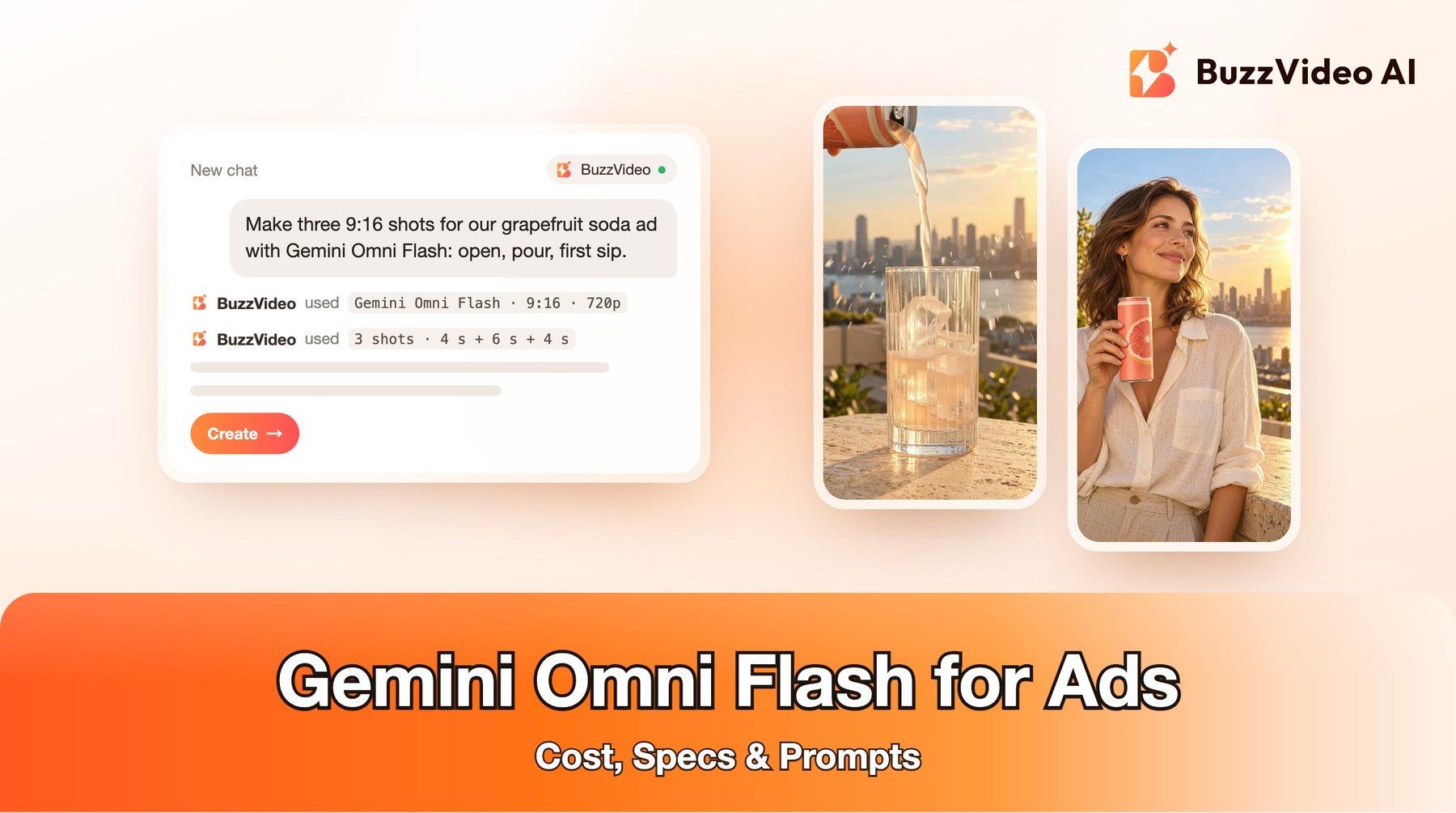
Our version: three shots in 9:16 on a golden-hour rooftop. One product image made with GPT Image 2.5 Sunburst (a coral can with only a grapefruit illustration and no lettering), then Gemini Omni Flash for (1) the can cracking open, (2) a pour into an ice-filled glass and (3) a first sip. We added the text cards and the end card in editing.
What we learned from five Gemini Omni Flash generations, of which three made the final cut:
- Liquid physics is the highlight. The pour landed in the glass, splashed over the ice and built a light foam without overflowing or floating droplets. It was usable on the first take.
- The reference image works like a first frame. Each clip opened on our reference image for a few frames. When the prompt described a different scene than the image (a woman drinking, while the image showed only the can), the clip started on the still and then jumped to a new scene, and the can's artwork was redrawn with an extra leaf and a shorter shape. Making a first-frame image of the exact scene fixed both problems.
- Count the hands. Our first opening shot showed three hands on one can. Letting the can stand on the ledge and saying "only one hand ever appears" fixed it.
- Watch the last second. In the fixed opening shot, the fizz turned into a large, soft arc of mist over the skyline in the last second. We cut the clip just before it. Check every clip frame by frame before you ship.
- Native sound is always on. The crack, fizz and pour came through cleanly. You cannot switch sound off in this model, so describe it in the prompt ("fizz and ice only, no music, no voice") and replace it in editing if you need to.
Verdict: for short, physical product moments, Gemini Omni Flash is quick and affordable. Plan the ad as several 4 to 6-second shots, give each one a first-frame image of the exact scene, and keep people and products simple.
Gemini Omni Flash vs Veo 3.1 Fast vs MiniMax H3 vs Kling 4.0
We build BuzzVideo and offer all four, so there is no reason to push one. The notes are general guidance from our tests; try two models on your product before committing budget.
| Gemini Omni Flash | Veo 3.1 Fast | MiniMax H3 | Kling 4.0 | |
|---|---|---|---|---|
| Clip length | 4–10 s | 8 s | 5–15 s | 3–30 s |
| Resolution | 720p | 720p, 1080p, 4K | 768P, 2K, 4K | 720p, 1080p |
| Reference images | Up to 5 | Up to 3 | Up to 9 | Up to 10 |
| 10-second clip | 203 credits | 8 s clips only | 150 credits (768P) | 314 credits (720p) |
| Best for | Short physical product moments, pours, splashes | One 8-second shot in 1080p or 4K | Short talking and UGC-style clips | Long continuous takes |
Choose Gemini Omni Flash for quick product-action shots you will cut together. Choose MiniMax H3 when a person speaks to camera. Choose Kling 4.0 for one long continuous take (see our Kling 4.0 guide). Choose Veo 3.1 or Veo 3.1 Fast when you need a single shot above 720p. On a tight budget, compare per-second prices in our cheapest AI video generators guide.
How do you prompt Gemini Omni Flash for an ad?
Step 1: Make one product image without text
Generate or photograph a clean product image in the ad's setting. Simplify small print on the pack, because small text is where video models slip.
Step 2: Make a first-frame image for every shot
Gemini Omni Flash starts from your reference image, so give each shot an image of that exact scene: the can on the ledge for the opening, the person holding the can for the sip. Use the real product as a reference when you make these images.
Step 3: Describe one action per clip
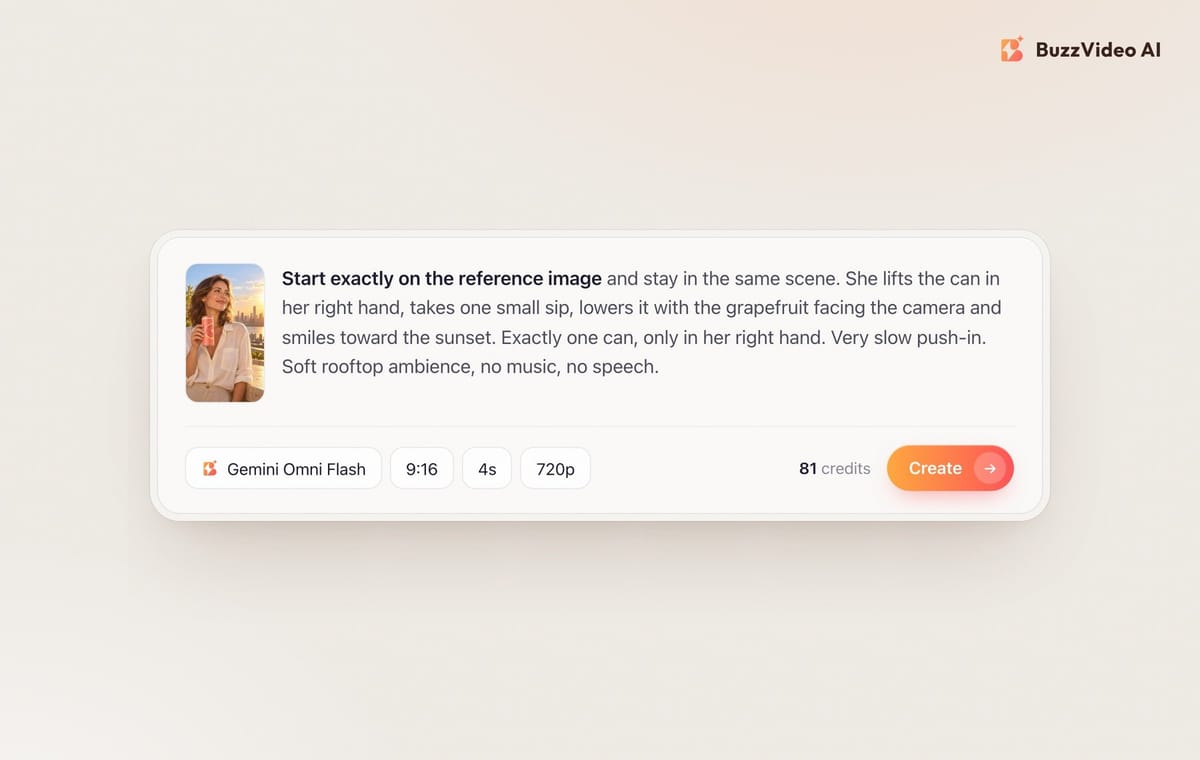
One clip, one action: open, pour or sip. Say which hand does it, that no other hands appear, and what the camera does ("slow push-in" is safe). Use 4 seconds for a hook and 6 seconds for a pour.
Step 4: Describe the sound
Sound is always on, so name it: "the crack of the can and fizz only, no music, no voice." That keeps the track clean for your own music later.
Step 5: Check, trim and add the words in editing
Step through every clip frame by frame. Trim the first frames if the clip opens on the still, and cut before anything floats or warps. Add the hook text, product name, offer and price as text cards in editing, in empty space away from the product, hands and face.
Copy-paste prompts
Opening shot (4 s, first frame = product on its surface):
“Start exactly on the reference image as the first frame. The camera pushes in slowly toward the top of the [product]. One single hand enters from the right and [opens it / lifts the lid]: [describe the burst, mist or steam]. The [product] stays on the surface; nobody lifts it. Only that one hand ever appears. The pack keeps exactly the same design as the first frame, with no extra letters or logos. Sound: [the opening sound] only, no music, no voice.”
Action shot (6 s, same first frame):
“Start exactly on the reference image. A hand enters from the top holding the [product] and [pours it into / applies it to] [the glass / the skin]: [describe how the liquid or texture moves]. Realistic physics, nothing overflows or floats. Camera locked off with a slow push-in. Only one hand appears. Sound: [pouring, ice, fizz], no music, no voice.”
Person shot (4 s, first frame = the person already holding the product):
“Start exactly on the reference image and stay in the same scene and framing. She lifts the [product] in her right hand, [takes a sip / uses it] once, lowers it to chest height with the front of the pack facing the camera, and smiles. Her left arm stays still. Exactly one [product], only in her right hand. Very slow push-in. Sound: soft room or outdoor ambience, no music, no speech.”
Do you need to label Gemini Omni Flash ads as AI?
Every Gemini Omni video carries Google's SynthID watermark, which you cannot see but which Google tools can detect. The ad platforms set their own rules on top of that. TikTok's ad policy covers AI-generated content in ads and expects realistic AI content to be disclosed, and Meta labels ads made or significantly edited with its own generative AI tools and asks advertisers to disclose realistic AI people and events. If your ad shows a realistic person who does not exist, label it. Our guide to labeling AI ads on Meta and TikTok walks through each setting.
Start your first Gemini Omni Flash ad
Start with a 4-second test of your hook shot (81 credits). If the product looks right, make the action and person shots from first-frame images and cut them together with your own text cards. With Black Friday on November 27, short shots like these are a cheap way to refresh running campaigns.
FAQs
What is Gemini Omni Flash?
It is the first model in Google's Gemini Omni family, announced on May 19, 2026. It generates video with native sound from text, images and other inputs, and Google designed it for fast generation and conversational editing.
How much does Gemini Omni Flash cost on BuzzVideo?
It costs 81 credits for 4 seconds, 122 for 6, 163 for 8 and 203 for 10 seconds at 720p. That is roughly $0.58 to $1.45 per clip on the Pro plan billed yearly.
Is Gemini Omni Flash free?
Not on BuzzVideo: it needs the Starter, Pro or Ultra plan, because the Free plan's 500 one-time credits cover images only. Google offers it in some of its own consumer apps, with limits set by Google.
Gemini Omni Flash vs Veo 3.1: which is better for ads?
Omni Flash is quicker and cheaper for short product actions up to 10 seconds at 720p. Veo 3.1 makes 8-second clips and offers 1080p and 4K, so pick it when one shot needs higher resolution.
How long can a Gemini Omni Flash video be?
On BuzzVideo you can choose 4, 6, 8 or 10 seconds per clip. For a 15-second ad, generate two or three shots and cut them together.
Can Gemini Omni Flash keep my product label correct?
It keeps large shapes and colours well when the reference image shows the exact scene, but it can redraw artwork when the scene changes. Use a first-frame image for every shot, avoid small print on the pack, and check each frame.
Can I turn off the sound in Gemini Omni Flash?
No, sound is always generated with this model. Describe the sound you want in the prompt and replace or mute it in editing if needed.
Last verified: November 5, 2026, against our live pricing and product pages.
Next reads: Kling 4.0 for ads · Black Friday video ads · How to label AI ads on Meta and TikTok · Cheapest AI video generators

About the author
Monica
Product Manager
As a Product Manager at BuzzVideo AI, I work with marketers and growth teams on AI ad workflows—from brief to shippable creatives. I write about practical product workflows, model choices, and how teams turn product pages into ads that feel native on Meta and TikTok.