TikTok Symphony Creative Studio: What It Does and When to Use Another Tool
What TikTok Symphony Creative Studio and Symphony Agent do, what's free, and when a separate AI video tool fits better for multi-platform ads.
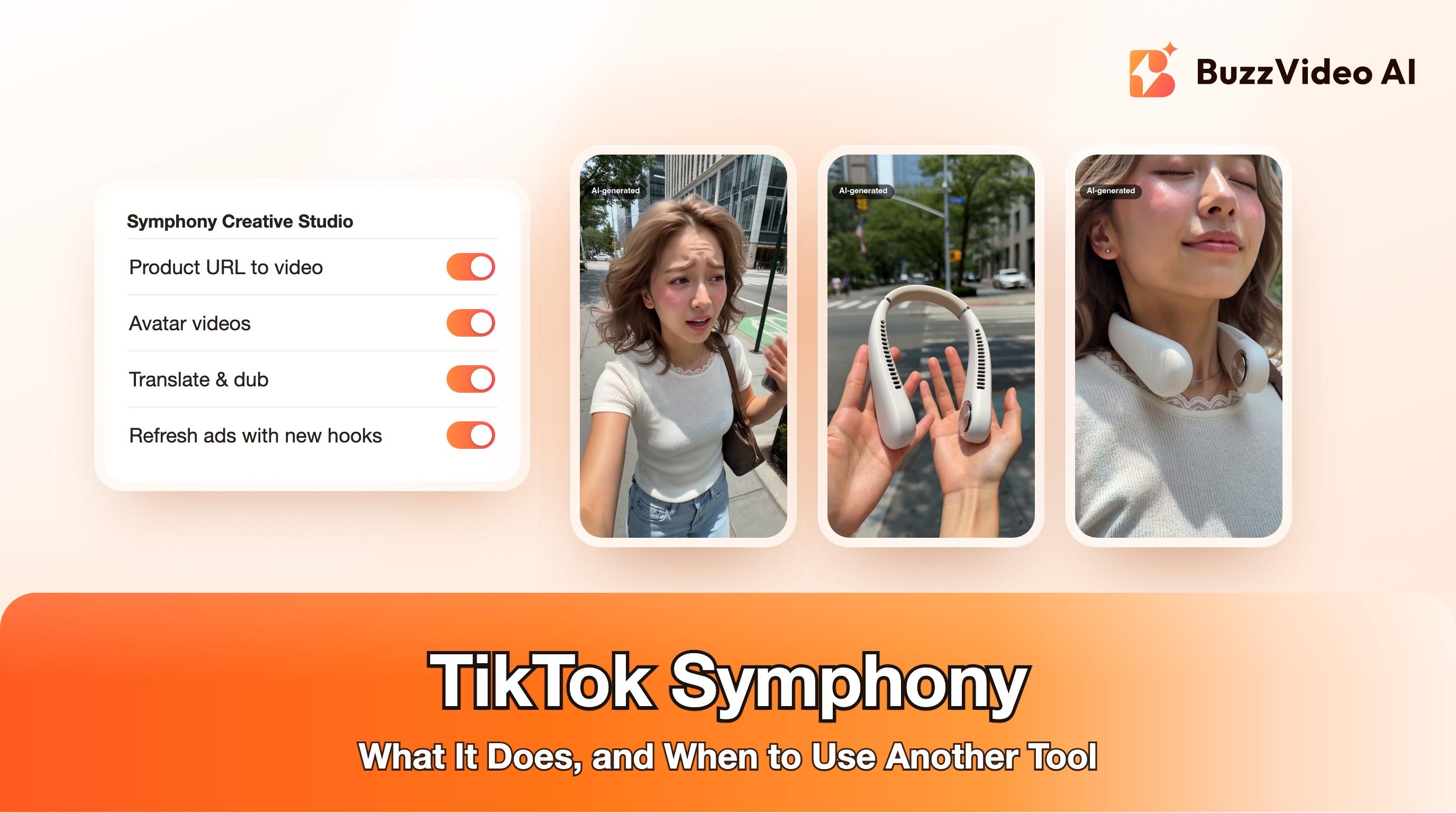
TikTok Symphony Creative Studio is TikTok's free AI video tool for advertisers. It turns a product URL or product details into several TikTok-style ad videos, makes videos with stock digital avatars, writes scripts, translates and dubs existing videos, and adds new hooks or music to ads you already run, then sends the result straight to TikTok Ads Manager (TikTok). Since June 2026 it also has Symphony Agent, a chat assistant that builds ads from a short brief (TikTok newsroom).
If your ad only runs on TikTok, start with Symphony: it costs nothing and lives where you launch the campaign. If the same creative also has to run on Instagram Reels, Facebook, YouTube Shorts or Amazon, or you need a specific video model, product shots built from your own photos, or one consistent creator across many videos, a separate tool fits better. We build one of those tools, BuzzVideo AI, so read the comparison below with that in mind; we've tried to be fair about where Symphony is the better choice.
What is TikTok Symphony Creative Studio?
Symphony Creative Studio is part of TikTok Symphony, TikTok's set of generative AI tools for advertisers. TikTok introduced the Creative Studio in its current form on June 3, 2025, describing it as a tool that can produce a video in minutes from minimal input, free for every logged-in TikTok for Business user (TikTok).
It is built for one job: getting more TikTok-native ad creative into TikTok Ads Manager with less production work. You sign in with your TikTok for Business account, pick a tool, and either download the result or export it to Ads Manager.
Try it: if you already have a product page and want vertical ads you can run on TikTok and Meta, paste the link into BuzzVideo's Marketing Agent and pick URL to Video. Turn a product page into a video →
What can Symphony Creative Studio do?
These are the tools TikTok lists on its own Symphony Creative Studio page (TikTok). TikTok updates the product often, so check the page for the current list before you plan around one feature.
| Tool | What you give it | What you get |
|---|---|---|
| Generate TikTok Ads | Brand or product details, your own assets, or a product URL | Several video options with different layouts and scripts, editable before export |
| Avatar Videos | A script, a stock avatar and a voice | A digital avatar presenting your script; you can add music, stickers and text |
| Generate Scripts | Product details (tone, style, POV, language, length) or a free prompt | Editable scripts you can turn into video |
| Translate & Dub Videos | An existing video and target languages | Dubbed versions with a cloned or stock voice, optional lip sync and subtitles |
| Video Editor | Your footage | Captions, avatars, music, stickers, effects and transitions |
| Refresh Ads | An ad you upload or import from Ads Manager | A new video hook (optionally seasonal) and/or new background music |
| Daily Video Generations | Nothing: based on your past Symphony activity | Auto-generated video ideas each day |
TikTok also says the studio includes licensed stock footage, images and sounds from Billo and Getty Images that are cleared for commercial use, and that AI-generated output is labelled automatically.
Is TikTok Symphony free?
Yes. TikTok describes the Creative Studio as free AI tools for all logged-in TikTok for Business users, and its page lists no paid tier (TikTok). What you pay for is the media: the ads themselves run on your normal TikTok ad budget.
The trade-off is scope. Symphony is designed around TikTok: its exports go to TikTok Ads Manager, its daily ideas are based on TikTok content, and TikTok's page doesn't mention choosing a video model.
What is Symphony Agent?
Symphony Agent is the chat layer TikTok announced at Cannes Lions on June 22, 2026. Inside Symphony Creative Studio, TikTok says it "helps advertisers create high-performing TikTok ads in minutes through an AI-powered chat experience" (TikTok newsroom). The same announcement says the agent combines your goals with insights from top-performing content and trends, and that it ships with AI labels, invisible watermarks and content moderation filters.
TikTok did not publish regions, limits or a full feature list for the agent in that announcement. If you don't see it in your account yet, the classic Creative Studio tools above still work the same way.
When is Symphony enough, and when do you need another tool?
Here's how we'd decide. The left column is the situation; the right column is what we'd actually use.
| Your situation | Use |
|---|---|
| The ad only runs on TikTok and speed matters more than control | Symphony Creative Studio |
| You want to add a new hook or swap music on an ad already running on TikTok | Symphony Refresh Ads |
| You need dubbed versions of one TikTok video for other TikTok markets | Symphony Translate & Dub |
| The same creative must also run on Reels, Facebook, YouTube Shorts or Amazon | A separate tool that exports files you can upload anywhere (BuzzVideo, Creatify, HeyGen and similar) |
| You need product shots built from your own product photos, not stock footage | An image and video model you control (for example GPT Image 2.5 or Seedance 2.5 in BuzzVideo) |
| You want the same AI creator, outfit and setting across ten videos | A tool with reference images and storyboards (Storyboard to Video in BuzzVideo) |
| You want to pick the model per shot, or compare two models on one prompt | A multi-model tool (BuzzVideo, or each model's own app) |
| You want an AI assistant like ChatGPT or Claude to make the videos for you | A tool with an MCP server, such as BuzzVideo MCP (available on every plan, including Free) |
Most teams end up using both: a separate tool for the core creative that runs everywhere, and Symphony for quick TikTok-only refreshes once an ad is live. If you're comparing paid tools, our TikTok AI ad generator roundup and BuzzVideo vs Creatify, Arcads and HeyGen go deeper.
How do you make a TikTok-first ad that also runs on Meta?
The format that works on TikTok, a creator talking to camera with the product in hand, also works on Instagram Reels and Facebook. The difference is where you export. This is the workflow we use in BuzzVideo:
Step 1: Start from the product page
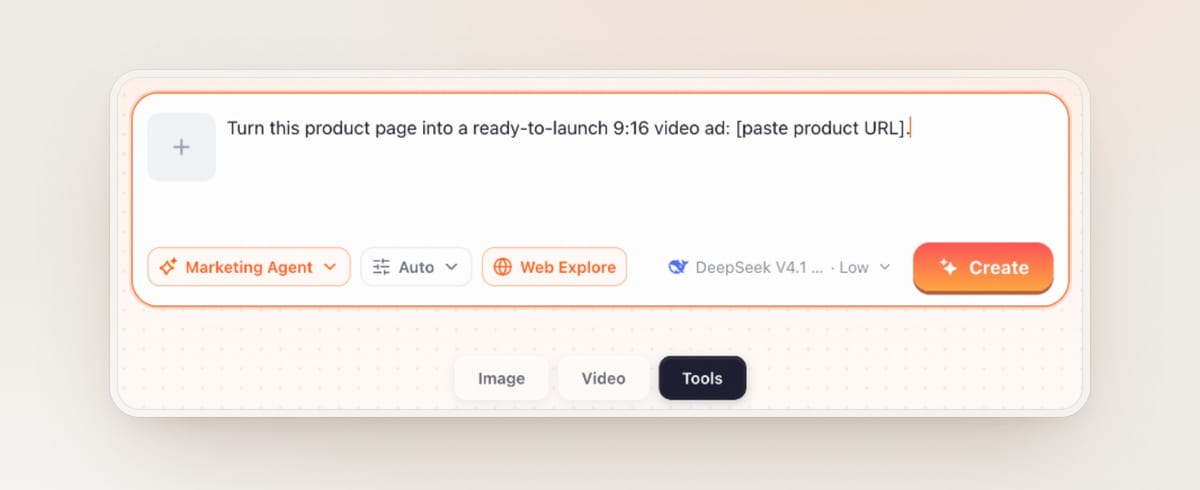
Open the Marketing Agent, choose URL to Video on the Tools tab, and paste your product page. With Web Explore on, the agent can read the page; ask it to show you the script first, and check every claim against the page before you generate.
Step 2: Pick a format that is native to the feed
For a TikTok Shop-style creator ad, use the UGC Ads tool or a template such as This Gadget Saved Me, Selfie Testimonial or Before and After. Keep it to 15 seconds, 9:16, with the product visible in the first two seconds.
Step 3: Write the hook as one visual action
A hook that is something happening on screen (a problem shown, a product revealed, a reaction) survives the sound being off. Here is a prompt template you can paste and fill in:
“9:16 vertical creator video, 15 seconds, handheld phone look. 0-2 s: [a creator in a specific setting] shows [the problem, as an action] and reacts. 2-6 s: she holds up [the product] in her left hand and shows [one feature] close to camera. 6-12 s: she uses it and the result is visible [describe the visible result]. 12-15 s: she smiles at camera holding the product. Natural daylight, no on-screen text, no logos, no prices.”
- Template: replace the brackets with your product. Add prices, offers and captions in editing, not in the prompt.
Generated footage is not good at text, prices or logos, so keep them out of the prompt and add them as captions afterwards.
Step 4: Check every frame, then label it
Scrub the clip and zoom in on hands, the product and its label. Reject anything where the product changes shape or text turns into gibberish. Then switch on the AI-generated content setting when you upload. Our AI ad labeling guide covers both platforms.
Step 5: Export once, run everywhere
Download the MP4 and upload it to TikTok Ads Manager and Meta Ads Manager. If you need 1:1, 4:5 or 16:9 versions for other placements, see how to resize a video ad for every placement. Once the TikTok version is live, Symphony's Refresh Ads is a quick way to test a new opening without remaking the video.
Do Symphony ads need an AI label?
TikTok says AI-generated content made in Symphony Creative Studio is labelled automatically (TikTok). For AI content made anywhere else, TikTok's ad policy asks you to disclose realistic AI-generated content, using the AI-generated content setting when you create the ad (TikTok ad policy). Meta adds "AI info" labels to ads created or significantly edited with its own generative AI tools (Meta).
In practice, label any ad where a realistic person, voice or scene was generated. It costs you nothing and lowers the risk of a rejected ad in the middle of Black Friday week.
Symphony or BuzzVideo: which should you start with?
If you run ads only on TikTok and want something today, open Symphony Creative Studio in your TikTok for Business account: it's free and already connected to Ads Manager. If you run the same products on TikTok and Meta, want to choose the model for each shot, or need product visuals built from your own photos, BuzzVideo's Marketing Agent does that in one place. Video generation starts on the Starter plan ($14 a month billed yearly, 1,900 credits a month); the Free plan's 500 one-time credits cover images only (pricing).
FAQs
Is TikTok Symphony Creative Studio free?
Yes. TikTok describes it as free AI tools for all logged-in TikTok for Business users (TikTok). You still pay for the ads you run.
How do I access TikTok Symphony Creative Studio?
Sign in with a TikTok for Business account and open Symphony Creative Studio from TikTok's ad tools. Videos can be downloaded or exported straight to TikTok Ads Manager.
Can I use Symphony videos on Instagram or Facebook?
Symphony is built around TikTok and exports to TikTok Ads Manager, but you can also download the video. Check the license terms of any stock footage or avatar in it before running it on another platform.
What is TikTok Symphony Agent?
It's a chat-based assistant TikTok announced on June 22, 2026 that builds TikTok ads from your goals inside Symphony Creative Studio (TikTok newsroom). TikTok has not published regions or limits for it.
Does TikTok label videos made with Symphony as AI-generated?
Yes. TikTok says AI-generated content from Symphony Creative Studio is labelled automatically, and Symphony Agent adds invisible watermarks as well.
What is a good TikTok Symphony alternative for multi-platform ads?
Pick a tool that exports plain MP4 files and lets you control the model and references, such as BuzzVideo, Creatify or HeyGen. We build BuzzVideo, so compare two tools on your own product before you commit.
Last verified: November 13, 2026, against our live pricing and product pages and TikTok's Symphony pages linked above.
Next reads: AI UGC videos for TikTok Shop · How to label AI ads on Meta and TikTok · Product URL to video ad · Localize video ads with AI

About the author
Monica
Product Manager
As a Product Manager at BuzzVideo AI, I work with marketers and growth teams on AI ad workflows—from brief to shippable creatives. I write about practical product workflows, model choices, and how teams turn product pages into ads that feel native on Meta and TikTok.