How to Translate and Localize a Video Ad in ChatGPT or Claude
Turn one finished ad into market-ready versions: adapted copy, a new voiceover, replaced captions and a copy sheet—step by step inside ChatGPT or Claude.
To localize a video ad with AI, keep the picture and timing of the finished ad, adapt the script for each market rather than translating it word for word, record a new voiceover in the target language, and replace every caption and piece of on-screen text. With BuzzVideo MCP you can do it from ChatGPT or Claude: the chat follows BuzzVideo's Ad localizer guide, checks which claims and offers are valid in each market, shows you the adapted copy with back-translations and the credit cost, and only generates after you approve.
This guide covers each step, the prompt to copy, how to fit new lines into the original timing, what it costs, and the limits to know up front—there is no lip-sync, and you should hear a sample of any voice before it reads a new language.
What is ad localization?
Localization makes one ad feel native in another market. It goes beyond translation: idioms, currency, prices, offers, local references and legal wording all change, while the selling point, tone and edit stay the same. This is often called transcreation.
| Part | What happens |
|---|---|
| Picture and cuts | Stay exactly as the original |
| Voiceover | New voice in the target language, timed to the original lines |
| Captions and on-screen text | Rebuilt in the target language, same position and style |
| Prices, offers, claims | Confirmed per market |
| Packaging text | Unchanged — it is the real product |
Try it: connect BuzzVideo to your AI chat once, then attach an ad and name your markets. Connect BuzzVideo MCP →
What do you need before you start?
- A BuzzVideo account. Voiceovers use Seed Audio 1.0, which our pricing page lists on every plan; re-generating shots needs a plan with video (Starter and up).
- BuzzVideo MCP connected to ChatGPT, Claude or another MCP client — see how to use BuzzVideo MCP in ChatGPT and Claude.
- The ad file, and if possible its pieces: the script or caption file, voiceover and music as separate files, text layers, and the clean clips the ad was cut from.
- Per market: price and currency, the current offer, call to action and landing page, and any words or claims not allowed there.
- An AI chat that can run commands (ffmpeg) for finished files. Without it, you get voiceover files, SRT captions, text images and a replacement sheet.
How do you localize a video ad step by step?
Step 1 — Attach the ad and name the markets
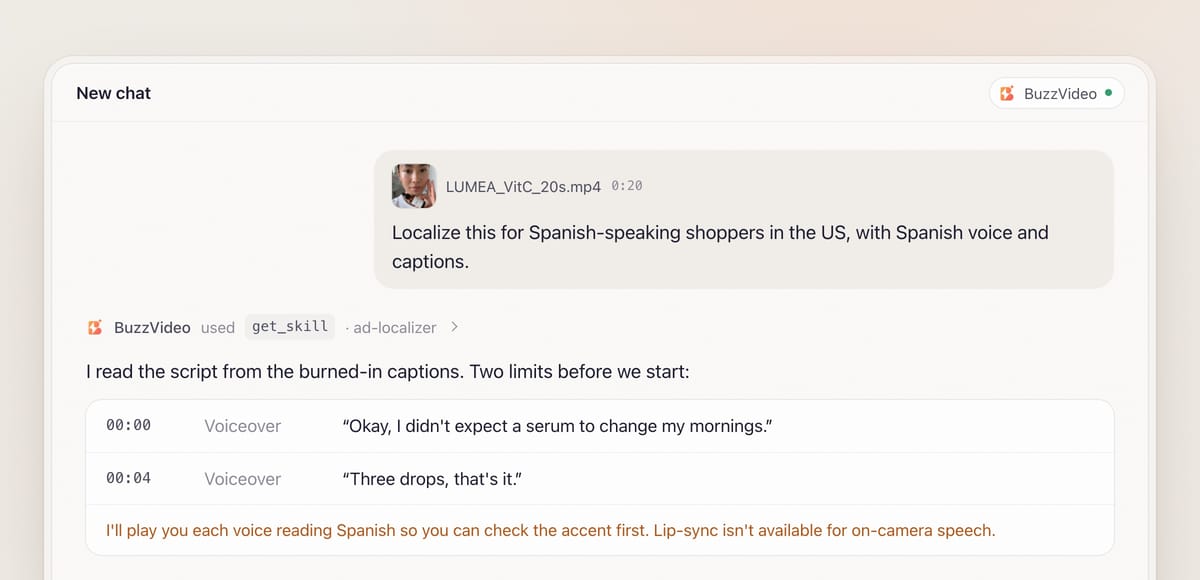
Attach the ad and say which markets and written forms you need—for example Spanish for US Hispanic shoppers, British English for the UK, or German for Germany—and whether captions should be target language only or bilingual. When BuzzVideo MCP is connected, the chat looks up BuzzVideo's guides (list_skills) and loads Ad localizer (get_skill). It doesn't ask for an editing style; the original's stays.
It tells you the limits right away when they apply: a person speaking on camera can't be made to mouth the new language, and it plays you a sample of each voice in the target language so you can check the accent.
Step 2 — Build the script and text inventory
Burned-in captions come first: if the ad has captions that follow the voiceover, they are usually the script, and the moments they appear give the line timing. Speech-to-text only fills gaps. The guide then lists every text item with its time, type (voiceover, caption, on-screen, baked into the image), position and style.
Step 3 — Confirm claims and offers per market
Offers, prices and allowed claims often differ by market. The guide lists your brand name and every claim, price and offer as it appears in the original, and asks which are valid in each target market. If something is hard to read or hear, it asks instead of guessing.
Step 4 — Approve the adapted copy, voices and quote
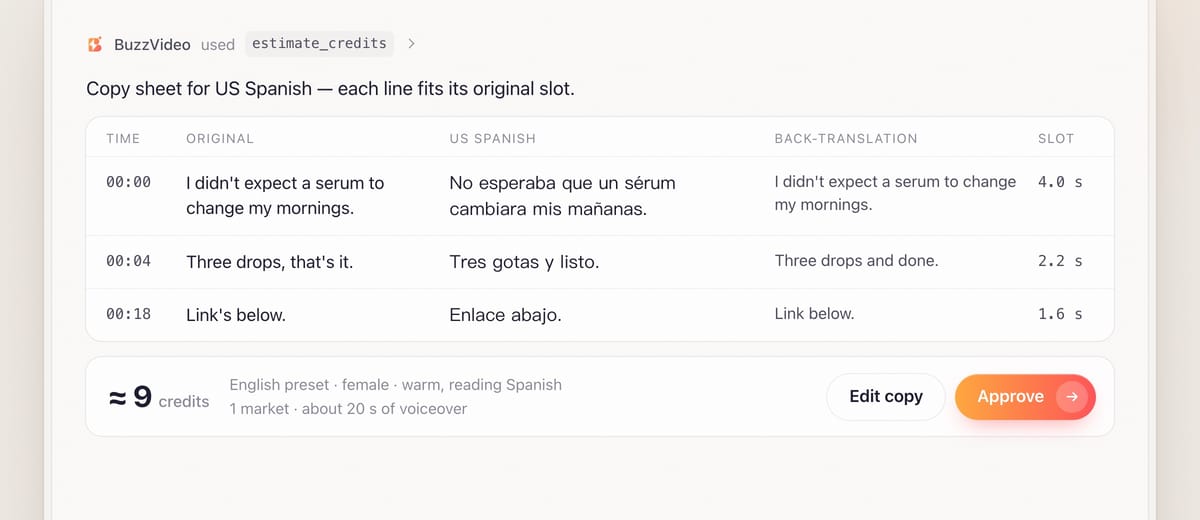
You get a copy sheet: each original line next to its adaptation and a back-translation into your language, with the time slot it must fit. Lines are written to the voice's pace from the start, headlines stay short, and the guide recommends a native-speaker check per market before launch.
Voices are chosen by language, gender and style to match the original's age feel and energy. With the voiceover and any re-generated images quoted by estimate_credits, the chat waits for your approval.
Step 5 — Generate the voiceover and handle speakers on camera
Each line is generated, trimmed and measured. If a line is too long for its slot, the guide first lets it run into a following music-only gap, then merges or shortens lines, then speeds the voice up a little. Extending a shot is the last resort, and only with your OK.
For a person speaking on camera, you choose per shot: keep the original speech with translated captions (often fine for testimonials), cut away to product shots while the new voiceover plays, or reshoot the line with a local presenter or a BuzzVideo avatar. If no preset voice sounds right in the target language, the options are your own recording or a local voice artist, or captions only.
Step 6 — Replace the text, mix, review and deliver
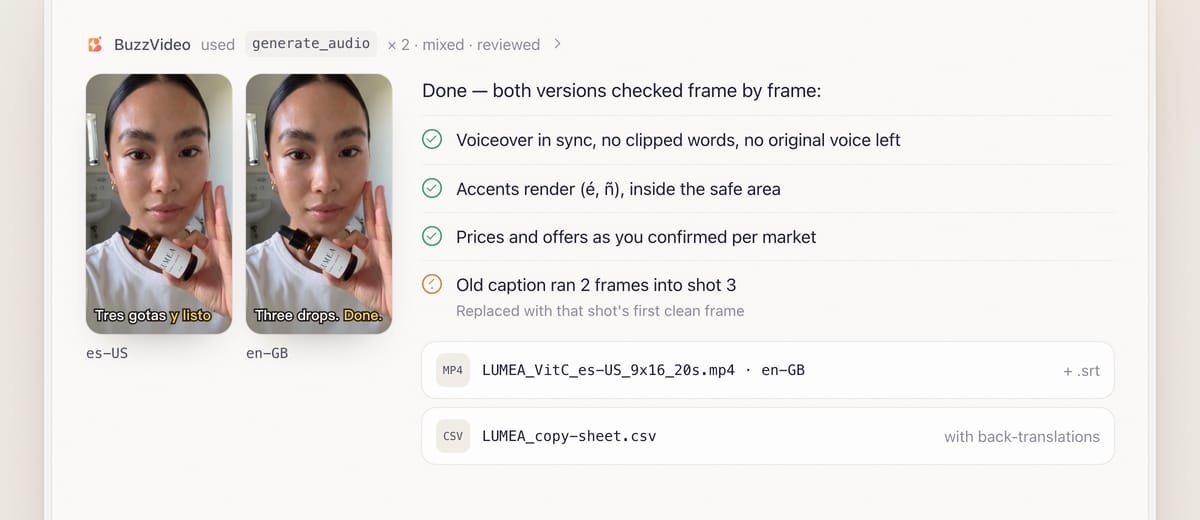
On-screen text is rebuilt in the same position, timing and style, in a font that has every character. Old captions baked into the picture are handled shot by shot: rebuilt from a clean clip when they sit on the product or a face, covered with a solid caption plate when they don't, or dropped when the label already shows the same words. The new voiceover is mixed over the music with the original balance, at about −14 LUFS.
Review is mandatory. Each market version is checked for sync, clipped words, leftover original voice, any old caption on any frame, missing glyphs, bad line breaks and prices or offers that don't match what you confirmed. You receive files named like LUMEA_VitC_es-US_9x16_20s.mp4, SRT files, the copy sheet and a list of what's still to confirm.
Copy-paste prompt
“Localize this [20]-second ad for [Spanish-speaking shoppers in the US and the UK]. US Spanish: [Spanish captions and voice], price [$ amount], offer [offer]. UK: [British English captions and voice], price [£ amount], offer [offer]. Captions: [target language only / bilingual]. Don't say [words not allowed]. Show me the copy sheet with back-translations, the voices and the credit quote before generating.”
How do you fit translated lines into the original timing?
| Language | Pace to write to | On-screen headline |
|---|---|---|
| English (preset voice, normal speed) | About 1.6–2 words per second | 7 words or fewer |
| English (voice sped up) | About 2.5 words per second | 7 words or fewer |
| Line still too long | Run into a music-only gap, then shorten or merge, then speed up | Shorten, don't shrink the font |
A 2-second slot holds about four English words. Translated lines are re-broken by meaning, not by word count, and every caption stays inside the safe area and off the product and faces.
What usually goes wrong, and how does the guide prevent it?
| Problem | What viewers notice | What the guide does |
|---|---|---|
| Literal translation | Stiff or odd phrasing | Adapted copy with back-translation; native-speaker check suggested |
| Wrong price or offer | A US offer in a UK ad | Claims, prices and offers confirmed per market |
| Ghost of the old voice | Original voice bleeding under the new one | Music stem used, or a source separator with your OK |
| Old caption still visible | Two languages fighting on screen | Every second frame checked, including frames after each cut |
| Missing characters | Empty boxes instead of letters | Fonts with the right script; glyphs checked in review |
| Lines running long | Voice spills over the next shot | Written to pace; overflow rule before touching the edit |
How much does it cost to localize an ad?
Usually very little, because the picture is reused. The voiceover is charged by length and costs far less than video. As a rough example, a 20-second ad localized for three markets needs about a minute of new voiceover, which comes to a few dozen credits, well under $1 on Pro billed yearly. Credits only grow if shots or images must be re-generated to remove baked-in text, which the guide quotes first. Rates are on our pricing page; see also BuzzVideo pricing and cost per ad.
Which BuzzVideo guide should you use instead?
| You want… | Use this guide |
|---|---|
| The ad in another language or market | Ad localizer (this one) |
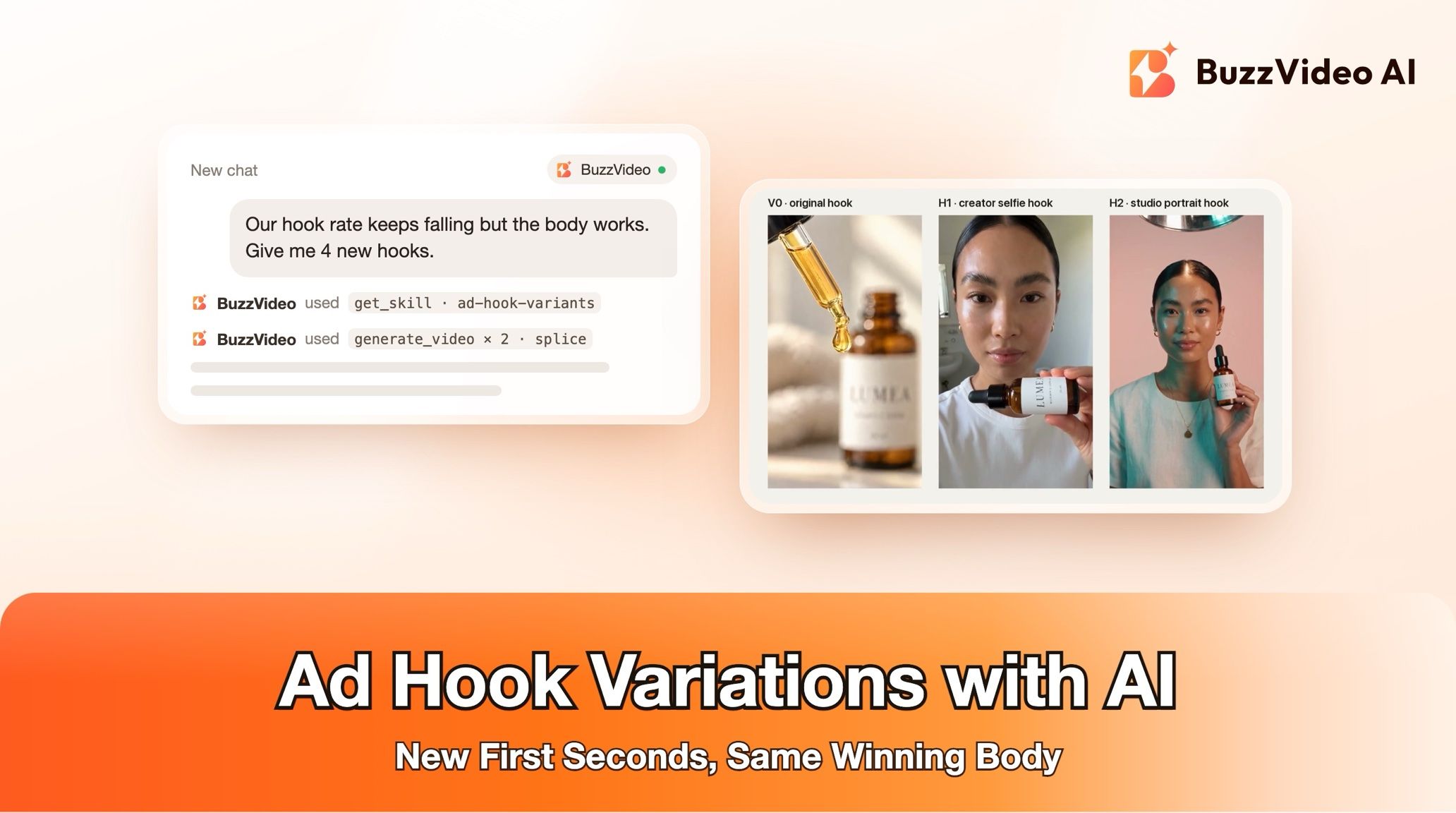
| New openings to test | Ad hook variants |
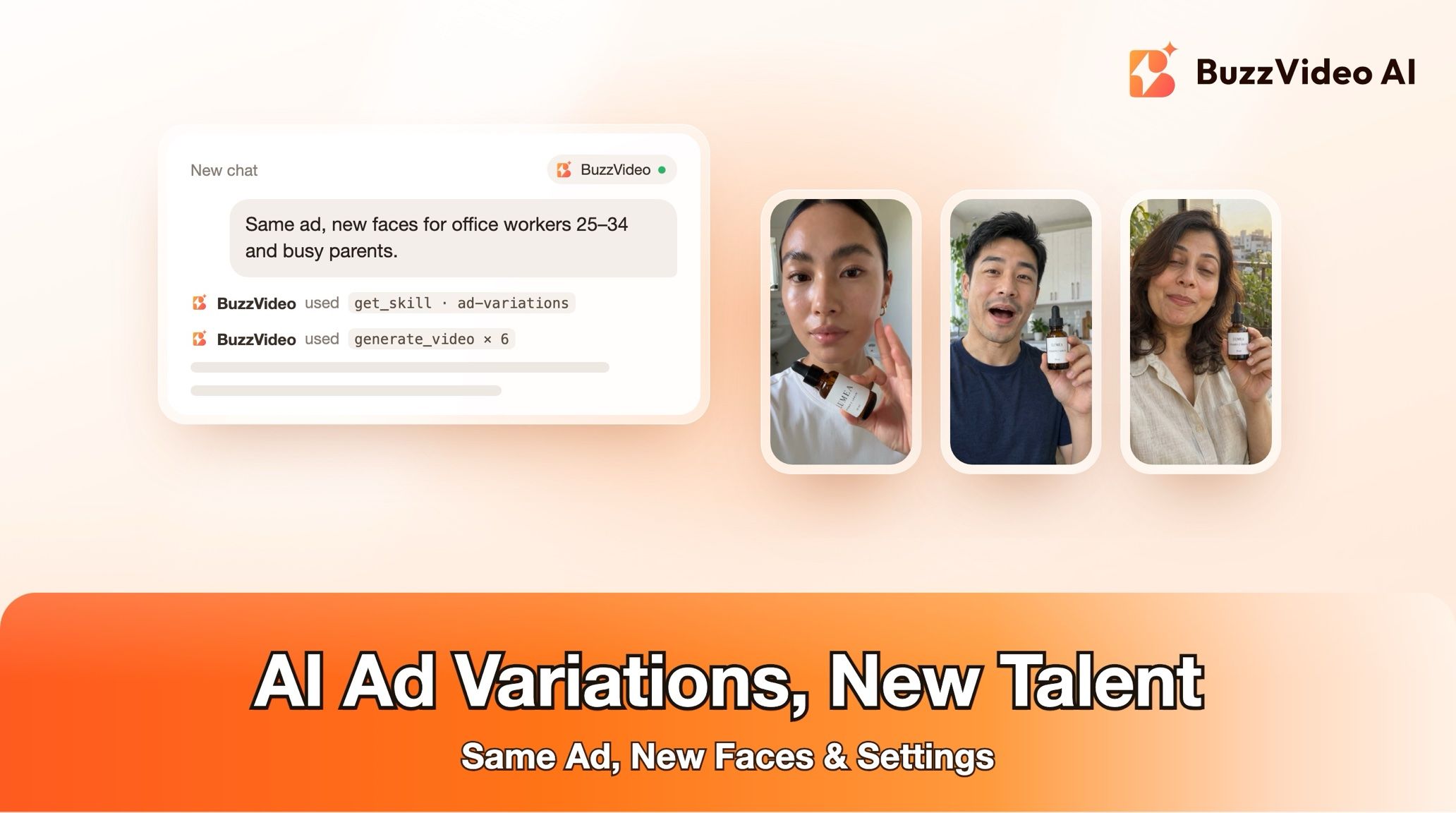
| New talent or settings | Ad variations |
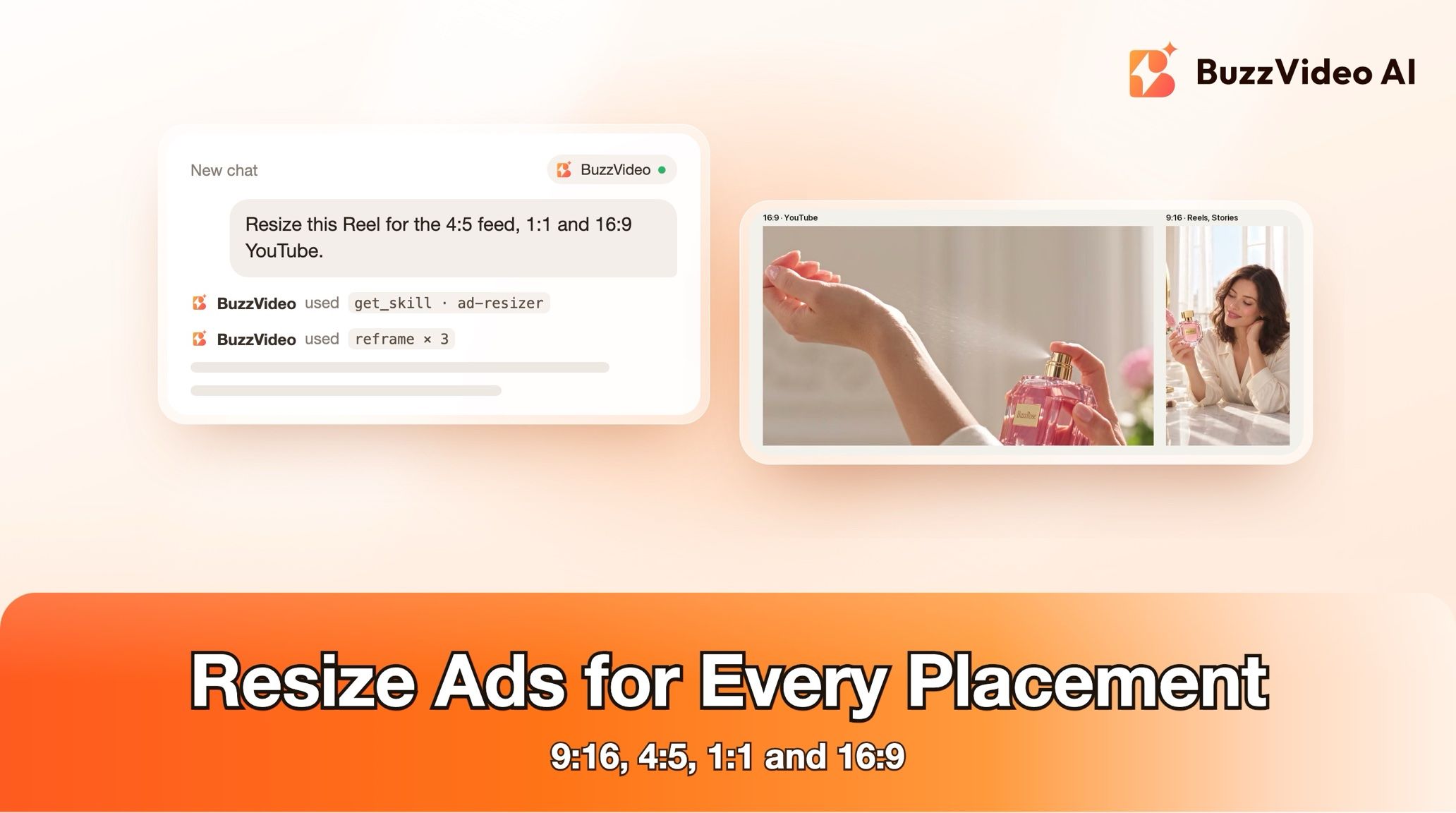
| Other aspect ratios | Ad resizer |
Step-by-step guides: Ad hook variants · Ad variations · Ad resizer
You don't need to name the guide: describe what you want, and the chat picks the matching one.
Do localized ads with AI voices need an AI label?
Often, yes. TikTok requires the AI-generated content disclaimer for ads with AI-generated people or voices (TikTok ad policy), and Meta shows an "AI info" label on ads made or significantly edited with generative AI (Meta). If a local voice artist records the lines instead, check each platform's rules for the rest of the ad.
Ready to take a winning ad to a new market? Connect BuzzVideo to your AI chat and attach the ad.
FAQs
Can the AI make the presenter's lips match the new language?
No, lip-sync isn't available. For each speaking shot you choose: keep the original speech with captions, cut away to product shots, or reshoot with a local presenter or an avatar.
Which languages can the voiceover be in?
Most preset voices are English, and they can read other languages such as Spanish—listen to a sample to check the accent. You can also upload a recording by you or a local voice artist, or keep the original voice with captions only. Voice cloning works for English only.
Will the picture change?
No. Picture and every cut stay exactly as the original. Only text areas are rebuilt, and a shot is re-generated only as a last option, with your OK.
What if I only have the final mixed video?
The old voice will bleed through unless it's removed. The guide asks for the music file first; otherwise, with your OK, it can install a source separator to split voice from music, or use music you have rights to.
Do I still need a native speaker?
It's recommended. The copy sheet includes back-translations so you can follow every line, but a native-speaker check per market before launch catches tone and local nuance.
What do I get at the end?
One file per market with SRT captions, the copy sheet with originals, adaptations and back-translations, the voices used (marking any substitute), credits spent, and what the review caught and fixed.
Last verified: November 2, 2026, against our live pricing and product pages.
Next reads: How to use BuzzVideo MCP in ChatGPT and Claude · Talking avatar ads workflow · BuzzVideo pricing and cost per ad

About the author
Monica
Product Manager
As a Product Manager at BuzzVideo AI, I work with marketers and growth teams on AI ad workflows—from brief to shippable creatives. I write about practical product workflows, model choices, and how teams turn product pages into ads that feel native on Meta and TikTok.