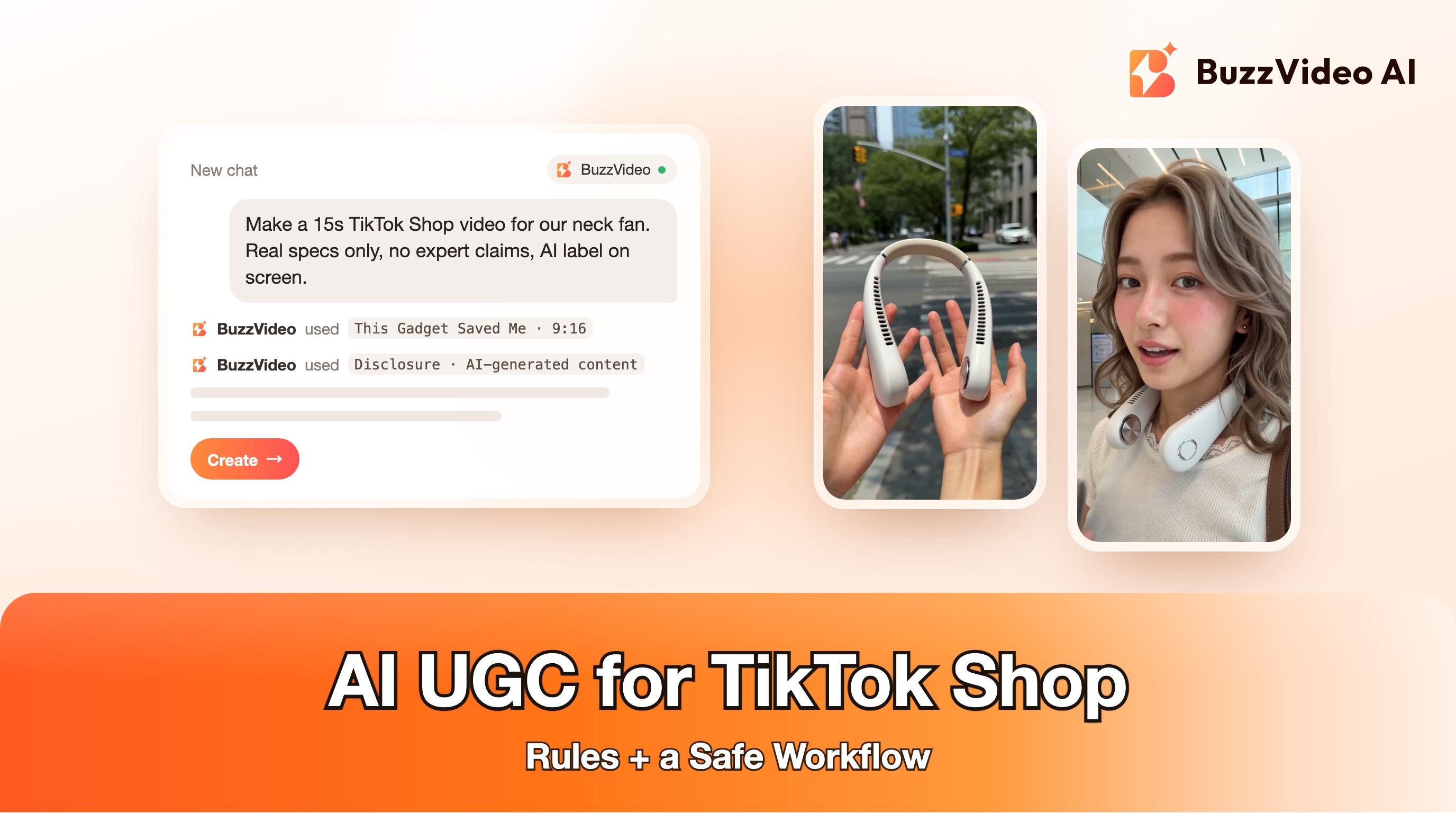
AI UGC for TikTok Shop: Rules and a Safe Workflow
What TikTok Shop's AIGC policy allows, how to disclose AI videos, which UGC formats are safe for shoppable video and a 7-step workflow to make one.
Yes, you can use AI-generated UGC on TikTok Shop, as long as you disclose it, keep every product detail accurate and never use an AI person to impersonate a celebrity, a doctor or any other expert. TikTok Shop's AIGC policy also bans mass-producing near-identical AI videos, so a handful of distinct, honest videos beats a hundred copies.
This guide walks through what TikTok Shop's own AIGC policy says, which AI UGC formats are safe for shoppable videos (and which ones quietly break the rules), and a seven-step workflow for making a TikTok Shop video with BuzzVideo AI that you can post without worrying about takedowns.
Try it: Upload your product photo and ask the Marketing Agent for a 9:16 creator-style video that uses only your listing's real specs. Open the Marketing Agent →
Is AI-generated UGC allowed on TikTok Shop?
TikTok Shop allows AI-generated content, but with conditions. The clearest public source is the Artificial Intelligence Generated Content (AIGC) article in TikTok Shop's Seller University (the version we read applies to the UK and was updated on August 28, 2026). It defines AIGC as content created wholly or partly by AI tools — scripts, voices, avatars, images, animations — with minimal or no direct human performance.
The policy applies to Short Videos, Photo Mode and LIVE on TikTok Shop. Rules can differ by market, so if you sell in the US or elsewhere, open the same topic in your own Seller Center before you publish. Paid ads in Ads Manager follow TikTok's separate ad policies, which we cover further down.
| Allowed (with disclosure) | Not allowed, even with a label |
|---|---|
| AI creators or avatars that present a product honestly | AI avatars of celebrities, politicians or public figures |
| AI voiceovers and scripts based on real product facts | AI doctors, nurses, dermatologists or wellness experts making claims |
| AI-generated scenes, demos and B-roll of the real product | AI police, soldiers, customs officers or officials endorsing a product |
| AI-edited footage that keeps the product as it really is | Changing a product's size, packaging, features or 2D/3D form |
| A few distinct videos per product | Many near-identical videos with the same script and visuals |
How do you disclose AI content on TikTok Shop?
TikTok Shop accepts either of two methods. You can disclose inside the content with on-screen text, a watermark, a sticker or a note in the description (for example "AI generated content" or #AIGC). Or you can switch on the "AI-generated content" toggle when you post, which adds the label "Disclosed by creator as AI-generated" in the corner of the video. TikTok's help page on AI-generated content shows where the setting lives.
TikTok may also label content automatically when a file carries certain technical metadata, and creators cannot remove that label. The policy says auto-labelled content is not penalized or limited just because of the label. Failing to disclose when AI plays a significant role, on the other hand, can get products removed from your content.
We use both methods on anything we post: the toggle, plus a small on-screen label that does not cover the product or the creator's face. It costs nothing and removes any doubt.
Which AI UGC formats work for TikTok Shop?
Most creator formats translate well to shoppable video. A few popular AI formats, though, collide with the policy's product-accuracy rules, which ban making a product look larger or smaller, turning a flat item into 3D, animating products in unrealistic ways or adding effects the real product does not have.
| Format | Fit for TikTok Shop | Watch out for |
|---|---|---|
| This Gadget Saved Me (problem, then product in use) | Strong | The fix must be one the real product delivers |
| Direct-to-camera review | Strong | Presenter must not look or sound like a doctor or expert |
| Unboxing or ASMR unboxing | Strong | Box contents must match the listing exactly |
| Couple or roommate at home | Good | Keep the product the same in every shot |
| Camera POV demo | Good | Real speed and results, no instant transformations |
| Before and after | Risky | Banned when it exaggerates results; avoid for health and beauty |
| Giant product in the street | Avoid on Shop | Misrepresents size; better kept for brand ads, labelled |
How do you make a TikTok Shop AI UGC video step by step?
Step 1: Collect the real product facts first
Pull the listing title, real price, dimensions, what is in the box and two or three clean product photos. The policy says creators should base AI output on real product images and seller materials, and creators stay responsible for every claim the AI makes. Write the claims you are allowed to make on one line each; anything not on that list does not go in the script.
Step 2: Pick a format and an ordinary persona
Choose a format from the table above and a presenter who is a regular customer — a commuter, a parent, a student. Do not dress the presenter in scrubs or a lab coat, and do not script them as an expert. That is the single most common way AI UGC breaks TikTok Shop rules.
Step 3: Script a 15-second story with real claims only
- 0–2 s: the problem, shown, not described ("Every commute, I showed up soaked").
- 2–8 s: the product in use, with one or two true features ("No blades, two turbines").
- 8–13 s: the everyday payoff, at real speed.
- 13–15 s: a soft call to action ("If you sweat through your commute, go look this up") — no fake countdowns.
Step 4: Generate with your product photos as references
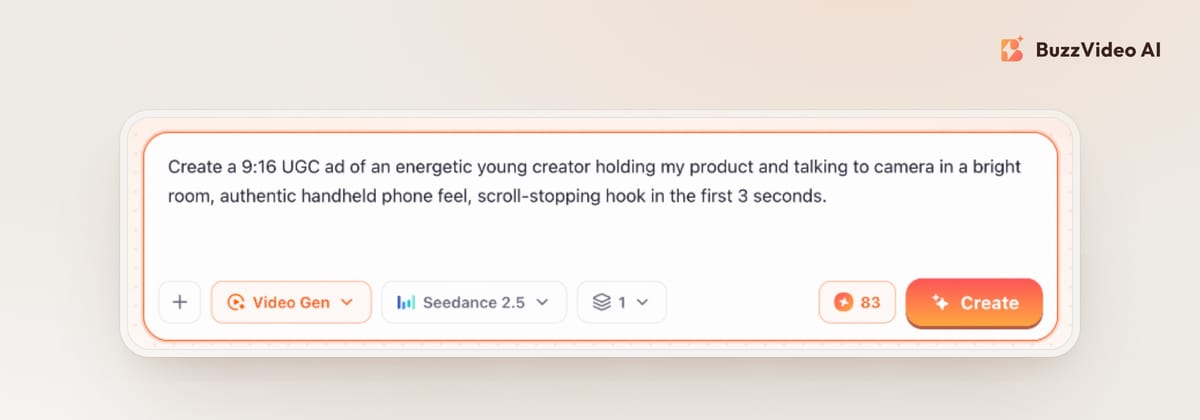
In BuzzVideo, open the Marketing Agent, choose UGC Ads (or a template such as This Gadget Saved Me), attach your product photos and paste your script. Clicking UGC Ads pre-fills a 9:16 prompt on Seedance 2.5, which needs a Pro or Ultra plan; on Starter you can switch to Seedance 2.0 Fast or Kling 3.0. For a talking presenter, the talking avatar workflow gives you more control over the voice.
Step 5: Check every frame before you post
TikTok Shop's policy includes a list of what good AIGC looks like, and it doubles as a QA checklist. Step through the video a few frames at a time and reject any take that fails one of these:
- Hands hold the product properly, with five fingers, and drinks stay in the cup.
- Logos and on-pack text stay sharp and do not morph between shots.
- The product's size, color and parts match the listing in every shot.
- Skin, eyes and expressions look human; lip-sync lands on the words.
- No jump cuts, warps or glitches in the middle of a scene.
Step 6: Add the label, captions and price in editing
Put the AI disclosure, captions and any price or offer on as text in editing, not inside the generated footage, and keep them in empty space away from the product and the face. Then post with the AI-generated content toggle on and a short note in the description.
Step 7: Make different videos, not copies
The policy names "multiple identical or near-identical videos" and "repetitive, low-effort promotional content" as banned. Instead of 20 versions of one script, make three or four genuinely different videos — a POV demo, an unboxing, a couple at home — each with its own script and setting. The same idea, creative diversity, is what Meta now asks for in paid social too.
Copy-paste prompt for a TikTok Shop UGC video
“Create a 15-second 9:16 creator-style video for TikTok Shop using ONLY the product in my photos. Presenter: an ordinary [persona], not an expert, no uniform. Story: 0–2 s [problem shown], 2–8 s product in use showing [true feature 1] and [true feature 2], 8–13 s [everyday payoff] at real speed, 13–15 s soft call to action. The product must keep its real size, color, parts and packaging in every shot; no glowing effects, no instant transformations, no before-and-after. No on-screen text, prices or logos in the footage — I will add captions and the AI label in editing.”
- UGC Ads / Generate Video prompt
What does a TikTok Shop AI video cost?
UGC Ads runs on Seedance 2.5 by default. On our live pricing page, a 10-second Seedance 2.5 video at HD is 417 credits, and Seedance 2.5 needs the Pro plan ($35 a month billed yearly, 4,900 credits a month) or Ultra — enough for about 11 HD takes a month on Pro. On Starter ($14 a month billed yearly, 1,900 credits), a 10-second Seedance 2.0 Fast video at SD is 98 credits and a 5-second Kling 3.0 clip is 63. The composer shows the exact credit cost of your settings before you click Create, and Free accounts cannot generate video.
What about TikTok ads and Spark Ads?
Paid ads go through TikTok Ads Manager, not Seller Center, and follow TikTok's ad policy on misleading content, including its AI-generated content rules. If you boost an AI UGC video as an ad, check both sets of rules. Our guide to labelling AI ads on Meta and TikTok walks through the Ads Manager setting.
Two more things worth knowing: brands can set stricter rules than TikTok for their own affiliate programs, so affiliates should check a brand's terms before posting AI videos of its products. And if real creator content is what your category expects — skincare and supplements especially — AI UGC may be the wrong tool; a creator marketplace or your own customers' videos will often serve you better.
Make your first compliant TikTok Shop video
Start with your listing photos, one honest problem and two true features. Make one 15-second video, check it frame by frame, label it and post it. With Black Friday on November 27, that is a safer start than flooding your shop with near-identical clips.
FAQs
Can I use AI UGC videos on TikTok Shop?
Yes, if you disclose the AI use, keep product details accurate and avoid impersonating celebrities, experts or officials. TikTok Shop's AIGC policy lists what is and is not allowed.
How do I label AI-generated content on TikTok Shop?
Either switch on the "AI-generated content" toggle when posting, or disclose inside the content with on-screen text, a watermark, a sticker or a note in the description. We recommend doing both.
Can an AI avatar sell products on TikTok Shop?
Yes, as an ordinary presenter. An AI avatar cannot pose as a doctor, nurse, dermatologist, wellness expert or public figure, even if the video is labelled as AI.
Will an AI-generated label reduce my TikTok Shop reach?
TikTok Shop's policy says content that is automatically labelled is not penalized or limited just because of the label. Not disclosing AI that plays a significant role is a violation.
Can I post many AI variations of the same TikTok Shop video?
No. The policy bans mass-producing identical or near-identical videos with the same script, visuals or structure. Make a few distinct videos instead.
Are AI before-and-after videos allowed on TikTok Shop?
Not when they exaggerate results. The policy specifically bans AI before-and-after content that overstates what a product does, and anything implying a medical or health outcome.
What is the best AI UGC format for TikTok Shop?
Formats that show the real product in real use — a problem-and-fix POV, a direct-to-camera review or an unboxing — fit the policy best. Avoid giant-product and dramatic transformation formats on Shop.
Last verified: November 6, 2026, against our live pricing and product pages.
Next reads: AI UGC ads that don't look fake · UGC product review videos with AI · AI unboxing videos · Label AI ads on Meta and TikTok

About the author
Monica
Product Manager
As a Product Manager at BuzzVideo AI, I work with marketers and growth teams on AI ad workflows—from brief to shippable creatives. I write about practical product workflows, model choices, and how teams turn product pages into ads that feel native on Meta and TikTok.