How to Label AI-Generated Ads on Meta and TikTok (2026)
What Meta and TikTok require for AI-generated ads, where the disclosure settings are, and a pre-launch checklist.
Yes, you need to label most AI-generated ads. On TikTok, any ad with fully AI-generated or significantly AI-edited images, video or audio must carry the AI-generated content label or your own clear disclaimer, or it can be rejected. On Meta, AI info labels are added automatically for many AI-made ads, and Ads Manager now has a self-disclosure checkbox you should tick whenever AI created or changed the creative.
We build BuzzVideo AI, a tool that makes realistic AI avatars, UGC-style videos and product images, so this is a question our users ask every week. Below is what each platform actually requires, where the settings are, what viewers see, and a pre-launch checklist you can copy. Policies change often; every rule here links to the platform's own page.
Do you have to label AI-generated ads on Meta and TikTok?
| TikTok ads | Meta ads (Facebook, Instagram) | |
|---|---|---|
| When a label is needed | Fully AI-generated, or real footage significantly modified by AI | Created or significantly edited with AI tools; always for social issue, election or political ads |
| How you disclose | Toggle "This ad contains AI-generated content" in Ads Manager, or your own clear disclaimer, caption, watermark or sticker | Self-disclosure checkbox in Ads Manager; Meta also auto-labels some AI content |
| What viewers see | A text disclosure at the bottom of the in-feed video for the whole ad | "AI info" in About this ad (three-dot menu); in some cases next to Sponsored |
| If you skip it | Ad rejected or restricted when TikTok detects undisclosed AI content | Meta may add the label anyway if it detects AI signals |
Sources: TikTok ads policy, TikTok ad disclaimers, Meta newsroom update, Meta Help Center.
Try it: make a realistic UGC-style ad with the Marketing Agent, then use the checklist below before you launch it. Open the Marketing Agent →
What counts as AI-generated content in a TikTok ad?
TikTok's ads policy separates significant AI changes, which need a label, from minor edits, which do not (TikTok ads policy).
| Needs a label | Does not need a label |
|---|---|
| Images, video or audio that are completely AI-generated | Adjusting lighting, brightness or colour saturation |
| Showing the main subject doing something they didn't do, like dancing | Removing or changing a background |
| Making the main subject say something they didn't say, such as an AI voice clone | Denoising an image |
In practice, for performance marketers: an AI avatar reading your script needs a label. A product video generated from your photos needs a label. An AI voiceover over real footage of your product needs a label. A real phone video you colour-graded and cut out the background from does not. When you are unsure, TikTok's own advice is to label it.
How do you turn on the AI label in TikTok Ads Manager?
TikTok calls this the AI-generated content disclaimer. The steps from its help article:
- Create a campaign, or open an existing one.
- In the ad creation step, turn on the toggle This ad contains AI-generated content.
- Finish the ad and click Submit.
Three details catch people out:
- It locks after you submit. You cannot switch the toggle off later unless you change the video or image.
- Duplicating resets it. Any new campaign, including a duplicated one, resets the toggle, even if you reuse an ad that had it on. Re-check it every time you copy a winning campaign.
- Spark Ads work differently. TikTok's help articles are not consistent here: one lists "not a Spark Ad" as a condition for the toggle, another says disclaimers can run on Spark Ads. The safe move is to make sure the original post has the creator's AI-generated label turned on (TikTok Support).
Viewers see a text disclosure at the bottom of the in-feed video for the full length of the ad (TikTok). TikTok notes the disclaimer may not be available to every advertiser yet; if you can't find it, the ads policy also accepts your own clear disclaimer, caption, watermark or sticker.
What about the automatic AI label?
TikTok can also add an "AI-generated" label by itself, for example when a file carries C2PA Content Credentials, an industry metadata standard some AI tools write into their output. Once the system adds that label, you cannot remove it (TikTok Support). That is also the answer to the common search "how to remove the AI-generated label on TikTok": you can't, and stripping metadata to avoid it doesn't change your obligation to disclose.
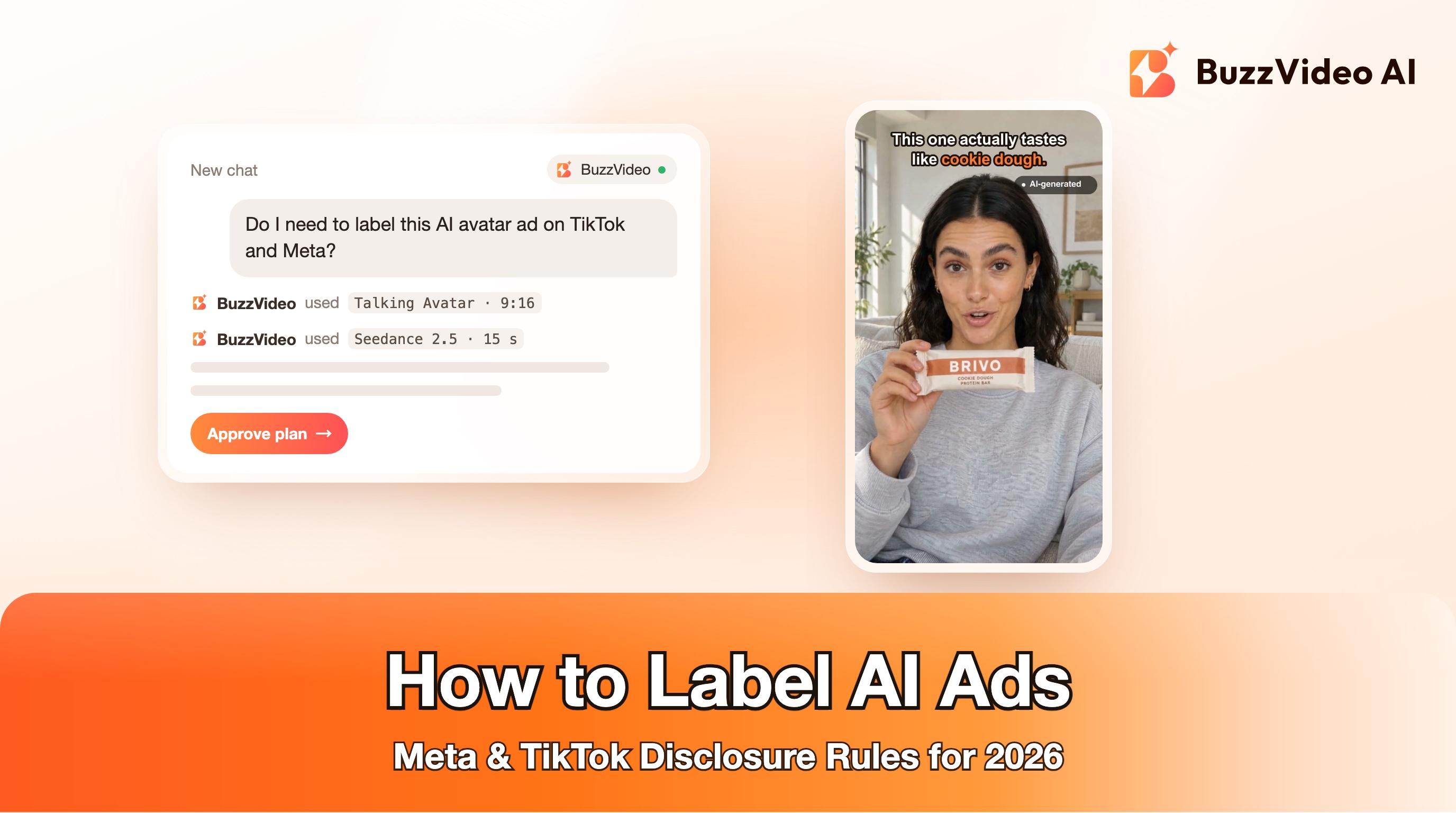
If you add your own disclosure as a sticker, as in the example above, place it where the platform's interface won't cover it. The right edge of a TikTok or Reels video sits under the like and share buttons, and the bottom fifth sits under the caption, so the bottom-right corner is the worst spot. Keep it small, high-contrast and on screen for the whole ad.
How does Meta label AI-generated ads?
Meta's approach leans on automatic labels plus a disclosure checkbox:
- AI info label. Ads created or significantly edited with Meta's own generative AI creative tools get an "AI info" label. Since a June 2026 update, it lives in a new About this ad screen in each ad's three-dot menu (Meta newsroom).
- Third-party AI tools. Meta says it now detects ads created or edited with third-party AI tools through industry-standard signals and labels them the same way (Meta newsroom; Meta Help Center).
- Photorealistic people. In Meta's original 2025 rules, when its AI tools added a photorealistic human, the label appeared next to Sponsored instead of behind the menu (Meta newsroom).
- Minor edits don't count. Resizing or colour correction typically won't trigger the label (Meta Help Center).
- Social issue, election and political ads must disclose when an image, video or audio was created or edited with AI (Meta Help Center).
Advertisers also report a small self-disclosure checkbox above the primary text field when creating an ad, first spotted in June 2026 (Jon Loomer). According to that report, ticking it means an AI info label may be added, and in regions with disclosure laws the label shows next to Sponsored. Meta's help pages don't yet describe the checkbox in detail, so treat that as an early report and follow what your own Ads Manager shows.
Our recommendation is simple: if AI made the person, the voice, the scene or the product shot, tick the box. Meta may label the ad anyway from detection signals, so the box mainly protects you.
Does an AI label hurt ad performance?
Nobody has published reliable numbers on this, and we won't invent any. TikTok says that turning on the AI-generated setting for a post does not affect its distribution, as long as the post doesn't break its Community Guidelines (TikTok Support). What is clear is the downside of not labelling: rejected ads, restricted delivery, and comments calling the ad fake, which tend to hurt more than a small label.
What actually moves performance is whether the ad feels honest. AI UGC that pretends to be a real customer review is the version most likely to backfire. Our guide to AI UGC ads that don't look fake covers how to keep the native look without misleading anyone.
Which AI ads are not allowed even with a label?
A label is not a licence. TikTok bans some AI content outright, labelled or not (TikTok Support; TikTok ads policy):
- Public figures shown endorsing a product, or in misleading situations, without their permission.
- The likeness of private individuals used without their permission.
- The likeness of anyone under 18.
- Fake authoritative sources or fake crisis events.
Two practical rules follow for ad teams: never generate a recognisable real person, and keep your AI avatars clearly fictional. Do not present an AI avatar as a real verified customer. Meta's general rules on misinformation still apply to every ad as well.
A pre-launch checklist for AI ads
- Classify the creative. Fully AI-generated or significantly AI-edited? If yes, it needs disclosure on both platforms.
- TikTok: turn on "This ad contains AI-generated content" in each new or duplicated campaign. For Spark Ads, check the creator's post has the AI-generated label on.
- Meta: tick the AI self-disclosure checkbox if your Ads Manager shows it. For social issue, election or political ads, complete the required AI disclosure.
- Optional on-screen disclosure: add a small "AI-generated" sticker or caption in a safe zone, clear of the face, hands and product.
- Check likeness: no real public figures, no real private individuals without written permission, no minors.
- Check claims: prices, offers and results in the ad must be true. Add them in editing, not inside generated footage.
- Keep records: save prompts, model names and the source files for each ad, so you can answer a review or a customer question later.
Copy-paste disclosure text
TikTok accepts disclosure through on-screen text, hashtag stickers or context in the caption (TikTok Support). Short, plain wording works best:
“On-screen sticker: AI-generated · Made with AI · AI avatar”
“Caption line: This video was made with AI. The person shown is an AI avatar. #AIgenerated”
“Product-demo caption: Product visuals created with AI from our real product photos. #AIgenerated”
Use the wording that is actually true for your ad. "AI avatar" is only accurate if the person on screen is AI-generated.
Make AI ads you're comfortable labelling
A label works best on an ad that doesn't need to hide anything. BuzzVideo's Marketing Agent turns a product link or photo into UGC-style ads, talking avatar ads and product demos with fictional AI talent, so you never need to fake a real customer. Generate the creative, add your disclosure, and launch with the checklist above.
FAQs
Do I have to disclose AI-generated ads on TikTok?
Yes, if the ad's images, video or audio are fully AI-generated or significantly modified by AI. Use the Ads Manager toggle or your own clear disclaimer; undisclosed AI content can be rejected or restricted.
Where is the AI-generated content toggle in TikTok Ads Manager?
In the ad creation step of your campaign: turn on "This ad contains AI-generated content" before you submit. It resets when you create or duplicate a campaign, so check it every time.
Does Meta require a label on AI-generated ads?
Meta adds an AI info label automatically to many AI-made ads and offers a self-disclosure checkbox. Disclosure is mandatory for social issue, election and political ads made or edited with AI.
Can I remove the AI-generated label on TikTok?
No. Once TikTok's system adds the label, it can't be removed, and an ad toggle can't be switched off after you submit unless you replace the video or image.
Do AI avatar ads need a label?
Yes. An AI avatar is a realistic person who doesn't exist saying things on camera, which is exactly the kind of content both platforms want disclosed.
Does colour grading or background removal count as AI editing?
Not on TikTok: lighting and colour changes, background removal and denoising are listed as minor edits that don't need a label. Meta also says minor edits like colour correction typically won't trigger its label.
Does labelling an ad as AI reduce its reach?
There is no public data showing that it does. TikTok says the AI-generated setting doesn't affect a post's distribution on its own; rejected or restricted ads are the bigger risk.
Last verified: November 3, 2026, against our live pricing and product pages, and the TikTok and Meta policy pages linked above.
Next reads: AI UGC ads that don't look fake · Talking avatar ads workflow · UGC product review video with AI · Best AI ad generators for TikTok

About the author
Monica
Product Manager
As a Product Manager at BuzzVideo AI, I work with marketers and growth teams on AI ad workflows—from brief to shippable creatives. I write about practical product workflows, model choices, and how teams turn product pages into ads that feel native on Meta and TikTok.