How to Make Versions of One Ad with Different Models and Settings in ChatGPT or Claude
Turn one working ad into versions with new talent, outfits and settings while the product, script, timing and audio stay locked—inside ChatGPT or Claude.
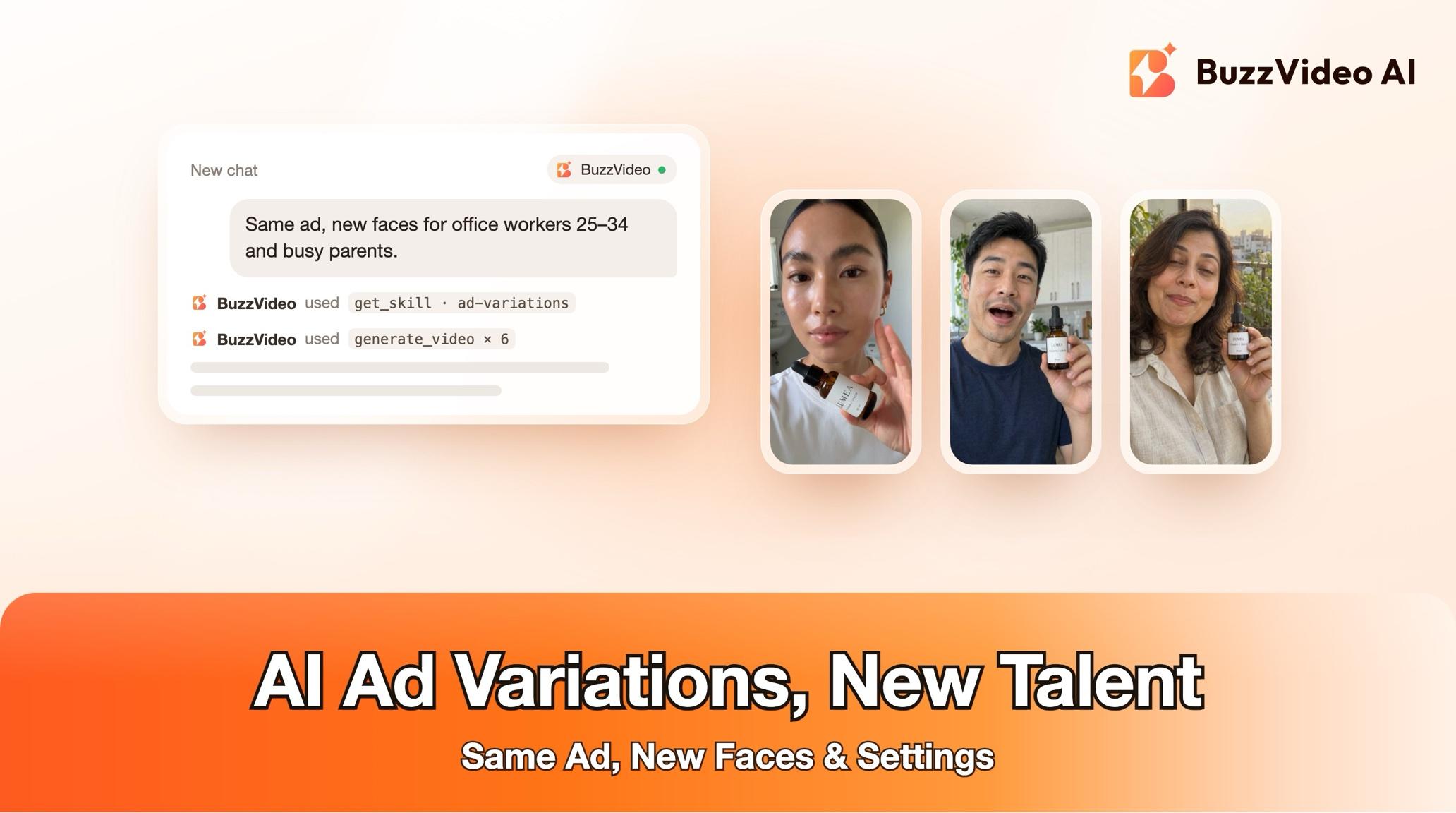
To make AI ad variations of a working ad, lock everything that already works—product, script, shot order, timing, captions and audio—and change only who is in it and where: talent, outfit, setting or season. Each variant gets its own approved character image, so the same person appears in every shot, and the new shots drop into the original edit at the exact same frames. With BuzzVideo MCP you can do it from ChatGPT or Claude: the chat follows BuzzVideo's Ad variations guide, shows you the variant matrix, the cast and the credit cost, and generates only after you approve.
This guide walks through each step for one ad inside your AI chat. For running dozens of variants across a week, see our ad variants sprint playbook.
What is an ad variation?
An ad variation keeps the concept of a winning ad and changes one visible element so it reaches a different audience or refreshes a fatigued creative. In this guide, the variable is the person and the place; everything else is locked.
| Locked | Variable |
|---|---|
| Product and packaging | Talent: age, gender, look |
| Shot order, in/out points, framing, camera moves | Outfit, hair and make-up |
| Captions, voiceover, music, sound effects | Setting or location |
| End card and product-only shots | Light and season, non-product props |
Try it: connect BuzzVideo to your AI chat once, then attach a winning ad and say who the new versions are for. Connect BuzzVideo MCP →
What do you need before you start?
- A BuzzVideo account with video. Video starts on Starter; Seedance 2.0 and 2.5 need Pro or Ultra (pricing).
- BuzzVideo MCP connected to ChatGPT, Claude or another MCP client — see how to use BuzzVideo MCP in ChatGPT and Claude.
- The ad file, and if available its pieces: separate voiceover and music, the original shots and a clean product photo.
- Who the variants are for: audiences, markets, talent types, outfits, settings or seasons. The default is 3 talents × 2 settings = 6 variants.
- An AI chat that can run commands (ffmpeg) for finished files. Without it, you get every shot per variant and an assembly sheet.
How do you make ad variations step by step?
Step 1 — Attach the ad and describe the audiences
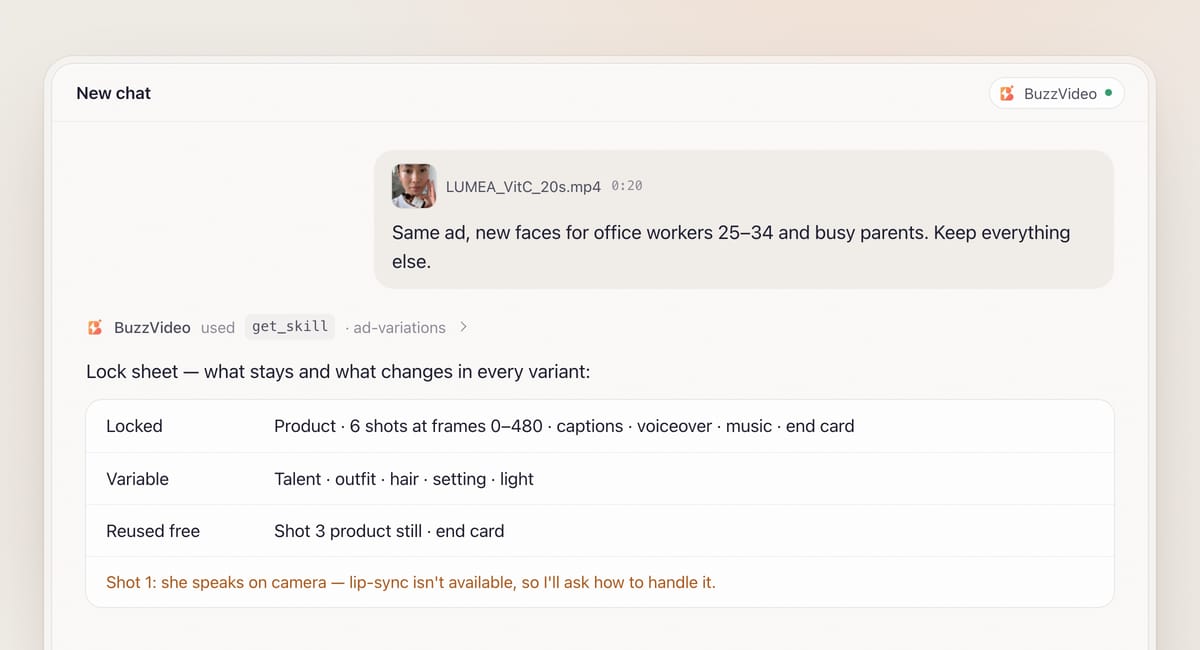
Attach the ad and say what to vary and for whom, plus anything that must not change beyond the defaults—a hero shot, logo placement or the presenter's voice. When BuzzVideo MCP is connected, the chat looks up BuzzVideo's guides (list_skills) and loads Ad variations (get_skill). It doesn't ask for an editing style; pacing and audio are the original's.
Step 2 — Lock the original
The guide breaks the ad down shot by shot and writes a lock sheet. Every in and out point is taken as a frame number from a dense frame sheet around each cut. Each shot is tagged as person, product only or end card—product-only shots and the end card are reused as they are, at no cost. Baked captions are logged per frame, including where they sit on screen, and shots where the talent speaks on camera are flagged, because lip-sync to the original voiceover isn't available.
Step 3 — Confirm claims
Every variant repeats the ad's text, so the guide lists the brand name and every claim in the captions, voiceover and packaging as it reads them and asks you to confirm they are still correct. If something is hard to read, it asks instead of guessing.
Step 4 — Approve the variant matrix, cast and quote
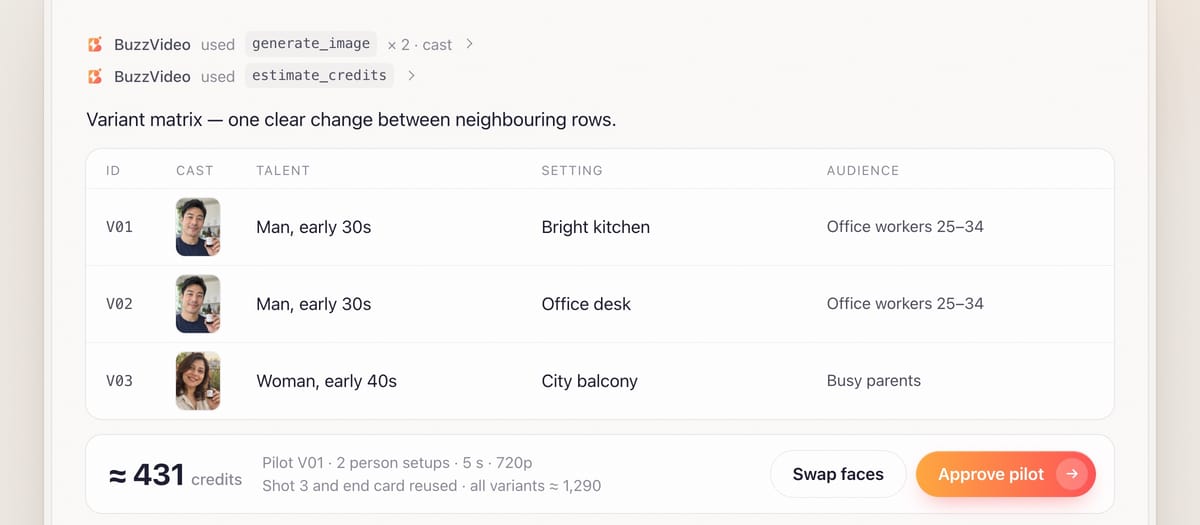
You get a matrix—rows V01, V02…, columns for talent, outfit, setting and audience—with each variant one clear change from the next, so test results are readable. For each talent, the guide generates one character image framed like the main person shot and checks it against the description before showing you (image models often make people look older than asked). You approve or swap faces before any video.
Variants always use newly designed fictional people, or people from photos you supply—never a look-alike of the original talent or a well-known person, and no stereotypes in outfits, settings or actions. The guide counts person setups, not shots, so repeated framings reuse one generation, then quotes setups × variants with estimate_credits and suggests V01 as a pilot.
Step 5 — Generate and assemble
Each shot is generated with the character image first and the product photo second as references, written from the original shot's description: same framing, move, action and timing, with no text and no generated sound. Where a locked caption will sit, the prompt keeps the face and product out of that band. For talking shots you choose: a non-talking shot of the new talent under the original voiceover, an avatar, or the original shot.
If your AI chat can run ffmpeg, each person shot is replaced at the exact original in and out frames, the original audio is reused unchanged, and captions are lifted from the original frames or rebuilt in the same style. The guide checks that each variant has exactly the original's frame count.
Step 6 — Review and deliver
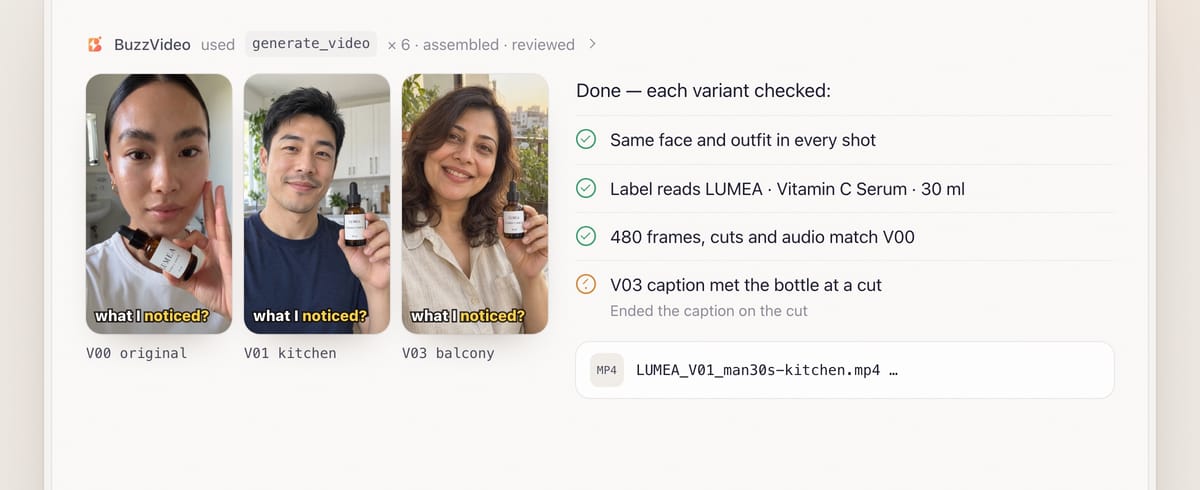
Review is mandatory. Within a variant: same face, hair and outfit in every shot, and the product identical everywhere. Across variants: each visibly different as planned, none resembling the original talent. Timing, cut points and audio must match the original, and the usual checks for hands, faces and text over the product apply.
You receive files such as LUMEA_V01_man30s-kitchen.mp4, the original as V00, the variant matrix and the cast sheet with character images, so winning talent can be reused.
Copy-paste prompt
“This [20]-second ad is our best performer but it's fatiguing. Make [6] versions with new talent and settings for [office workers 25–34, mums, students]. Keep the product, script, timing, captions and music exactly the same. Don't change [the end card / hero shot]. Claims in the ad: [list]. Show me the variant matrix, the cast images and the quote for a pilot first.”
How should you plan a variant matrix?
| Variant | Talent | Setting | Audience | Changes vs. previous |
|---|---|---|---|---|
| V00 | Original | Original | Control | — |
| V01 | Man, early 30s | Bright kitchen | Office workers 25–34 | Talent and setting |
| V02 | Man, early 30s | Office desk | Office workers 25–34 | Setting only |
| V03 | Woman, early 40s | City balcony | Busy parents | Talent only |
| V04 | Woman, early 40s | Office desk | Busy parents | Setting only |
Keep one clear change between neighbouring rows, so you can tell whether the talent or the setting moved the result. Run the pilot first, check it, then batch the rest.
What usually goes wrong, and how does the guide prevent it?
| Problem | What viewers notice | What the guide does |
|---|---|---|
| Face drift | "Different person" between shots | One approved character image per variant used in every shot |
| Packaging morph | Label changes or melts | Product photo as reference; packaging must stay identical |
| Timing slips | Cuts land early or late against the music | Exact original in/out frames; frame count checked |
| Captions over faces | Text on the new person's face | Caption band kept clear in every prompt |
| Look-alike talent | Resembles the original or a celebrity | New fictional people only; checked across variants |
| Too-similar variants | Unreadable test results | One clear change between variants in the matrix |
How much do AI ad variations cost?
You pay in BuzzVideo credits, and the guide quotes before generating. Product-only shots and the end card are reused for free. As a rough example from estimate_credits, a variant with two person setups made as 5-second Seedance 2.5 shots at 720p (209 credits each) plus one character image (13 credits) is about 430 credits—around $3 on Pro billed yearly. A pilot is one variant; all six default variants come to about 2,600 credits. Rates are on our pricing page; for the full math see BuzzVideo pricing and cost per ad.
Which BuzzVideo guide should you use instead?
| You want… | Use this guide |
|---|---|
| New talent, outfits or settings, same ad | Ad variations (this one) |
| New openings only | Ad hook variants |
| The ad in another language | Ad localizer |
| Other aspect ratios | Ad resizer |
| A competitor's ad structure rebuilt for your product | Ad remake |
Step-by-step guides: Ad hook variants · Ad localizer · Ad resizer · Ad remake
You don't need to name the guide: describe what you want, and the chat picks the matching one.
Do ads with AI talent need an AI label?
Usually, yes. TikTok requires the AI-generated content disclaimer for ads with AI-generated people or voices (TikTok ad policy), and Meta shows an "AI info" label on ads made or significantly edited with generative AI, with a more visible label for photorealistic AI people (Meta). For keeping AI people natural, read how to make AI UGC ads that don't look fake.
Ready to give a winning ad new faces? Connect BuzzVideo to your AI chat and attach the ad.
FAQs
Can I use my own models' photos?
Yes. Photos of people you supply can be the talent instead of newly designed characters; they become the reference for every shot in that variant.
Can the new talent speak the original lines?
Not with lip-sync to the original voiceover. For talking shots you choose a non-talking shot under the voiceover, a BuzzVideo avatar, or keeping the original shot.
Why start with a pilot?
One variant shows whether the faces, product and timing hold up before you spend credits on the whole batch. The guide continues after you approve the pilot.
Will my audio change?
No. Every variant reuses the original track unchanged, so they all sound identical and only the picture differs.
How is this different from hook testing?
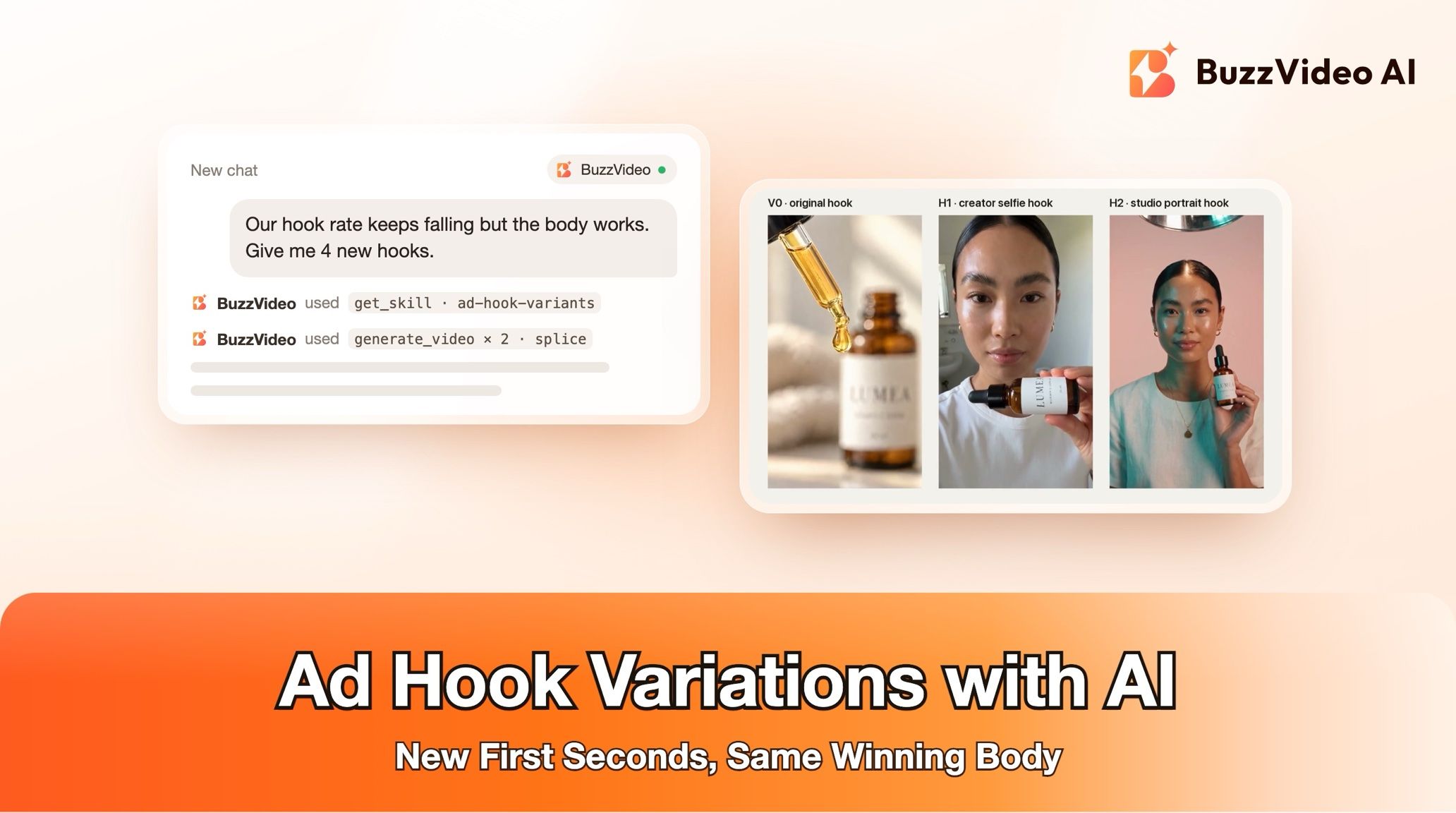
Hook testing changes only the first 1–3 seconds. Ad variations change the person and place through the whole ad while the edit stays locked.
What do I get at the end?
One file per variant plus the original, the variant matrix and cast sheet, the models used, credits spent, and what the review caught and fixed.
Last verified: November 2, 2026, against our live pricing and product pages.
Next reads: Ad variants sprint playbook · AI UGC ads that don't look fake · Storyboard to video with consistent ads

About the author
Monica
Product Manager
As a Product Manager at BuzzVideo AI, I work with marketers and growth teams on AI ad workflows—from brief to shippable creatives. I write about practical product workflows, model choices, and how teams turn product pages into ads that feel native on Meta and TikTok.