How to Rebuild a Winning Ad Structure for Your Product in ChatGPT or Claude
Find ads already working in your category, break down why one works, and rebuild that structure with your own product, shots, copy and voice—in ChatGPT or Claude.
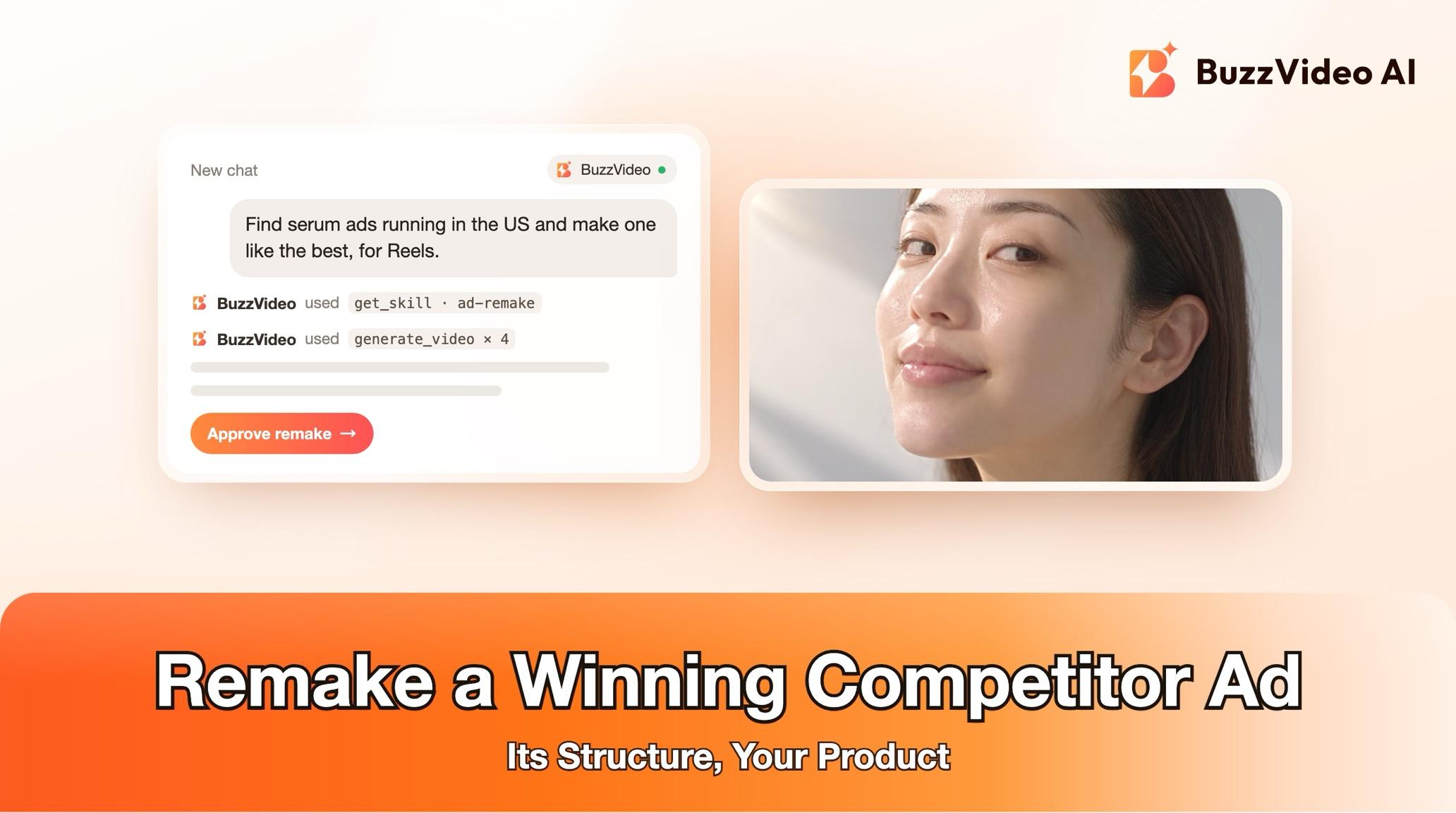
To remake a competitor ad with AI, copy its structure, not the ad itself: find an ad that has been running for a while in your category, break it into beats (hook, problem, reveal, demo, proof, call to action) with their timing and pacing, then rebuild those beats with your own product, new shots, new copy and a new voice. With BuzzVideo MCP you can do this from ChatGPT or Claude: the chat follows BuzzVideo's Ad remake guide, finds or takes reference ads, confirms your claims, shows you the script, shot list, originality table and credit cost, and only generates after you approve.
This guide covers each step, the prompt to copy, how a beat map works, what it costs, and the line the guide never crosses: no reused footage, music, voice, logos, slogans or look-alike talent.
What does it mean to remake a winning ad?
A remake reuses the editing grammar and persuasion logic of a proven ad—what happens in each second and why—and fills it with your product and your own creative. The result should not be mistakable for the reference brand's ad.
| Copy | Never copy |
|---|---|
| Beat order: hook, problem, reveal, demo, proof, CTA | Footage, frames or characters |
| Pacing: cut length, first-cut time, caption behaviour | Music or voice |
| The angle: problem/solution, demo, before/after, testimonial | Logos, slogans or exact wording |
| Similar beat durations | The competitor's claims |
Try it: connect BuzzVideo to your AI chat once, then send a product photo and ask for an ad like the ones working in your category. Connect BuzzVideo MCP →
What do you need before you start?
- A BuzzVideo account with video. Video starts on Starter; Seedance 2.0 and 2.5 need Pro or Ultra (pricing).
- BuzzVideo MCP connected to ChatGPT, Claude or another MCP client — see how to use BuzzVideo MCP in ChatGPT and Claude.
- Your product: name, what it does, who it's for, and a clean front-facing photo. Real footage helps too—real shots mixed with AI shots look more credible.
- Market and placement: country, platform (default Reels and TikTok, 9:16) and language.
- References or a search: 1–3 ads you want to remake, or ask the chat to look for ads running in your category. Searching ad libraries works best when your AI chat can use a browser.
How do you remake a winning ad step by step?
Step 1 — Ask for an ad like the ones that work
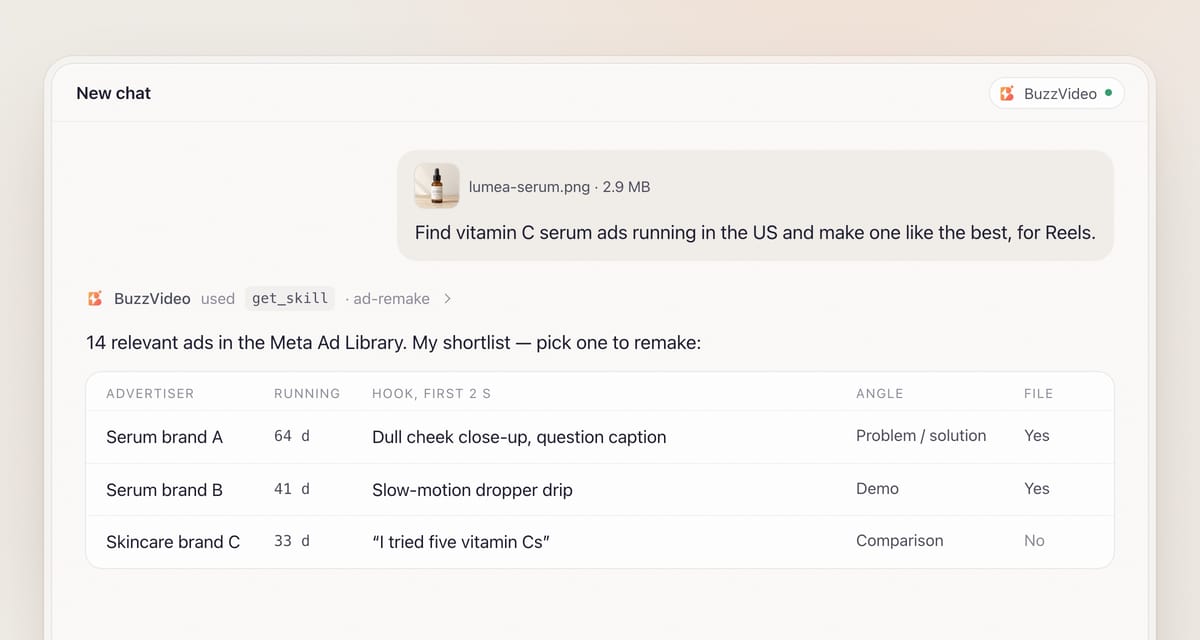
Attach your product photo and say the market, platform and language. When BuzzVideo MCP is connected, the chat looks up BuzzVideo's guides (list_skills) and loads Ad remake (get_skill). It asks in one round: should it look for ads running in your category, or do you have 1–3 to remake? It also asks for an editing style if you haven't named one—matching the reference is the default—and caps the length at 30 seconds.
Step 2 — Find and shortlist reference ads
If you have no references, the guide searches: an ad-intelligence tool if your chat has one, otherwise the Meta Ad Library in your market's language, plus competitor names. Ads active for 30 days or more, or running in many near-identical versions, are usually working. It aims for 10–20 candidates and shortlists 3–5 in a table: advertiser, running since, length, the hook in the first 2 seconds, the angle, why it works, and whether the video can be downloaded.
If nothing can be downloaded or viewed, it says so and asks you for an ad file or a screen recording instead of padding the list. You pick the reference.
Step 3 — Break the reference into a beat map
The reference is analysed shot by shot and turned into a beat map that describes each section by its job, alongside the pacing numbers to match. If your product can't honestly make the reference's core promise—a before/after it can't prove, say—the guide tells you and proposes the closest honest angle.
Step 4 — Confirm your claims
The guide lists every claim and your brand name as read from your packaging, product page or notes, and asks you to confirm or correct them. It never carries a claim over from the reference ad: the competitor's claims are not yours.
Step 5 — Approve the script, shot list, originality table and quote
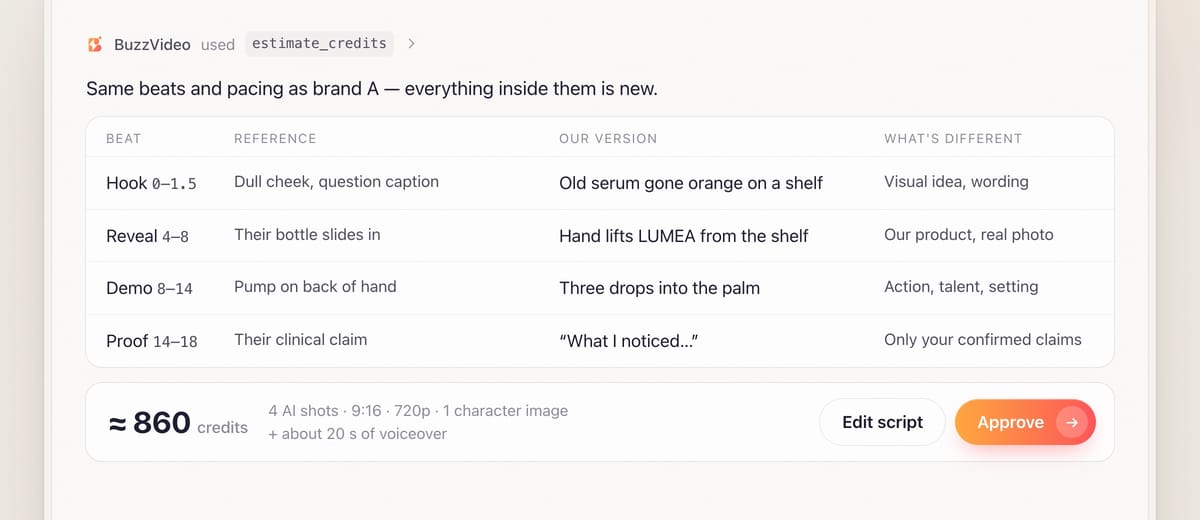
You get a new script beat by beat—on-screen text, voiceover line and visual—in the same beat order with similar durations, fresh words and only confirmed claims. Voiceover lines are written to fit: about 6–7 words for a 3-second beat. The shot list says which shots come from your footage and which are AI. An originality table sets each reference beat against your version and what is different; every row needs a real difference beyond swapping the logo. Everything is quoted with estimate_credits.
Step 6 — Generate, edit, review and deliver
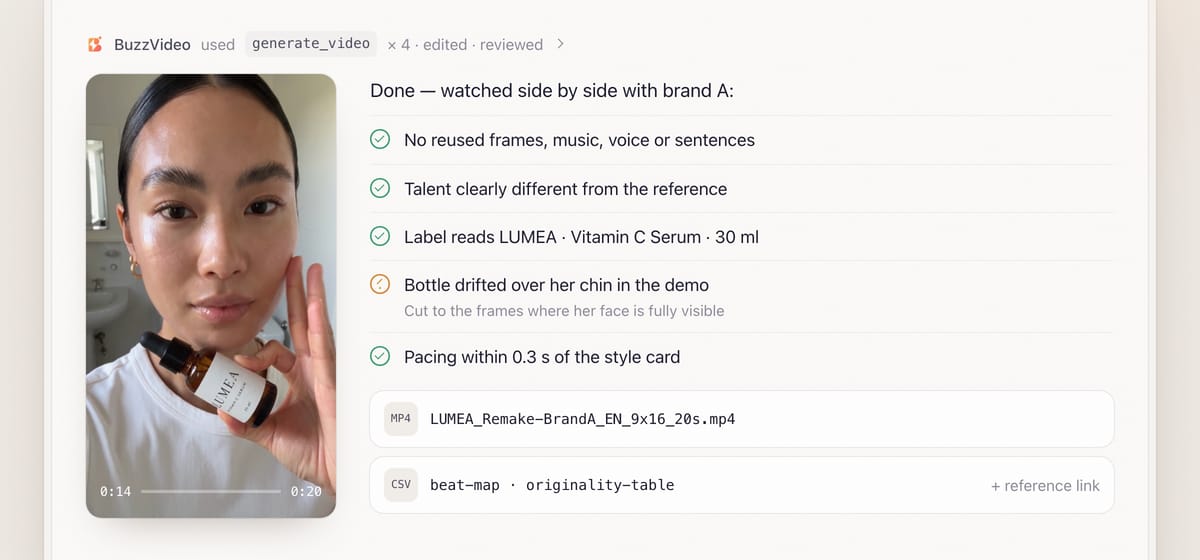
Product shots use your photo as the reference, with packaging kept identical. If a person appears in more than one shot, one character image—clearly different from the reference talent—is approved first and used for every shot. Product-use actions such as spraying or applying get their own shot, described physically. The edit follows the reference's style card, with your own or licensed music, or a labelled placeholder—never the reference's track. Editing needs an AI chat that can run commands; otherwise you get the shots, voiceover and an edit plan.
Review is mandatory. Beyond glitches and label text, the remake is watched next to the reference: no reused frames, music, voice, slogan or sentences, no look-alike talent or competitor logo, and claims exactly as confirmed. You receive a file such as LUMEA_Remake-RefBrand_EN_9x16_20s.mp4, the reference link, the beat map, the originality table and the final shot table.
Copy-paste prompt
“Make a [20]-second ad for [product] for [Reels and TikTok] in [the US], in [English]. [Find ads running in our category / Use this reference ad: link or file]. Our claims: [list]. Copy the structure only—new shots, new words, new voice. Show me the shortlist, the beat map, the script, the originality table and the credit quote before generating.”
What does a beat map look like?
| Time | Beat | Job | Reference shows | Your version |
|---|---|---|---|---|
| 0–1.5 s | Hook | Stop the scroll with the pain | Close-up of the problem, question caption | Your problem shot, your own question |
| 1.5–4 s | Problem | Make the pain specific | Person reacting to it | Your talent, your setting |
| 4–8 s | Reveal | Introduce the fix | Product enters the frame | Your product, real photo for the label |
| 8–14 s | Demo | Show it working | Product in use | Your product-use shot |
| 14–18 s | Proof | Back it up | Result or testimonial | Only your confirmed claims |
| 18–20 s | Call to action | One next step | End card | Your end card and offer |
The pacing numbers—cut length, first-cut time, caption behaviour, tempo—are what you match. The content in every cell is yours.
What usually goes wrong, and how does the guide prevent it?
| Problem | What viewers notice | What the guide does |
|---|---|---|
| Too close to the reference | "Isn't that the other brand's ad?" | Originality table; side-by-side review |
| Borrowed claims | A promise your product can't keep | Claims confirmed with you; none carried over |
| Product over the face | Talent hidden behind the bottle | Hold position stated; face kept fully visible |
| Rushed product use | Spray aimed at the mouth | Product-use action gets its own shot |
| Packaging morph | Label text changes | Real photo as reference; label close-ups from the photo |
| Wrong reference | Ad for a different product type | Shortlist checked; "adjacent" labelled if used |
How much does it cost to remake an ad?
You pay in BuzzVideo credits, and the guide shows the quote first. As a rough example from estimate_credits, a 20-second remake with four AI shots (5-second Seedance 2.5 at 720p, 209 credits each), one character image and about 20 seconds of voiceover comes to roughly 860 credits—around $6 on Pro billed yearly. Using your own footage for some beats costs less. Rates are on our pricing page; for the full math see BuzzVideo pricing and cost per ad.
Which BuzzVideo guide should you use instead?
| You want… | Use this guide |
|---|---|
| A proven ad structure rebuilt for your product | Ad remake (this one) |
| One viral video matched shot by shot with your subject | Viral remix |
| A research report on competitor ads only | Competitor ad research |
| New openings for an ad you already own | Ad hook variants |
Step-by-step guides: Viral remix · Competitor ad research · Ad hook variants
You don't need to name the guide: describe what you want, and the chat picks the matching one.
Do remade ads need an AI label?
If they include AI-generated people or voices, usually yes. TikTok requires the AI-generated content disclaimer for those ads (TikTok ad policy), and Meta shows an "AI info" label on ads made or significantly edited with generative AI (Meta). For other ways to start an ad from a product page, see product URL to video ads.
Ready to borrow what works in your category, not the ads themselves? Connect BuzzVideo to your AI chat and send your product photo.
FAQs
Is remaking a competitor's ad allowed?
The guide copies only structure and editing grammar—never footage, music, voice, logos, slogans, characters or exact wording—and checks the result side by side with the reference. It isn't legal advice; check your brand's own standards before launch.
How does it know an ad is working?
Spend data is private, so it uses signals: ads active for 30 days or more, or running in many near-identical versions. Meta shows no impression numbers.
Can I give it my own reference ads?
Yes, 1–3 files or screen recordings. A social link alone often can't be downloaded, so a file is safer. When you supply references, it doesn't search.
What if no reference matches my exact product?
The guide says so and offers an adjacent product from the same competitor in the same need-state, labelled "adjacent", or a reference you provide.
Can I use the reference ad's music?
No. Use your own or licensed music, or the guide delivers a labelled placeholder of similar tempo for you to replace.
What do I get at the end?
The finished ad, the reference link, the beat map, the originality table, the final shot table, the models and voice used, credits spent, and what the review caught and fixed.
Last verified: November 2, 2026, against our live pricing and product pages.
Next reads: Best AI ad generators for TikTok · Product URL to video ads · How to use BuzzVideo MCP in ChatGPT and Claude

About the author
Monica
Product Manager
As a Product Manager at BuzzVideo AI, I work with marketers and growth teams on AI ad workflows—from brief to shippable creatives. I write about practical product workflows, model choices, and how teams turn product pages into ads that feel native on Meta and TikTok.