Advantage+ Creative Enhancements: What to Turn Off (2026)
Meta can add AI backgrounds, text and translations to your ads. See the current list, what to turn off before Black Friday, and what to make yourself.
Advantage+ creative enhancements are automatic edits Meta can apply to your ad after you upload it: generated backgrounds, rewritten or translated text, overlays, music, animation, touch-ups and more. Some are switched on by default. If the product, the claim or the offer must appear exactly as you approved it, turn off the generative ones for each ad, check Advanced preview before you publish, and supply your own sizes, translations and variations instead.
This matters more than usual right now. In late October, advertisers reported finding AI-made images, sitelinks and translations on ads where nobody had asked for them, and Black Friday is on November 27. Below is Meta's current list of enhancements, our keep-or-turn-off call for ecommerce ads, the exact places the switches live, and how we make the replacement assets in BuzzVideo AI so that every version that runs is one a person has looked at.
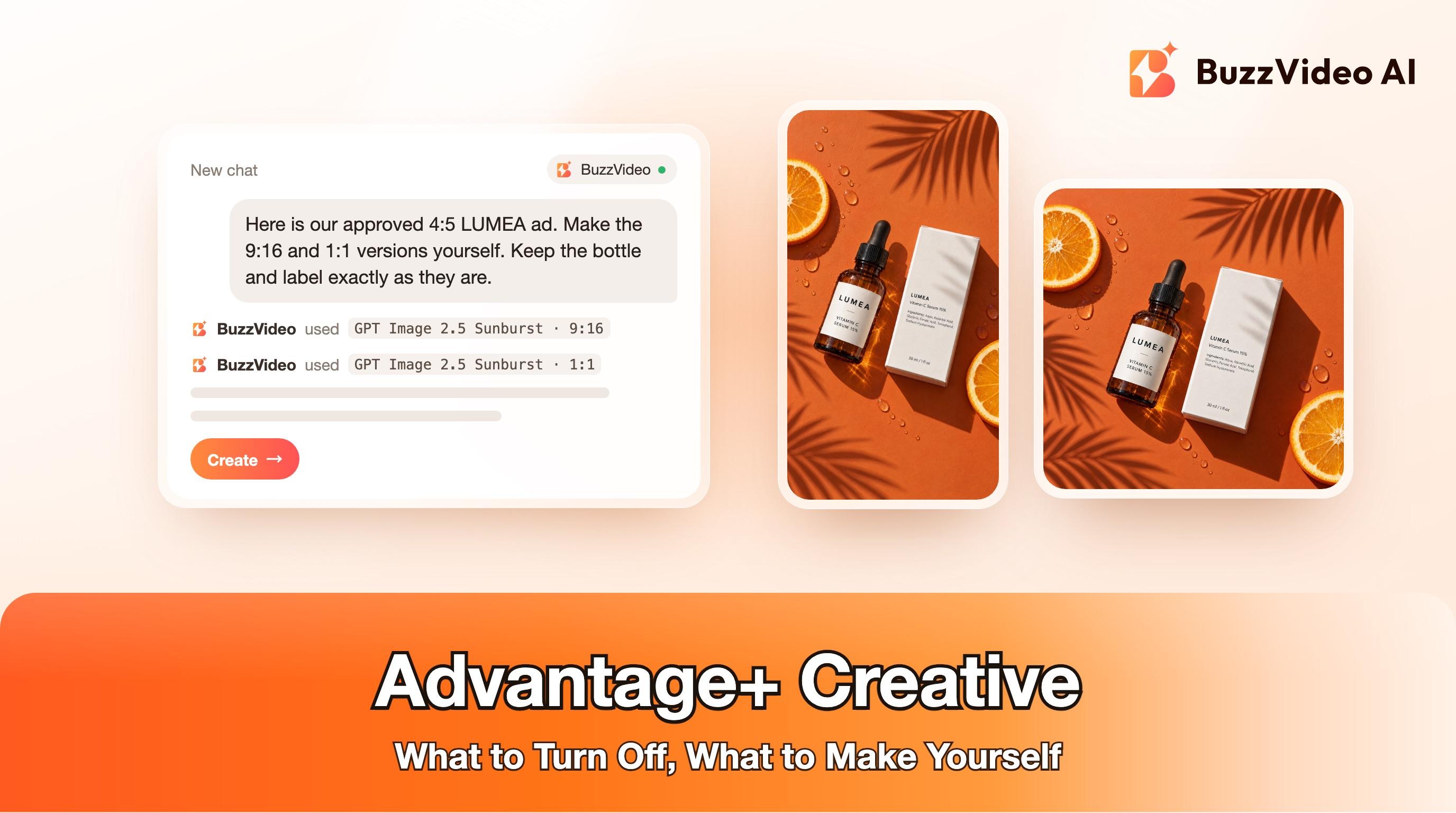
Try it: Upload one finished ad and ask the Marketing Agent for a 9:16 and a 1:1 version with the product untouched. Open the Marketing Agent →
What are Advantage+ creative enhancements?
They are per-ad options in Meta Ads Manager that let Meta adjust your media and text for each viewer and placement. Meta's Help Center says the uploaded media and text "may be adjusted to help improve ad performance while maintaining the core message of your campaign", and that "some enhancements may be turned on by default, but you can turn them off at any time" (About Advantage+ creative).
As of November 10, 2026, that Help Center page lists 30 enhancements and marks 16 of them as using, or able to use, generative AI. Which ones you see depends on your ad format, placements and whether you use a catalog.
| What it touches | Enhancements on Meta's list (AI = flagged by Meta as generative AI) |
|---|---|
| The image or video itself | Background generation (AI), Image touch-ups (AI), Visual touch-ups (AI), Video touch-ups (AI), Add animation (AI), Add video effects (AI), Adjust brightness and contrast, Flex media |
| Text and language | Text generation (AI), Text improvements (AI), Enhance media text (AI), Translations (AI), Video subtitles (AI), Show summaries (AI), Dynamic description |
| Things added on top | Add overlays (AI), Add dynamic overlays, Add music (AI), Create sticker CTA (AI), Enhance CTA (AI), Add standard label, Show spotlights, Reveal details over time, Add details to ad layout |
| Shopping and layout | Add product browsing, Add product tags, Store locations, Highlight carousel card, Profile end card, Relevant comments |
The grouping is ours; the names are Meta's. Treat the list in your own Ads Manager as the source of truth.
Why are advertisers turning them off right now?
Three things happened in quick succession. First, Adweek reported that advertisers were pulling Meta ads after unrequested AI changes. Bookshop.org said an account update had opted it into a generative AI feature that added an AI illustration to a human-made ad, and it has since turned off all of Meta's AI ad features. The agency Exverus described sitelinks, translated copy, and AI images and carousels built from brands' own photos, some on ads where nobody had enabled the feature.
Second, Meta previewed new Commercial Terms that, as reported by Adweek, would have made advertisers solely responsible for what its AI features create or change. Meta's response was that advertisers can turn off individual Advantage+ features in Ads Manager at any time.
Third, on November 5 Meta paused that update. Its notice said the changes "will not take effect on November 20, 2026" and that existing terms remain in effect (404 Media; Nieman Lab). Meta's Commercial Terms page still shows the version effective March 6, 2024. No new date has been given.
The pause is about contract wording. It does not change what is switched on inside your ad account, and an edit you never reviewed still runs under your brand name. We are not lawyers; the practical step is the same either way.
Which Advantage+ creative enhancements should you turn off?
This is our view for ecommerce and DTC ads, not Meta's guidance. The test we use: can this enhancement change what the product looks like, what the ad claims, or what the offer says? If yes, a person should make that version, not an automatic system.
| Enhancement | Our call | Why |
|---|---|---|
| Background generation | Off, unless you have reviewed the samples | Meta says eligible advertisers get it on by default for Advantage+ catalog ads, shows up to 7 generated backgrounds, and gives no performance breakdown per variation (Meta) |
| Text generation and text improvements | Off for regulated claims and price offers; otherwise review each variation | Text generation can produce up to five variations of your primary text and headline (Meta). A reworded skincare or supplement claim is still your claim |
| Translations | Off, unless a native speaker has checked the preview | Meta's text translations deliver per impression and "you can't edit the translated text" (Meta) |
| Add overlays, sticker CTA, enhance CTA | Off when the ad already has designed text or an offer | Extra text can land on the product or contradict your own offer card |
| Add animation, add video effects | Off for product shots; test on plain lifestyle images | Motion added to a still can warp a label or a logo |
| Image, video and visual touch-ups | Usually fine; check the preview once per format | Look at skin tones and product colour |
| Product tags, product browsing, store locations, carousel options | Keep if the catalog data is clean | They add shopping paths instead of altering your creative |
Meta's enhancements are free and can help, especially on accounts with little creative, so test them if you have the budget. Our point is narrower: generative edits to product, claims and language should be reviewed before they run.
How do you turn off Advantage+ creative enhancements?
There are four places to check. The first two are per ad, and the second one is the one people miss.
1. In the ad, under Enhancements
When creating or editing an ad, go to Ad creative, click Set up creative and continue to the Enhancements step. Turn off the individual enhancements you do not want, then click Done (Meta's steps).
2. In Advanced preview
In the Ad preview, click Expand to open Advanced preview, then open the Advantage+ creative tab. Meta notes that "some enhancements can only be turned off in Advanced preview, and won't be visible in the Ad creative. To review the status of all enhancements, check both sections." Use the Placements tab there to see how each placement will render.
3. In bulk, for ads that are already live
- Open Ads Manager and click the Ads tab.
- Tick the ads you want to change. They must all share one ad format.
- Click the menu next to Edit and choose Advantage+ creative.
- Under Edit all selected ads, click Edit, untick the enhancements you want off, then Publish.
Source: Bulk edit Advantage+ creative enhancements.
4. At account level, for features still in testing
Go to Advertising settings, find Creating ads, click Creative features and untick Test new creative features (Meta). This stops features that are still in testing from being applied to eligible campaigns. It is not a master switch for the enhancements above, and Meta says the option is not shown to every advertiser.
Recheck after every edit. The agency JumpFly notes that recommended enhancements can show up selected again when you replace the creative, change the format or duplicate an ad (JumpFly). Then list what is now missing, such as a 9:16 or a Spanish version, and make those yourself.
What should you make yourself instead?
Each enhancement fills something missing from the upload: a shape, a language, a headline, a background. Supply those yourself and there is less to fill in.
| If you turn this off | Supply this instead | In BuzzVideo AI |
|---|---|---|
| Automatic expansion or cropping to fit a placement | A purpose-made 9:16, 4:5 and 1:1 of the same ad | Generate Image with your ad as the reference, one ratio at a time |
| Background generation | Three to five backgrounds you chose | Product Photography or Remove/Change Background |
| Text generation | Five headlines and primary texts you approved | Ad Copy and Copy A/B Test |
| Translations | A localized version reviewed by a speaker of that language | Add / Edit Text for on-image text; for video, follow our localization guide |
| Add animation | A short product clip made from the still | Generate Video (image-to-video) |
| Overlays and sticker CTAs | Your own offer card, placed in empty space | Add / Edit Text, or your editor |
Sizes and languages are the same ad made to fit, not new concepts. For why distinct concepts matter to delivery, see Meta Andromeda and creative diversity.
Example: one ad, three placement sizes made on purpose
We took one finished 4:5 flat-lay for LUMEA, a fictional vitamin C serum, and asked for a 9:16 and a 1:1 version instead of leaving the reshaping to automatic expansion.
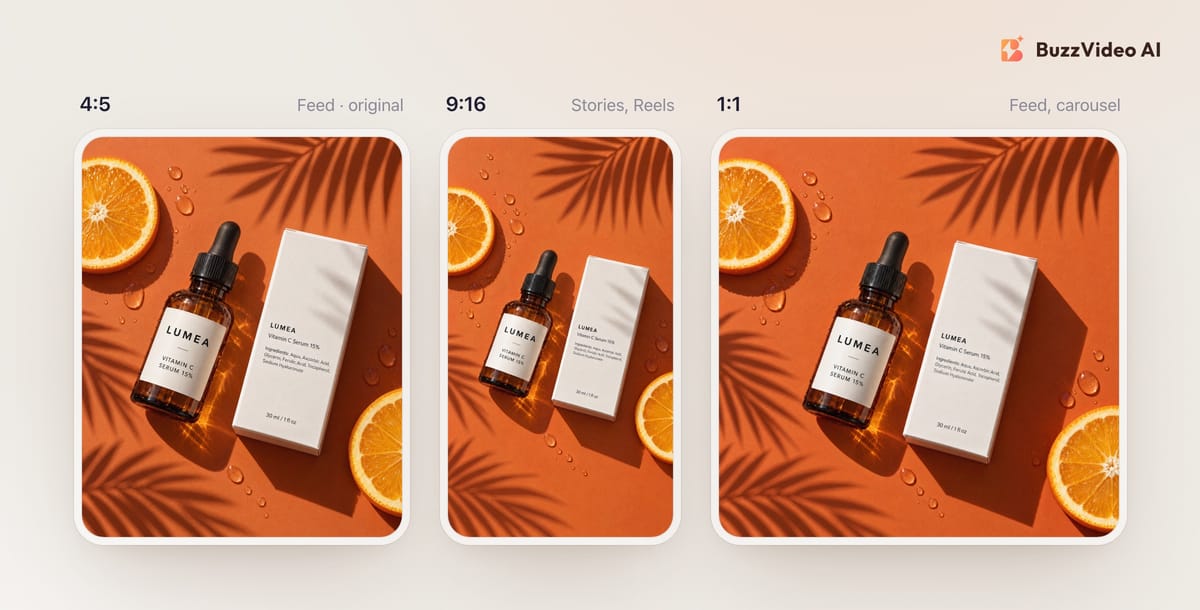
Each new size was one generation with the original as the reference image. We then zoomed in on the label and the ingredients line on the carton in both outputs: every word matched the original. That check is the point: you see each version at full size before it runs. The 9:16 kept an orange slice and palm shadows near the top instead of leaving it fully clear, which works for a Story but is the kind of thing you only catch by looking.
A shortened version of the prompt we used for the 9:16, which you can adapt:
“Recompose the reference image as a vertical 9:16 story ad. Keep the exact same bottle and carton, with all label text identical to the reference, at the same angle, placed in the vertical middle of the frame and filling about 60 percent of the width. Extend the surface naturally above and below. The top 20 percent and the bottom 25 percent must be clean background so app interface and captions can sit there. Do not stretch or distort the products. No new text, no logos, no price, no people.”
- 9:16 resize prompt
For video ads, the same idea applies with a different tool: see how to resize a video ad for every placement and how to localize a video ad.
Does turning off enhancements remove the AI label?
No. They are separate. Meta says it automatically applies an AI info label when you use features such as Background Generation, Image Generation or Add Animation, and also when it detects, through signals such as C2PA metadata, that an ad was created or edited with third-party generative AI tools (Meta Help Center; Meta's announcement).
So if you make sizes or backgrounds in BuzzVideo AI or any other AI tool, expect the ad to be eligible for that label. TikTok's ad policy separately requires clear disclosure of realistic AI-generated content. Both are covered in how to label AI ads on Meta and TikTok.
If you turned enhancements off, the gaps are now yours to fill. Upload a finished ad to the BuzzVideo AI Marketing Agent, ask for the sizes, backgrounds and copy variations you need, and review each one before it goes into Ads Manager. Every paid plan includes the image and video tools used here; the Free plan covers images only.
FAQs
What are Advantage+ creative enhancements in Meta Ads?
They are optional, per-ad adjustments Meta can apply to your images, videos and text, such as generated backgrounds, text variations, translations, overlays, music and touch-ups. Meta's Help Center currently lists 30 of them and flags 16 as using generative AI.
Are Advantage+ creative enhancements on by default?
Some are. Meta's Help Center says some enhancements may be turned on by default and can be turned off at any time, and that eligible advertisers have background generation enabled by default for Advantage+ catalog ads.
How do I turn off Advantage+ creative enhancements for all ads?
There is no single switch on Meta's help pages that covers everything. Use bulk edit: select ads of the same format in the Ads tab, open the menu next to Edit, choose Advantage+ creative and untick what you do not want. Then untick Test new creative features in Advertising settings if you have that option.
Why do Advantage+ creative enhancements keep turning back on?
Agencies report that recommended enhancements can appear selected again when you replace the creative, change the ad format or duplicate an ad. Recheck the Enhancements step and Advanced preview every time you create, duplicate or edit an ad.
Did Meta make advertisers liable for its AI ad edits?
Meta previewed Commercial Terms that, as reported, would have made advertisers solely responsible for output from its AI features. On November 5, 2026 Meta paused that update, and the terms effective March 6, 2024 remain in force. Check Meta's Commercial Terms page for the current status.
Last verified: November 10, 2026, against our live pricing and product pages. Meta Help Center pages and the Commercial Terms page were read on the same date.
Next reads: Meta Andromeda: why creative diversity matters · How to label AI ads on Meta and TikTok · Resize a video ad for every placement · AI static ads

About the author
Monica
Product Manager
As a Product Manager at BuzzVideo AI, I work with marketers and growth teams on AI ad workflows—from brief to shippable creatives. I write about practical product workflows, model choices, and how teams turn product pages into ads that feel native on Meta and TikTok.