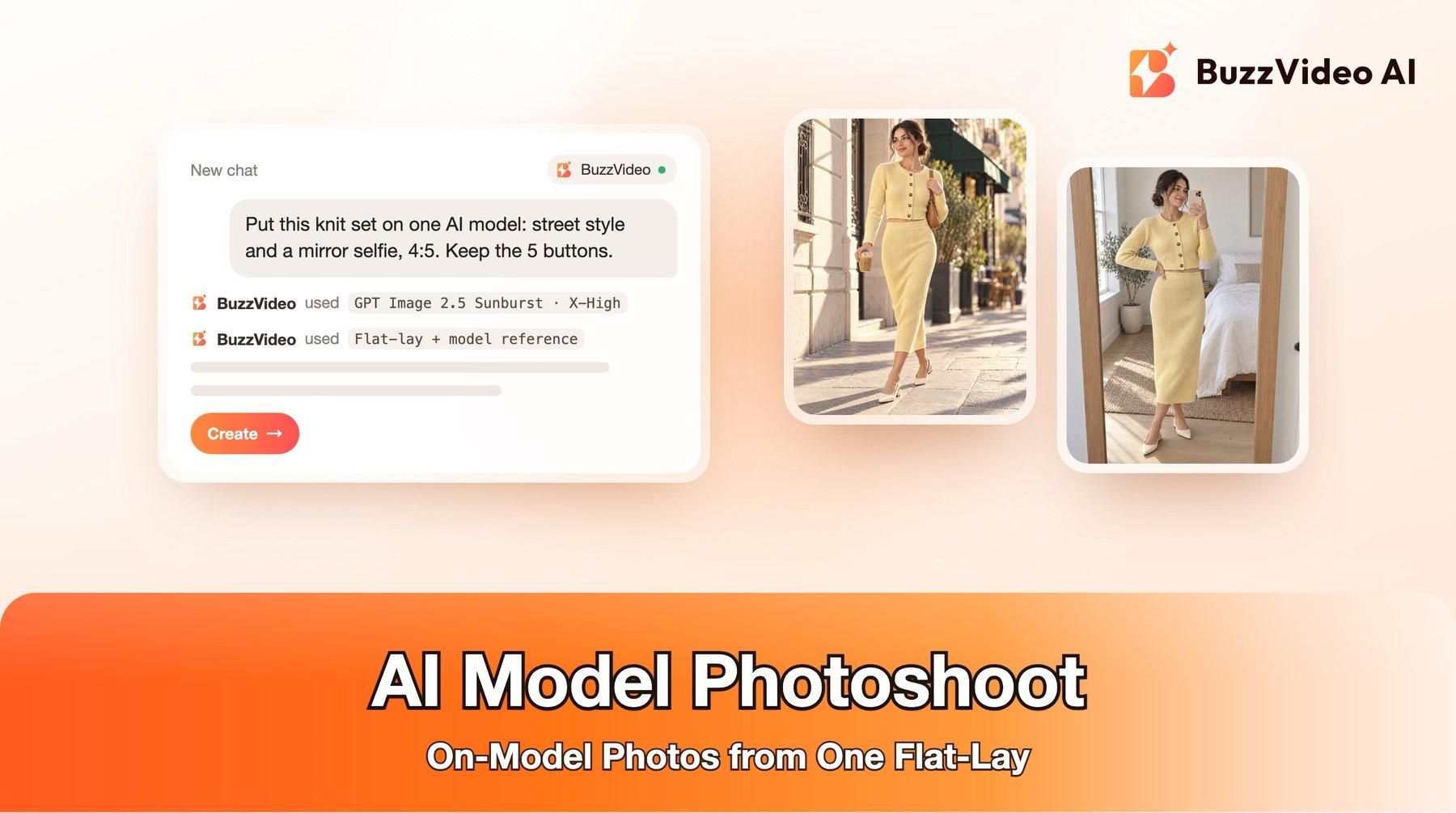
AI Model Photoshoot: On-Model Photos from a Flat-Lay
How to turn one flat-lay into on-model photos and ads with AI: the formats clothing brands run now, step-by-step prompts, accuracy checks and costs.
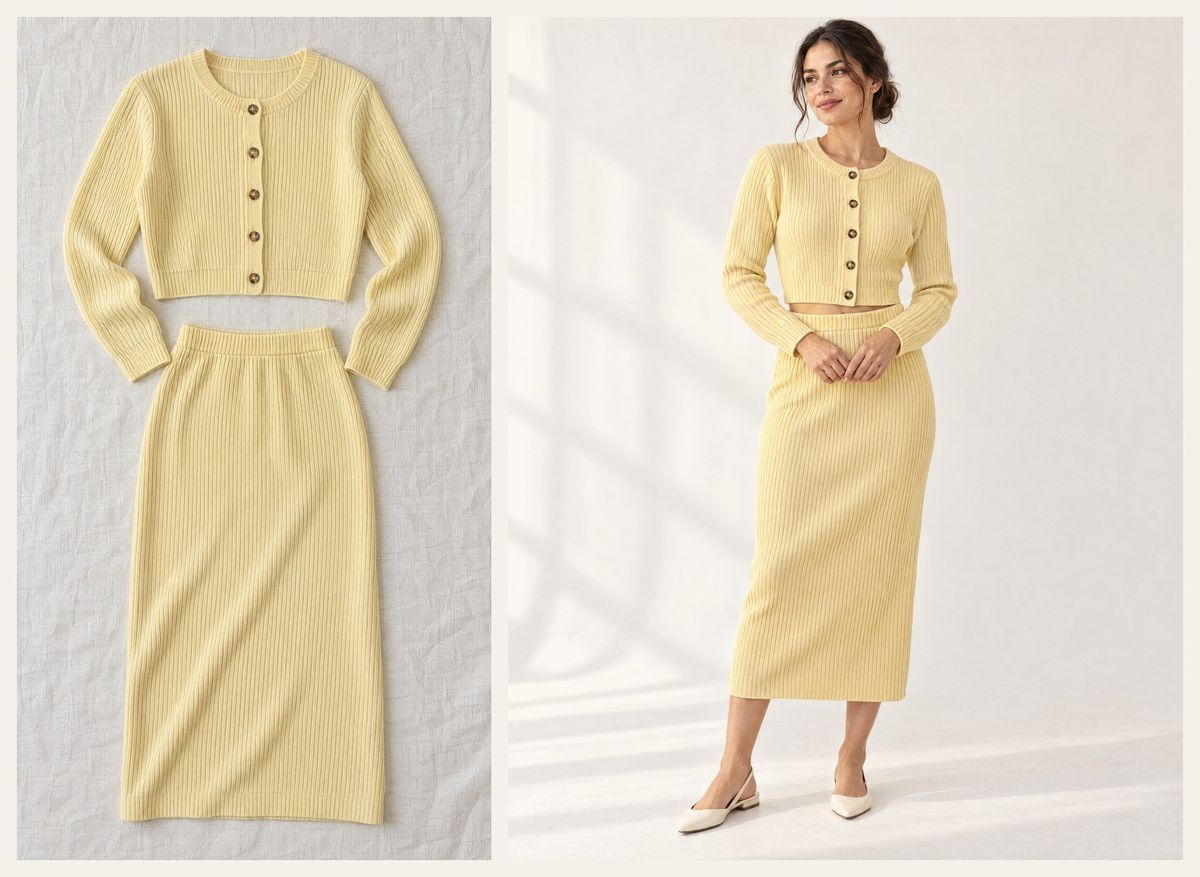
An AI model photoshoot turns one photo of your garment, usually a flat-lay or a hanger shot, into photos of a realistic model wearing it, in the settings you choose: a clean studio, a sunny street, an editorial set or a mirror selfie. It replaces the model, studio and location of a traditional shoot, so a clothing brand can get on-model images for product pages and ads in minutes instead of weeks.
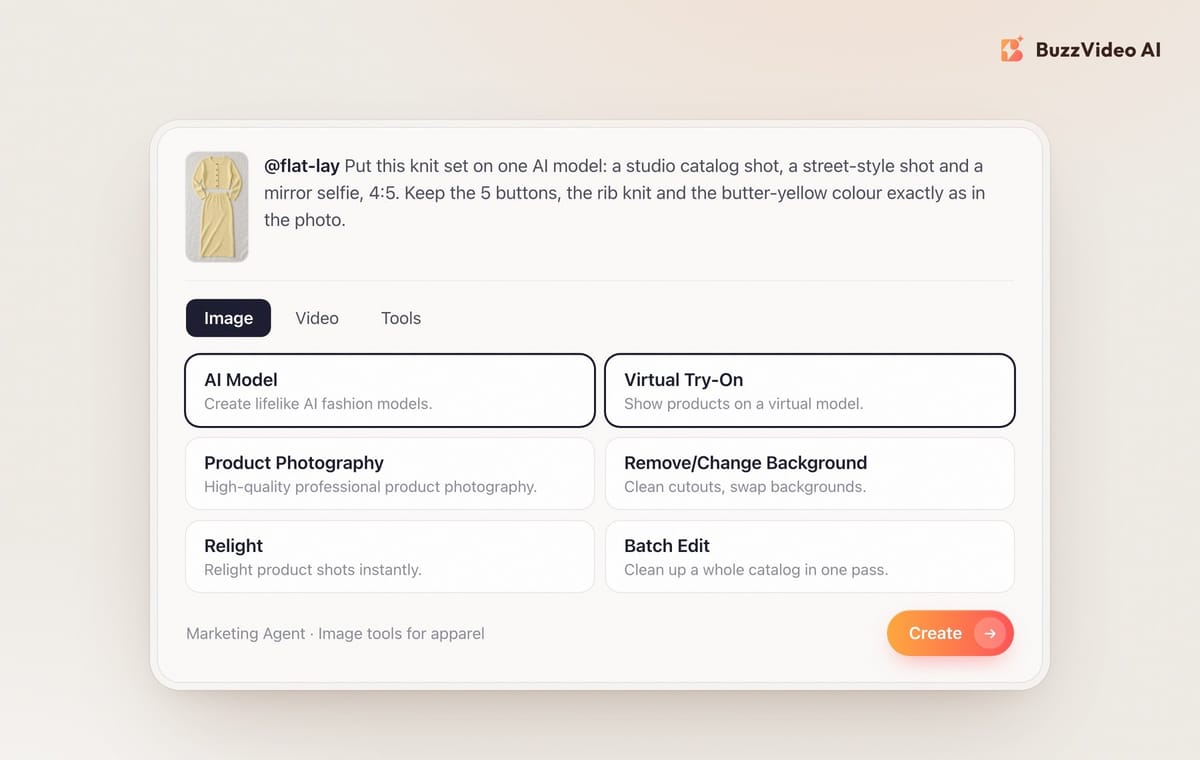
In BuzzVideo AI you can do this with the Marketing Agent's AI Model and Virtual Try-On tools, or directly with an image model such as GPT Image 2.5 Sunburst. This guide shows the full workflow with a real example: one flat-lay of a knit set turned into five on-model ad images, the prompts we used, the checks that catch garment mistakes, and what it costs.
What is an AI model photoshoot?
It is an image-to-image job. You give the AI two things: an accurate photo of the garment, and a description (or reference photo) of the model and the scene. The AI dresses the model in your garment and renders the scene. The hard part is not the model, it is keeping the garment honest: the same colour, the same number of buttons, the same knit or print, the same length. If the photo shows something the customer will not receive, you get returns, not sales.
Try it: open the Marketing Agent, attach your garment photo and pick AI Model or Virtual Try-On under Image. Start an AI model photoshoot →
What do you need before you start?
- One accurate garment photo. A flat-lay or hanger shot in daylight, the whole garment visible, colours true. Add a close-up if there is a print, a logo or special hardware.
- The garment facts in writing. Colour name, number of buttons, fabric, neckline, sleeve and hem length. You will paste these into every prompt and check every output against them.
- A model brief. Age range, look, hair, styling and shoes. Decide once and reuse it, so every image shows the same person.
- A list of the formats you need. Product page, Meta and TikTok ads, email. Each format usually needs a different scene and ratio.
Which on-model formats are clothing brands running right now?
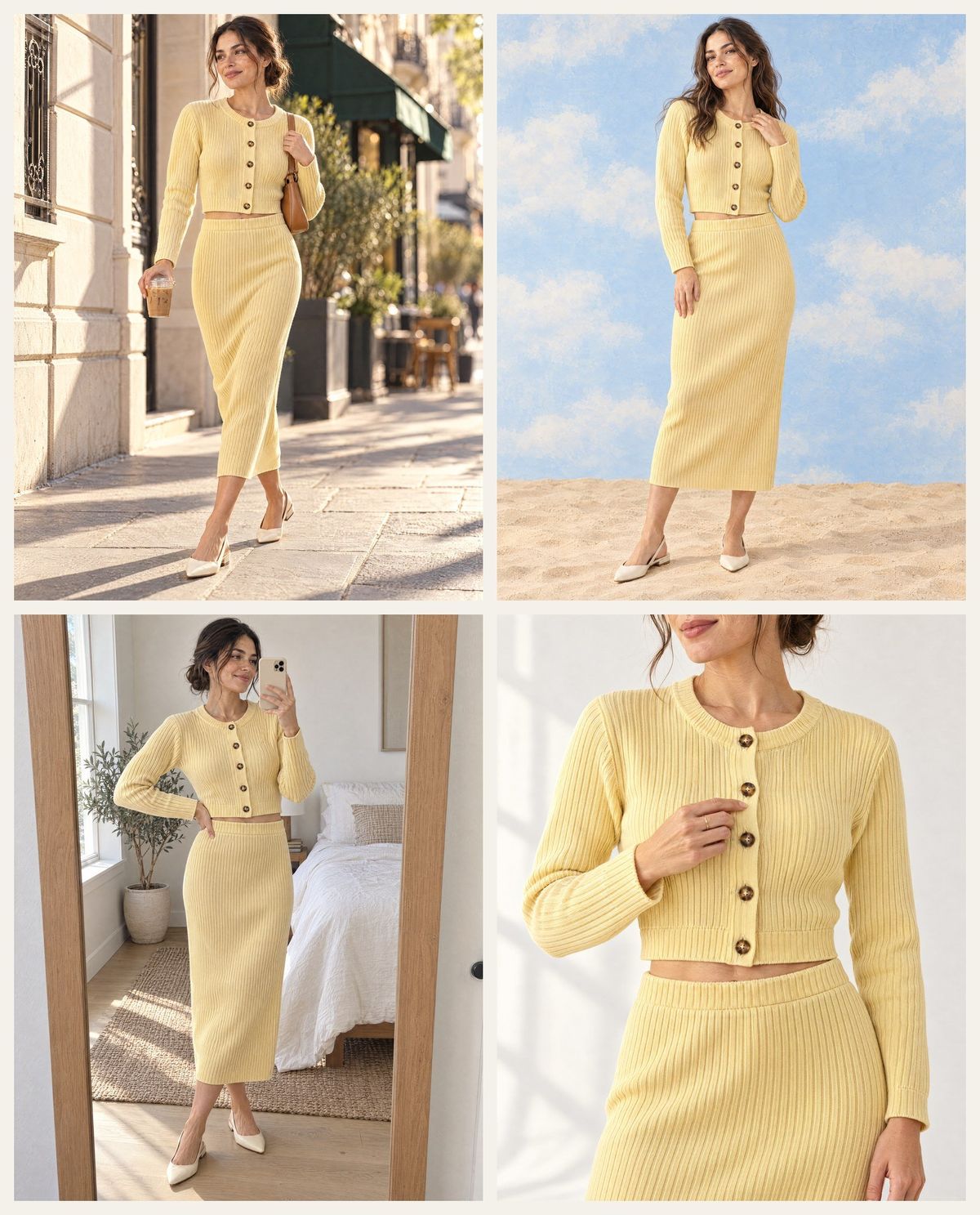
Before generating, we looked at the highest-reach active image ads for "knit set" in the Meta Ad Library (US, sorted by impressions). Most showed the clothes on a person, often in a real setting such as a sunny street or a bright room; the rest were clean studio shots, product-only photos or tight crops that show the fabric. We picked five on-model formats from what was running and made one of each.
| Format | What it looks like | Best use |
|---|---|---|
| Studio catalog | Full body on a warm off-white backdrop, soft window light | Product page main image, retargeting |
| Street style | Mid-stride on a sunny sidewalk, coffee in hand, candid | Prospecting ads on Meta and TikTok |
| Editorial set | Painted backdrop, sand floor, bold colour contrast | Launch and campaign ads, email headers |
| Mirror selfie | Phone-camera look in a bright bedroom | UGC-style ads, Stories and Reels |
| Detail crop | Torso crop, hand on a button, visible knit texture | Carousel card two, product page close-up |
How do you do an AI model photoshoot step by step?
Step 1: Photograph the garment flat
Lay the garment on a plain surface in daylight, shoot straight down, and get everything in frame: collar to hem, both sleeves. Avoid tags, hangers and props. This photo is the source of truth for every image that follows.
Step 2: Write the garment spec and the model brief
Write two short blocks you will paste into every prompt. The garment spec lists the details the AI must keep ("butter-yellow cropped ribbed cardigan, exactly 5 round tortoiseshell buttons, matching ribbed midi skirt with elastic waist"). The model brief describes one person ("woman in her late twenties, light-olive skin, freckles, dark brown hair in a loose low bun, cream slingback flats").
Step 3: Make the first on-model image in a clean studio
Generate one studio catalog shot first, with the flat-lay attached. It is the easiest scene for the model, and it becomes your reference for the model's face and the garment fit.
Step 4: Attach the flat-lay and the first image to every new scene
For each new format, attach both images and say "the same woman as the first reference image wears exactly the same set". This keeps one face and one garment across the whole set, which matters when the images run side by side in a carousel or on a product page.
Step 5: Check every image against the garment spec
Zoom in on each image before you use it. Count buttons, compare colours side by side with the flat-lay, and check the hem and sleeve length. Reject anything that adds a pocket, a logo or a seam the real garment does not have.
Step 6: Add the words in editing
Keep prices, discounts and headlines out of the generated image. Add them afterwards with the Add / Edit Text tool or your design tool, in empty space away from the face and the garment.
Copy-paste prompts
Studio catalog shot (attach the flat-lay):
“Fashion e-commerce catalogue photo, 4:5. [Model brief] wears EXACTLY the garment from the reference image: [garment spec]. Same colour, same texture, same length. Full-body shot, relaxed pose, looking just past camera. Seamless warm off-white studio backdrop, soft window light from the left. No text, no logos, no labels, no extra garments.”
New scene (attach the flat-lay and the studio shot):
“[Format] photo, 4:5. The SAME woman as the first reference image (same face, same hair) wears EXACTLY the same [garment spec]. [Scene: setting, light, pose, one prop and which hand holds it]. Trendy, aspirational look. No text, no logos, no signage lettering, no watermark.”
Detail crop (attach both):
“Close-up detail fashion photo, 4:5, cropped from below the chin to the upper thigh. The same [garment] on the same woman, with [the detail to show: buttons, print, hardware] clearly visible. One hand lightly touching [the detail]. Soft side light that shows the fabric texture. Plain background. No text, no logos.”
What should you check before you publish AI model photos?
| Check | What goes wrong | Fix |
|---|---|---|
| Buttons, zips, pockets | Extra or missing buttons, invented pockets | State the exact count in the prompt; zoom and count |
| Colour | Shifts warmer or cooler in golden-hour scenes | Compare with the flat-lay; use softer light or relight |
| Length and fit | Cropped tops get longer, midi skirts get shorter | Name the length ("to mid-calf", "shows a sliver of waist") |
| Print and logos | Patterns redrawn, logos misspelled | Attach a close-up; keep logos small or add them in editing |
| Hands and props | Extra fingers, a prop in two hands at once | Name one prop and the hand that holds it |
| Background text | Gibberish on signs, phones or cups | Ask for no lettering; pick plain props |
How much does an AI model photoshoot cost?
Our full example set cost 105 credits: the flat-lay (15), five on-model images (15 each) and one regenerated editorial image (15). These are GPT Image 2.5 Sunburst prices at X-High in the BuzzVideo generator today. On the Pro plan billed yearly ($420 a year for 4,900 credits a month, about $0.007 per credit) that is roughly $0.75 for the set.
| Image model in BuzzVideo | Credits per image | When to use it |
|---|---|---|
| GPT Image 2.5 Sunburst, X-High (4:5) | 15 | Final images with fine fabric detail |
| GPT Image 2.5 Sunburst, High (4:5) | 9 | Drafts and layout tests |
| Nano Banana 2.1, 1K | 7 | Fast variations and edits |
| Seedream 5.0 Pro, 2K | 18 | A second look at the same brief |
The paid models above need the Starter plan or higher; the Free plan's 500 one-time credits work with Seedream 4.5 and Seedream 5.0 Lite. See the pricing page for plan details, and our GPT Image 2.5 Sunburst vs Flare comparison for choosing between the two GPT Image 2.5 versions.
AI model photos vs a real photoshoot: which should you choose?
We build BuzzVideo, so take this with that in mind. AI model photos are not a full replacement for a shoot, but they cover a lot of what a growing brand needs each week.
| AI model photoshoot | Real photoshoot | |
|---|---|---|
| Turnaround | Minutes per image | Days to weeks |
| Cost per new scene | Credits per image | Model, studio, crew, travel |
| Garment accuracy | Needs checking on every image | Exact by default |
| Fit on a real body | Approximate | Real drape and movement |
| Best for | Ad variations, new scenes, fast tests | Hero campaigns, fit photos, size guides |
Use AI for volume: new scenes for ad testing, seasonal backdrops and extra angles. Book a real shoot when shoppers need to judge fit, for hero campaigns, and for size guides with real measurements. If you manage thousands of SKUs and only need white-background on-model catalog images, a dedicated catalog tool built for that single job may fit better than a general creative platform.
Do you need to disclose AI models in ads?
The rules come from the ad platforms. TikTok's ad policy covers AI-generated content in ads, and Meta labels ads made or significantly edited with its own generative AI tools and asks advertisers to disclose realistic AI-generated people. An AI fashion model is a realistic person who does not exist, so expect to label these ads. Our guide to labeling AI ads covers each setting. Separately, make sure the garment in the image matches what you ship.
Make your first AI model photoshoot
Start with one garment you already sell: shoot the flat-lay, write the garment spec, make the studio shot, then add the formats your ads need. When the stills work, you can animate the best one into a short try-on clip; our AI try-on video guide shows how.
FAQs
What is an AI model photoshoot?
It is a way to turn a photo of your garment into photos of a realistic AI model wearing it, in any setting. It replaces the model, studio and location of a traditional shoot for many ecommerce and ad images.
Can I do an AI model photoshoot for ecommerce from a flat-lay photo?
Yes. A clear flat-lay or hanger photo in daylight is the best input; attach it to every prompt and spell out the details the garment must keep, such as button count, colour and length.
How do I keep the same AI model across all photos?
Make one studio image first, then attach it with the garment photo to every new scene and say "the same woman as the first reference image". Reuse the same written model brief each time.
Will the AI change my garment's details?
It can: buttons, prints, logos and lengths are the usual slips. State exact counts and lengths in the prompt, zoom in on every image, and regenerate any image that does not match the real product.
How much does an AI model photo cost on BuzzVideo?
With GPT Image 2.5 Sunburst at X-High in 4:5, each image costs 15 credits, about $0.11 on the Pro plan billed yearly. Faster models such as Nano Banana 2.1 start at 7 credits per image.
Do AI fashion model ads need an AI label?
Usually yes, because the model is a realistic person who does not exist. Follow the AI-content rules of the platform you advertise on, such as Meta's and TikTok's.
Can I turn AI model photos into a video ad?
Yes. Use the best still as the first frame of an image-to-video generation, keep the movement simple, and check the garment in every frame.
Last verified: November 5, 2026, against our live pricing and product pages.
Next reads: How to make an AI try-on video · AI product photography from one photo · Amazon listing images with AI · GPT Image 2.5 Sunburst vs Flare

About the author
Monica
Product Manager
As a Product Manager at BuzzVideo AI, I work with marketers and growth teams on AI ad workflows—from brief to shippable creatives. I write about practical product workflows, model choices, and how teams turn product pages into ads that feel native on Meta and TikTok.