AI Christmas Ads: What Backfired and What Works (2026)
Why Coca-Cola, McDonald's and Dior drew AI backlash, what top holiday ads look like now, and a 7-step workflow for product-first AI Christmas ads.
AI Christmas ads backfire when AI replaces the part of a holiday ad people care about most — human warmth and visible craft — or when a brand hides that AI was used. They work when AI does the production-heavy jobs (product scenes, backgrounds, sizes and variations), the product stays exactly as it is, real people carry the emotion, and the ad is clearly labelled.
Coca-Cola, McDonald's Netherlands and, this month, Dior have all shown how fast holiday audiences turn on AI work that feels cheap or dishonest. If you sell online, you still need dozens of holiday creatives before Black Friday on November 27. This guide covers what went wrong in those campaigns, what the highest-reach holiday ads look like right now, and a seven-step BuzzVideo AI workflow for product-first Christmas ads that don't read as slop.
Try it: Upload your product photo, ask the Marketing Agent for a 9:16 holiday product scene with no people, and add your offer as text afterwards. Open the Marketing Agent →
Why did AI Christmas ads get so much backlash?
Three campaigns shaped the conversation. In each case the complaints were less about the tool and more about what the ad gave up or kept quiet.
| Campaign | What happened | What viewers objected to |
|---|---|---|
| Coca-Cola, "Holidays Are Coming" (2024 and 2025) | The brand remade its classic caravan ad with AI two years running; the 2025 version swapped people for animals | Inconsistent, clumsy animation and the loss of the warmth people remember from the original |
| McDonald's Netherlands (December 2025) | A 45-second, entirely AI-generated spot about holiday stress was pulled within days of posting | "Creepy" visuals and a cynical, negative idea — several critics said the concept failed regardless of AI |
| Dior, "Christian Dior's Night in Colour" (November 2026) | Billed as hand-illustrated; viewers pointed to a misspelt dog tag, missing fingers and odd movement | Possible undisclosed AI in a film sold on handcraft (AI use is unconfirmed; Dior had not commented) |
Sources: ContentGrip on Coca-Cola's 2025 ad, NBC News on McDonald's Netherlands and Business of Fashion on Dior. ContentGrip reports that online positive sentiment toward Coca-Cola's campaign fell from 23.8% to 10.2% after launch — a measure of social reaction, not of sales.
Is it the AI that people hate, or the ad?
Three patterns repeat in the criticism, and none of them is simply "AI was used":
- AI faces and creatures carrying the emotion. Synthetic people, animals and family moments are where small glitches feel most uncanny, and where viewers look hardest.
- Hiding it, or claiming handcraft. Much of the Dior anger was about the hand-drawn story and the credits, not the tools.
- Low craft and weak ideas. Inconsistent animation and a negative concept would hurt any ad; AI just makes it cheaper to ship one unreviewed.
What do the holiday ads getting the most reach look like right now?
We searched Meta's Ad Library (US, active video ads, "serum gift set", sorted by impressions) and stepped through the top results frame by frame. The leaders were creator-led, not cinematic films:
| Reference ad (category) | Length | Structure | On-screen text |
|---|---|---|---|
| Haircare gift trio, creator partnership with a beauty retailer | 12 s | Gift set in hand in the first frame, a before/after split, then about seven quick result cuts of roughly one second each | Small label at the top, availability line at the bottom |
| Prestige skincare gift set, creator video | 52 s | Creator holds the boxed set at 0 s and pulls items out one by one while talking to camera | Caption in empty space: the gift idea, then the value line |
The product is on screen in the first second, and the person is a real creator. That is the split we recommend: AI for product scenes and variations, real people for testimony and emotion.
Where should AI do the work in a holiday ad?
| Job in a holiday campaign | Use AI? | Why |
|---|---|---|
| Product-only scenes (gift box, tree, snow, candlelight) | Yes | No faces to go uncanny; easy to check label and shape |
| Backgrounds and seasonal restyles of real product photos | Yes | Your real product stays the hero |
| Sizes and ratios (9:16, 4:5, 1:1, banners) | Yes | Pure production work |
| Hook and end-card variations for testing | Yes | Cheap to make many distinct versions |
| Creator testimony and "I gifted this" moments | Prefer real people | Viewers judge authenticity hardest here |
| Emotional family or brand films | Only with a strong team and disclosure | Where the big-brand backlash happened |
| Claims, prices, offers and dates | No — add in edit | Generated text and numbers drift; offers must be exact |
How do you make an AI Christmas ad that doesn't feel like slop?
Step 1: Start from the real product and the real offer
Collect one clean product photo, the product name exactly as printed and the offer you will run. The photo goes into the generator; the offer is added as text later so it is always correct.
Step 2: Make a product-first holiday keyframe
In the Marketing Agent, choose Generate Image, attach your product photo and describe a holiday scene around it. Leave the top of the frame empty for your headline. Say what must not appear: people, hands, extra text. Zoom in on every label before you move on — we rejected our first keyframe because the small ingredient text on the carton came out as gibberish, and regenerated it without the carton.
Step 3: Animate the scene, not the product
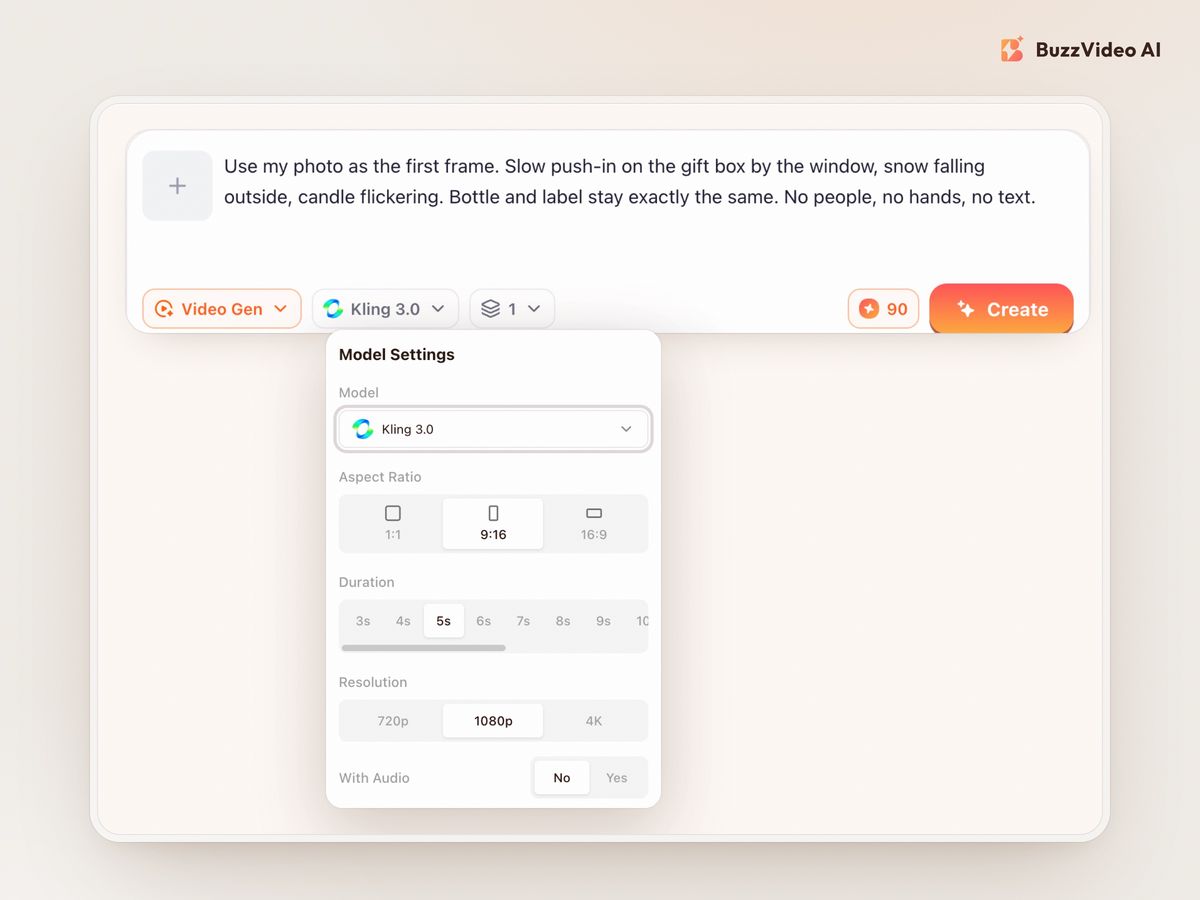
Send the keyframe to Generate Video as the first frame. Ask only for camera moves and atmosphere — a slow push-in, falling snow, a flickering candle — and state that the bottle and label stay exactly the same. Products that open, pour or move on their own are where AI video breaks.
Step 4: Keep people real, or keep them out
If the ad needs a person, film a creator, customer or teammate with the real product and use AI for the cutaways. Without that footage, a product-only ad is safer than an AI family around a tree.
Step 5: Add every word in editing
Headline, offer, price and CTA go on as text cards in empty space, never over the product, a face or hands. Prices stay exact, and you can swap offers between Black Friday, Cyber Monday and Christmas without regenerating.
Step 6: Label it
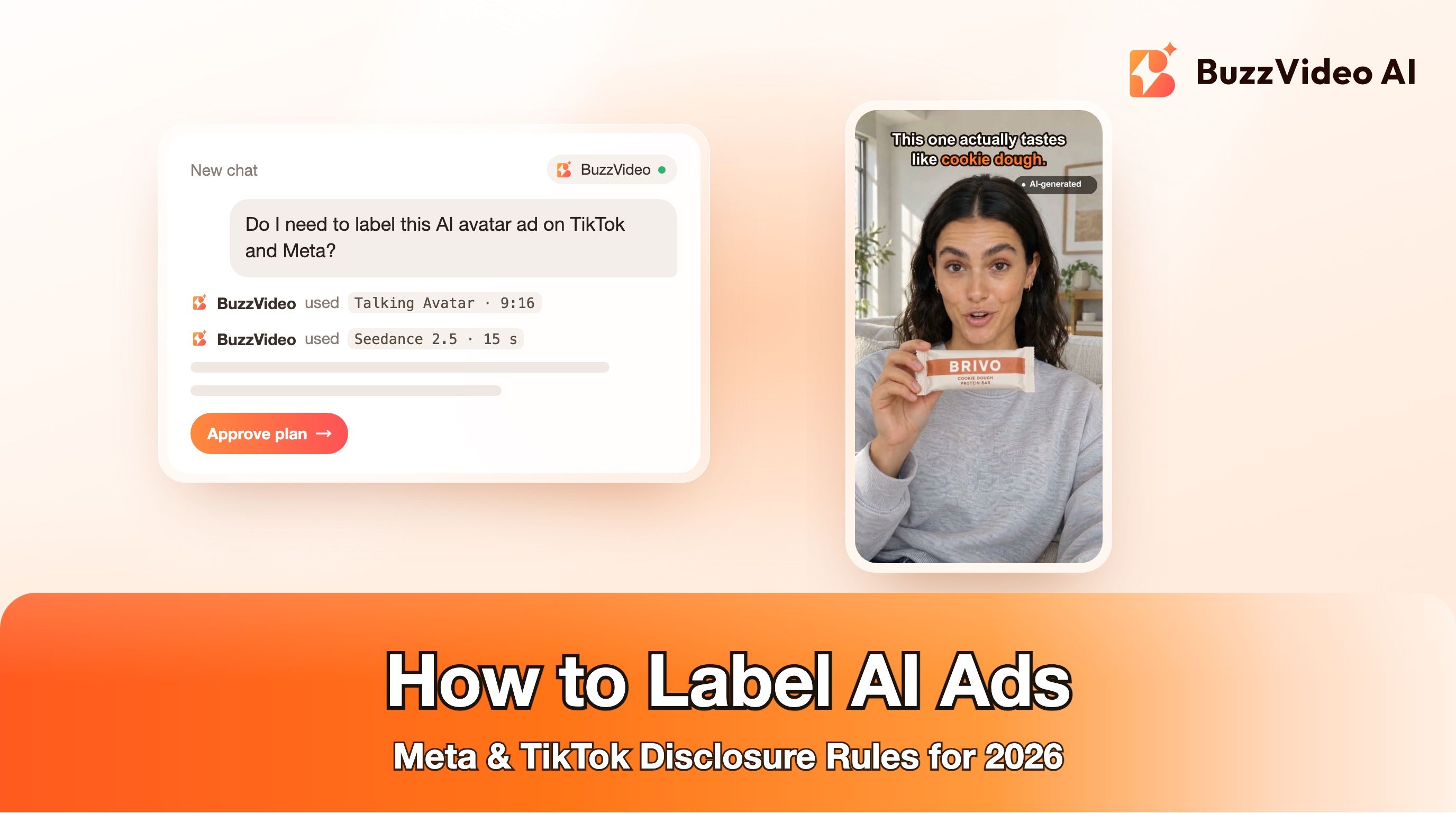
Add a small "AI-generated" tag and use each platform's disclosure settings. See our guide on how to label AI ads on Meta and TikTok.
Step 7: Review every frame, then test against a creator ad
Contact-sheet the video every half second and zoom in on labels, edges and anything that moves. Then run it next to a creator video in the same ad set and let results decide how much AI belongs in the mix.
What does a product-first AI Christmas ad look like?
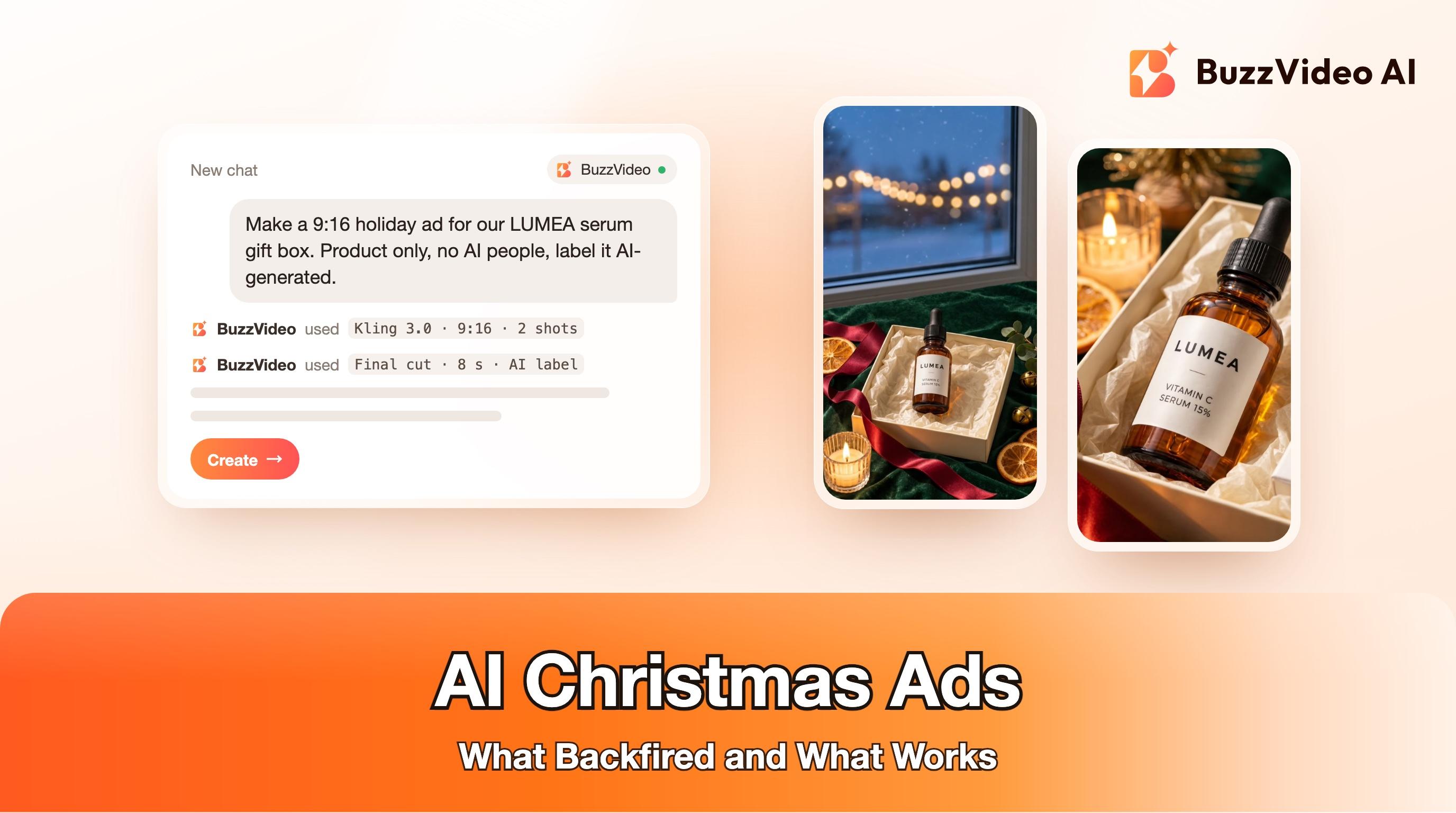
Here is the example we made for LUMEA, a fictional vitamin C serum, following the steps above. It copies the reference ads' structure — product in the first frame, a cut, text in empty space — with no human in it.
Cost in BuzzVideo: three Nano Banana 2.1 keyframes at 11 credits each (one rejected) plus two Kling 3.0 clips at 90 credits each, 213 credits in total.
Copy-paste prompts for a holiday product ad
Keyframe (Generate Image, attach your product photo, 9:16):
“Vertical 9:16 holiday product photo. An open cream gift box lined with ivory tissue paper holds ONLY the exact [product] from the reference image, label facing the camera. The box sits on deep green velvet on a windowsill in the lower half of the frame. Behind it, a window with soft falling snow at blue hour and warm string-light bokeh. A red satin ribbon, dried orange slices and a lit candle around the box. The upper 40% of the frame is calm and empty. The only words in the image are the product label exactly as in the reference. No people, no hands, no other text, no logos, no watermark.”
Shot (Generate Video, keyframe as first frame, 5 s, audio off):
“Use the reference image as the exact first frame. Slow, smooth push-in toward the gift box. Snow drifts down outside the window, the string lights twinkle softly and the candle flame flickers. The product, box, tissue and ribbon stay perfectly still and keep their exact shape; the label stays sharp and unchanged. No people, no hands, no new objects, no text appearing.”
Both prompts leave out prices and offers on purpose. Add those in editing.
Do you have to label AI Christmas ads on Meta and TikTok?
Plan on it. Meta's generative AI transparency update says it labels ads created or significantly edited with its own AI tools and will also detect ads made with third-party AI tools. TikTok's ad policy on misleading and false content allows AI-generated ads only with its AIGC label or your own clear disclaimer, caption, watermark or sticker; undisclosed AI content gets ads rejected or restricted. A visible "AI-generated" tag costs nothing and, after the Dior debate, shows you have nothing to hide.
How much does an AI holiday ad cost to make?
On BuzzVideo, our 8-second example used 213 credits. Image-only holiday creatives cost far less: Nano Banana 2.1 is 11 credits per 2K image. Video needs a paid plan — Starter is $14 a month billed yearly with 1,900 credits a month and includes Kling 3.0 and Nano Banana 2.1; Seedance 2.0 and 2.5 need Pro or Ultra. Check the pricing page for current numbers; the Create button always shows the exact cost before you generate.
The backlash this season was about cold or hidden AI, not about AI itself. Start with your real product, let AI build the scenes and versions, keep the people real and the labels on, and you can ship a full Christmas creative set without repeating those mistakes.
FAQs
Why was the McDonald's AI Christmas ad pulled?
McDonald's Netherlands removed its 45-second, entirely AI-generated Christmas ad in December 2025 after viewers called it creepy and cynical. Several critics said the negative holiday-stress concept was the bigger problem, not only the AI visuals.
Did Dior use AI in its 2026 Christmas ad?
That is unconfirmed. Dior presented "Christian Dior's Night in Colour" as hand-illustrated, and viewers pointed to details such as a misspelt dog tag and missing fingers. Dior had not responded to Business of Fashion's request for comment at the time of writing.
Is it OK for small brands to use AI for Christmas ads?
Yes, if AI handles product scenes, backgrounds and variations while your real product stays accurate and the ad is labelled. Keep emotional moments and testimonials with real people.
What makes an AI holiday ad look fake?
Uncanny faces and hands, products that change shape, gibberish text on packaging and inconsistent lighting between shots. Check every frame and cut or regenerate anything that drifts.
Should I put prices and offers in the AI prompt?
No. Generated text and numbers can come out wrong. Add prices, dates and offers as text cards in editing so they are exact and easy to swap.
Do I need to disclose AI in Christmas ads on Meta and TikTok?
TikTok requires its AIGC label or your own clear disclaimer on ads that are AI-generated or significantly AI-edited, and Meta labels ads made or significantly edited with AI. A small "AI-generated" tag keeps you clear on both.
Last verified: November 9, 2026, against our live pricing and product pages.
Next reads: AI Christmas campaign creatives for the US and UK · Black Friday video ads: AI playbook · How to label AI ads on Meta and TikTok · AI UGC ads that don't look fake

About the author
Monica
Product Manager
As a Product Manager at BuzzVideo AI, I work with marketers and growth teams on AI ad workflows—from brief to shippable creatives. I write about practical product workflows, model choices, and how teams turn product pages into ads that feel native on Meta and TikTok.