How to Make a Christmas or Festival Campaign Pack with AI in ChatGPT or Claude
Research the festival, pick a concept, then get a key visual, every ad size and a 15 s video for Christmas, Black Friday or Valentine's Day—inside ChatGPT or Claude.
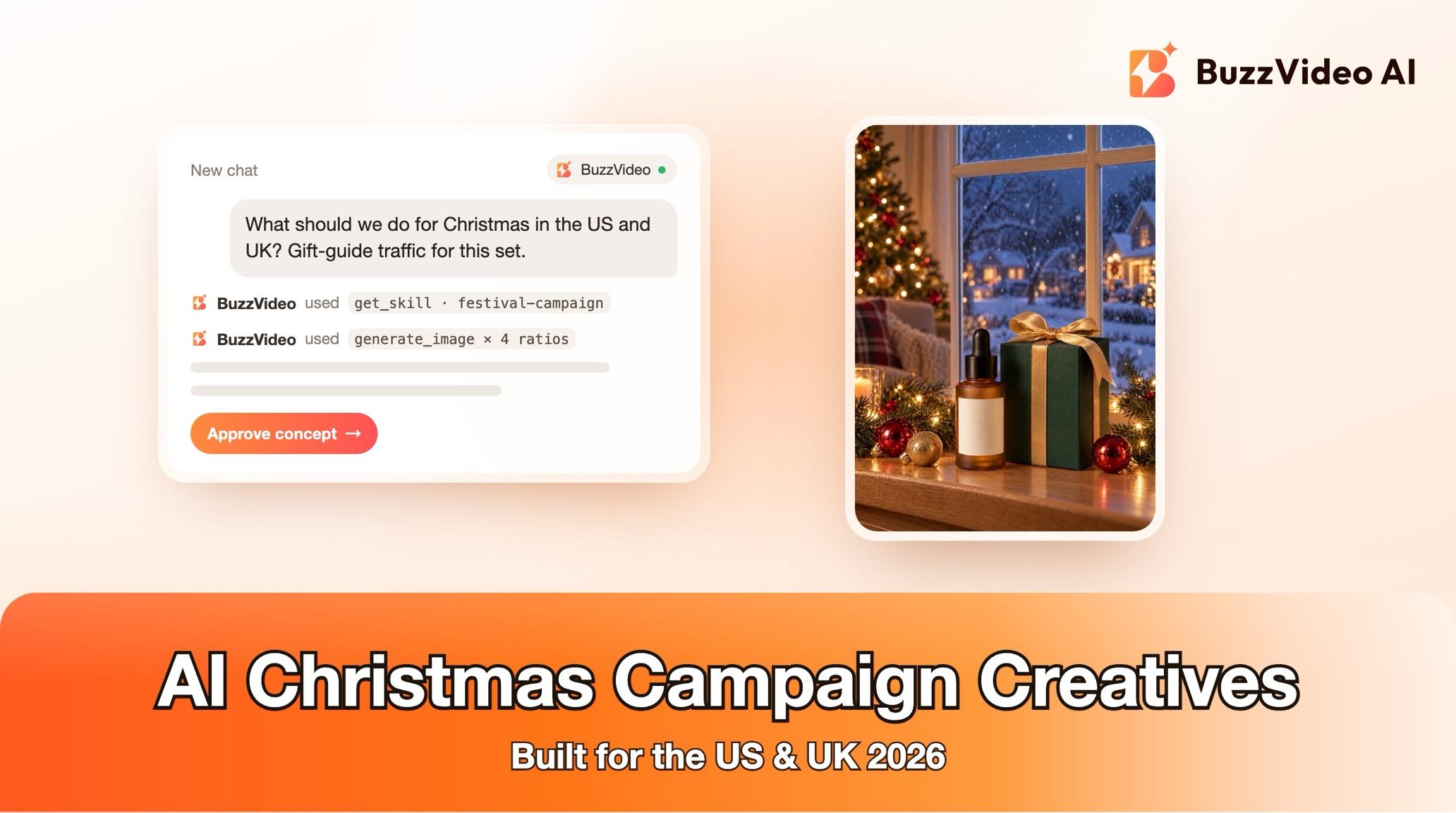
To make a Christmas campaign with AI, start with the festival, not the tool: check this year's date and what works locally (in the US, gift guides go live right after Thanksgiving weekend), pick one of two or three concepts, generate one key visual with empty space for your headline, then recompose it for every placement and cut a short video from the same world. With BuzzVideo MCP you can run the whole pack from ChatGPT or Claude: the chat follows BuzzVideo's Festival campaign guide, which researches the festival, proposes concepts and only spends credits after you approve the plan.
This walkthrough uses Christmas 2026 in the US and UK as the worked example—the next big gifting moment, straight after Black Friday on 27 November and Cyber Monday on 30 November. The same steps work for Halloween, Valentine's Day, Mother's Day or a year-end sale.
What is in a festival campaign pack?
A festival campaign pack is the set of creatives a brand needs to show up for one moment across every placement, all from one idea, so the story, product and festive world match everywhere.
| Part | Default |
|---|---|
| Research brief | Date, symbols, colours, taboos, 3–5 trends, 2–3 in-market examples with links |
| Concepts | 2–3 genuinely different ideas; you pick one |
| Key visual | Master image with empty space for copy, 4:5 unless you name another ratio |
| Size set | 9:16 story, 4:5 feed, 1:1 square, 16:9 banner — recomposed, not cropped |
| Video | 15 seconds, festive or product reveal in the first second (skipped if you say no video) |
| Copy | Headline and sub-line in the language you choose; you can add copy yourself |
Try it: connect BuzzVideo to your AI chat once, then ask "what should we do for Christmas?" with a product photo. Connect BuzzVideo MCP →
What do you need before you start?
- A BuzzVideo account. Images work on every plan; the video needs Starter or above (pricing).
- BuzzVideo MCP connected to ChatGPT, Claude or another MCP client — see how to use BuzzVideo MCP in ChatGPT and Claude.
- A clean product photo, ideally 1500 px or more on the long side, plus your logo or brand guide.
- Your offer, exactly as it will run: discount, dates, gift with purchase and conditions. The guide never invents an offer or a deadline.
- Music you have rights to, if the video needs it. Well-known festive songs are off-limits without confirmed rights.
How do you make a festival campaign step by step?
Step 1 — Brief the festival and the brand
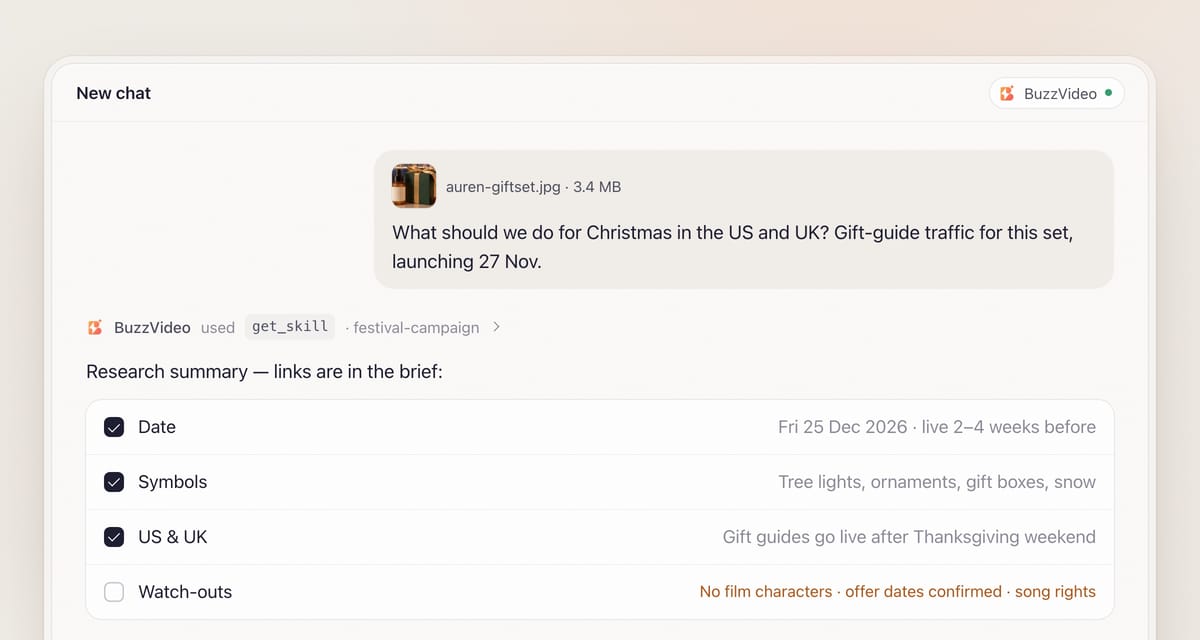
Attach the product photo and say the festival, the market and the goal. The chat loads the Festival campaign guide (get_skill) and asks in one round: festival, markets (for example the US and UK), launch date and run length; product, offer and goal (awareness, gift guide or sale traffic); deliverables and copy language; and the video editing style (Fast-cut ad by default for social).
Step 2 — Research the festival
If the chat can search the web, it checks this year's date, the customs, symbols and colours, the taboos, this season's trends and how brands in your category are running the festival now, and keeps the links. Gifting festivals launch 2–4 weeks early, so for Christmas on Friday 25 December 2026 that means live by late November or early December. If it can't search, it says "not verified for this year" and asks you to confirm.
Taboos are part of the research, not an afterthought. For any holiday the guide checks careless religious symbols, alcohol for some audiences and political symbols, and it adds the holiday's own gifting taboos when you plan for moments such as Lunar New Year.
Step 3 — Pick one of 2–3 concepts
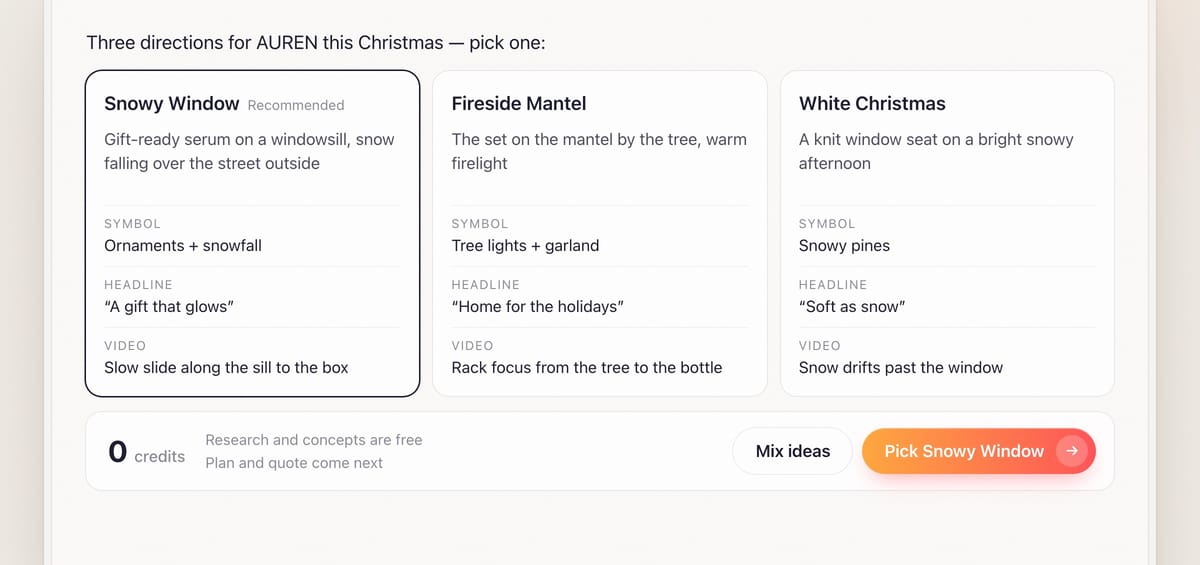
You get two or three genuinely different directions—for example traditional and warm, modern and graphic, playful and trend-led. Each has a name, a one-line idea, the visual world (setting, props, palette, light), how the product is the hero, which festival symbol carries it, a headline and sub-line in your languages, and the video in one line. The guide recommends one; you choose. Research and concepts cost no credits.
Step 4 — Approve the production plan and quote
The plan lists the master key visual and each size with its copy space marked—top third for 9:16, left half for 16:9—and the product kept clear of it. At least one unmistakable festival symbol sits near the product, big enough to read as a thumbnail. The video plan is a shot table with the reveal in the first second. Offer details, product names and claims are listed for you to confirm, and an estimate_credits quote comes last.
Step 5 — Generate the master, the size set and the video
The master comes first, as 2–3 options from your product photo, with no text, no fake lettering and no logos except your product's own; you pick one. Each other ratio is then generated from the chosen master and the product photo and recomposed for that shape. In 9:16, copy and product stay out of the top ~14% and bottom ~20% where the platform's buttons sit. The video's shots use the approved 9:16 image so the world matches, with lateral moves, arcs or rack focus rather than push-ins that make the model redraw your label.
Step 6 — Copy, review and delivery
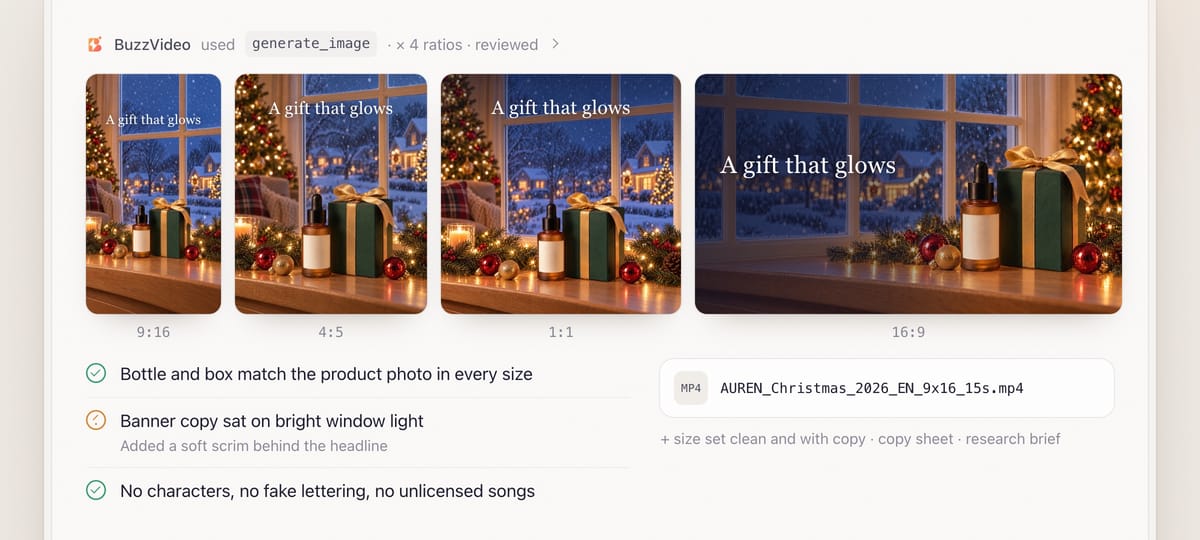
If the chat can run commands, it places your confirmed headline and offer in each size's copy space, adds a soft scrim where the background is busy, checks every character renders, and keeps clean text-free versions. Review is mandatory: label and digits checked one by one, the product identical to the reference, the symbol readable at thumbnail size, copy readable at phone size, every video frame checked, and a cultural sensitivity check on every file.
You get one folder: the research brief with links, the chosen concept, the master, the size set (clean and with copy), the video (for example AUREN_Christmas_2026_EN_9x16_15s.mp4) and a copy sheet.
Copy-paste prompt
“Plan a [Christmas 2026] campaign for [the US and UK] for [our AUREN night serum gift set], launching [27 November]. Goal: [gift-guide traffic]. Offer: [free gift box with every set, 27 Nov–24 Dec]. I need the key visual, all four sizes and a [15]-second video, copy in [English]. Research the holiday first, show me 2–3 concepts, then the plan and credit quote before generating.”
Which US and UK holidays should you plan for?
| Festival | When | Symbols that work | Watch out for |
|---|---|---|---|
| Halloween | 31 Oct | Pumpkins, costumes, playful spooky | No film or cartoon characters; no costume caricatures |
| Black Friday and Cyber Monday | 27 and 30 Nov 2026 | Countdowns, bundles, gift sets | Never invent an offer or deadline |
| Christmas | 25 Dec | Tree lights, ornaments, gift boxes, snow | A generic Santa is fine; film and cartoon characters are not |
| Valentine's Day | 14 Feb | Couples, gifting | Launch 2–4 weeks early for gifting |
| Mother's Day | US 9 May 2027 · UK 7 Mar 2027 | Flowers, breakfast in bed, gift sets | The US and UK dates differ—plan two launches |
Dates that move, such as Easter and the UK's Mothering Sunday, are checked for the year, and if a date has already passed, the guide plans for the next one and says so.
What usually goes wrong, and how does the guide prevent it?
| Problem | What viewers notice | What the guide does |
|---|---|---|
| Fake festive text | Garbled letters on signs, cards and gift tags | No text in generated images; copy added as overlays |
| Wrong-market clichés | Another country's customs or dates in your ad | Local research first; dates checked for your market |
| Cropped sizes | Product cut off in the story format | Each ratio recomposed with its own copy space |
| Copy under platform UI | Headline hidden behind buttons | 9:16 keeps copy out of the top ~14% and bottom ~20% |
| Invented offers | A discount you never approved | Offers and dates confirmed before they appear |
| Cultural mistakes | Careless religious symbols or caricatures | Sensitivity check on every file |
How much does a festival campaign cost?
Research and concepts are free. As a rough example, three master options plus three more sizes on GPT Image 2.5 Sunburst at High (8–10 credits each, about 55) and a 15-second video from three 5-second 9:16 clips on Seedance 2.0 Fast at 720p (104 each, 312) come to about 370 credits—roughly $2.65 on Pro billed yearly. Without the video it is about 55 credits. See our pricing page and BuzzVideo pricing and cost per ad.
Which BuzzVideo guide should you use instead?
| You want… | Use this guide |
|---|---|
| A themed pack for a festival or sale event | Festival campaign (this one) |
| Finished ads resized for other placements | Ad resizer |
| A single product ad with no festival theme | Product ad |
| A look at competitors' ads | Competitor ad research |
Step-by-step guides: Ad resizer · Product ad · Competitor ad research
You don't need to name the guide: describe what you want, and the chat picks the matching one. To test several hooks on the same campaign, see the ad variants sprint playbook.
Christmas creative due soon? Connect BuzzVideo to your AI chat and ask for concepts today.
FAQs
Can it write the copy?
It suggests headlines and sub-lines in your language—or in two, such as English and Spanish for the US—but nothing is generated inside the image. Copy is placed as overlays after you confirm it, and greetings are checked for spelling.
Can I use Santa or a famous character?
A generic Santa is fine. Film, cartoon and theme-park characters, other brands' mascots and celebrity likenesses are not.
Can it add a voiceover?
Yes, if you want one. Most preset voices are English, so a US or UK campaign is covered; the guide plays you the options and asks you to listen before one is used.
What if I only need images?
Say "no video" and the guide skips the video plan, quote and edit; your stated sizes and shot counts always win over its defaults.
Does it work for other markets?
Yes. It researches holidays in any market—from Easter and Thanksgiving to Lunar New Year and Diwali—the same way, and flags anything it couldn't verify.
What do I get at the end?
The research brief, chosen concept, master key visual, size set with and without copy, the video if made, and a copy sheet—plus models, credits and what review fixed.
Last verified: November 2, 2026, against our live pricing and product pages.
Next reads: Ad variants sprint playbook · Product URL to video ads · How to use BuzzVideo MCP in ChatGPT and Claude

About the author
Monica
Product Manager
As a Product Manager at BuzzVideo AI, I work with marketers and growth teams on AI ad workflows—from brief to shippable creatives. I write about practical product workflows, model choices, and how teams turn product pages into ads that feel native on Meta and TikTok.