AI UGC Ad Prompts: 7 Copy-Paste Templates
Copy-paste AI UGC ad prompts: the structure that works, the exact prompts behind our example video, and seven templates for the top UGC formats.
A good AI UGC ad prompt describes a creator video, not a product: who is on camera and how they're styled, where the phone sits, what happens second by second, what they say, and what must not appear (text, logos, extra hands). The most reliable setup is two prompts: an image prompt for the first frame, then a video prompt that uses that frame as its reference and spells out each shot with timings.
Below are the structure we use, the exact pair of prompts behind the example video in this post, and seven templates for common UGC formats in beauty, fashion and home ads. We build BuzzVideo AI, so the example was made in BuzzVideo with Nano Banana 2.1 for the image and Seedance 2.5 Flash for the video, but the prompts are plain text and work in any tool that takes a reference image.
What makes a good AI UGC ad prompt?
Real UGC ads work when they look like a person filmed them at home and something happens in the first two seconds. Your prompt has to ask for both, and that takes six parts:
| Part | What to write | Example |
|---|---|---|
| Creator | Age, look, styling, energy | Mid-20s, glossy cherry lips, silver sequin top, gold hoops |
| Camera | Where the phone is and how it moves | Front camera propped at eye level, static, no phone visible |
| Setting and light | A real place at a real time of day | Warm apartment hallway, string-light bokeh, evening |
| Beats with timings | Shot by shot, in seconds | 0-3 s hook, 3-7.5 s demo, 7.5-10 s payoff |
| Voice and sound | One short line, plus sound effects | "Five minutes ago, I looked like this." A finger snap |
| Rules | What must not appear or change | No text, no logo, five fingers, product keeps its shape |
Two more habits help. Count the hands in every action: someone holding a phone for a selfie can't also open a bottle with two hands, so prop the camera instead. And keep prices, dates and captions out of the prompt; add them in the edit, where they come out sharp and you can place them away from the face and the product.
Try it: paste one of the templates below into BuzzVideo's Marketing Agent, attach your product photo and generate a first draft. Open the Marketing Agent →
Do you need an image prompt and a video prompt?
You can generate UGC straight from a text-to-video prompt, but a first frame gives you control over the part viewers judge first: the creator's face, styling and setting. Generate four or five first frames with an image model (they're cheap), pick the best, then spend video credits only on that one. The video model keeps the face and outfit from the reference, so your video prompt can focus on action and timing.
The exact prompts behind our example
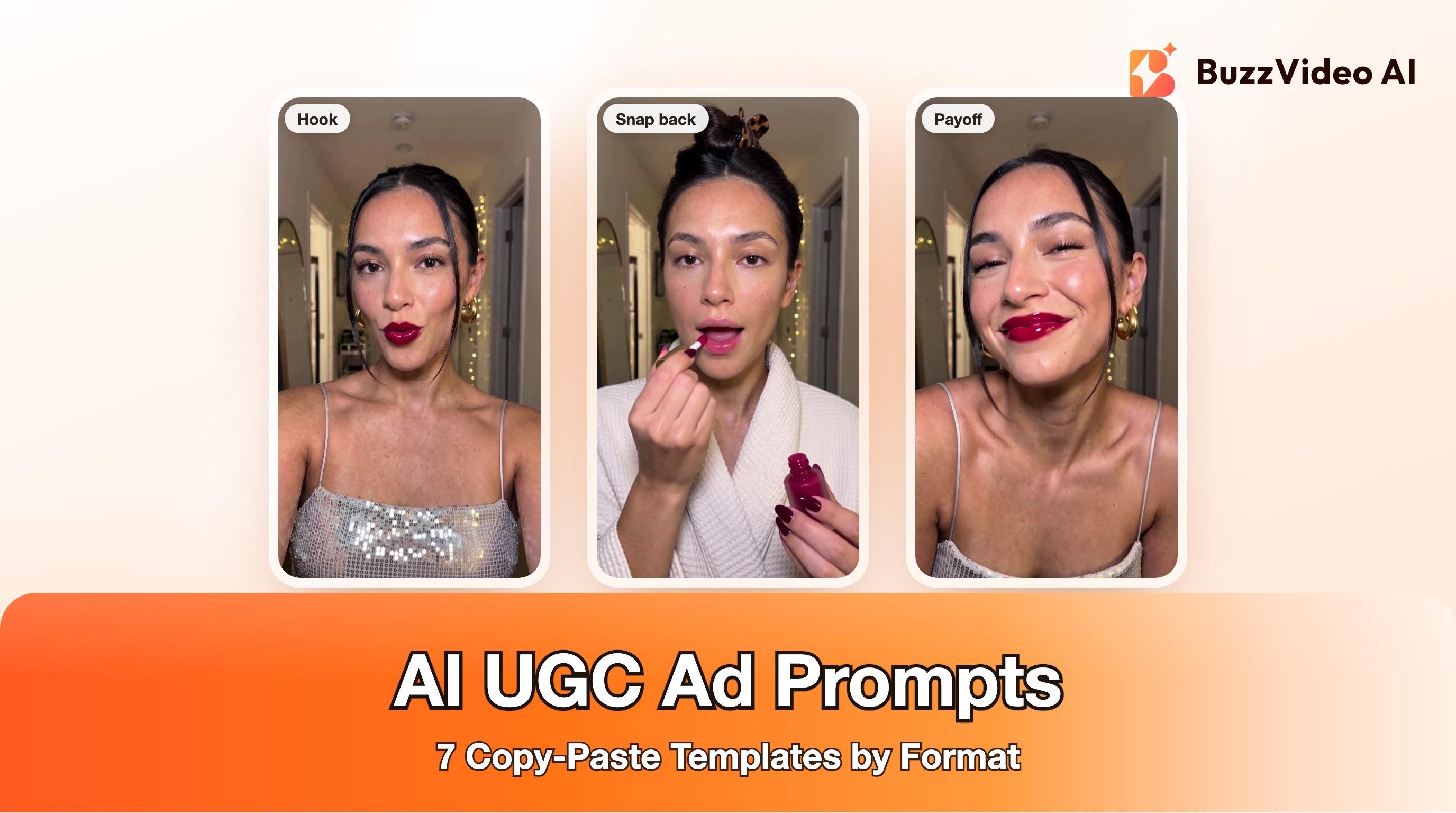
We borrowed the mechanic from two ads live in the Meta Ad Library this month: a Macy's creator video that opens on the finished holiday look before cutting back to bare skin (Meta Ad Library), and a The Lip Bar creator ad whose first frame is the finished glossy lip in extreme close-up (Meta Ad Library). Our twist is a finger snap that sends her back five minutes and forward again. The lip oil is fictional and unbranded. These are the prompts word for word, with line breaks removed:
“Vertical 9:16 creator-style beauty video still, shot on a front phone camera propped at eye level (no phone visible in frame). A genuinely beautiful woman in her mid-20s with warm olive skin, glowing dewy makeup, defined brows, long lashes, and very glossy cherry-red lips, dark hair in a sleek low bun with two face-framing strands, chunky gold hoop earrings, wearing a fitted silver sequin top with thin straps. Extreme close-up framing from collarbones up, face fills the upper two thirds, she looks straight into the lens with a confident half smile, one hand raised near her cheek with almond-shaped glossy burgundy nails, fingers ready to snap. Background: softly blurred warm apartment hallway with a mirror and a few tiny warm string-light bokeh dots, holiday-party evening light, flattering soft key light from the front. Editorial, fashionable, scroll-stopping, realistic skin texture, natural proportions, exactly five fingers on the visible hand. No text, no captions, no logos, no watermarks, no products in frame.”
- Image prompt (Nano Banana 2.1, 2K, 9:16)
“Vertical creator-style UGC beauty video, "reverse get-ready-with-me". Same woman as the reference image in every shot: mid-20s, warm olive skin, dark hair, gold hoop earrings. Static front camera propped at eye level, no phone visible. Shot 1 (0-3 s): exactly the reference frame. Party look: glossy cherry-red lips, sleek low bun, silver sequin top. She looks into the lens, smiles and says in a warm, casual American voice: "Five minutes ago, I looked like this." She raises her right hand and snaps her fingers once. Shot 2 (3-7.5 s): hard cut on the snap. Same woman, same hallway, now bare-faced with natural skin, bare lips, hair twisted up in a tortoiseshell claw clip, wearing a white waffle robe. She holds a small frosted-glass lip oil bottle with cherry-red oil inside in her left hand and, with her right hand, glides the doe-foot applicator across her lips, which turn glossy cherry red. Then she brings the bottle close to the lens with her left hand. Shot 3 (7.5-10 s): hard cut back to the party look from shot 1. She blows a kiss to the camera and laughs. Rules: the lip oil bottle is plain frosted glass with a gold cap, no text, no logo, no label. Every hand has five fingers. The bottle stays the same size and shape. No on-screen text, no captions, no subtitles, no watermarks. Sound: her voice in shot 1, a crisp finger snap, soft room tone, a light upbeat background beat.”
- Video prompt (Seedance 2.5 Flash, 720p, 10 s, with sound)
What the model followed: the hook line, the snap and the two hard cuts on time, the same face and earrings across both looks, five fingers on every hand, and a bottle with no text. What it didn't: the cap and wand came out white with a gold band instead of the gold cap we asked for, the glass came out tinted magenta, her lips turned glossy pink rather than cherry red in the middle shot, and the background beat was almost silent, so you'd add music in the edit. None of these break the ad, but read your output against your prompt before you call it done.
7 AI UGC ad prompt templates by format
These templates use the same structure as the tested prompt above, with your details in square brackets. They're written for a video model with your first frame attached; keep each one to 8 to 15 seconds.
| Format | Hook (first 2 s) | Best for |
|---|---|---|
| Reverse GRWM | The finished look, then a snap back to the start | Beauty, hair, fashion |
| Result-first close-up | Extreme close-up of the result before the product appears | Lip, skin, nails, cleaning |
| "Not gatekeeping" review | A confession line straight to camera | Any hero product |
| Hands-only unboxing ASMR | A satisfying sound and the lid lifting | Gifts, premium packaging |
| POV problem-solution | The problem, shown not told | Home, kitchen, gadgets |
| Three reasons | "Three reasons I switched" with a finger count | Supplements, apps, swaps |
| Mirror outfit check | Outfit reveal with a turn in the mirror | Clothing, shoes, bags |
1. Reverse GRWM
“Vertical creator-style UGC video, reverse get-ready-with-me. Same [creator] as the reference image in every shot. Static front camera propped at eye level, no phone visible. Shot 1 (0-3 s): the finished [look]; she says "[one short line]" and snaps her fingers. Shot 2 (3-7.5 s): hard cut on the snap to the same person before, [bare look], using [product] in her [left/right] hand, then holding it to the lens. Shot 3 (7.5-10 s): hard cut back to the finished look, [payoff gesture]. Rules: [product] plain, no text or logo, same size and shape in every shot; five fingers on every hand; no on-screen text.”
- Template
2. Result-first close-up
“Vertical UGC video, front camera propped close, static. Shot 1 (0-2 s): extreme close-up of the result on [body part], [texture and shine], filling the frame. Shot 2 (2-6 s): pull back to [creator] holding [product] next to her face in her [left] hand; she says "[line about the result]". Shot 3 (6-10 s): she applies it once with her [right] hand, slowly, so the texture is visible. Rules: one product only, plain, no text; five fingers; no captions.”
- Template
3. "Not gatekeeping" review
“Vertical UGC selfie-style video, camera propped at eye level in [room], [time of day] light. [Creator], [styling], leans into the lens and says "Okay, I'm not gatekeeping this anymore." She lifts [product] into frame with her [left] hand and says "[one specific benefit you can prove]". Natural pauses, small hand gestures, one jump cut at [5] s. Rules: no claims beyond the line given, no text, no logo, product keeps its shape.”
- Template
4. Hands-only unboxing ASMR
“Vertical close-up, fixed overhead camera, [surface] in soft window light. Two hands only, five fingers each, [nail style]. The hands untie [ribbon], lift the lid of [box], fold back tissue paper and lift out [product], turning it slowly toward the camera. Sound: ribbon slide, paper rustle, a soft lid pop, no music, no voice. Rules: no face, no extra hands, no new objects, no text, no cuts.”
- Template
5. POV problem-solution
“Vertical POV video, handheld feel but stable, [room]. Shot 1 (0-3 s): the problem in close-up: [visible problem]. Shot 2 (3-7 s): one hand reaches in with [product] and [single action]. Shot 3 (7-10 s): the same spot after, [visible result], camera holds still. Sound: [action sound], room tone. Rules: one hand in frame, five fingers, product unbranded, no text.”
- Template
6. Three reasons
“Vertical talking-head UGC video, camera propped at chest height, [setting]. [Creator] holds [product] in her [left] hand and counts on her [right] hand while she says: "Three reasons I switched. One, [reason]. Two, [reason]. Three, [reason]." Quick cutaway inserts of the product at each number, 1 second each. Rules: no on-screen text, no logo, the product is identical in every shot.”
- Template
7. Mirror outfit check
“Vertical mirror video in [bedroom or hallway], full-length mirror, camera on a tripod at an angle so it isn't reflected. [Creator], [hair and makeup], wearing [outfit with the product]. She steps into frame, does a slow half turn to show [detail], adjusts [accessory] and smiles at her reflection. Sound: footsteps, fabric rustle, [music mood]. Rules: the reflection matches her movements, the outfit doesn't change, no text, no logos.”
- Template
What should you leave out of a UGC ad prompt?
- Prices, discounts and dates. Video models garble text and numbers; add them as on-screen text in the edit, in empty space away from the face and product.
- Real brand names and logos. Describe the product's shape, colour and material instead, and attach your real product photo as a reference.
- Claims you can't support. If the script says "clears acne in a week", the ad platform will treat it as your claim. Keep spoken lines to benefits you can prove.
- Long monologues. One or two short lines per 10 seconds come out cleaner than a paragraph of dialogue.
- Vague style words. "Viral" and "high quality" don't tell the model anything. Name the light, the outfit, the room and the camera position.
Do you need to label AI UGC ads?
Usually, yes. TikTok's ad policy covers misleading and AI-generated content, and Meta labels ads made or significantly edited with its own generative AI tools, with the label next to "Sponsored" when an ad shows a photorealistic AI-generated person (TikTok, Meta). A realistic AI creator talking about a product is exactly the case these rules have in mind, so disclose it. Our guide to labelling AI ads on Meta and TikTok walks through the settings.
Make your first AI UGC ad
Pick one template, write the first-frame prompt, and generate four first frames before you spend anything on video. BuzzVideo's Marketing Agent has a UGC Ads tool with ready-made creator setups if you'd rather not write prompts from scratch. Video generation starts on the Starter plan ($14 a month billed yearly); the Free plan includes image generation, so you can test first frames there (BuzzVideo pricing).
FAQs
What is the best prompt for an AI UGC ad?
One that reads like a shot list: the creator and styling, a fixed camera position, the setting and light, timed beats, one short spoken line, and rules about what must not appear. Pair it with a first-frame image so the face and outfit stay consistent.
How long should an AI UGC video prompt be?
Long enough to cover each shot with timings, usually 150 to 300 words for a 10-second video (our example's video prompt is about 250). Length matters less than specifics: name the light, the outfit, the hands and the exact line.
Should I put on-screen text in a UGC video prompt?
No. Ask for no text in the prompt and add captions, prices and offers in your editor, where they stay sharp and you control where they sit.
Can I use my real product in an AI UGC ad?
Yes. Attach a clear photo of your product as a reference image and describe it plainly, then check every frame for labels or shapes that drift.
Which AI model is best for UGC video ads?
Models that handle people, hands and speech well, such as Seedance 2.5 or Kling 4.0, suit UGC. If the video is only a presenter talking to camera, a talking avatar tool can be faster.
Do AI UGC prompts work for TikTok and Instagram Reels?
Yes. Generate in 9:16, keep the hook in the first two seconds and leave space for each platform's interface, then add the AI label the platform requires.
Last verified: November 23, 2026, against our live pricing and product pages and TikTok's and Meta's published AI ad policies.
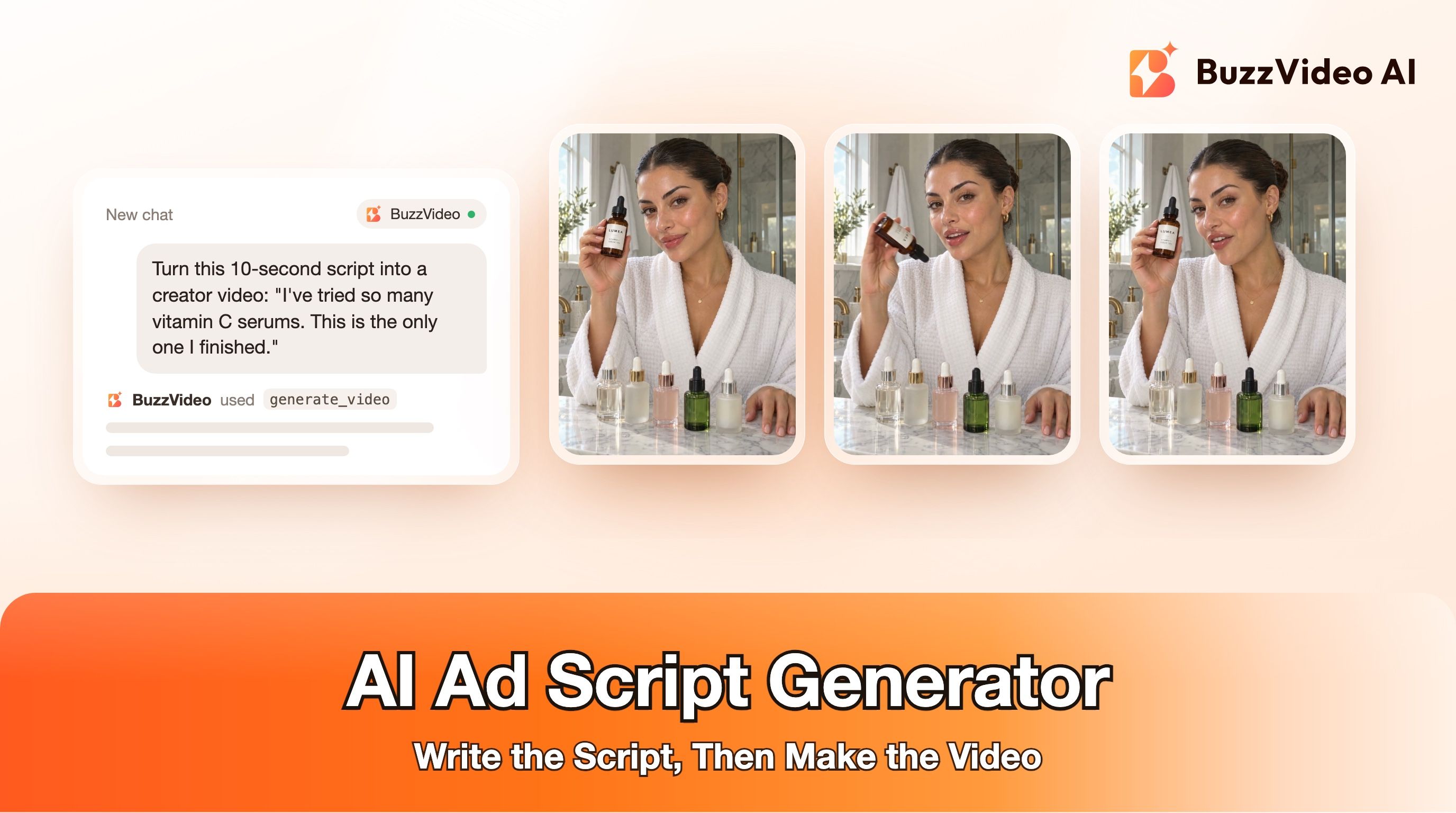
Next reads: AI UGC ads that don't look fake · Seedance 2.5 prompt guide · Faceless UGC ads · AI ad script generator
About the author
Monica
Product Manager
As a Product Manager at BuzzVideo AI, I work with marketers and growth teams on AI ad workflows—from brief to shippable creatives. I write about practical product workflows, model choices, and how teams turn product pages into ads that feel native on Meta and TikTok.