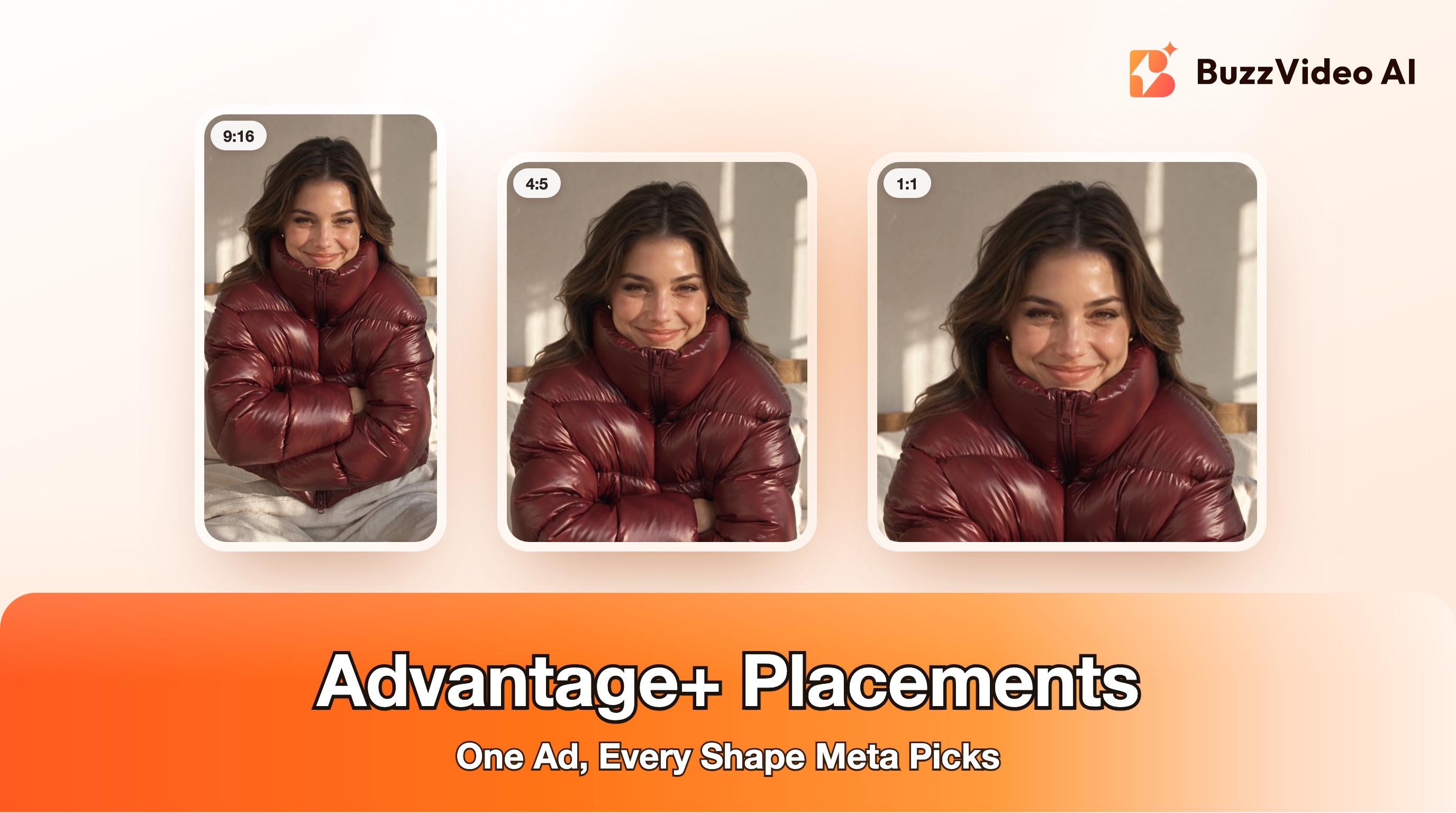
Advantage+ Placements: What Meta's Change Means for Your Ads
Meta is removing ad set placement controls for Sales, Leads and App campaigns. What changes, what you can still exclude, and the creative every placement needs.
Advantage+ placements is Meta's setting that lets one ad run wherever results are cheapest across Facebook, Instagram, Messenger, Threads, WhatsApp and Audience Network. Meta is gradually removing the option to pick placements inside ad sets for Sales, Leads and App promotion campaigns, so those now run on Advantage+ placements by default; Awareness, Traffic and Engagement campaigns keep manual placements (Meta). You can still exclude placements for the whole ad account, but the lever that matters most now is creative: give Meta a vertical, a 4:5 and a square version, with the product and text where no crop or overlay can hide them.
We build BuzzVideo AI, a tool for making video ads, so this guide ends with how we produce one ad in every shape. The rest is about Meta's settings, using Meta's own help pages as the source, and works whichever tools you use.
What are Advantage+ placements?
A placement is where an ad appears: Facebook Feed, Instagram Stories, Reels, Messenger, Threads, Audience Network apps and so on. With Advantage+ placements on, Meta's delivery system looks across all of them for each impression instead of only the ones you ticked (Meta).
The important detail is what it optimises for. Meta says the system aims for the most results at the lowest average cost overall, not the lowest cost in each placement (Meta). Its worked example: with a $27 budget, Facebook results cost $3, Instagram results $5 and some Audience Network results $1. Turning Instagram off because it looks expensive leaves 8 results at $3.25 each instead of 9 at $3. A placement with a higher average cost isn't automatically wasted spend.
What is Meta changing about placements?
Meta's help page now opens with the change: placement settings for the Leads, App promotion and Sales objectives default to Advantage+ placements, and the option to make placement selections is removed in ad sets. It's rolling out gradually, so some accounts still see the old controls (Meta). Jon Loomer reported spotting it as a test in August 2026 (Jon Loomer).
| Campaign objective | Pick placements in the ad set? | What to do |
|---|---|---|
| Sales | No, Advantage+ placements by default (gradual rollout) | Supply creative for every placement; use account controls for hard limits |
| Leads | No, Advantage+ placements by default (gradual rollout) | Same as Sales |
| App promotion | No, Advantage+ placements by default (gradual rollout) | Same as Sales |
| Awareness | Yes, still available | Advantage+ placements is still Meta's recommendation |
| Traffic | Yes, still available | Same as Awareness |
| Engagement | Yes, still available | Same as Awareness |
If you run Black Friday and Cyber Monday campaigns on the Sales objective, this affects you now: the ad set you duplicate from last year may not keep its placement choices.
Try it: make a vertical master of your ad, then cut it into every shape Meta needs. Create your ad in BuzzVideo →
Can you still exclude placements on Meta?
Yes, at the ad account level. Meta's account controls let you set placement controls (and audience controls such as a minimum age or excluded countries) that apply to every campaign in the account, including ones using Advantage+ placements (Meta).
- Open Advertising settings for the ad account (you need access to it).
- Go to Account controls and choose the placement controls.
- Exclude only the placements or platforms you genuinely can't run on.
- Save. Meta says changes to existing campaigns can take up to 48 hours.
Two cautions from Meta itself. Account controls don't apply to ads about social issues, elections or politics, or to financial products and services, employment or housing ads. And account-level exclusions may limit the effectiveness of Advantage+ placements, so Meta suggests using them only for a hard constraint (Meta). A hard constraint means something like a brand-safety rule or an app category you can't appear in, not "Audience Network looked cheap and low quality last month."
Advantage+ placements vs manual placements: which is better?
Meta's answer is Advantage+. In its own experiment, ad sets using Advantage+ placements delivered an 11.7% lower cost per action on average than ad sets using manual placement settings (Meta). That is Meta's figure from Meta's test, not a promise for your account, but the direction matches how the system works: more placements give it more cheap opportunities.
| Advantage+ placements | Manual placements | |
|---|---|---|
| Who chooses | Meta, per impression | You, per ad set (where still available) |
| Cost goal | Lowest average cost overall | Lowest cost within your chosen placements |
| Main risk | Ads shown in shapes your creative wasn't made for | Smaller pool, higher cost per result |
| What you control | Creative per placement, account-level exclusions | Placement list, creative per placement |
| Available for Sales, Leads, App promotion | Yes (default) | Being removed in ad sets |
The honest summary: the real risk of Advantage+ placements isn't that Meta spends badly. It's that your 9:16 video shows up cropped in a square feed slot with the product cut off, or your headline sits under the Reels caption. That's a creative problem, and you can fix it before launch.
What creative do you need when Meta picks the placement?
Meta's guidance on aspect ratios is short (Meta):
| Placement | Recommended ratio | Notes |
|---|---|---|
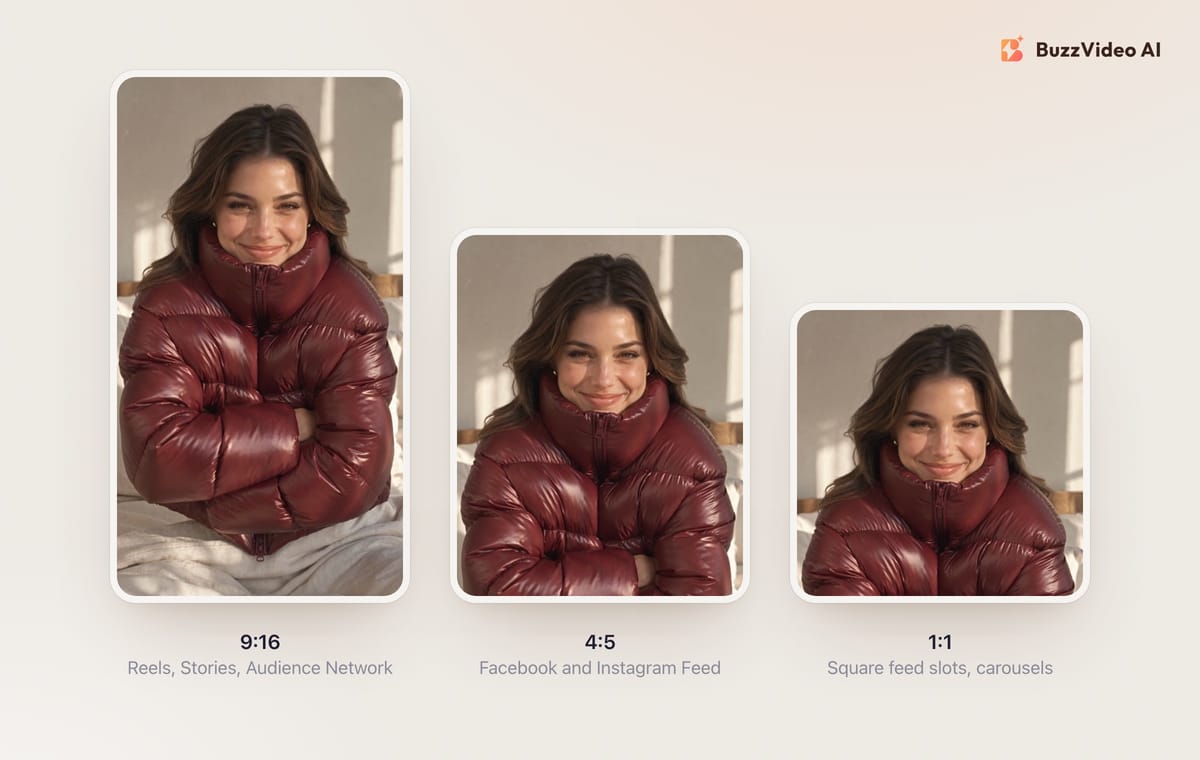
| Facebook and Instagram Feed | 4:5 or 1:1 | Meta recommends 4:5 for single-image ads in Facebook Feed and 1:1 in Instagram Feed |
| Stories, Status and Reels | 9:16 | Fills the whole phone screen |
| Facebook reel in-stream | 9:16 | Matches the reel the ad plays in |
| Audience Network | 9:16 | Vertical is recommended |
| Carousel | 1:1 (or 4:5 for catalog images) | Keep every card the same ratio |
If you don't upload every shape, Meta fills the gaps itself with padding, media expansion, cropping and AI adjustments, and asks you to review the automatic crops before publishing (Meta). For images that mostly works. For video it's riskier: Meta's flexible media page says it can detect when important information is cropped out of images but isn't yet able to do that for videos (Meta). So a video crop that cuts off your product or your offer can go live without any warning.
That's why we build video ads from one vertical master with the action kept away from the edges of the frame. Here's an example made for this guide, for a fictional outerwear brand. The idea borrows a creative mechanic from puffer ads running on Meta in fall 2026 (cozy, bed-and-sunlight lifestyle styling) and adds a twist in the first second: what looks like a duvet is the jacket.
Her face and the jacket stay clear of the frame edges for the whole clip, so one crop window, set slightly above centre, gives 4:5 and 1:1 versions that keep everything that matters:
How do you prepare one ad for every Meta placement?
This is the routine we use for every ad that runs on Meta.
1. Make a 9:16 master with the action away from the edges
Keep the product, face and hands away from the top and bottom edges of the frame. Those edges are the first things a 4:5 or 1:1 crop removes, and on Reels they sit under the profile name, caption and buttons anyway.
2. Keep text out of the footage and add it in editing
Generated or filmed text can't be moved later. Add the headline, price or offer in editing, inside the centre band, so it survives every crop. This also keeps AI video models away from small text, which they still tend to garble.
3. Cut your own 4:5 and 1:1 versions
Crop from the master yourself rather than leaving video crops to Meta, and check each shot: a crop that works for the opening can cut the product off three seconds later when the subject moves. The crop window doesn't have to be centred; in our example it sits near the top because that's where her face is. Our guide to resizing an ad for every placement covers per-shot crops, blurred fills and safe zones in detail.
4. Upload the versions to one ad
Meta lets you upload up to 10 images or videos to a single ad and shows every ratio in its aspect ratios view, where you can preview each variation and opt in or out (Meta). Asset customization also lets you use a shorter edit for a placement, for example a cut of 15 seconds or less for Facebook Stories, and shorter copy for Instagram Stories (Meta).
5. Preview every placement before you publish
Look at Reels, Stories, Feed and the square slots. Check that the first two seconds read without sound, that no text sits under the caption or buttons, and that the product is in frame in every shot.
6. Use account controls only for hard limits
If there's a placement you truly can't run on, exclude it once at account level. Otherwise leave Advantage+ placements to do its job and judge it on overall cost per result, not on per-placement averages.
Copy-paste prompt for a crop-safe master video
This template is based on the prompts we used for the example above, shortened. Replace the bracketed parts:
“Vertical 9:16 video ad for [product] in [setting]. [Model description, styling]. The [product], her face and hands stay away from the top and bottom edges of the frame for the whole clip. One continuous shot: [opening moment that stops the scroll], then [the reveal or action], ending on [product held clearly to camera]. Natural light, [colour story]. No on-screen text, no logos, no labels.”
- BuzzVideo blog prompt template
Then add the headline and any offer in editing, crop the 4:5 and 1:1 versions, and preview all three.
What should you check before Black Friday?
Black Friday is Friday, November 27, 2026 and Cyber Monday is Monday, November 30, 2026. Before your Sales campaigns go live:
- Open each Sales ad set and confirm whether placement selection is still there or now locked to Advantage+ placements.
- If you relied on ad set exclusions, decide whether any of them is a hard constraint worth moving to account controls.
- Make sure every hero ad has 9:16, 4:5 and 1:1 versions, with offer text, prices and dates in the centre band of each.
- Preview each placement, and judge results on overall cost per result after launch, not on the most expensive placement.
- If any ad uses AI-generated people or scenes, check the disclosure rules; see our guide to labeling AI ads on Meta and TikTok and Meta's note on AI transparency in ads.
Running the same few winners all week? Pair this checklist with our guide to creative fatigue on Meta ads.
How can AI help you make ads for every placement?
The extra work Advantage+ placements creates is production: more shapes, more versions, and new concepts so the system has distinct options to match to different people (the idea behind creative diversity for Meta Andromeda). In BuzzVideo's Marketing Agent, this is how we split the work:
| Job | BuzzVideo tool |
|---|---|
| Vertical master video from a product photo or idea | Generate Video (image-to-video or text-to-video) |
| Creator-style vertical ad | UGC Ads, Talking Avatar |
| New openings on a winning ad | Ad Variations, Video Batch Variations |
| 4:5 and 1:1 versions of a finished ad | Ad resizer guide via BuzzVideo MCP in ChatGPT or Claude |
| Headline or offer text on an image | Add / Edit Text |
A note on shapes: the Seedance, Kling, Wan, MiniMax and Gemini Omni Flash models in BuzzVideo all output 9:16, most also do 16:9 and 1:1, and Seedance 2.5 also does 3:4, but none of them outputs 4:5 directly, so we generate 9:16 and crop 4:5 from it. Crops and blurred fills in the resizer cost no credits. Video generation starts on the Starter plan at $14 a month billed yearly; Seedance 2.5, used for the example above, needs Pro ($35) or Ultra ($63) (pricing).
If your Sales campaigns are about to lose placement controls, the fastest fix is making sure every ad already fits every placement.
FAQs
Should Advantage+ placements be on or off?
For most advertisers, on. Meta's own experiment found an 11.7% lower cost per action on average with Advantage+ placements, and for Sales, Leads and App promotion campaigns it is becoming the only option in ad sets. Use account-level controls for placements you truly can't run on.
Did Meta remove manual placements?
For Sales, Leads and App promotion campaigns, Meta is gradually removing placement selection in ad sets and defaulting to Advantage+ placements. Awareness, Traffic and Engagement campaigns still let you choose placements.
How do I exclude placements now that ad set controls are gone?
Use account controls in Advertising settings. They apply to every campaign in the ad account and can take up to 48 hours to reach existing campaigns.
What aspect ratio is best for Advantage+ placements?
Supply all three: 9:16 for Stories and Reels, 4:5 for Feed and 1:1 for square slots and carousels. Build them from one 9:16 master with the product and text in the middle.
Does Meta crop my video automatically?
It can fill missing ratios with padding, expansion, cropping or AI. Meta says it can't yet detect when objects or text are cropped out of videos, so make and check your own video crops.
Do Advantage+ placements include Threads and WhatsApp?
Yes. Meta lists Facebook, Messenger, Instagram, WhatsApp, Audience Network and Threads among the places Advantage+ placements can show your ads.
Last verified: November 18, 2026, against our live pricing and product pages and the Meta help pages linked above.
Next reads: Resize a video ad for every placement · Advantage+ creative enhancements · Creative fatigue on Meta ads · Black Friday video ads

About the author
Monica
Product Manager
As a Product Manager at BuzzVideo AI, I work with marketers and growth teams on AI ad workflows—from brief to shippable creatives. I write about practical product workflows, model choices, and how teams turn product pages into ads that feel native on Meta and TikTok.