AI Ad Script Generator: How to Write Video Ad Scripts With AI
How to write video ad scripts with AI: structure and timings, a fair look at script tools, copy-paste prompts, and how to turn a script into a video ad.
An AI ad script generator turns your product, audience and offer into a short, timed video ad script: a hook, the problem or desire, proof, and a call to action, with the spoken lines and the on-screen text written out per shot. Any capable chatbot can draft one; dedicated ad tools add ad formats and can turn the script straight into a video. The quality comes from the input, so give it real product facts, ask for three genuinely different hooks, keep the ad to 15 to 30 seconds and check every claim before you generate.
We build BuzzVideo AI, which turns scripts into video ads, so this guide ends with the script-to-video step. Everything before that works with whichever tool you write in, including free ones.
What is an AI ad script generator?
It's a language model prompted to write in ad structure instead of essay structure. A good one outputs something you can shoot or generate directly: timings, what's on screen, what's said, and what text appears. A weak one outputs a paragraph of marketing copy you still have to turn into a script yourself.
Three kinds of tools do this:
- General chatbots such as ChatGPT, Claude or Gemini. Free or cheap and flexible, but only as good as your prompt, and they stop at text.
- Platform tools such as TikTok's Symphony Creative Studio, which TikTok describes as a free creation tool that generates TikTok-optimized scripts, captions and video previews (TikTok Ads Help Center).
- Ad creative tools such as Creatify's AI script writer, which starts from an idea, a product link or your draft and returns an editable script with a hook, the beats and a call to action (Creatify), or BuzzVideo, where you can draft copy with the Ad Copy tool and turn a script into video with Talking Avatar, UGC Ads or Storyboard to Video.
Try it: paste your product link and your script into BuzzVideo's Marketing Agent and turn it into a vertical video ad. Turn a script into a video ad →
What makes a good video ad script?
Short, front-loaded and written for the ear. TikTok's creative best practices recommend introducing your proposition in the first 3 seconds, putting your hook in the first 6 seconds, shooting vertically at 9:16, and keeping on-screen text to about 5 to 10 words per second (TikTok Ads Help Center). In practice a 15-second ad has four beats:
| Beat (15 s ad) | Job | Example line |
|---|---|---|
| Hook, 0 to 3 s | Stop the scroll with a claim, question or visual surprise | "I've tried so many vitamin C serums." |
| Problem or desire, 3 to 6 s | Say why the viewer should care | "Most of them ended up half-used in a drawer." |
| Proof or demo, 6 to 12 s | Show the product doing the thing; one reason, not five | "This one isn't sticky, so I actually use it every morning." |
| Call to action, 12 to 15 s | One clear next step, usually as an end card | End card: product name and offer, added in editing |
Two rules make AI-written scripts much better. First, one ad, one message: a script that lists five benefits gets remembered for none. Second, write the spoken line and the on-screen text separately; they are different jobs, and mixing them is how you end up with captions that just repeat the voiceover.
Which AI ad script generators can you use?
We build BuzzVideo, so weigh this table with that in mind. Each covers a different part of the job, from brief to script to finished video; the differences are where each one stops.
| Tool | Best for | What you get | Limits |
|---|---|---|---|
| ChatGPT, Claude, Gemini | Teams who already use a chatbot and want full control | Any script format you prompt for | No ad formats built in; text only |
| TikTok Symphony Creative Studio | TikTok-first advertisers | TikTok-optimized scripts, captions and video previews | Built for TikTok; check availability in your account |
| Creatify AI script writer | Scripts from a product link, then avatar video | An editable script with a hook, beats and a call to action | Check current plan limits on Creatify's site |
| BuzzVideo Marketing Agent | Turning scripts into creator, avatar or multi-shot videos | Ad Copy for copy and headlines; Talking Avatar, UGC Ads, Storyboard to Video or Generate Video to turn a script into video | Video needs a paid plan |
If you only need words, a chatbot plus the prompts below is enough. If you need the script to become a video the same day, pick a tool that does both. For TikTok specifically, our TikTok Symphony Creative Studio review covers what it does well.
How do you write a video ad script with AI?
1. Give it real product facts, not adjectives
Paste the product name exactly as written on the label, the one main benefit, one or two real customer review lines, who it's for, and the objection you hear most. Leave out prices and offers for now; you'll add them in editing so they stay exact.
2. Choose the format and length first
Tell the AI what it's writing: a 15-second creator selfie, a 20-second product demo, or a 30-second talking-head explainer. Format decides almost everything else: who speaks, how many shots, how much text.
3. Ask for three different hooks, not ten rewrites
Ask for three hooks that each take a different angle: a personal claim, a problem, and a surprising demo. Ten rewrites of one idea give your ad account very little new to learn from. Our guide to measuring hook rate on Meta shows how to tell which one actually stopped the scroll.
4. Get it back shot by shot
Ask for a table: time, what's on screen, spoken line, on-screen text. This is the format both a human creator and a video model can follow.
5. Read it aloud with a timer
If you can't say the lines naturally in the time given, the creator or the AI voice can't either. Cut words until it fits; a rushed read sounds like an ad.
6. Check every claim against your product page
AI writers invent specifics: percentages, "dermatologist approved", "in 7 days". Delete anything your product page, packaging or evidence doesn't back up.
What prompts work for AI ad scripts?
Copy these into any chatbot or ad tool and replace the brackets. They are templates; the more real detail you put in, the better the output.
Master prompt: three-hook script
“You are a direct-response video ad scriptwriter. Write a [15]-second vertical video ad for [product name exactly as on the label], for [audience]. Main benefit: [one benefit]. Real review line we can quote: "[review]". Most common objection: [objection]. Give me 3 versions with genuinely different hooks: (1) a personal claim, (2) a problem, (3) a surprising demo. For each, return a table with columns: time, on screen, spoken line, on-screen text. Keep spoken lines conversational. Do not invent statistics, prices, offers or claims that are not in this brief. End each version with an end card that says only [product name] and [call to action].”
- Template: three-hook ad script
Creator (UGC) script
“Write a [10]-second creator video script for [product]. One continuous take with the phone propped up, the creator talking to camera and holding the product in one hand the whole time. Hook in the first line, one visual idea that proves the claim without saying it twice, one reason to believe, no explicit sales pitch. Maximum [25] spoken words. Spoken lines only; captions and offer will be added in editing.”
- Template: UGC creator script
Product demo script
“Write a [20]-second product demo script for [product] in 4 shots: (1) the problem in 2 seconds, (2) the product solving it, filmed close up, (3) the result, (4) the product on its own for the end card. For each shot give the camera framing, the action, and one short voiceover line. Keep every action physically possible with the props listed: [props].”
- Template: product demo script
Talking avatar script
“Write a [30]-second talking-head script for an AI presenter explaining [product] to [audience]. Plain spoken English, short sentences, one idea per sentence, no lists read aloud. Open with a question the audience is already asking, answer it in one line, give two reasons, close with [call to action]. Mark natural pauses with a line break.”
- Template: talking avatar script
For a presenter-led format, our talking avatar ads workflow covers voice, pacing and framing.
How do you turn the script into a video?
Match the tool to the format. A one-take creator video can be generated from a single photo with the script in the prompt. A presenter script goes into Talking Avatar. A multi-shot demo works best as a storyboard, so every shot keeps the same product and person; see our guide to storyboard to video.
Give the script one visual idea
A script that only says the claim is easy to scroll past. Before you generate, add one visual idea that proves it on screen: an unexpected prop, a reveal, a swap, a gesture the viewer doesn't expect. Look at the top-performing ads in your category in the Meta Ad Library first, and borrow the mechanic, not the ad. Then cast and style it like those ads: the person, wardrobe and set are what make a viewer stop.
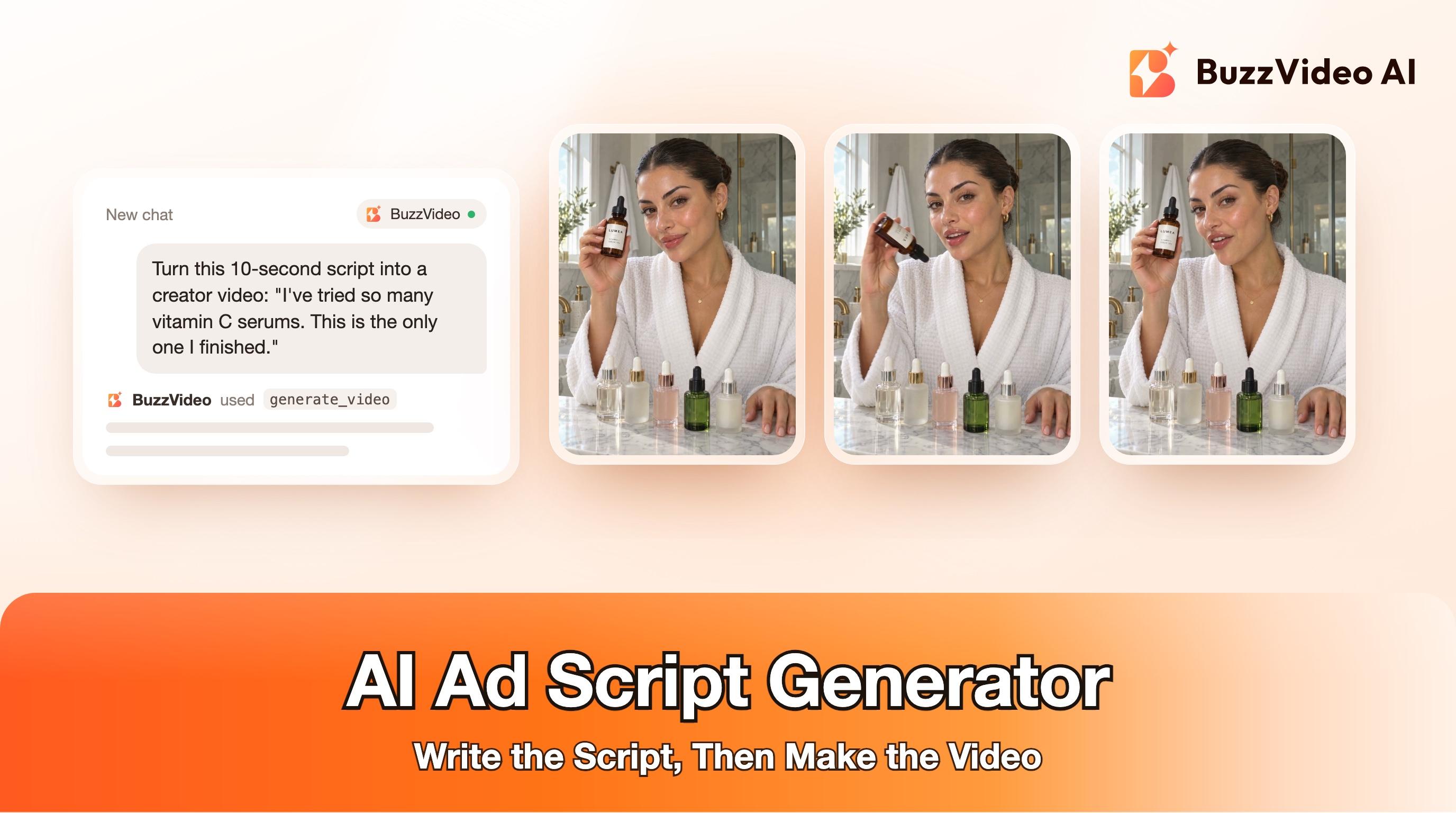
Here's a real example. We wrote this 10-second creator script for the fictional LUMEA vitamin C serum we use in our guides, following the UGC template above. The visual idea: everyone shows a full bottle, so ours shows an empty one, turned upside down, as proof of the line "This is the only one I finished." Casting and set follow what top serum ads in the Meta Ad Library were running in November 2026: a polished creator with a slicked-back bun and gold hoops in a marble bathroom.
| Time | On screen | Spoken line |
|---|---|---|
| 0 to 3 s | Creator at her marble vanity in a white robe, a row of other serum bottles in front of her; she gestures along them | "I've tried so many vitamin C serums." |
| 3 to 6.5 s | She turns her LUMEA bottle upside down beside her face and gives it a shake: it's empty | "This is the only one I finished." |
| 6.5 to 10 s | She turns it upright, label to camera, and smiles | "It's not sticky, so I actually use it every morning." |
We generated the first frame with GPT Image 2.5 Sunburst, using a LUMEA product photo as the reference so the label stays exact, then animated it with Seedance 2.5 image-to-video in BuzzVideo with the script's lines and actions in the prompt, plus three constraints: the bottle stays in one hand the whole time, the label text must not change, and no on-screen text or captions. Captions and an offer card belong in editing, where they stay exact.
Because the person and testimonial-style line are AI-generated, a real campaign would need to label it. Meta labels ads that its own generative AI tools significantly edit or add a photorealistic person to, and its June 2026 update says it will also detect ads made with third-party AI tools through industry-standard signals and add an AI info label (Meta). TikTok's ad policy also covers disclosure of AI-generated content (TikTok). Our guide to AI UGC ads that don't look fake covers the rest of the realism checklist.
What should you check before and after you generate?
Before you generate, check the script; after, check every frame.
| Check | Before generating (script) | After generating (video) |
|---|---|---|
| Claims | Every claim is on your product page or packaging | Nothing extra was said or shown |
| Hands and props | Actions are possible with the hands available | No floating, sliding or extra objects |
| Product | Name written exactly as on the label | Label stays readable and unchanged in every frame |
| Text | Prices, offers and captions are left for editing | No gibberish text burned into the footage |
| Timing | Read aloud fits the length | Speech ends before the end card |
If a section fails, cut it out or regenerate that shot; don't ship it and hope nobody notices.
How much does it cost to make video ads from AI scripts?
Scripts are the cheap part: most chatbots and TikTok's Symphony Creative Studio can draft them for free. Video is where cost sits. In BuzzVideo, video generation starts on the Starter plan at $14 a month billed yearly with 1,900 credits a month; Pro is $35 and Ultra $63 a month billed yearly, and Seedance 2.0 and 2.5, used for the example above, need Pro or Ultra (pricing). The Free plan's 500 one-time credits don't include video generation.
Have a script ready? Paste it into the Marketing Agent with a product photo and generate your first version.
FAQs
What is the best AI ad script generator?
For words only, a general chatbot with a good prompt is enough. If you want script and video in one place, TikTok Symphony Creative Studio and Creatify do both; or write the script anywhere and turn it into video with a tool like BuzzVideo. Test two on your own product.
Is there a free AI ad script generator?
Yes. ChatGPT, Claude and Gemini all have free tiers, and TikTok describes Symphony Creative Studio as a free creation tool that generates scripts (TikTok).
How long should a video ad script be?
Most social video ads work at 15 to 30 seconds. A 10-second creator video fits roughly 20 to 25 spoken words; read it aloud with a timer to check.
How do I write a UGC ad script with AI?
Give the AI the product name, one benefit and a real review line, ask for a one-take creator video with a hook in the first line and one visual idea that proves it, and keep every action physically possible. Add captions and offers in editing.
Can AI write a commercial script for TV or YouTube?
Yes, the same method works; ask for a longer format with scenes, camera directions and a voiceover track, and check broadcast or platform rules for claims and disclosures.
Can I turn an AI ad script into a video automatically?
Yes. Tools like BuzzVideo's Talking Avatar, UGC Ads and Storyboard to Video take a script and produce a video; check every frame before you publish.
Last verified: November 17, 2026, against our live pricing and product pages and the TikTok and Creatify pages linked above.
Next reads: Storyboard to video · Talking avatar ads workflow · AI UGC ads that don't look fake · Product URL to video ad

About the author
Monica
Product Manager
As a Product Manager at BuzzVideo AI, I work with marketers and growth teams on AI ad workflows—from brief to shippable creatives. I write about practical product workflows, model choices, and how teams turn product pages into ads that feel native on Meta and TikTok.