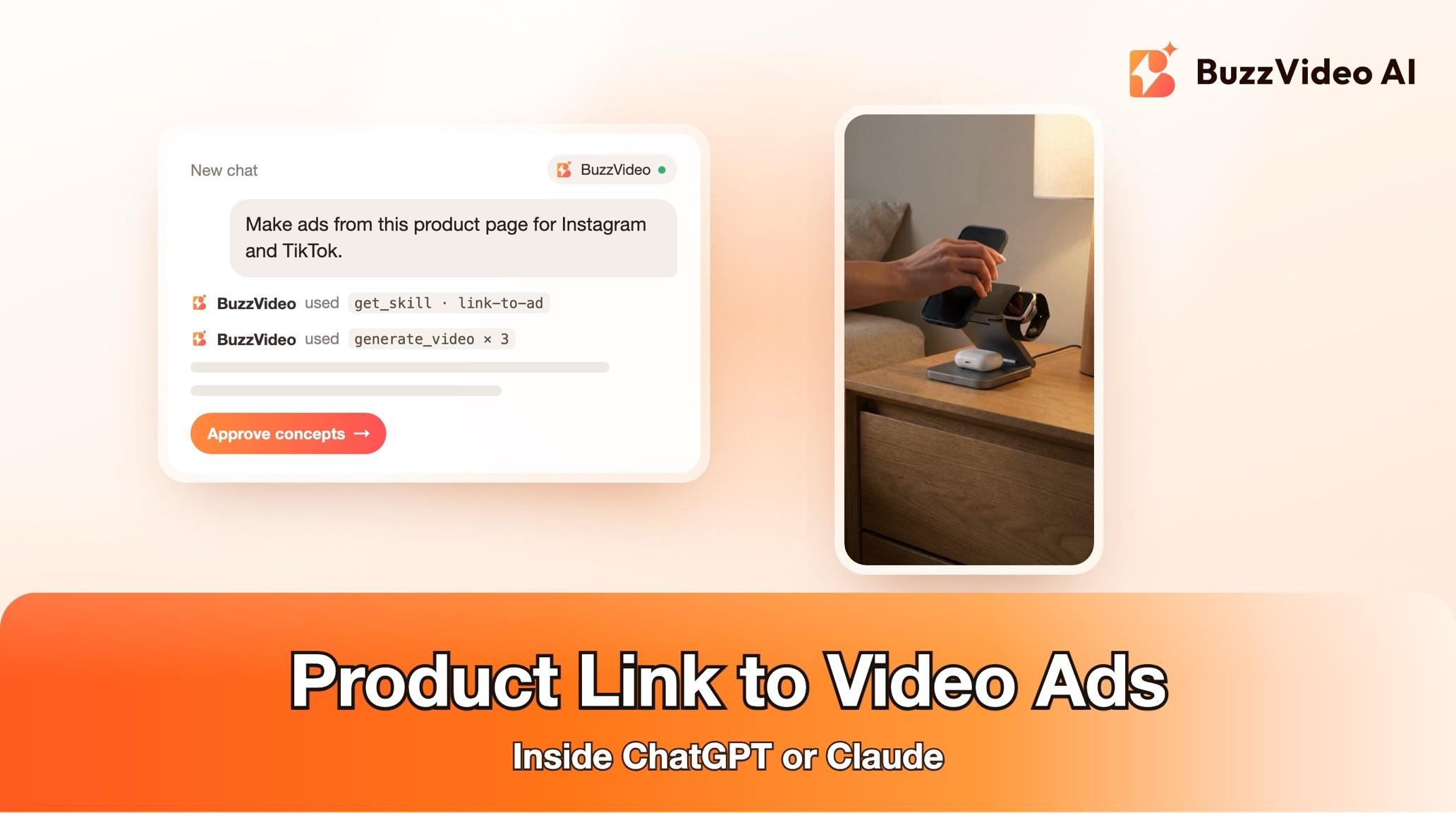
How to Turn a Product Link into Ad Images and Videos Inside ChatGPT or Claude
Paste a product page link into ChatGPT or Claude and get three ad angles, static ads and 15 s vertical videos with BuzzVideo MCP's link-to-ad guide.
To turn a product link into ads, read the page for the product's name, price, benefits and images, confirm which claims you can use, then build a few ad angles—each with a headline, primary text, a feed image, a story image and a short vertical video. With BuzzVideo MCP you can do it inside ChatGPT or Claude: paste the link, and the chat follows BuzzVideo's link-to-ad guide, shows a claims sheet, proposes three angles with a credit quote, and generates only after you approve.
Below: each step on a real example page, the prompt to copy, what it costs, and the checks that keep the product and the claims right. Working in the BuzzVideo web app instead? See how to turn a product URL into video ads.
What does "link to ad" mean?
Link to ad means using a product page as the brief: a Shopify, Amazon, Shopee, Lazada, Taobao or brand-site URL whose name, price, offer, benefits, specs, reviews and photos become the raw material for the ads. The guide's defaults for one link:
| Part | Default in the link-to-ad guide |
|---|---|
| Angles | Three: problem / solution, social proof, offer / result |
| Per angle | One 4:5 feed image, one 9:16 story image, one 15-second 9:16 video |
| Copy per angle | Hook, headline (6 words or fewer), primary text (125 characters or fewer), call to action |
| Platforms | Instagram / Facebook and TikTok, in your language |
| Video style | Fast-cut ad (talking-head, premium brand or beat-synced on request) |
Try it: connect BuzzVideo to your AI chat once, then paste a product link and ask for ads. Connect BuzzVideo MCP →
What do you need before you start?
- A BuzzVideo account. Images work on every plan; video starts on Starter, and Seedance 2.0 and 2.5 need Pro or Ultra (pricing).
- BuzzVideo MCP connected to ChatGPT, Claude or another MCP client — see how to use BuzzVideo MCP in ChatGPT and Claude.
- The product page link. If the page needs a login, you paste the text and images instead.
- What the page doesn't say: the offer and its end date, your target customer, words you can't use, and 3–5 real review quotes if you want a social-proof ad.
- Music you have rights to, if you want it; otherwise the edit comes without music so you can add a track when posting.
How do you turn a product link into ads step by step?
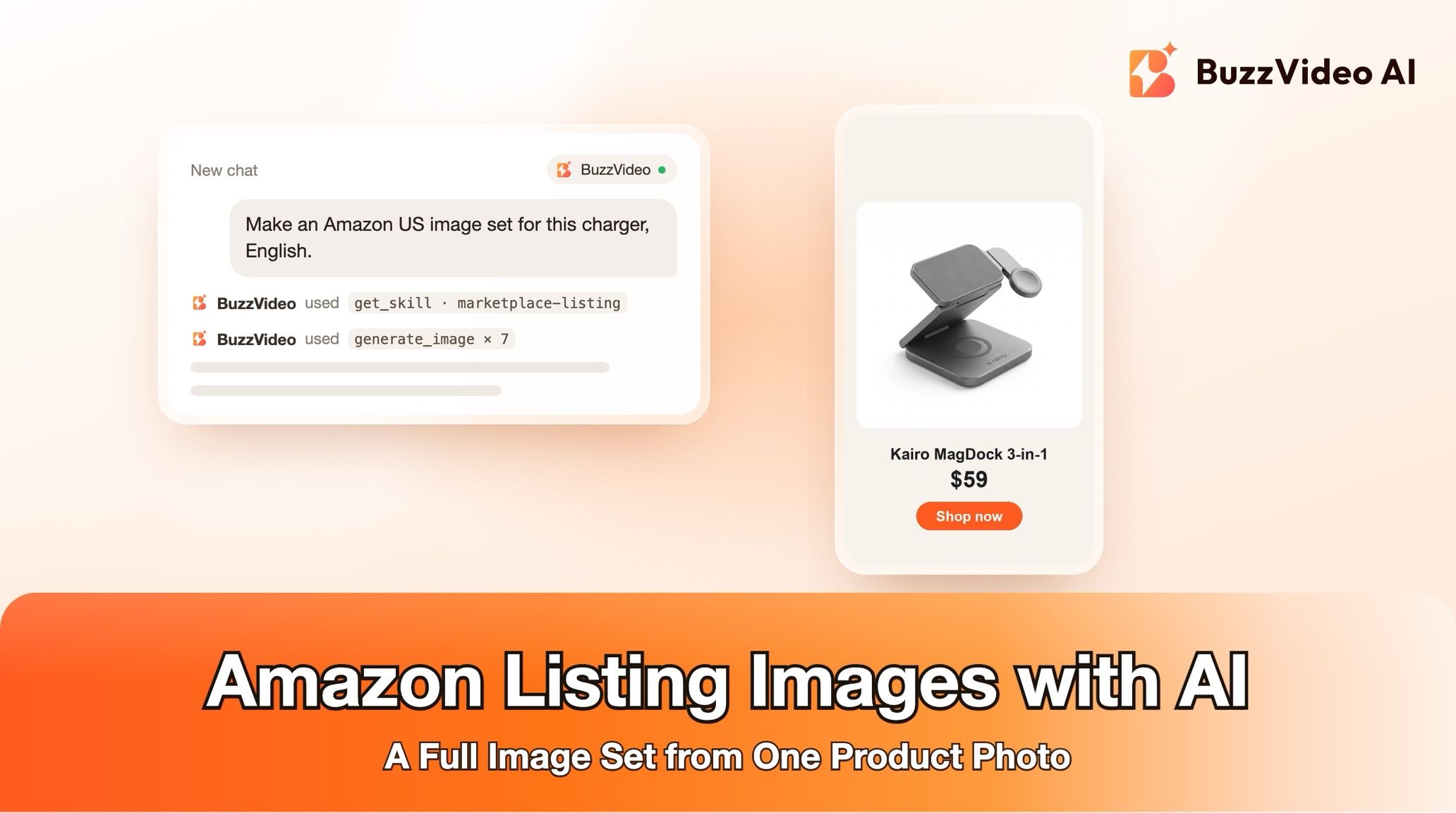
Example: a demo page for a fictional product, the Kairo MagDock 3-in-1 Foldable Wireless Charger ($59).
Step 1 — Paste the link and answer one round of questions
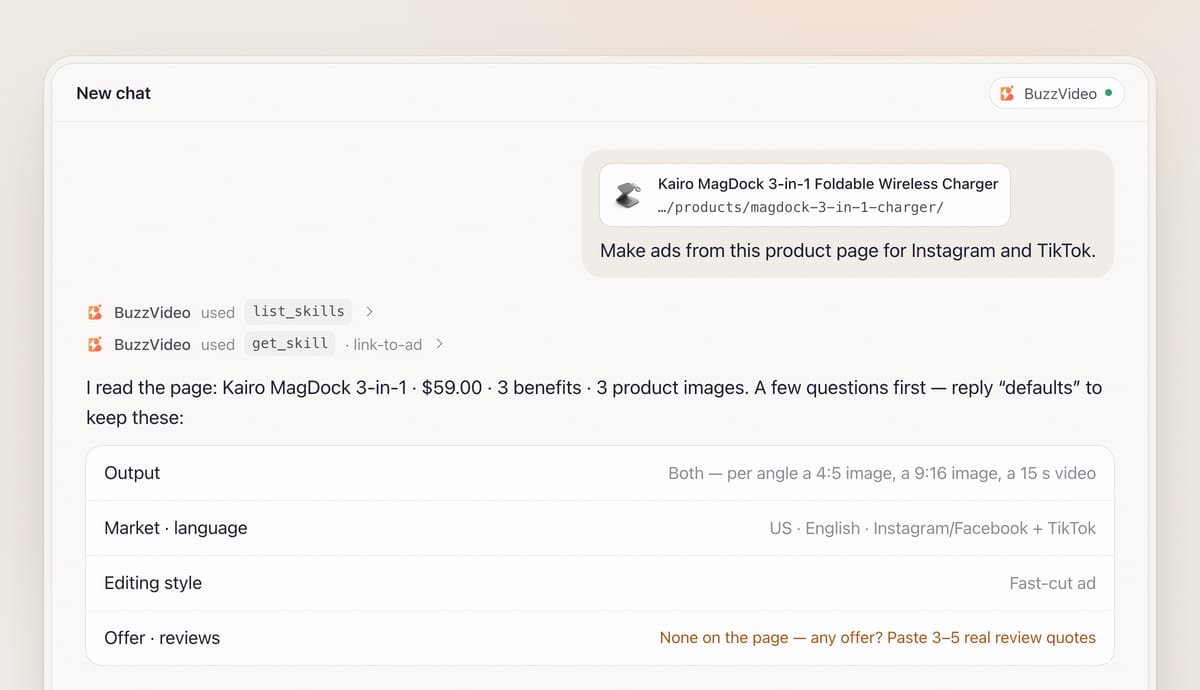
Paste the URL and say what you want. With BuzzVideo MCP connected, the chat looks up BuzzVideo's guides (list_skills) and loads the link-to-ad one (get_skill), so it follows the same steps every time.
It then asks, in one round with defaults: images, videos or both; market, language and platform; what the page doesn't say (offer, end date, banned words, review quotes); and the editing style.
Step 2 — Let it read the page
For Shopify stores, the guide first tries the public product data (the product URL plus .js or .json), which returns title, description, variants, prices and image URLs without rendering the page. Other pages are read for price, offer, benefits, specs, rating, reviews and images. It also checks your BuzzVideo library (list_assets) for product images you already have.
If the page blocks automated access or needs a login, the guide says so and asks you to paste the text and upload the images. Shopify reviews usually live in a review app, so it asks you for quotes rather than inventing social proof.
Step 3 — Confirm the claims sheet
Before any copy is written, you get a table of brand, product, price and offer ("valid until?"), every claim as read, claims shown only inside page images, and review quotes. You confirm, correct or strike each line.
- Claims shown only in images (clinical percentages, award badges) are marked needs substantiation and used only if you have the study or licence.
- Review quotes are used word for word and labelled as customer reviews.
- Beauty, health, supplement and baby products get no medical or guaranteed-result language unless you confirm it's approved.
On the Kairo page it found the price, three benefits and the specs, but no offer and no reviews—so it asked about both before planning a social-proof ad.
Step 4 — Lock the product reference
The guide picks the cleanest product image (front-facing, plain background, ideally 1,000 px or more), crops out badges and award logos because models copy them, and uploads it with upload_media. It writes a one-line packaging description plus every label line, transcribed line by line, to repeat in every prompt. A photo under about 1,500 px is first upscaled into a 2K master.
Step 5 — Approve three angles and the credit quote
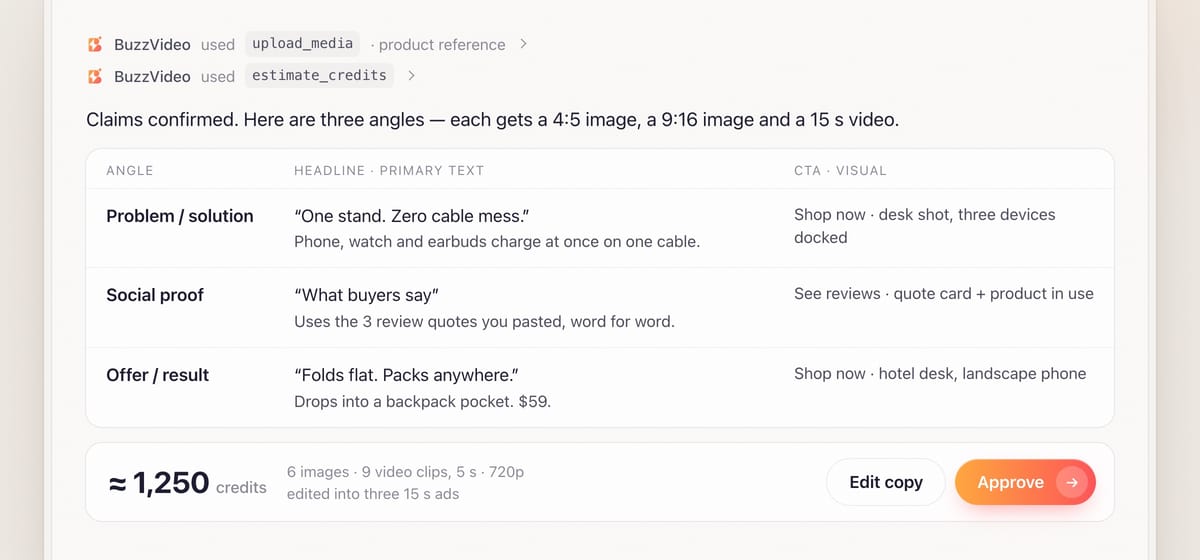
You get one plan: hook, headline, primary text, call to action, image concept and shot list for each angle, plus a quote from estimate_credits. Nothing is generated until you say yes.
Step 6 — Generate images and videos
Images are generated one call per aspect ratio, with the product reference attached and empty space left for the headline. Headline, price and call to action are added as an overlay when the chat can run commands, so spelling stays exact; otherwise text stays short and you also get the copy separately.
Video shots carry the product reference, keep the product at mid distance and have no text. If a person appears in several shots, one character image or BuzzVideo avatar is made first. The guide then loads BuzzVideo's video editor guide and cuts a 15-second fast-cut ad: 3–4 generated clips, two framings each, a label close-up and an end card from the approved story image—9–11 cuts with about 25–28 words of voiceover. If your AI chat can't run commands on your computer, you get the shots, voiceover and an edit plan instead.
Step 7 — Review and deliver
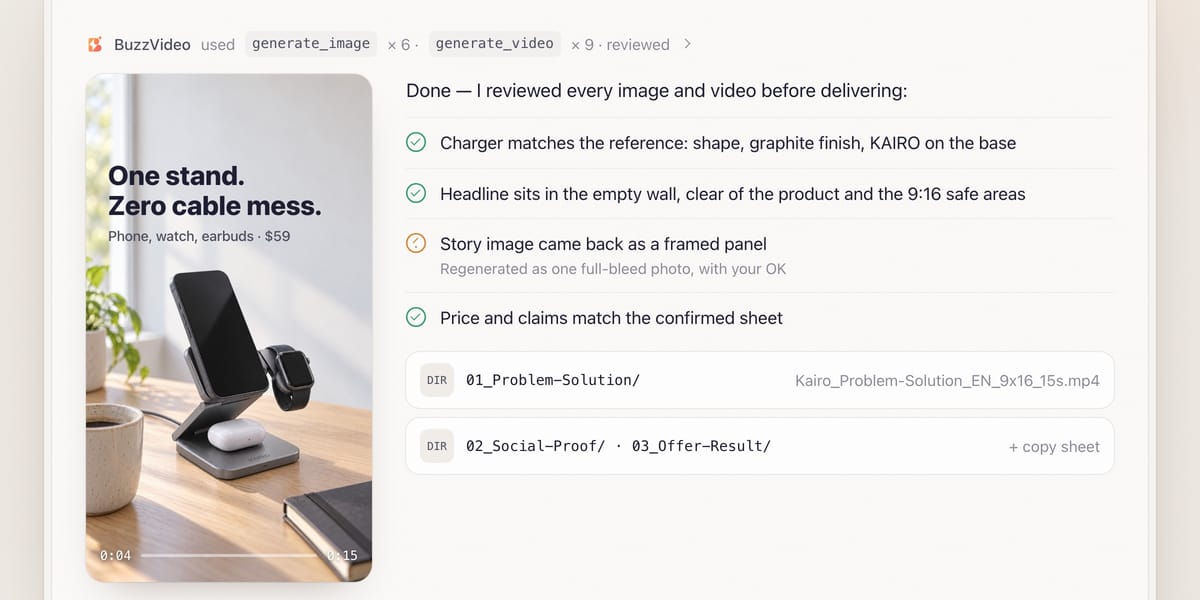
Review is mandatory. Every image is checked against the reference (shape, colours, logo, label text), for extra text or badges, inset panels, and headlines on the product, a face or outside the 9:16 safe area (clear of the top ~14% and bottom ~25%). Videos get the editor guide's frame-by-frame review, captions are re-placed on every punch-in, and all copy is checked against the claims sheet. Regenerating needs your OK.
You get one folder per angle (01_Problem-Solution, 02_Social-Proof, 03_Offer-Result) with files like Kairo_Offer-Result_EN_9x16_15s.mp4, plus a copy sheet, models, credits spent, what the review fixed and what is still to confirm.
Copy-paste prompt
“Make ads from this product page: [URL]. Market: [US], language: [English], platforms: [Instagram, Facebook and TikTok]. I want [both images and 15-second videos] for three angles. Offer: [none / 15% off until date]. Don't use the words [list]. Real review quotes: [paste 3–5, or say none]. Show me the claims sheet first, then the angles, copy, shot list and credit quote before generating anything.”
What goes into each angle?
| Angle | Hook / first second | Headline example | What it needs from you |
|---|---|---|---|
| Problem / solution | The pain, product already in frame | "One stand. Zero cable mess." | Nothing extra — page benefits are enough |
| Social proof | A real quote or confirmed rating | "5,000 desks, one charger" — only if true | Real review quotes or buyer numbers |
| Offer / result | The result or the offer | "Charges all three overnight" | The offer and its real end date, if any |
Social proof uses confirmed figures only; offer / result adds urgency only if the offer really ends. In video, speech ends by about 14 seconds, before a 1.5–2 second call to action.
What usually goes wrong, and how does the guide prevent it?
| Problem | What viewers notice | What the guide does |
|---|---|---|
| Invented claims | Reviews or numbers the brand can't prove | Claims sheet confirmed first; image-only claims flagged "needs substantiation" |
| Copied badges | Fake award marks in the ad | Badges and logos cropped out of the reference before upload |
| Melting label text | Misspelt words on the pack | Every label line quoted verbatim; product kept at about half the frame; real photo used for close-ups |
| Headline on the product | Text covering the product or a face | Empty space requested for text; placement checked per framing and safe area |
| Framed 9:16 images | A picture inside a picture | Prompts ask for one continuous full-bleed photo; checked in review |
How much does it cost to turn one link into ads?
You pay in BuzzVideo credits, and the guide quotes before generating. As a rough example from estimate_credits: three 4:5 and three 9:16 images on GPT Image 2.5 Sunburst at X-High come to 81 credits, and nine 5-second Seedance 2.0 clips at 720p add 1,170—about 1,250 credits for three angles, or around $9 on Pro billed yearly. Images only cost under 100 credits; drafting video at 480p cuts the bill by more than half. Rates are on our pricing page; for the full math see BuzzVideo pricing and cost per ad.
Which BuzzVideo guide should you use instead?
| You want… | Use this guide |
|---|---|
| Quick ads in three angles from a product link | Link to ad (this one) |
| A catalogue or e-commerce photo set | Product photos |
| Marketplace listing images | Marketplace listing |
| A remake of a competitor's ad | Ad remake |
| A full multi-scene product ad pack in several ratios | Product ad |
Step-by-step guides: Product photos · Marketplace listing · Ad remake · Product ad
You don't need to name the guide; the chat picks the matching one.
Ready? Connect BuzzVideo to your AI chat and paste a product link.
FAQs
Which product links work?
Shopify, Amazon, Shopee, Lazada, Taobao and brand-site product pages; Shopify is the most reliable. If a page blocks access, paste the text and upload the images.
Will it make up reviews if my page has none?
No. It never invents numbers, reviews, awards or results. With no reviews on the page, it asks for real quotes, or you skip the social-proof angle.
Can I get only static images?
Yes. Say "images only"—your stated outputs, sizes and durations always win over the guide's defaults.
Can the ads be in another language?
Yes; bilingual is an option. Preset voices can read languages other than English, and the guide asks you to listen to a sample first.
Is this the same as the URL to Video tool in the web app?
Both start from a product page. This guide runs inside your AI chat and adds a claims sheet, three angles, static images and a mandatory review. For the web-app flow, read how to turn a product URL into video ads.
What do I get at the end?
One folder per angle with images and videos, a copy sheet showing which claims each ad uses, the models, credits spent, what the review fixed and what is still to confirm.
Last verified: November 2, 2026, against our live pricing and product pages.
Next reads: How to turn a product URL into video ads · How to use BuzzVideo MCP in ChatGPT and Claude · Ad variants sprint playbook

About the author
Monica
Product Manager
As a Product Manager at BuzzVideo AI, I work with marketers and growth teams on AI ad workflows—from brief to shippable creatives. I write about practical product workflows, model choices, and how teams turn product pages into ads that feel native on Meta and TikTok.