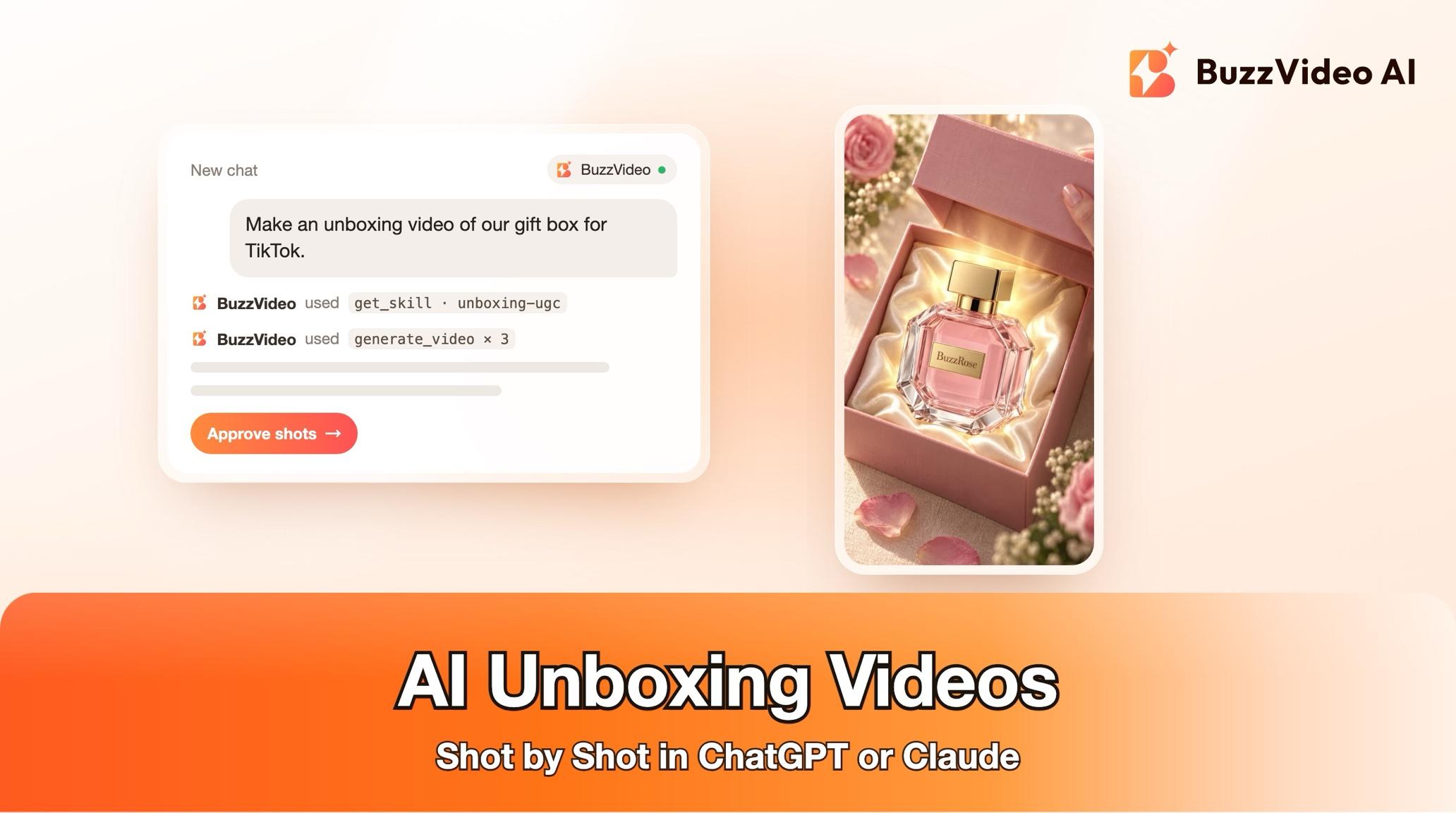
How to Make an AI Unboxing Video in ChatGPT or Claude, Shot by Shot
Make a hands-only AI unboxing video from your box and product photos inside ChatGPT or Claude with BuzzVideo MCP: shot list, ASMR, credits and review.
To make an AI unboxing video, start from clean photos of your real box and product, generate one anchor image of the box and the hands, then generate short clips in order: the closed box, the lid coming off, the filler parted, the product lifted into the light, a detail close-up and a final layout. Cut them into a 12–30 second vertical video with paper and lid sounds instead of a voice.
With BuzzVideo MCP connected, you can run that whole job from ChatGPT, Claude or another MCP client. The chat loads BuzzVideo's Unboxing UGC guide, reads the text on your packaging back to you, shows a shot list with a credit quote, and generates nothing until you approve. The steps below follow that guide exactly.
What is an AI unboxing video?
An unboxing video shows a parcel or gift box being opened and the product revealed, filmed like a creator's phone clip. The reveal is satisfying to watch and the packaging does part of the selling, which is why it works on Reels, TikTok and Shorts. The AI version generates those shots from your photos, so there is nothing to film or re-shoot.
| Part | Guide default |
|---|---|
| Length | 12–30 seconds (15–20 s plan by default) |
| Format | Vertical 9:16 |
| On screen | Hands only on a table (most consistent); a face with a reaction is optional |
| Setting | Light wood desk, soft daylight |
| Sound | ASMR (paper, tape, lid, click) plus short captions |
| Editing style | Beat-synced if you have a music track; cut on sound events for ASMR only |
Try it: connect BuzzVideo to your AI chat, attach a box photo and a product photo, and ask for an unboxing. Connect BuzzVideo MCP →
What do you need before you start?
- A BuzzVideo plan with video. Video starts on Starter; Seedance 2.0 and 2.5 need Pro or Ultra (pricing).
- BuzzVideo MCP connected to your AI chat: how to use BuzzVideo MCP in ChatGPT and Claude.
- Photos of each layer: at least the outer box and the product, ideally the tissue, inserts and brand card too. Under about 1500 px, the guide first makes a 2K master.
- No box photo? The guide can design a plain branded box from your logo and colours, tells you it is an AI design, and waits for your approval.
- Music you have rights to, only if you want a beat-synced cut.
How do you make an unboxing video with AI, step by step?
Step 1 — Ask for the unboxing and answer one round of questions
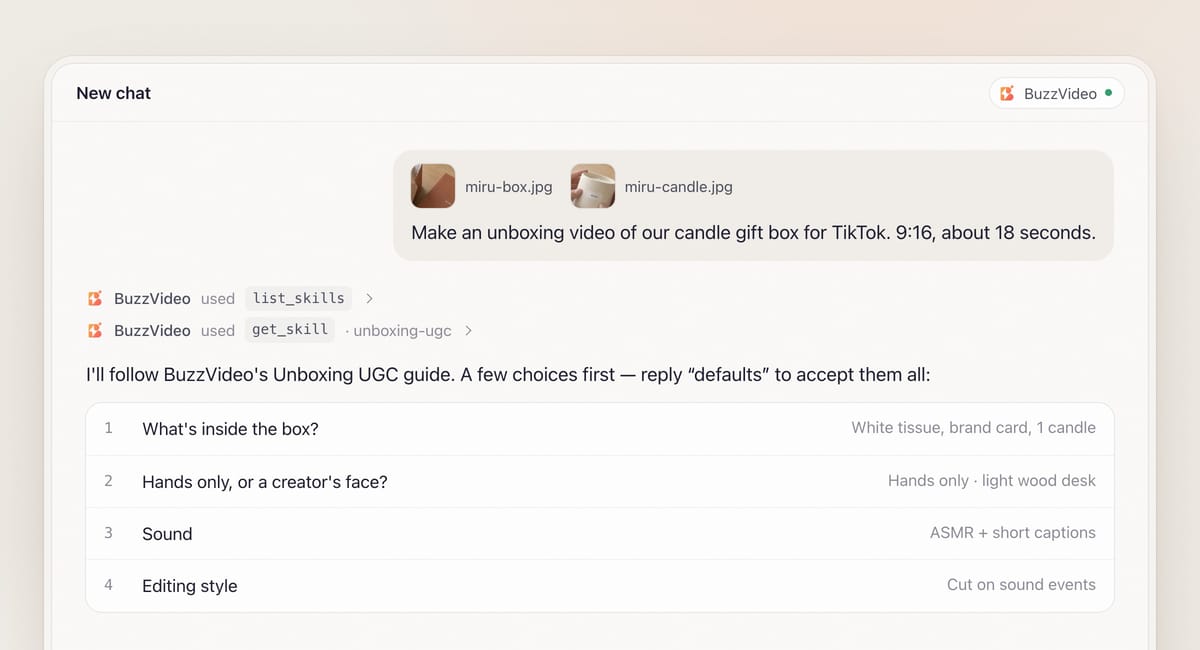
Attach your photos and describe the video in one message. The chat finds the guide with list_skills, loads it with get_skill, and asks everything it needs in one round with defaults: what is being unboxed, hands only or a face, the sound (ASMR, voiceover or captions only), and the editing style.
Most preset voices are English, and they can also read other languages such as Spanish; the guide plays you a sample first so you can check the accent, or you can use your own recording.
Step 2 — Confirm the packaging text and the packaging spec
Before writing prompts, the guide lists the brand name, product name and every line printed on the box, inserts and product exactly as it read them, plus any caption claims. You confirm or correct each one. Lines it cannot read are listed for you to type out; it never guesses or blurs invented small print.
It also writes a packaging spec that every prompt reuses word for word: box shape, material, colours, logo position, the lid type (lift-off, hinged flap, drawer or mailer tab), the filler type (tissue, crinkle paper or foam) and the product count. Sides your photos don't show default to completely blank.
Step 3 — Approve one anchor image of the box and the hands
Hands usually give AI unboxing away: a ring that vanishes, nails that change between cuts. So the guide first generates one anchor image of your box on the table with two hands resting on it, describing skin tone, nails, sleeves and any ring. If a face is shown, the person (or a BuzzVideo avatar) goes into the anchor too. You approve it before any video, and every shot refers back to it.
Step 4 — Approve the shot list and the credit quote
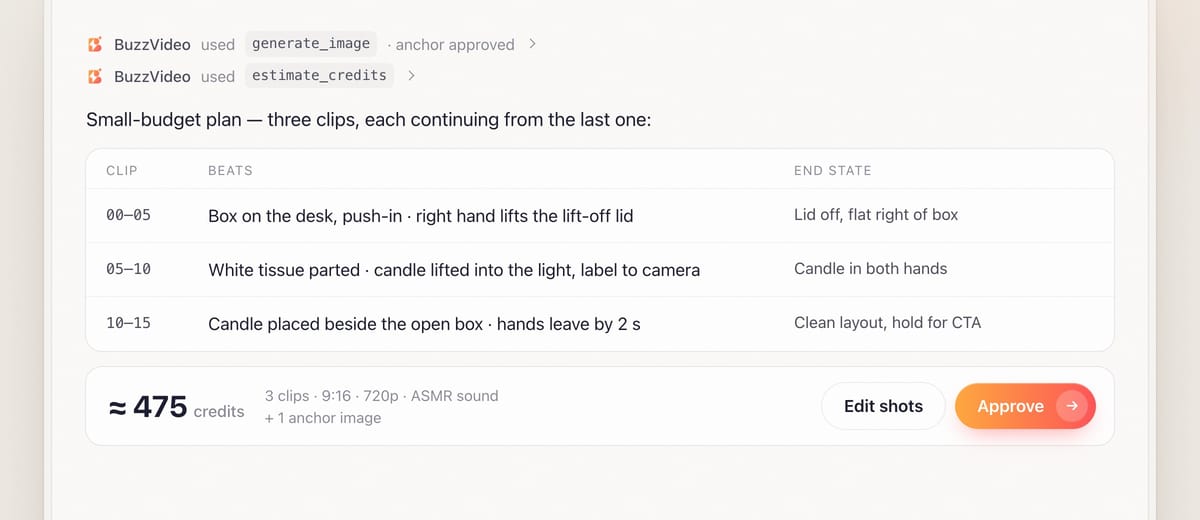
The default 15–20 second plan has seven beats: package, open, inside, reveal, detail, in hand, close. Each row gives the duration, action, framing, camera move, caption, and the start and end state of everything on the table: lid on or off and where it lies, filler open or closed, product in the box or in a hand.
One 4–5 second clip can carry two neighbouring beats to save credits, except the reveal, which needs 3–4 seconds on its own. The smallest plan is three 5-second clips: open, reveal and final layout. You see the plan with an estimate_credits quote, and nothing is generated until you approve.
Step 5 — Generate the shots in order
Shots are generated in story order. Where the model accepts reference videos, each finished clip is passed into the next with "continue from its last frame", so lid, tissue and hands carry over. Every prompt repeats the lid and filler from the spec and keeps the product hidden until the reveal. For ASMR, the guide picks a model that generates sound. Failed tasks are refunded, with one retry offered.
Step 6 — Check, edit and review
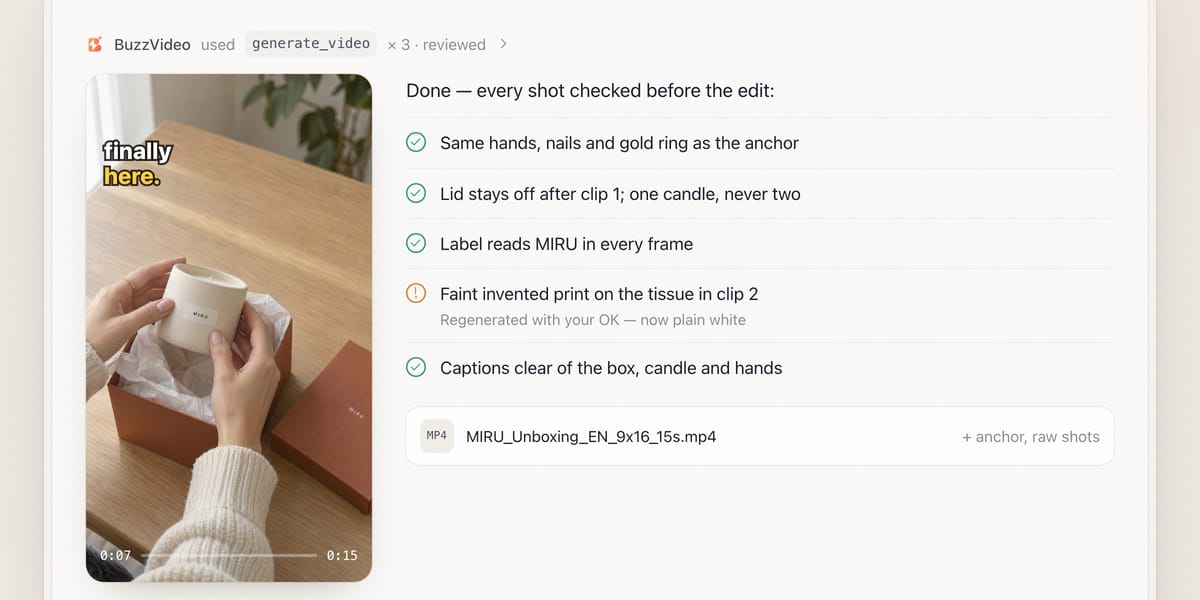
Each shot is checked against its neighbours (lid, filler, which hand holds what, product count) and the anchor, including the tissue, which often comes back with a faint invented print. With your OK, only failing shots are regenerated.
The edit shows the package in the first second, slows the reveal slightly, and ends on the full layout with your call to action; ASMR-only cuts land on sound events like the lid pop. A mandatory review then checks frames from every shot and every caption against your confirmed text. You get a file such as MIRU_Unboxing_EN_9x16_15s.mp4, the anchor and the raw shots.
Copy-paste prompt
“Make an [18]-second unboxing video of my [product] for [TikTok], 9:16. Photos attached: the outer box, the inside with [white tissue], and the product. Hands only on a [light wood desk], [ASMR sound with short captions]. The box has a [lift-off lid]. Read me all the text on the box and product first, then show the anchor image, the shot list and the credit quote before generating anything.”
What should each shot of an unboxing video show?
| Beat | Time | On screen | State to lock |
|---|---|---|---|
| Package | 0–2 s | Closed box, quick push-in, optional hook caption | Lid on, ribbon tied |
| Open | 2–5 s | Hands lift the lid, pull the tab or cut the tape | Lid off and placed beside the box |
| Inside | 5–7 s | Filler parted, brand card visible | Same filler as the spec |
| Reveal | 7–11 s | Product lifted into the light, slow motion | Product in hand from here on |
| Detail | 11–13 s | Texture, cap or button; label close-ups use your real photo | No push-in past ~60% of frame height |
| In hand | 13–15 s | Product held up and turned once | One grip, no hand swap |
| Close | 15–18 s | Product placed beside the open box; hands leave by about 2 s | Clean hold for the call to action |
Captions are planned before the shot prompts, so their space stays clear of the product and any face.
What usually goes wrong, and how does the guide prevent it?
| Problem | What viewers notice | What the guide does |
|---|---|---|
| Hands change | Ring, nails or skin tone differ between cuts | One approved anchor; hands compared with it in every shot |
| Box morphs | Lid type or logo changes mid-video | Packaging spec repeated word for word in every prompt |
| Wrong order | Product visible before the reveal, lid back on | Start and end state written for every shot |
| Invented print | Strange text or pattern on the tissue | Filler and inserts inspected; readable prints regenerated or cut |
| Garbled label | Logo misspelt in a close-up | Label lines quoted exactly; real photo used for close-ups |
| Crushed ASMR | Clicks sound flat and distorted | Mixed to about −16 to −19 LUFS with peaks at −1 dBTP, explained at handover |
How much does an AI unboxing video cost?
You pay in BuzzVideo credits and see the quote before anything runs. As a rough example, the small-budget plan of three 5-second Seedance 2.0 clips at 720p comes to about 450 credits when the second and third clips continue from the previous one as reference video, plus about 25 credits for an anchor image on Nano Banana Pro: roughly 475 credits, or about $3.30 on Pro billed yearly. A full seven-beat plan or Seedance 2.5 costs more. Current rates are on our pricing page, and BuzzVideo pricing and cost per ad walks through the math.
Which BuzzVideo guide should you use instead?
| You want… | Use this guide |
|---|---|
| Hands opening a box and revealing the product | Unboxing UGC (this one) |
| A presenter reviewing the product to camera | UGC product review |
| Clothing or accessories being worn | Try-on UGC |
| A polished multi-scene product ad | Product ad |
Step-by-step guides: UGC product review · Try-on UGC · Product ad
You can just describe the video you want; the chat picks the matching guide for you.
Does an AI unboxing ad need an AI label?
Plan on it. TikTok allows AI-generated ad content only when it is disclosed, with its AIGC label or your own clear disclaimer (TikTok ad policy), and Meta shows an "AI info" label on ads made or significantly edited with generative AI, including some made with third-party AI tools (Meta). For making AI clips feel native, see AI UGC ads that don't look fake.
Ready to reveal your product? Connect BuzzVideo to your AI chat and send photos of the box and what's inside.
FAQs
Can I make an unboxing video without a photo of the box?
Yes. The guide can design a plain branded box from your product photo, logo and colours. It describes the shape, lid type and filler in full, tells you the box is an AI design, and waits for you to approve it before making any video.
Can a creator's face appear, or only hands?
Both work. Hands only is the default because it stays the most consistent; for a reaction, the person or a BuzzVideo avatar goes into the anchor image.
Does the video have ASMR sound?
Yes, by default: paper, tape, lid and click sounds with short captions and no voice. Music is added only if you have rights to a track.
How long can the unboxing video be?
The guide makes 12–30 second edits and plans 15–20 seconds by default. Your own length, shot count or sizes always win over its defaults.
Last verified: November 2, 2026, against our live pricing and product pages.
Next reads: How to use BuzzVideo MCP in ChatGPT and Claude · AI UGC ads that don't look fake · Product demo videos from photos

About the author
Monica
Product Manager
As a Product Manager at BuzzVideo AI, I work with marketers and growth teams on AI ad workflows—from brief to shippable creatives. I write about practical product workflows, model choices, and how teams turn product pages into ads that feel native on Meta and TikTok.