How to Recreate a Viral Video or Trend with Your Product in ChatGPT or Claude
Step-by-step: remake a viral video or trend shot by shot with your own product inside ChatGPT or Claude using BuzzVideo MCP—plan, credits, music rights, review.
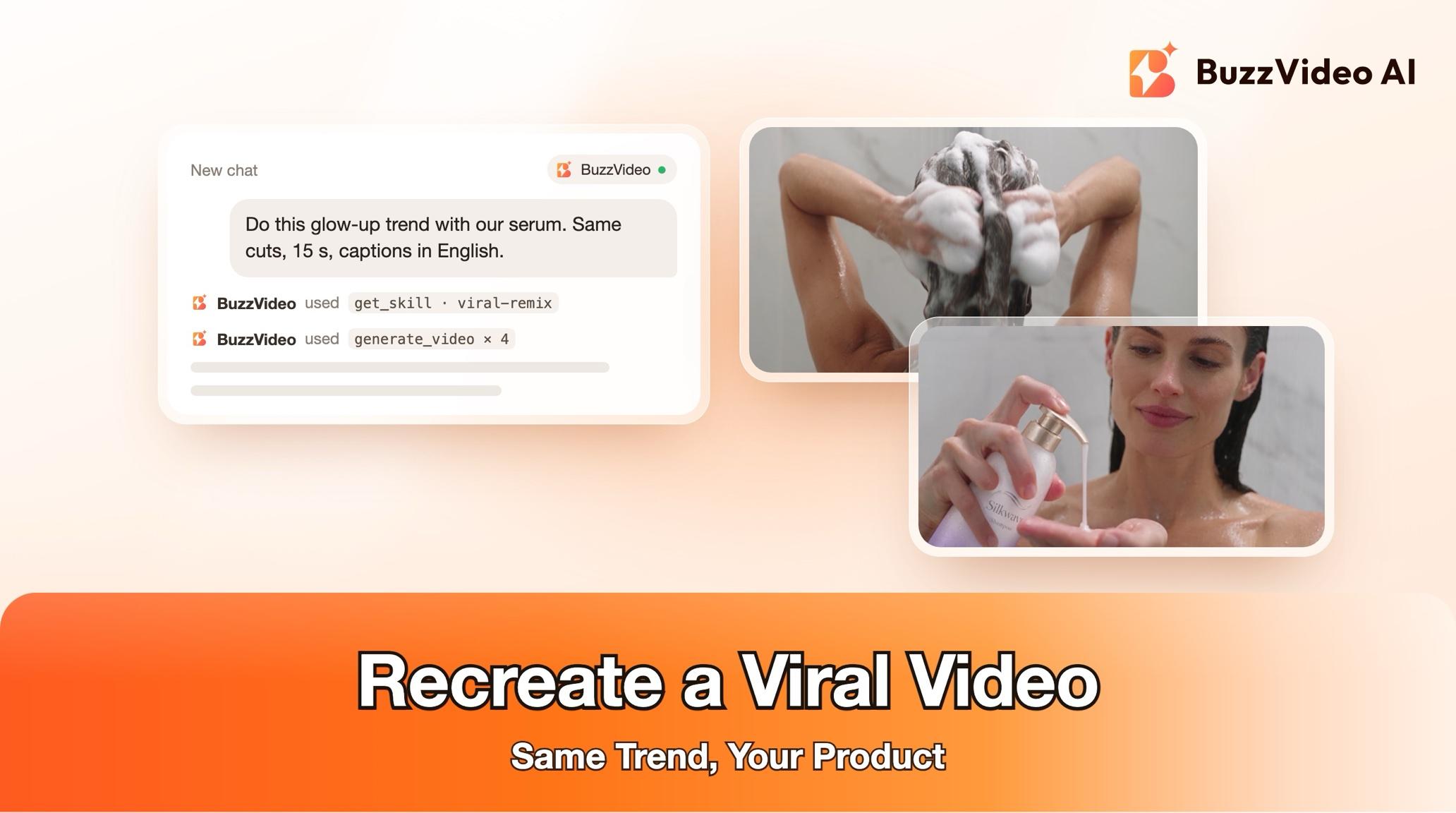
To recreate a viral video with your product, break the original down shot by shot (cut times, framing, camera moves, transitions, caption style and beat), then rebuild every shot with your own product, person or place in it, and cut to the same timing. You keep the trend's format and pacing, which anyone may reuse, and replace its footage, people, wording and sound, which you may not.
With BuzzVideo MCP you can do it from ChatGPT or Claude. The chat follows BuzzVideo's Viral remix guide: it analyses the reference, shows you a shot-by-shot remix plan with a credit quote, generates only after you approve, and reviews every shot against the reference before delivering.
What is a viral remix?
A viral remix is a shot-for-shot recreation of one specific trend video with a new subject. It suits trend edits, aura or glow-up edits, transition trends, beat-synced reveals and "POV" formats, where the edit itself is what people recognise.
| Kept from the reference | Replaced with yours |
|---|---|
| Pacing and cut timing (within one or two frames) | Every shot's subject: your product, you, your pet, shop or place |
| Framing and camera moves | Footage — no frames of the reference are used |
| Transitions, speed ramps, effects and grade | People — never the reference creator's face or identity |
| Caption look and position | Caption words, in your language |
| Beat timestamps | Soundtrack — yours, licensed, or added in the app when posting |
Try it: connect BuzzVideo to your AI chat once, then share a trend video and your product photos. Connect BuzzVideo MCP →
What do you need before you start?
- A BuzzVideo account with video. Video starts on Starter; Seedance 2.0 and 2.5 need Pro or Ultra (pricing).
- BuzzVideo MCP connected to ChatGPT, Claude or another MCP client — see how to use BuzzVideo MCP in ChatGPT and Claude.
- The reference video as a file, attached in the chat. A social link alone often can't be downloaded; a screen recording works.
- 3–6 clear photos or short clips of your subject from different angles, all of the same product version. For close-up shots, a real clip or a photo of at least 1000 px on the long side.
- Your answer on music rights: your own track, a licensed one, or a trending sound you will add inside TikTok, Reels or Shorts when posting.
How do you recreate a viral video step by step?
Step 1 — Share the reference and your subject
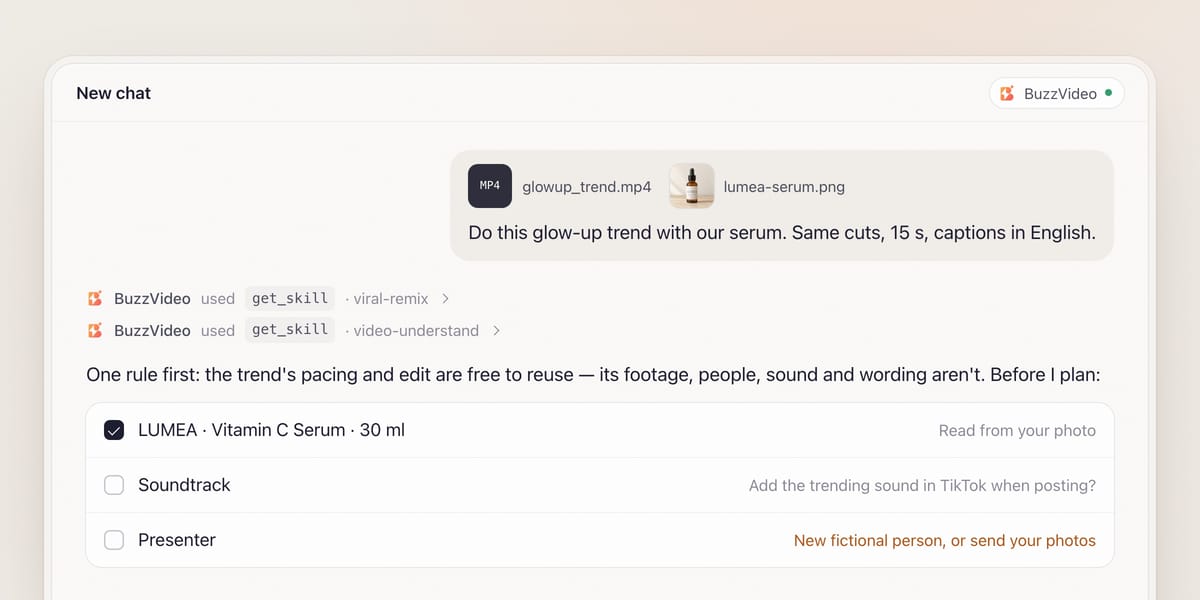
Attach the reference and your photos, and say where it will be posted. The chat loads the viral remix guide (get_skill) and says the copyright rule once, plainly: the trend's format, pacing and editing are free to reuse; the reference's footage, soundtrack, people and on-screen wording are not.
It asks the rest in one round: soundtrack rights, length and ratio (default: as the reference), caption text and language, and the ending, such as a product end card. If your product appears, it lists the brand name and every claim it read from the pack for you to confirm.
Step 2 — Break down the reference
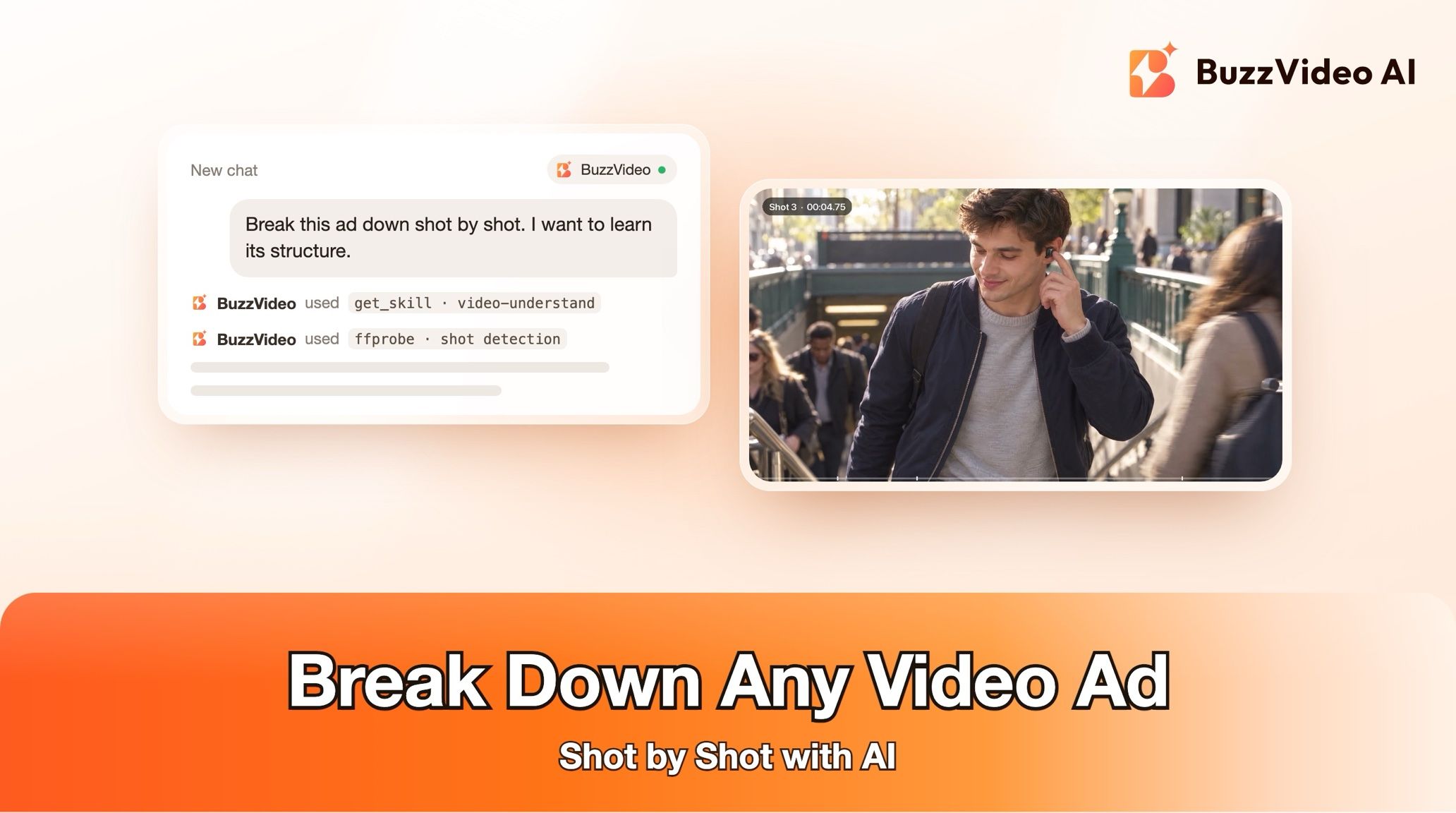
The chat loads BuzzVideo's Video understand guide and measures the reference to about one frame: per shot, the time and beat it lands on, shot size and angle, camera move and speed changes, subject action, transition, effects and grade, and caption look. Every cut is confirmed on a dense contact sheet.
Step 3 — Approve the remix plan and the credit quote
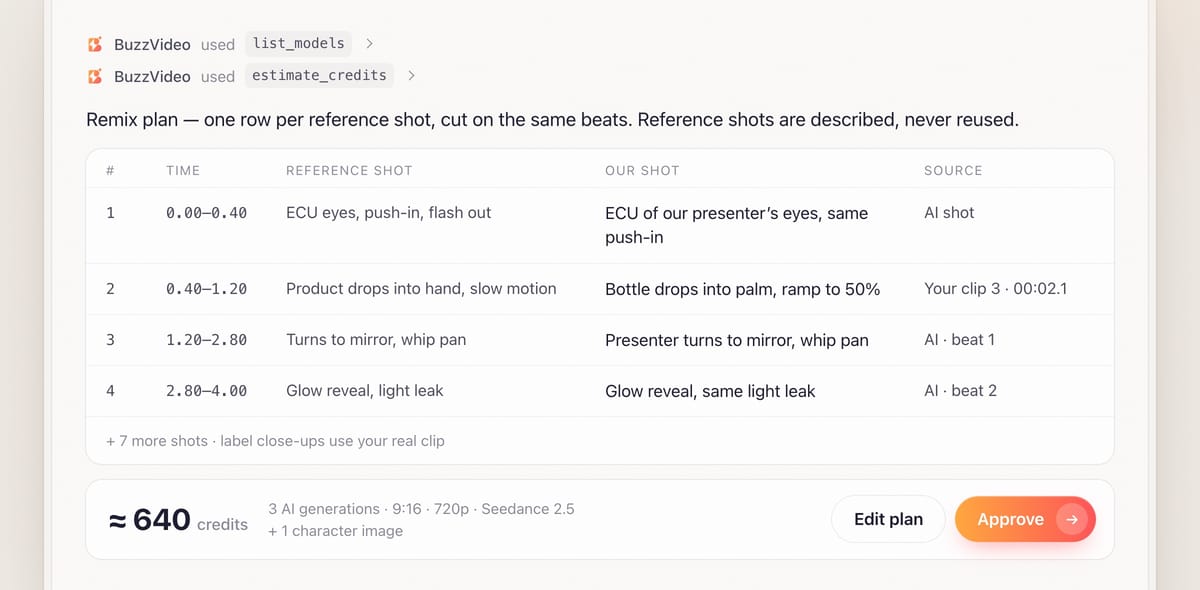
You get one row per reference shot: time, the reference shot (described, not shown), your shot, the source and a prompt or edit note. Your real clips are used wherever the framing and action fit, and always for label close-ups. If you have no real close-up of that product version, the plan says so — generated small print comes out garbled — and turns those close-ups into mid shots marked "closest alternative".
To save credits, one generation can cover two consecutive reference shots, cut at the beat boundary. Shots that can't be matched, such as stunts or crowds, are marked with the closest alternative. The quote comes from estimate_credits, and nothing is generated until you say yes.
Step 4 — Lock the subject, then generate
Your clean product photo is the reference for every product shot. If a person appears, one character image is generated from your photos and approved first; if the reference shows a person but you supplied none, the guide designs a new fictional person who is clearly different from the reference creator. Prompts state the product's share of the frame ("fills about one third of the frame height") rather than "close-up", and say it is in hand from the first frame. Failed tasks are refunded.
Step 5 — Soundtrack and edit
If you own the reference track, the edit uses it on the same beats — unless it contains speech with no music-only stem, in which case new voiceover lines are written. Otherwise the remix is cut to the reference's beat timestamps so the trending sound you add in the app lines up. The edit follows BuzzVideo's Video editor guide: cuts, transitions and speed ramps at the same moments, grade matched side by side, and captions rebuilt in the same look — moved to the nearest clear area if the original sat over a face or the product.
Step 6 — Review and deliver
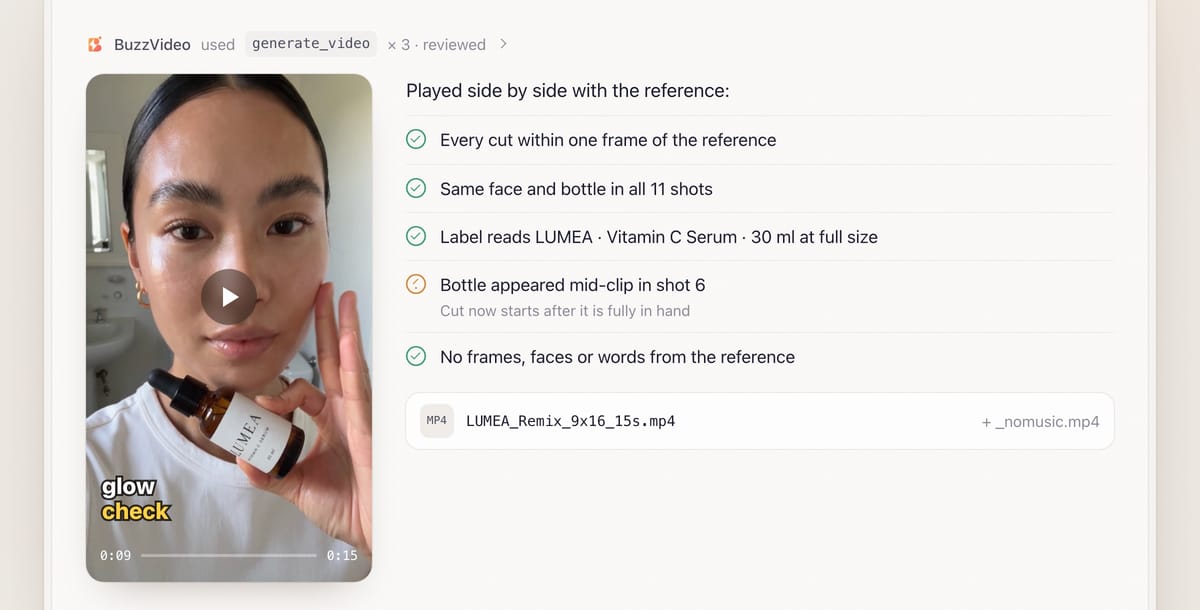
Review is mandatory. The remix is played next to the reference and any shot whose timing, move or transition is clearly off is fixed. Every shot is checked for the same face, outfit and packaging, readable small print at full output size, objects appearing from nowhere in a hand, and any frame, face or wording from the reference. You get two files, for example LUMEA_Remix_9x16_15s.mp4 and LUMEA_Remix_9x16_15s_nomusic.mp4, plus the mapping table, models, credits spent and what the review fixed.
Do you need ffmpeg for a viral remix?
Only for the final edit. Generating shots happens in BuzzVideo, but cutting them together to the frame is done with ffmpeg on your computer, which needs an AI app that can run commands there — a coding agent such as Claude Code, or a desktop chat app with a terminal tool. In a standard web chat, the guide delivers the generated shots and a frame-accurate edit plan you can follow in your own editor.
Copy-paste prompt
“Recreate this trend video with my product: [reference file]. Product photos attached: [3–6 photos]. Keep the same length, ratio, cuts and caption style. Captions in [English]: [your words]. End on [a product end card]. Music: [I'll add the trending sound in TikTok when posting]. Claims we can make: [list]. Show me the shot-by-shot plan and the credit quote before generating.”
What can you copy from a trend, and what can't you?
| Element | Reuse? | How the guide handles it |
|---|---|---|
| Format, pacing, cut timing | Yes | Matched within one or two frames |
| Camera moves, transitions, effects | Yes | Rebuilt with your subject |
| Reference footage | No | Never placed in the remix |
| Reference creator's face | No | A different fictional person, or you |
| On-screen wording | No | New caption words in the same look |
| Soundtrack | Only with rights | Cut to its beats; add the licensed sound in the app |
| Someone else's voice | No | New lines with a BuzzVideo voice |
What usually goes wrong, and how does the guide prevent it?
| Problem | What viewers notice | What the guide does |
|---|---|---|
| Off-beat cuts | "Something feels off" | Cuts on measured beat timestamps, played side by side with the reference |
| Subject drift | Different person or pack between shots | One approved character image and product photo for every shot |
| Garbled label | Readable nonsense text | Real clips for close-ups; generated shots kept wider |
| Product appears mid-clip | It pops into the hand | In hand from the first frame; cut starts after it's fully in |
| Captions copied blindly | Text over a face or the product | Moved to the nearest clear area |
| Music without rights | Muted or removed post | No-music file plus a beat-matched cut for the in-app sound |
How much does a viral remix cost?
You pay in BuzzVideo credits for the AI shots only; shots cut from your own clips cost nothing. As a rough example, a 15-second remix built from three 5-second Seedance 2.5 generations at 720p comes to about 630 credits (209 each) plus a few credits for a character image — around $4.50 on Pro billed yearly. Drafting on Seedance 2.0 Fast is about 104 credits per 5-second shot, and using a video as a reference costs more. The guide always shows the exact quote first; per-model rates are on our pricing page.
Which BuzzVideo guide should you use instead?
| You want… | Use this guide |
|---|---|
| One specific trend video, with your subject | Viral remix (this one) |
| To find what's running in your category and rebuild one ad | Ad remake |
| To analyse a video without making anything | Video understand |
| To edit your own clips in a general style | Video editor |
Step-by-step guides: Ad remake · Video understand · Video editor
You don't need to name the guide: describe what you want, and the chat picks the matching one.
Does a remixed ad need an AI label?
If it shows AI-generated people or uses AI voices, usually yes. TikTok requires the AI-generated content disclaimer for such ads (TikTok ad policy), and Meta labels ads made or significantly edited with generative AI (Meta). For more on the format, see best AI ad generators for TikTok.
Seen a trend that fits your product? Connect BuzzVideo to your AI chat and send the video.
FAQs
Is recreating a viral video legal?
The guide reuses only the format, pacing and editing techniques, and replaces footage, people, wording and sound. That is the safer side of the line, but it is not legal advice; check the platform's terms and your own counsel for commercial use.
Can I use the trending sound?
Yes, by adding it from TikTok, Reels or Shorts' licensed library when you post. The remix is cut to the same beats so it lines up, and you also get a version without music.
Can I put myself in the video?
Yes. Send face photos (front and three-quarter), a full-body shot and the outfit you want; one character image is generated and approved first, then used in every shot.
What if I only have a TikTok link?
Social links often can't be downloaded. Save the video or make a screen recording and attach the file.
Can I use it without ffmpeg?
Yes. In a chat that can't run commands on your computer, you get the generated shots and a frame-accurate edit plan to assemble in your own editor.
What do I get at the end?
Two files, with and without music, the shot mapping table showing which shots are AI-generated, the models used, credits spent, what the review caught and fixed, and what you still need to confirm.
Last verified: November 2, 2026, against our live pricing and product pages.
Next reads: How to use BuzzVideo MCP in ChatGPT and Claude · AI UGC ads that don't look fake · How to use Seedance

About the author
Monica
Product Manager
As a Product Manager at BuzzVideo AI, I work with marketers and growth teams on AI ad workflows—from brief to shippable creatives. I write about practical product workflows, model choices, and how teams turn product pages into ads that feel native on Meta and TikTok.