Seed Audio 1.0 Prompt Guide: AI Voiceover for Ads
How to prompt Seed Audio 1.0 for ads: voiceover, two-voice UGC dialogue, music beds and SFX, with the exact prompts we tested and credits per clip.
The best Seed Audio 1.0 prompts for ads read like a recording brief: one line for who is speaking and how (age, accent, energy, mic distance), one line for what else is in the scene (room tone, a sound cue, or "no music"), and then the exact script in quotes. Seed Audio 1.0 is ByteDance's audio creation model, and it can put speech, dialogue between several characters, sound effects and ambience into one generation, so a single prompt can return a finished voiceover, a two-person UGC exchange or a short sound bed.
Seed Audio 1.0 is available in BuzzVideo AI on every plan, including Free, and is billed at 0.5 credits per second of audio. Below: what the model is, how to write prompts for it, four tested ad examples with the prompts behind them (a voiceover, a two-voice dialogue, a music bed and a sound-design track), what each one cost, and when another tool is the better pick.
Try it: Open the Marketing Agent, ask for a voiceover, and paste the template from this guide. Open Seed Audio 1.0 →
What is Seed Audio 1.0?
Seed Audio 1.0 is an audio generation model from ByteDance's Seed team, announced on July 20, 2026. Instead of reading a script in one voice, it is built to generate a whole sound scene. According to the launch post:
- Speech, sound effects and ambience are generated together in one framework, and one prompt can describe several characters, their emotions and the sounds around them.
- It covers 20+ languages and can carry a character's voice across languages while keeping its timbre.
- A voice can come from a text description, from an authorized reference sample, or both, without training a custom model.
- Prompts can control the timing of character dialogue, at a current precision of 100 ms.
- One pass can produce up to about two minutes of audio.
- ByteDance says finer control over sound effects, ambience and music, plus video references, is still to come.
For developers, the model is available through BytePlus Seed Speech. In BuzzVideo you don't need an API key: you pick Seed Audio 1.0 in the Marketing Agent (or through the BuzzVideo MCP in ChatGPT or Claude) and describe what you want.
What can you set for Seed Audio 1.0 in BuzzVideo?
| Setting | Options in BuzzVideo |
|---|---|
| Output | Voiceover, multi-speaker scenes, music and SFX in one track |
| Languages | 21 languages |
| References | Up to 3 reference audio clips (for voice cloning) or 1 reference image |
| Format | MP3 or WAV, sample rate from 8 to 48 kHz |
| Voice controls | Speech rate, pitch and loudness |
| Voices | 44 English preset voices (22 female, 22 male) plus 9 Cantonese, or a voice you clone |
| Price | 0.5 credits per second of output |
| Plans | Every plan, including Free |
Specs and pricing are from BuzzVideo's live model settings on November 10, 2026. Only clone a voice you have the rights to use, such as your own or a creator who has agreed in writing.
Should you describe a voice, pick a preset or clone one?
Seed Audio 1.0 gives you three ways to set the voice, and each suits a different job:
- Describe it in the prompt (what the examples below do): best for one-off ads and multi-speaker scenes, because you can direct age, accent, energy and mic distance line by line.
- Pick a preset voice: open Audio Gen, click Voice and filter the library by gender, language and style. There are 44 English presets, such as Lyan ("Female Genuine Casual Ads"), Justin Case ("Trustworthy Ad Narrator") and Jerry B. ("Classic Radio DJ & Energetic"), plus 9 Cantonese voices. Every card has a sample you can play. A preset gives you the same voice in every ad, which helps a series feel like one brand.
- Clone a voice: click Clone voice and upload a short, clean recording. The new voice appears under My Voice and works like a preset. Cloning currently supports English, and you should only clone your own voice or one you have written permission to use.
All three are billed the same way, at 0.5 credits per second of audio.
How do you write a Seed Audio 1.0 prompt?
All four examples below use the same order. Keep direction outside the quotes and the script inside them: in all our tests, the transcript BuzzVideo returned with the audio contained only the quoted lines, none of the directions.
- Format line. What the audio is and how long: "A warm, confident American female voiceover for a 17-second skincare video ad."
- Voice and performance. Age, accent, energy, pace and one or two delivery notes: "slight smile in her voice, stresses the word glow, pauses before the brand name."
- Recording space. Studio close-mic, phone in a kitchen, or a street. This sets how polished or UGC the result sounds.
- Sound layer. Name each extra sound and where it happens ("one mug set down after Jordan's first line"), or say "no music, no sound effects" for a clean read you will mix later.
- Script. The exact words in quotes, after "She says exactly:". For dialogue, put each line on its own row with the speaker's name.
- Exclusions. No narrator, no music, no vocals, no lyrics, whichever applies. Without this line, the model may fill the gaps for you.
Copy-paste template
“A [VOICE: age, gender, accent] voiceover for a [LENGTH]-second [PRODUCT] video ad. [RECORDING SPACE: clean close-mic studio / phone recording in a kitchen]. [SOUND LAYER: no music, no sound effects / soft room tone and one CUE after LINE X]. She speaks at a [PACE] pace, [DELIVERY NOTE], and pauses briefly before the brand name. She says exactly:
- Seed Audio 1.0 ad voiceover template
"[HOOK LINE] [PRODUCT LINE] [BENEFIT LINE] [OFFER LINE] [BRAND]. [CALL TO ACTION]."”
Two tips that save reruns: write numbers the way they should be spoken ("thirty percent", not "30%"), and give the length in the format line. Our 17-, 15- and 12-second requests came back at exactly those lengths.
Example 1: a Black Friday voiceover from one prompt
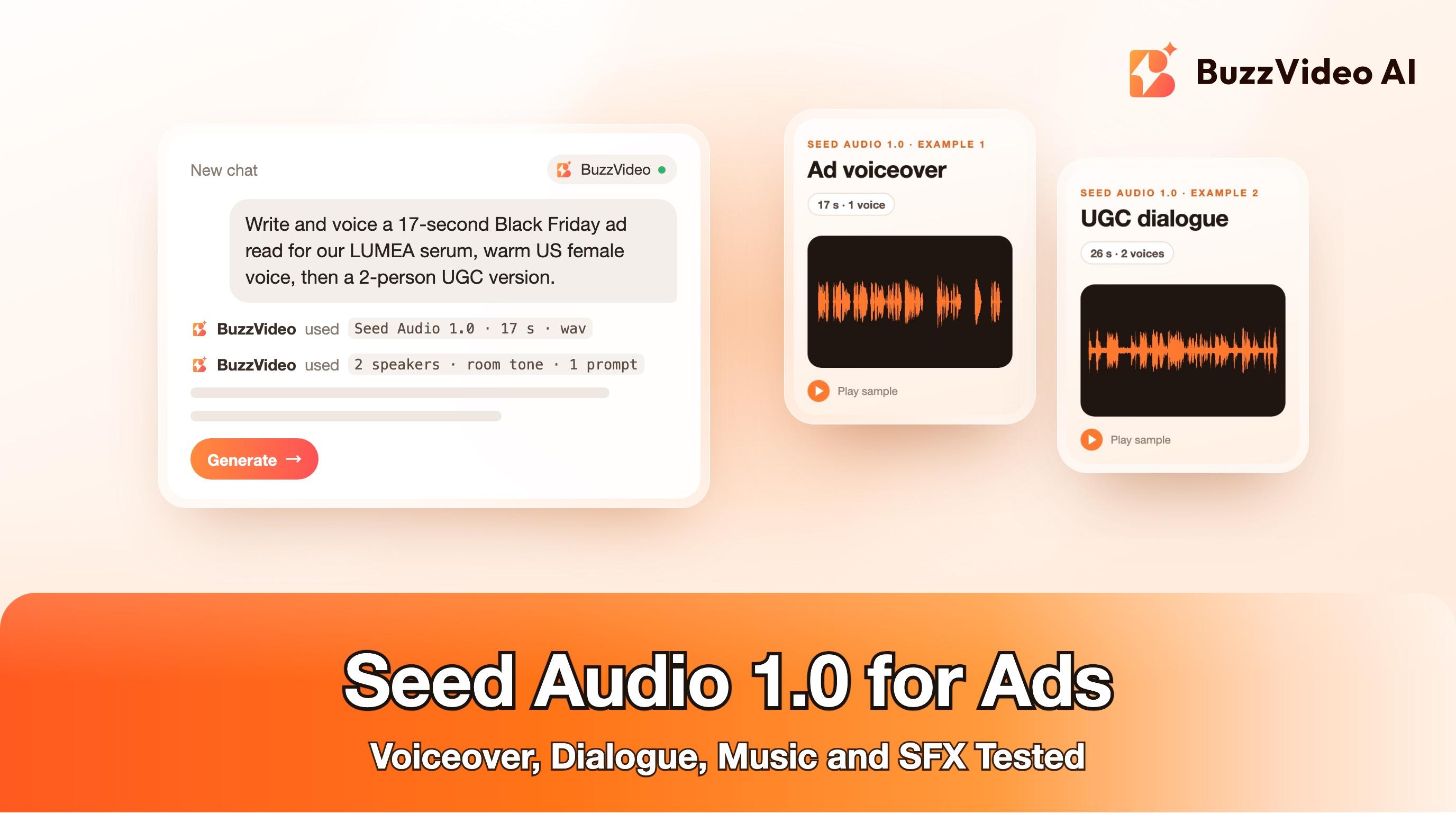
The model returned 17 seconds with all six script lines in order, and the timing data shows a 1.3-second gap before the final "LUMEA.", exactly where the prompt asked for a pause.
A dry read like this is the most flexible ad format: lay it over product video and add your own music under it. The full prompt:
“A warm, confident American female voiceover for a 17-second skincare video ad. Clean close-mic studio recording, no music, no sound effects, no background noise. She speaks at a relaxed pace with a slight smile in her voice, stresses the word "glow", and pauses briefly before the brand name at the end. She says exactly:
- Prompt behind Example 1
"Dry winter skin? Meet LUMEA Glow Serum. Three drops every morning, and your skin feels soft and looks lit from within, even under the holiday party lights. Give the gift of glow this Black Friday. LUMEA. Tap the link to shop."”
Example 2: a two-voice UGC dialogue
This is the format Seed Audio 1.0 is built for. One prompt described two American friends in their twenties (Mia, bright and expressive; Jordan, relaxed and dry), a phone recording in a kitchen, natural pacing with small laughs and quick replies, soft room tone, and a ceramic mug set down after Jordan's first line. The returned transcript has all six lines in order.
One flaw to know about: between "And it's on sale for Black Friday" and "Okay, sold" the original file had about 4.7 seconds of near-silence, with the room tone dropping out too. We trimmed it to a normal pause. Expect to listen through dialogue takes and tighten gaps in your editor, the same way you would with a real recording.
Use it under a faceless UGC ad (product B-roll plus captions) or as a scratch track before you hire creators. Showing AI people too? Read how to make AI UGC ads that don't look fake.
Example 3: a 15-second holiday music bed
The prompt (summarized on the card) asked for 120 BPM holiday pop with no vocals. The output is 15.0 seconds long, holds a steady level for 13 seconds, then drops into a ring-out in the last second, and a tempo analysis finds a regular beat at 120 BPM.
Be aware that ByteDance's launch post focuses on speech, sound effects and ambience, and lists finer control over music as future work. Treat music beds from Seed Audio 1.0 as quick drafts for testing, and check your music licensing needs before running paid media at scale.
Example 4: sound design for a coffee ad
For product ASMR and B-roll, describe the sounds in the order they should happen and end with how the clip should close. This prompt asked for light rain throughout, then beans poured into a grinder, a short burst of grinding, a slow pour, a drip and a mug set on a wooden table, with two seconds of rain only at the end. The level meter matches that shape: a quiet start, a busy section from 2 to 7 seconds, a single peak at 9 seconds and a quiet tail.
How much does Seed Audio 1.0 cost?
| Clip | Length | Credits charged |
|---|---|---|
| Example 1: ad voiceover | 17 s | 9 |
| Example 2: two-voice dialogue | 30.3 s (before trimming) | 16 |
| Example 3: music bed | 15 s | 8 |
| Example 4: sound design | 12 s | 6 |
| All four examples | 74.3 s | 39 |
Seed Audio 1.0 is billed at 0.5 credits per second of output; in our tests each generation was charged with partial credits rounded up. You pay for the length the model returns, so a dialogue that runs long costs more. The Free plan's 500 one-time credits cover roughly 16 minutes of audio, and Starter's 1,900 monthly credits cover about an hour. For the full plan breakdown, see what an ad costs on BuzzVideo or the pricing page.
When is Seed Audio 1.0 not the right choice?
- You need picture and sound in sync. For a talking creator or lip-synced dialogue, generate the video with sound in a video model such as Seedance or Kling 4.0, and use Seed Audio 1.0 for voiceovers and beds laid over B-roll.
- You need long-form narration. One pass tops out at about two minutes; for audiobooks or long explainers, a dedicated narration tool is easier.
- You need licensed or exact music. Finer music control is still on ByteDance's roadmap. For a signature brand jingle, work with a composer or a licensed library.
- You need frame-exact timing. Dialogue timing works to 100 ms; you will still tighten pauses in your editor.
If your ad uses an AI voice or a cloned voice, check each platform's disclosure rules. Our guide to AI ad labels on Meta and TikTok covers what to label and where.
Ready to voice your next ad? Open the Marketing Agent, describe the voice and the scene, paste your script in quotes, and download the WAV for your edit.
FAQs
What is Seed Audio 1.0?
Seed Audio 1.0 is ByteDance Seed's audio creation model, announced on July 20, 2026. It generates speech, multi-speaker dialogue, sound effects and ambience from a text prompt, in 20+ languages.
Is Seed Audio 1.0 free to use?
In BuzzVideo, Seed Audio 1.0 is on every plan, including Free. It costs 0.5 credits per second of audio, so the Free plan's 500 one-time credits cover about 16 minutes of output.
Can Seed Audio 1.0 do multiple speakers in one file?
Yes. Name each speaker, describe their voice, and put each line on its own row with the speaker's name. Our two-voice test returned all six lines in order.
Can Seed Audio 1.0 clone a voice?
Yes. In BuzzVideo you can add up to three reference audio clips for the voice to follow. Only use voices you have permission to use.
How long can a Seed Audio 1.0 clip be?
ByteDance says one pass can generate up to about two minutes of audio. For ads, 6 to 30 seconds is the usual range.
Does Seed Audio 1.0 make music?
It can return short instrumental beds; our 15-second holiday test came back with a steady 120 BPM beat as requested. ByteDance lists finer music control as future work, so treat music as a draft and check licensing for paid media.
What languages does Seed Audio 1.0 support?
ByteDance lists 20+ languages, including English, Spanish, French, German, Japanese and Korean, and BuzzVideo lists 21. We only tested US English for this guide.
Last verified: November 10, 2026, against our live pricing and product pages.
Next reads: Best AI voice for ads · AI voice cloning for video ads · Seedance 2.5 prompt guide · AI UGC ads that don't look fake · Ship 50 ad variants in a week · Kling 4.0 for ads · How to label AI ads

About the author
Monica
Product Manager
As a Product Manager at BuzzVideo AI, I work with marketers and growth teams on AI ad workflows—from brief to shippable creatives. I write about practical product workflows, model choices, and how teams turn product pages into ads that feel native on Meta and TikTok.