Amazon Video Ads: Specs and How to Make One with AI
Amazon Sponsored Brands video specs in one table, what each rule means for AI footage, and a 6-step workflow from one product photo.
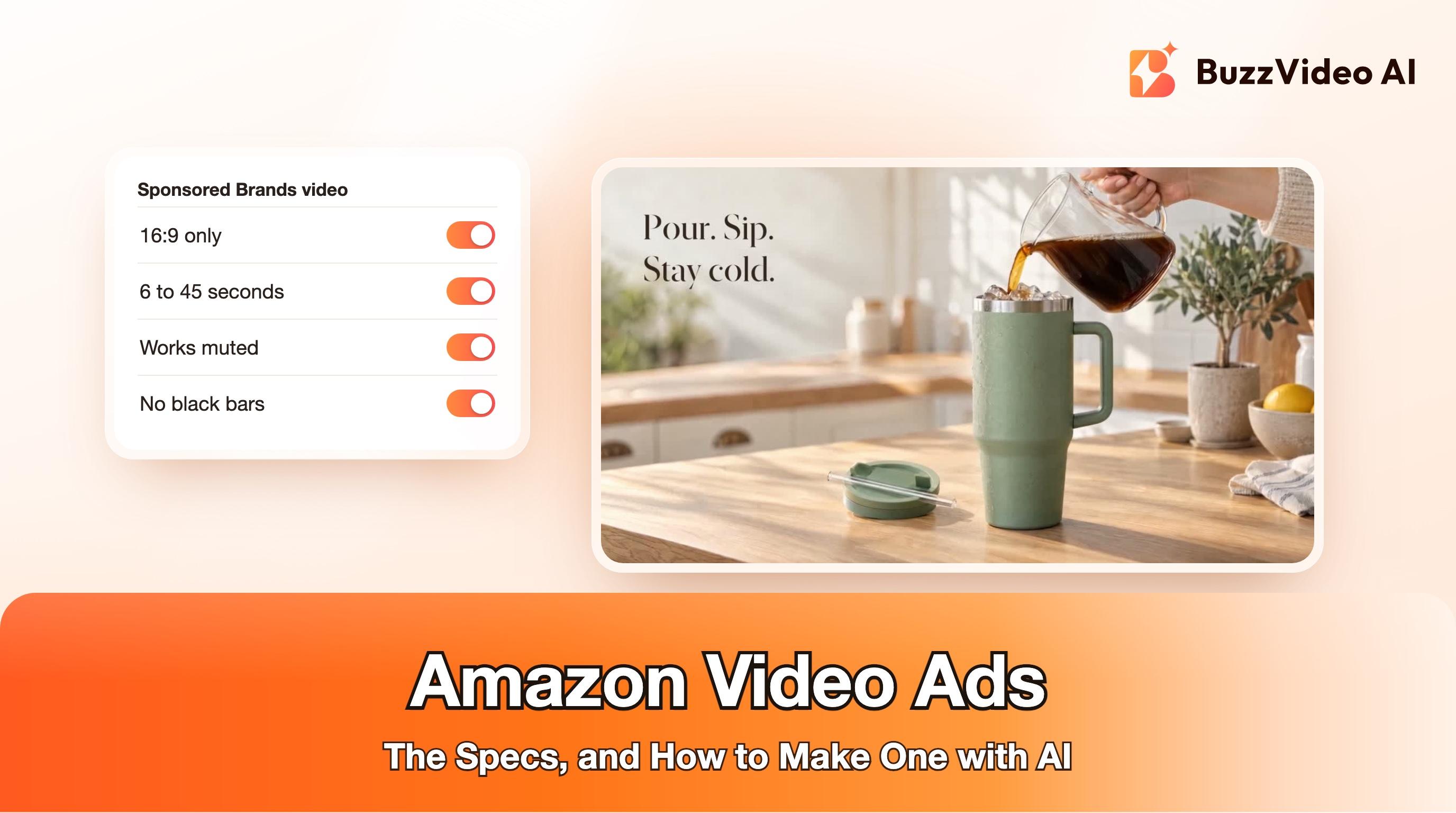
Amazon video ads, the Sponsored Brands video format, are 6- to 45-second clips (Amazon highly recommends 20 seconds or less) that play in shopping results and on product detail pages. They must be 16:9 only, at 1280x720, 1920x1080 or 3840x2160, and they start without sound, so the product has to be visible and understandable in the first second with the audio off. Avoid black bars, keep text out of the lower-right corner, and end on a card with your brand name and logo. Those specs come from Amazon's Sponsored Brands video ad specs, checked on November 12, 2026.
You can shoot this with a camera, or make it from a single product photo with AI. Below are the specs in one table, what each rule means for AI-generated footage, a six-step workflow in BuzzVideo AI, the exact prompt we used for a 13-second example, and when Amazon's own AI video generator is the better choice.
Try it: Upload one product photo to the Marketing Agent, open Generate Video and choose 16:9. Open the Marketing Agent →
What are Amazon video ads?
Amazon Ads sells several video products, from display and online video to ads on channels such as Prime Video and Fire TV. For most sellers, "Amazon video ads" means Sponsored Brands video, the cost-per-click format that autoplays in search results. Amazon describes two campaign types:
- Product Detail Page campaign. The video shows in shopping results and on detail pages and sends shoppers to a product.
- Brand Stores campaign. The video sends shoppers to your Brand Store and can appear above and below the fold of search results.
The ad unit around your video is built by Amazon: it shows your primary product image and details from the listing, plus your logo, headline and a call to action. Your job is the video itself.
What are the Amazon video ad specs?
These are the Sponsored Brands video specifications as published on Amazon's ad specs page. Amazon updates them, so check the page before you upload.
| Spec | Requirement |
|---|---|
| Length | 6 to 45 seconds; 20 seconds or less highly recommended |
| Aspect ratio | 16:9 only (square pixel) |
| Dimensions | 1280x720, 1920x1080 or 3840x2160 px |
| File | .MP4 or .MOV, 500 MB or less |
| Video codec and profile | H.264 or H.265, Main or Baseline, progressive scan |
| Frame rate | 23.976, 23.98, 24, 25, 29.97, 29.98 or 30 fps |
| Video bit rate | At least 1 Mbps; 4 Mbps or higher recommended |
| Audio | PCM, AAC or MP3; stereo or mono; at least 96 kbps and 44.1 kHz |
| Playback | Autoplays when 50% of the video is on screen; always starts muted |
| Layout | No letterboxing or pillarboxing; keep text and key information out of the lower-right corner |
| Language | On-screen text or voiceover in the marketplace language |
Amazon also publishes a safe area template you can lay over your edit to check the lower-right corner, where the mute button sits.
What makes an Amazon video ad work?
Amazon's creative guidelines on the same page boil down to five rules. Here is what each one means when the footage comes from an AI model.
1. Show the product in the first frame
Amazon asks you to show the product or something interesting in the first few seconds and to hold the brand name and logo until later. With AI, start from a product photo as the first frame of the clip, so the product is on screen from frame one instead of appearing halfway through.
2. Make it work with the sound off
Every Sponsored Brands video starts muted. A voiceover is a bonus, not the message. Pick actions that explain themselves visually (pouring, opening, folding, clicking into place) and add one short line of on-screen text if a benefit needs words.
3. Keep it short and to the point
Amazon highly recommends 20 seconds or less and says the goal is curiosity, not every detail; the detail page does the rest. One product, one action, one benefit and an end card is enough. Our example below is 13 seconds.
4. Fill the 16:9 frame
16:9 is the only accepted ratio, and bars are not allowed. A 9:16 TikTok or Reels clip cannot simply be placed on a 16:9 canvas. Generate the Amazon version in 16:9 from the start, or re-frame the scene rather than pasting it onto a blurred background.
5. End on your brand
Amazon recommends an end card that shows your brand name and logo prominently. Add it in the edit, using your real logo file. Never ask a video model to draw your logo or product text; generated lettering is often misspelled.
One more check before upload: Sponsored Brands videos must meet Amazon's sponsored ads creative acceptance policies, be suitable for a general audience, and comply with relevant laws; ads that don't are not accepted. Read the policies before you build the edit, not after it is rejected.
How do you make an Amazon video ad with AI?
Step 1: Start from a clean product photo
Use a photo in which the product's shape, colour and details are accurate. If you only have a white-background listing image, ask an image model to place the product in a simple lifestyle scene first; our guide to Amazon listing images with AI covers that. For our example we generated the whole first frame with GPT Image 2.5 Sunburst, because the tumbler is a fictional product.
Step 2: Write one action in one sentence
Choose the action that sells the product without words. For a tumbler, that is coffee poured over ice and the condensation that shows it stays cold. Describe it with timings, keep one hand in frame and say what must not change.
Step 3: Generate a 16:9 clip
In the Marketing Agent, open Generate Video, attach the first frame, choose 16:9, 720p or 1080p, and 10 seconds. Turn sound on if the model supports it; shoppers who unmute will hear real pouring and clinking.
Step 4: Check every frame
Step through the clip every quarter of a second. Look at the hand, the liquid, the handle and the edges of the frame. Cut anything that morphs or floats.
Step 5: Add the end card and any text in the edit
Add a two- to three-second end card with your logo and one benefit line. Keep any text out of the lower-right corner. If you sell in several marketplaces, make one version per language.
Step 6: Export to the spec
Export H.264 MP4 at 1280x720 or 1920x1080, 24 to 30 fps, with AAC audio at 96 kbps or more and a video bit rate of at least 4 Mbps. Then upload it in the Sponsored Brands campaign builder.
If you want to start from a product link rather than a photo, the Marketing Agent's URL to Video and Product Demo tools turn a product page into a draft video; see our guide to product URL to video ads. For a whole set of placements from one clip, see resizing video ads for every placement.
Example: a 13-second Amazon-style video ad from one photo
The prompt we used for the clip, unchanged. It asks for no text, no music and no voice, because the text and the end card were added in the edit and the ad starts muted anyway.
“Use the image as the exact first frame. Premium product ad for the sage-green insulated tumbler, one continuous shot, no cuts. 0-5 s: The hand tilts the glass carafe and pours a steady stream of cold brew coffee into the tumbler over the ice. The coffee level rises, ice cubes clink and shift slightly. The camera pushes in slowly toward the tumbler. 5-10 s: The hand stops pouring, lifts the carafe away and out of frame to the right. The camera settles on a medium close-up of the full tumbler with condensation droplets running down its side, warm morning sunlight on the counter. Keep the tumbler, its handle, the lid and the straw on the counter exactly as in the image: same shape, same sage-green colour, completely plain with no text or logo. Only one hand ever in frame. Nothing spills. Sound: coffee pouring over ice, ice clinking, a soft kitchen room tone. No music, no voice. No text, captions, logos or watermarks. No new objects, no extra hands, no faces.”
- Prompt used for the clip (Seedance 2.5, 16:9, 720p, 10 s, sound on, start frame attached)
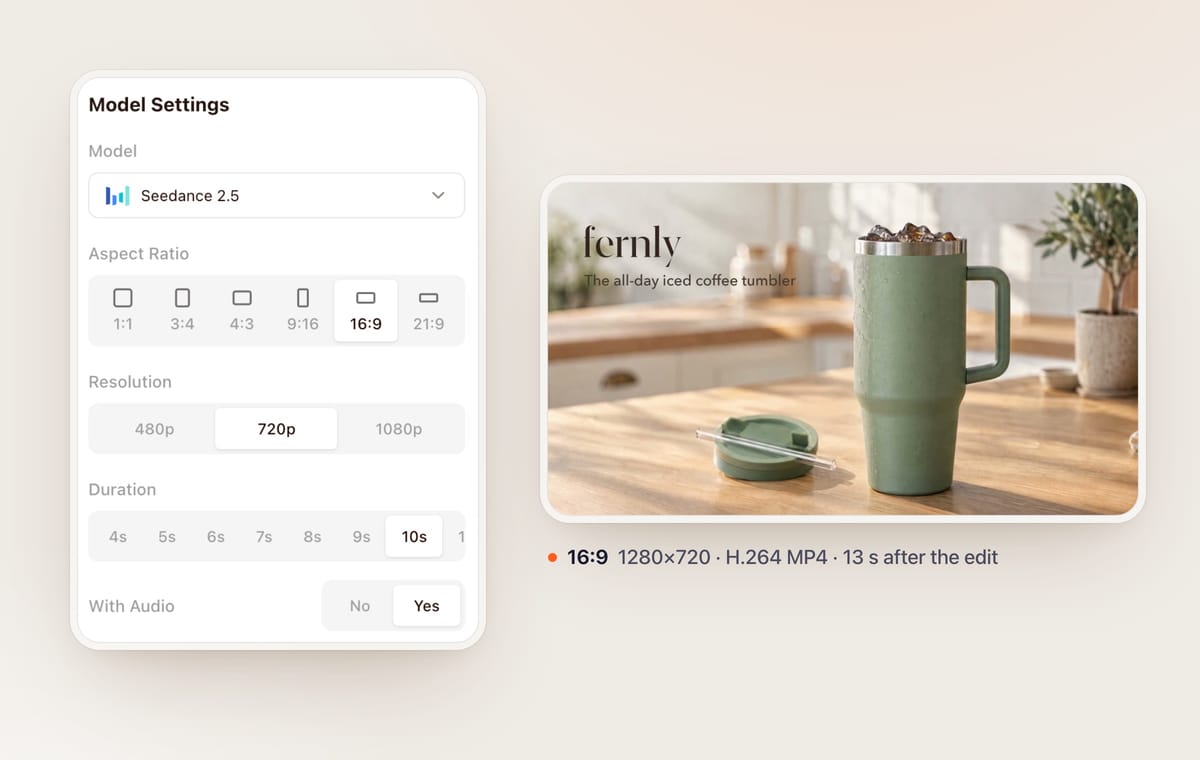
We also ran the same frame and prompt through Kling 4.0 to compare the two models; it followed the timing more closely but added a slightly artificial trickle of condensation near the end, so we used the Seedance 2.5 clip here.
Should you use Amazon's own video generator instead?
Sometimes, yes. Amazon Ads offers generative AI creative tools in Creative Studio, including one that turns a product ASIN into a video ad in one click, and a conversational creative partner that can storyboard and generate Sponsored Brands video ads. An Amazon Ads account is required. We build BuzzVideo, so here is our honest split:
| Use Amazon's video generator when | Use BuzzVideo (or another AI video tool) when |
|---|---|
| You want a quick first Sponsored Brands video for an ASIN | You want to control the scene, the action and the camera shot by shot |
| The ad only needs to run on Amazon | You also need 9:16 versions of the same creative for TikTok, Reels and Shorts |
| You are happy with a templated product video | You want a specific style, such as UGC, a lifestyle scene or a cinematic product film |
| You want to stay inside the Amazon Ads console | You want to compare several video models or reuse the same product photo across many ads |
Many sellers will use both: Amazon's tool for a quick baseline, then their own creative to test against it. Test the two against each other rather than assuming either wins. Our Black Friday video ads guide has a production plan if you are building holiday creative right now.
Ready to make your first Sponsored Brands video? Start from one product photo, generate a 16:9 clip in the Marketing Agent and add your end card in the edit.
FAQs
What size should an Amazon video ad be?
Sponsored Brands video must be 16:9 at 1280x720, 1920x1080 or 3840x2160 pixels, as an MP4 or MOV file of 500 MB or less (Amazon ad specs).
Can I use a vertical 9:16 video for Amazon Sponsored Brands video?
No. Amazon accepts 16:9 only and does not allow letterboxing or pillarboxing, so a vertical clip needs to be re-framed or regenerated in 16:9.
How long should an Amazon video ad be?
Between 6 and 45 seconds, and Amazon highly recommends 20 seconds or less. Show the product early and end with your brand.
Do Amazon video ads play with sound?
They always start muted, and shoppers can tap a mute button in the lower-right corner to turn sound on. Make the video understandable without audio.
Can I make Amazon video ads with AI?
Yes. Amazon offers its own AI video generator in Creative Studio, and you can also generate footage with tools like BuzzVideo, as long as the final video meets the specs and Amazon's ad policies and shows the product accurately.
Where should text go in an Amazon video ad?
Anywhere except the lower-right corner, where the mute toggle sits. Amazon's safe area template shows the area to keep clear.
What is the minimum bit rate for Amazon video ads?
At least 1 Mbps for video, with 4 Mbps or higher recommended, and at least 96 kbps for audio at a 44.1 kHz sample rate or higher.
Last verified: November 12, 2026, against Amazon's Sponsored Brands video ad specs and our live pricing and product pages.
Next reads: Amazon listing images with AI · Product URL to video ads · Resize video ads for every placement · Product demo videos from photos

About the author
Monica
Product Manager
As a Product Manager at BuzzVideo AI, I work with marketers and growth teams on AI ad workflows—from brief to shippable creatives. I write about practical product workflows, model choices, and how teams turn product pages into ads that feel native on Meta and TikTok.